When it comes to choosing the right project management software, Asana vs Basecamp is one of the most common comparisons teams face. Both platforms are designed to boost productivity, streamline collaboration, and help teams stay on track—but they approach those goals in very different ways.
Asana is known for its robust task management features and customizable workflows, appealing to teams that need structure and visibility across complex projects. Basecamp, on the other hand, offers a more simplified, all-in-one communication hub designed to reduce tool sprawl and keep everyone aligned.
This guide breaks down the key differences between Asana and Basecamp to help you make a confident, informed decision.
Let’s dive in and see how these two popular platforms stack up—feature by feature.
Asana Overview
Asana is a powerful project management platform designed to help teams organize, track, and manage their work with precision. Launched in 2011, it has grown into a feature-rich solution favored by organizations that need structure, scalability, and detailed task coordination.
At its core, Asana revolves around Projects and Tasks, which can be organized into Sections, assigned to teammates, and tracked with due dates, priorities, and dependencies. Built-in automations help reduce repetitive tasks, such as auto-assigning responsibilities or triggering status updates when deadlines shift.
Asana excels in environments where clarity, accountability, and process matter. It's especially well-suited for marketing teams, product development groups, operations departments, and any team that handles complex, task-heavy projects. Its integration ecosystem (Slack, Google Workspace, Microsoft Teams, and more) also makes it ideal for companies running a modern tech stack.
Powerful automation rules to streamline repetitive actions
Scales well for cross-functional collaboration and larger teams
Limited native time tracking functionality
Workflow automation is less intuitive without technical onboarding
Basecamp Overview
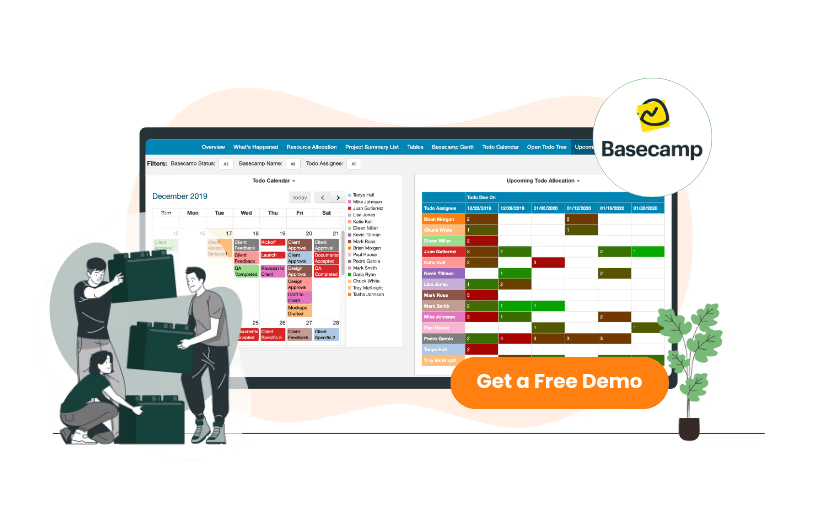
Basecamp is an all-in-one project collaboration tool built to simplify how teams communicate and manage work. Unlike task-focused platforms, Basecamp emphasizes centralized team communication over granular task tracking. It's been a go-to choice for companies looking to reduce email overload and consolidate tools into a single workspace.
Each Basecamp project includes a suite of collaboration features: Message Boards for announcements, To-Do Lists for basic task management, Campfire for real-time group chat, and Docs & Files for storing shared content. Teams can also use automatic check-ins to keep everyone aligned without constant meetings.
Basecamp’s flat pricing model and intuitive design make it especially appealing for small to mid-sized businesses, creative agencies, client-facing teams, and remote-first companies. It’s ideal for those who value simplicity, transparency, and asynchronous collaboration over deeply structured workflows.
Basecamp Pros And Cons
Pros
Cons
Intuitive, minimal learning curve for non-technical users
Easy to onboard clients or contractors into projects
Encourages asynchronous collaboration and transparency
Lacks advanced task management features like dependencies
Not ideal for complex project planning or cross-departmental collaboration
Asana shines when it comes to structured task and workflow management. Teams can break down projects into detailed task lists, assign responsibilities, set due dates, and track progress in multiple formats. The Kanban board view helps visualize work in stages (e. g. , “To Do,” “In Progress,” “Done”), ideal for agile teams or those managing iterative tasks.
For high-level planning, Timeline (Gantt chart) view provides a clear, chronological picture of task schedules and deadlines, helping teams identify overlaps or bottlenecks. Asana’s dependencies feature ensures tasks happen in the right order—crucial for workflows where certain steps can't begin until others are completed.
The built-in workflow builder allows teams to automate multi-step processes without coding. For example, you can auto-assign follow-up tasks when a milestone is marked complete or trigger notifications when a task moves to a new stage. These features enable both visibility and control, making Asana a strong fit for teams managing complex, deadline-driven initiatives.
Basecamp: To-Do Lists, Task Assignment, Lack of Advanced Views
Basecamp approaches task management with simplicity in mind. Each project includes to-do lists where tasks can be assigned to team members and given due dates. These lists are straightforward and easy to update, making Basecamp accessible for teams who don’t need granular workflow control.
However, Basecamp lacks advanced visual planning tools like Gantt charts, calendar views, or Kanban boards. This can limit how much visibility teams have into project timelines or dependencies—especially in multi-phase initiatives. There's no way to link tasks or define a sequence, which can make it harder to manage interrelated work or critical paths.
For small teams or those focused on communication over process, Basecamp’s to-dos may be sufficient. But for operations-heavy or cross-functional teams, the limited workflow structure can become a bottleneck.
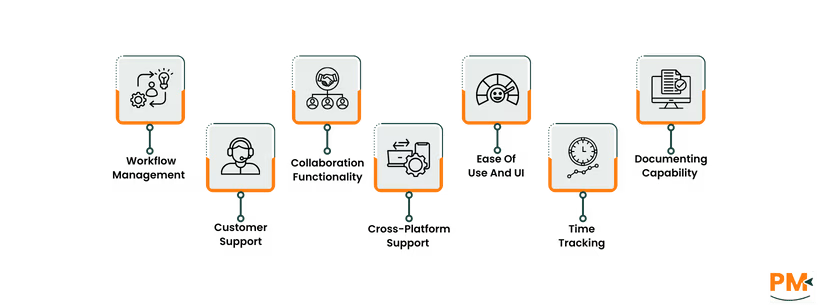
Customer Support
Asana: Email Support, Help Center, Community Forums, Priority Support for Premium Users
Asana provides several layers of customer support, beginning with a well-organized Help Center filled with how-to articles, tutorials, and video walkthroughs. Users on all plans can reach out via email support, though response times can vary—typically within one to two business days for free users.
Premium and Enterprise customers benefit from priority support, which includes faster response times and access to more advanced troubleshooting. Asana also maintains active community forums, where users often help each other solve common issues or share workflow tips. While there's no live chat or phone support, the combination of resources and reliable email assistance generally meets expectations for most teams.
Users report a solid support experience, though onboarding complex workflows may require some self-learning or paid training through Asana’s customer success programs.
Basecamp: Email Support, Support Guides, Human-First Approach, No Live Chat
Basecamp is known for its no-frills, human-first approach to support. Users can contact the support team via email, with responses usually delivered within a few business hours—often faster. The company emphasizes a personal touch, and users frequently praise the clarity and friendliness of responses.
While Basecamp doesn’t offer live chat, phone support, or tiered plans for faster service, its support guides and FAQs are clear and practical. There's no AI chatbot or complex ticketing system—just real people answering emails during regular business hours (typically U. S. Central Time, Monday through Friday).
This approach aligns with Basecamp’s philosophy of simplicity, though larger teams may miss the advanced support tiers available in tools like Asana.
Collaboration Functionality
Asana: Commenting on Tasks, Tagging, Integrations With Slack/Teams
Collaboration in Asana revolves around task-level communication. Team members can comment directly on tasks, attach files, and tag others using @mentions to bring them into the conversation. This keeps discussions tightly tied to specific action items, which helps reduce miscommunication.
Asana also integrates smoothly with Slack, Microsoft Teams, and other communication tools, allowing updates and task creation from within chat platforms. These integrations help bridge real-time and asynchronous workflows, especially for distributed teams managing complex projects.
While Asana doesn’t offer built-in real-time chat, its structure ensures that collaborative context is preserved alongside work—something that’s especially valuable when multiple stakeholders are involved.
Basecamp: Real-Time Chat (Campfire), Message Boards, @Mentions, Simple Team Dashboards
Basecamp is purpose-built for team communication. It includes Campfire, a built-in real-time chat tool for casual conversations, and Message Boards for organized, longer-form discussions. Each project space includes these tools, making it easy to centralize updates, files, and dialogue.
@Mentions work across to-dos, comments, and messages, making it simple to loop in teammates without switching apps. Basecamp also includes automatic check-ins, which prompt team members to answer recurring questions—like daily standups—without holding live meetings.
While it lacks deep task-level context or integrations with Slack or Teams, Basecamp excels at asynchronous collaboration, especially for creative teams or remote groups that prioritize clarity over complexity. The absence of siloed threads keeps communication open and transparent.
Cross-Platform Support
Asana: Web, iOS, Android Apps; Browser-Friendly; Syncs Well
Asana delivers a smooth cross-platform experience, with well-maintained apps for Web, iOS, and Android. The browser version is particularly robust—almost identical to the desktop experience—with fast performance and intuitive navigation.
Mobile apps are reliable for checking notifications, updating tasks, and commenting on the go. However, more complex actions like building workflows or managing dependencies are best done on desktop. Syncing between devices is seamless, and push notifications are customizable—allowing teams to stay updated without getting overwhelmed.
One minor quirk: occasional latency when loading large projects with multiple views on mobile. Still, for teams managing work across devices, Asana performs well.
Basecamp offers full-feature parity across its web, desktop, and mobile platforms. The apps are designed for ease, not complexity, and tend to perform consistently well—even on lower-end devices. Users can switch between devices without worrying about version mismatches or sync delays.
The mobile app makes it easy to follow message threads, check off to-dos, chat via Campfire, or upload files on the fly. Notifications are smartly batched to prevent overload, and Basecamp’s flat structure ensures nothing gets buried under layers of navigation.
The only limitation? Power users may find the mobile interface too minimal for complex team setups—but for day-to-day collaboration, it's more than capable.
Ease Of Use And UI
Asana: Clean Interface, More Powerful, Task Hierarchy
Asana strikes a balance between visual clarity and functional depth. The interface is modern and responsive, but the wealth of features—custom fields, dependencies, multiple views, advanced filters—can feel overwhelming at first, especially for smaller teams or non-technical users.
Onboarding typically involves a learning curve, particularly when setting up workflows or managing permissions. However, once teams grow familiar with task hierarchies and views, the UI becomes a powerful asset for scaling work.
For structured teams who value flexibility and control, Asana rewards time invested in learning the system.
Basecamp: Simple, Flat Structure; Minimal Setup; Less Overwhelming For Small Teams
Basecamp is built around simplicity and transparency. Its UI is clean, consistent, and intentionally minimal—every project space looks the same, with to-dos, messages, files, and chats neatly organized.
There’s no steep learning curve: most teams can get up and running within an hour. Navigation is intuitive, and because there’s no complex task linking or view-switching, users can focus on collaboration instead of configuration.
This makes Basecamp ideal for small teams, freelancers, and agencies who want a tool that “just works” without needing a project manager to configure it. However, that simplicity can feel limiting for teams with structured or layered workflows.
Time Tracking
Asana: No Native Tracking; Integrations With Harvest, Clockify, Toggl
Asana does not offer built-in time tracking, but it integrates seamlessly with popular third-party tools like Harvest, Clockify, and Toggl. These integrations allow users to track time directly from tasks, making it easier to monitor how long work actually takes across teams and projects.
This flexibility is great for businesses already using these tools, but it also means an added step for configuration and cost, especially for teams that rely heavily on accurate time logs for billing or productivity audits. For example, Harvest requires a separate subscription, and while some features are free in tools like Clockify, more advanced reporting may be behind a paywall.
Basecamp: No Built-In Time Tracking; Third-Party Add-Ons Like Everhour
Like Asana, Basecamp lacks native time tracking features. However, it supports integrations with tools such as Everhour and Toggl, allowing users to track time within to-dos or projects.
Basecamp's simplicity does make integration easy, but the absence of deeper task structure means you may not get the granular tracking capabilities that power users expect. Invoices, time estimates, or detailed time logs often require extra setup and may feel bolted on rather than fully integrated.
This is fine for teams that track time occasionally, but not ideal for those needing in-depth time management baked into the project workflow.
Documenting Capability
Asana: Task Comments, Project Briefs, Description Fields—Not a Documentation Tool per se
While Asana allows teams to share context through task descriptions, project briefs, and comments, it isn’t designed for formal internal documentation. You can use a task or project to house reference material, but there’s no dedicated space for persistent wikis, SOPs, or knowledge bases.
For small teams, this might be enough—especially if documentation is lightweight and closely tied to specific tasks. However, for growing organizations that need structured, searchable internal documentation, Asana’s approach is limited.
Basecamp: Native Docs & Files Section, Great For Wikis/Internal Guides
Basecamp offers a dedicated "Docs & Files" section in every project, which acts as a built-in repository for internal guides, reference documents, and shared assets. Users can create and organize documents, pin important info, and attach files for easy access.
This makes Basecamp a strong fit for teams that want to keep ongoing documentation, wikis, or internal how-tos in the same place they manage projects. It doesn’t have the depth of a full knowledge base platform, but for many small to mid-sized teams, it’s more than enough to centralize important content.
Asana Vs Basecamp Pricing Comparison
When it comes to pricing, Asana and Basecamp take very different approaches—each with strengths depending on your team’s size and needs.
Asana Pricing
Asana uses a tiered pricing model, and includes the following plans:
Personal - £0/user/month
Starter - £11.59 /user/month
Advanced - £25.69/user/month
Enterprise – Custom pricing
Basecamp Pricing
The software’s pricing plans include:
Basecamp Free - $0
Basecamp Pro - $15/user/month
Basecamp Pro Unlimited – 299/user/month
Who Is Asana Best For?
Asana is ideal for structured teams managing complex workflows with many interdependent tasks.
Best For:
Project managers
Team leads
Cross-functional collaborators
Departments like marketing ops, product development, enterprise operations
Why Choose Asana:
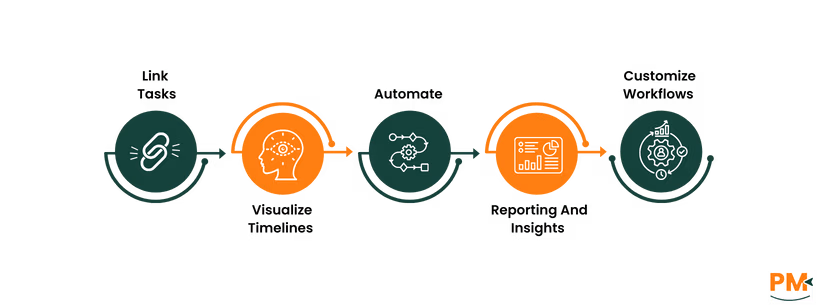
Link tasks and dependencies with ease
Visualize timelines for detailed planning
Automate routine workflows to save time
Generate in-depth reporting and insights
Customize workflows to fit large-scale, evolving projects
Perfect for teams that need precision, visibility, and scalable control across multiple projects.
Who Is Basecamp Best For?
Basecamp shines in smaller, fast-moving teams that value simplicity, clarity, and budget control.
Best For:
Freelancers & small teams
Creative agencies
Client-facing businesses
Remote-first or async teams
Startups with many collaborators & limited budget
Why Choose Basecamp:
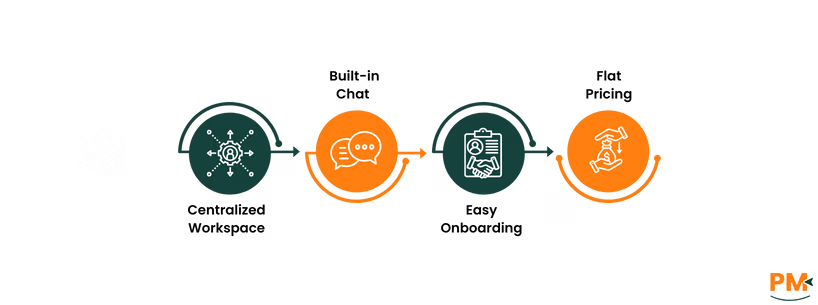
Centralized workspace with docs, to-dos, and message boards
Built-in chat (Campfire) and simple file sharing
No over-engineered complexity — easy onboarding
Flat pricing makes it cost-effective for large headcounts
Ideal for teams who prioritize communication over complexity and want a no-fuss project management tool.
Which One May Suit Your Needs Better?
When weighing Asana vs Basecamp, the right choice depends on your team’s structure, complexity, and collaboration style.
Choose Asana if you need advanced task management, cross-project visibility, automation, and customizable workflows. It’s ideal for larger or fast-scaling teams with interdependent work and a need for precision.
Choose Basecamp if you value simplicity, team communication, predictable pricing, and don’t need complex workflow logic. It’s a great fit for smaller teams or creative shops that want to focus on work—not the tools managing it.
Ultimately, evaluate your workflow style, team dynamics, and growth plans before deciding which platform will help you work smarter—not harder.
Usman Bashir is a Technical Content Writer specializing in the medical category at SF. With a degree in PharmD, Usman brings deep understanding and passion for medical content. His expertise and dedication to clarity and accuracy make his work stand out. Outside of work, Usman enjoys hiking and capturing the beauty of nature through photography, finding balance and inspiration in nature.
Share this Article
Sign Up
Sign up to stay updated with the new content and expand your HR expertise.
Usman Bashir is a Technical Content Writer specializing in the medical category at SF. With a degree in PharmD, Usman brings deep understanding and passion for medical content. His expertise and dedication to clarity and accuracy make his work stand out. Outside of work, Usman enjoys hiking and capturing the beauty of nature through photography, finding balance and inspiration in nature.