

Finding the right project management software is rarely a one-size-fits-all decision. Businesses today rely on digital tools not just to assign tasks, but to keep teams aligned, manage deadlines, share knowledge, and create a central source of truth. Two names that often surface in this conversation are Basecamp and Notion - tools that approach productivity from very different angles.
Basecamp, launched in 2004, is a veteran in the field and has built its reputation on simplicity. Its philosophy is straightforward: keep projects organized, communication clear, and distractions minimal. With to-do lists, message boards, schedules, file storage, and real-time group chat all in one place, it offers a no-frills highly practical approach that appeals to small and midsize teams.
Notion is a relative newcomer, but it has quickly become one of the most popular “all-in-one” workspaces on the market. It combines notetaking, task management, databases, and collaboration into a fully customizable system. Teams use Notion not only for project tracking, but also for building internal wikis, managing content calendars, and creating documentation hubs - all tailored to their unique workflows.
Here, we’ll explore each platform’s strengths, limitations, and best-fit scenarios to help you decide which tool aligns better with your team’s needs.
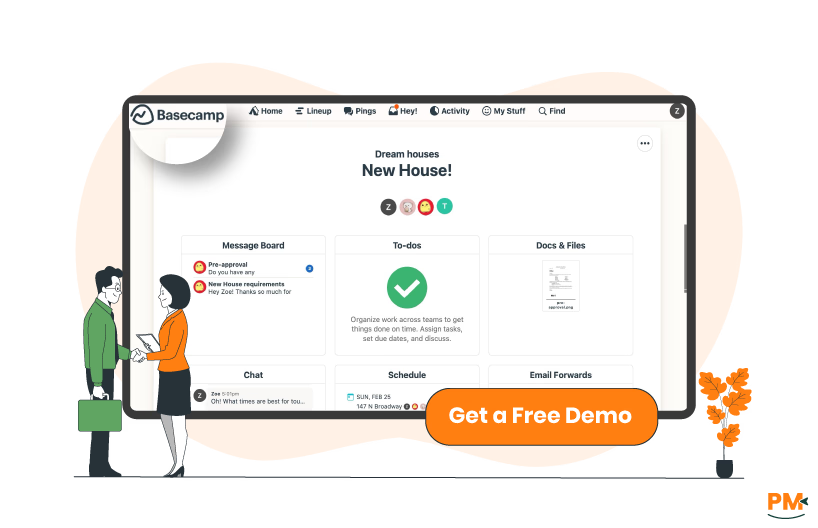
Basecamp is one of the most established project management tools on the market, known for its simple and structured approach to organizing work. Designed to reduce the noise of scattered communication, Basecamp brings together the essentials: to-do lists, message boards, schedules, file storage, and group chat in a single, centralized workspace.
The platform emphasizes clarity and ease of use, making it especially appealing to small and midsize businesses that want a straightforward solution without unnecessary complexity.
Its philosophy is centered on creating a calmer work environment by keeping projects transparent, minimizing back-and-forth, and eliminating endless email chains. With nearly two decades of development behind it, Basecamp remains a reliable option for teams that want to streamline collaboration and stay focused on priorities.
Basecamp Pros and Cons
Pros | Cons |
|
|

Notion is a modern productivity platform that combines project management with documentation, databases, and team collaboration in a single, highly customizable workspace.
Unlike traditional tools that follow rigid structures, Notion allows teams to build their own systems: from simple task lists to complex dashboards with timelines, calendars, and databases. Its block-based design means every page can be adapted to fit unique workflows, making it popular with startups, creative teams, and businesses that value flexibility.
Beyond task tracking, teams often use Notion for internal wikis, meeting notes, content calendars, and knowledge sharing. Since its launch, Notion has rapidly grown into a versatile choice for businesses that want both project management and knowledge management in one interconnected tool.
Notion Project Management Pros and Cons
Pros | Cons |
|
|

Basecamp
Basecamp takes a straightforward approach to task and workflow management. Each project is organized into to-do lists, where tasks can be assigned to individuals with due dates and tracked until completion.
It emphasizes clarity: every task lives in a visible list, and team members receive automatic updates when something is added, completed, or overdue. The platform also includes Hill Charts, a unique visual tool that shows project progress beyond simple task completion, making it easier to understand whether a project is “on track” or stuck.
While Basecamp excels at simplicity, it does not offer advanced features like Gantt charts or traditional Kanban-style boards, which some teams may expect in a project management tool.
Notion Project Management
Notion provides a highly flexible approach to task and workflow management. Instead of being locked into a single structure, teams can choose from Kanban boards, calendars, lists, or timeline views depending on their preference.
Tasks live inside databases, which can be filtered, sorted, and linked across different projects, allowing for advanced customization. For example, a single task can be tied to a content calendar, a team meeting agenda, and a project dashboard simultaneously.
Templates make it easy to set up recurring workflows, while relational databases help teams connect tasks to goals, documents, or even other databases. The flexibility is powerful, though it can also create a steeper learning curve for teams not accustomed to building custom workflows.

Basecamp
Basecamp provides customer support primarily through ticket-based help and a comprehensive self-serve Help Center filled with guides, FAQs, and how-to articles.
They emphasize quick responses during business hours, and many users report receiving replies within the same day. However, Basecamp does not offer phone support or live chat, which can be a drawback for teams needing immediate resolutions.
On the upside, the company is transparent about its support policies, aiming for “fast, human responses” without outsourcing.
Notion Project Management
Notion offers multiple layers of customer support: a Help and Learning center, community forums, and email-based support. Users on paid plans also have access to priority support. Notion supplements these with an extensive library of templates, tutorials, and webinars to help users learn the platform.
However, some user note that while the help documentation is excellent, direct support responses can sometimes be slower compared to competitors. Notion makes up for this with its active community, where many questions are answered by power users or Notion Ambassadors. Basecamp.
Collaboration is at the heart of Basecamp. Each project includes message boards, group chat (Campfires), automatic check-ins, and direct messaging, allowing teams to centralize discussions and reduce email clutter.
Files, tasks, and conversations stay within the same project, giving context to every interaction. Teams can also use pings for quick one-on-one communication.
However, Basecamp does not provide advanced collaborative tools like whiteboards or real-time document editing, so teams often rely on integrations with third-party apps for such needs.
Notion Project Management
Notion takes a more modern approach to collaboration by combining project management with real-time knowledge sharing. Multiple users can edit pages simultaneously, with changes updated instantly across devices.
Teams often use Notion to create shared wikis, meeting notes, and project dashboards, ensuring everyone works from the same source of truth. Built-in comments, mentions, and version history make it easy to give feedback or track changes.
Unlike Basecamp, Notion also doubles as a documentation hub, so discussions and resources live alongside tasks. On the downside, some users note that collaboration can slow down with very large workspaces or databases, especially when multiple people are editing at once.
Basecamp
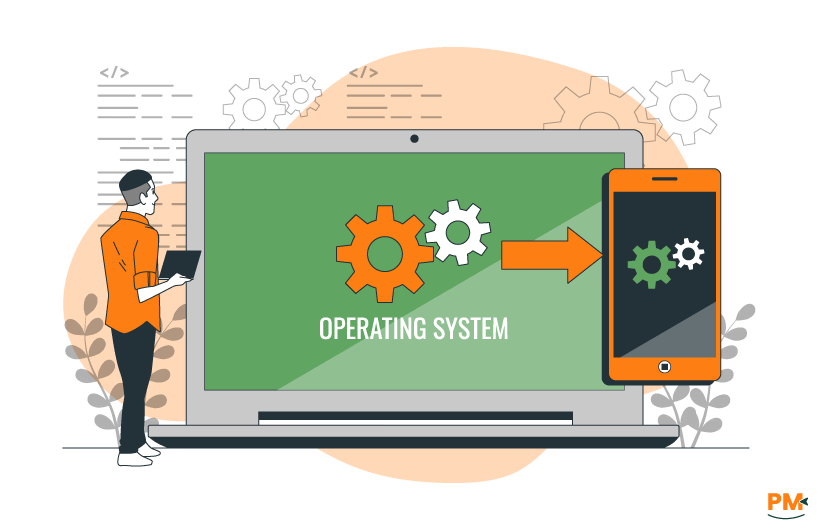
Basecamp is web-first and offers native apps for macOS, Windows, iOS and Android, so teams can access projects from desktop, mobile, or any browser. The company positions the product as ‘ready whenever and wherever you are’.
Desktop apps exist for Mac and Windows; Linux users can access Basecamp through the browser. Basecamp also publishes an integrations directory to connect with other tools, which helps extend platform reach across ecosystems.
In practice, users note that mobile apps are reliable for everyday use, but offline usage is not a prominent feature, and some field teams highlight that the app depends on internet connectivity.
Notion Project Management
Notion provides native desktop apps for macOS and Windows, mobile apps for iOS and Android, and a fully featured web app; the company documents all of these in its apps/help center.
Notion also supports offline access for pages that users mark ‘Available offline,’ with edits saved locally and synced automatically when the device reconnects. That offline capability is delivered through the native desktop and mobile apps rather than the browser.
Notion is widely available via official store listings (App Store, Google Play, Microsoft Store) and is commonly used across platforms. Users, however, report occasional sync delays or performance slowdowns with very large databases or heavy pages, so teams with massive, high-traffic workspaces should test performance on their expected devices.

Basecamp
Basecamp is known for its straightforward and minimal interface, designed to help teams get started quickly without a steep learning curve. Projects are broken into clear sections like To-Dos, Messages, Docs and Files, and Campfires, so teams always know where to look for information.
The design philosophy emphasizes simplicity over feature density, which makes the platform approachable for less technical users or teams switching from email and spreadsheets.
However, some users feel the interface can look dated compared to more modern tools, and the lack of advanced customization limits how much the UI can be tailored to specific workflows.
Notion Project Management
Notion’s interface focuses on flexibility and customization, built around its block-based design. Users can arrange pages, databases, and dashboards however they like, creating personalized workspaces that fit their team’s workflow.
This makes Notion especially appealing to teams that value design freedom and visual organization. The UI is clean, modern, and distraction-free, with dark mode and a wide range of templates available.
That said, the same flexibility can make it overwhelming for new users, as the blank-page approach requires some upfront setup. Users also note that large, complex workspaces may feel cluttered without careful organization.

Basecamp
Basecamp includes docs and files for each project, allowing users to upload, organize, and share documents, spreadsheets, PDFs, and other files. Teams can attach files to tasks, messages, and discussions, keeping all project-related assets in one place. Versioning is simple: users can upload updated files and comment on changes.
However, Basecamp does not provide advanced file management features like real-time collaborative editing or integrated cloud storage beyond basic integrations (e. g. , Google Drive, Dropbox). Users generally praise the simplicity but note that large files or extensive libraries can become harder to navigate.
Notion Project Management
Notion allows teams to upload and share files directly within pages, including PDFs, images, spreadsheets, and multimedia. Files can be embedded inside databases, tasks, wikis, or notes, providing context along with the content.
Additionally, Notion supports drag-and-drop uploading, inline previews, and links to external cloud storage. While the platform excels at keeping content connected to workflows, it lacks advanced document versioning and real-time multi-user editing, which can limit its use for collaborative document-heavy workflows.
Users appreciate that files are tied to tasks or pages but caution that storage limits may be a consideration for larger teams on free plans.

Basecamp
Basecamp provides basic scheduling tools via its Schedule feature, which allows teams to create events, milestones, and deadlines for each project. Users can view tasks and events in a simple calendar layout, set due dates, and receive reminders.
The integration of schedules with tasks ensures visibility across team members and projects. However, Basecamp does not offer advanced scheduling features such as resource allocation, recurring tasks automation, or Gantt charts, which may limit its usefulness for complex project timelines.
Users generally praise the simplicity and clarity of schedules but note that teams needing more robust project planning tools may need third-party integrations.
Notion Project Management
Notion allows teams to manage schedules via calendars, timeline views, and task databases, providing flexible ways to track deadlines, milestones, and dependencies. Users can create recurring tasks, assign due dates, and link events to project pages or other databases.
Templates allow teams to set up repeatable workflows and content calendars. While Notion’s approach is highly customizable, it does not natively offer automatic dependency tracking or advanced Gantt chart functionality; complex scheduling often requires manual configuration or third-party integrations.
Reviewers appreciate the flexibility and integration with other project elements but caution that setup can be time-consuming for new users.

Basecamp Pricing
Basecamp offers the following pricing plans:
- Basecamp Free: $0/month for one project and 1 GB storage
- Basecamp Business: $15/user/month for unlimited projects and users
- Basecamp Pro Unlimited: $299/month (billed annually) for unlimited projects and users, including additional features such as 5 TB storage, priority support, and more
Disclaimer: Pricing is subject to change.
Notion Pricing
Notion provides several pricing tiers:
- Free: $0/member/month — Ideal for personal use
- Plus: $12/member/month — Includes additional features for individuals and small teams
- Business: $24/member/month — Designed for growing teams with advanced collaboration tools
- Enterprise: Custom pricing — Tailored solutions for large organizations with enhanced security and administrative controls
Disclaimer: Pricing is subject to change.
Basecamp is ideal for small to medium-sized teams that prioritize simplicity, clear communication, and centralized project tracking.
Its intuitive interface and straightforward task management make it suitable for industries such as marketing, software development, and creative agencies, where teams need to stay aligned without complex project planning tools.
While Basecamp can scale to larger organizations, its lack of advanced features like Gantt charts or resource management means it performs best for teams between 5–50 users. Teams seeking a clean, organized workflow with easy onboarding will find Basecamp particularly effective.
Who Is Notion Project Management Best For?
Notion is best suited for small to large teams that value flexibility and customization in their workflows. Its block-based structure and relational databases make it ideal for industries like tech startups, creative agencies, consulting, and education, where teams need to manage projects, knowledge bases, and documentation in one place.
Notion scales well, accommodating both individual contributors and organizations with dozens to hundreds of users, though larger enterprises may require careful workspace organization.
Teams that want highly customizable dashboards, collaborative wikis, and integrated task tracking will find Notion particularly effective.
Which One May Suit Your Needs Better?
Choosing between Basecamp and Notion depends largely on your team’s priorities. Basecamp excels for teams that value simplicity, clear communication, and straightforward project tracking. Its intuitive interface, centralized task and message management, and lightweight scheduling make it ideal for small to medium-sized teams that don’t require complex workflows.
Notion, on the other hand, is better for teams that need flexibility, customization, and integrated knowledge management. Its block-based system, relational databases, and multiple view options allow teams to build tailored workflows, wikis, and dashboards, making it suitable for organizations ranging from startups to large enterprises.
Ultimately, if your focus is ease of use and fast onboarding, Basecamp is the better choice. If you prioritize customizable workflows and all-in-one workspace capabilities, Notion will likely serve your needs better.
What Are The Alternatives?
Even though Basecamp and Notion are strong project management solutions, some teams may prefer other tools depending on their specific needs, features, or pricing. Below are recommended alternatives for each.
Basecamp Alternatives
- Trello – Ideal for Kanban-style project management and visual task tracking
- Asana – Offers advanced task management, timelines, and reporting features
- Monday. com – Highly customizable workflows for teams of all sizes
- ClickUp – Combines tasks, docs, goals, and timelines in one platform
Notion Alternatives
- Coda – Combines documents, spreadsheets, and apps in a single workspace
- Airtable – Database-driven project management with flexible views and automations
- Evernote – Focused on knowledge management and note organization
- Slite – Collaborative documentation tool for team knowledge bases