

The construction industry is a complex one, and for a good reason. Many construction projects often involve strict timelines, numerous stakeholders, stringent budget controls, and a labyrinth of documents and compliance to account for.
Due to all this, missed inspections, communication breakdowns between onsite and office teams, and unexpected cost overruns are all too common. This is why many people make use of construction project management software. With these platforms, firms can coordinate timelines, track multiple stakeholders, and manage budgets in real time with precision.
That being said, understanding how to choose construction project management software can be its own battle. To help such firms, we’ve come up with a construction project management software guide that empowers businesses to cut through the noise and select the right tool for their teams.
Construction project management (PM) software is a digital solution designed to help construction firms plan, coordinate, and execute projects across multiple teams, timelines, and job sites.
However, modern construction PM goes beyond timelines and crew management. It’s about bringing order to complex environments, using data and technology to lead teams, streamline operations, and deliver successful projects.
One example of a feature that’s intended to bring a more structured approach is RFI (Request for Information) tracking. With this, teams can manage formal communication between architects, contractors, and clients, while also ensuring that any specifications are documented and resolved without delays.
Another example of this is job costing, which allows firms to monitor expenses related to labor, materials, and overhead. By comparing projected and actual costs in real time, project managers can maintain tighter control over budgets and profitability.
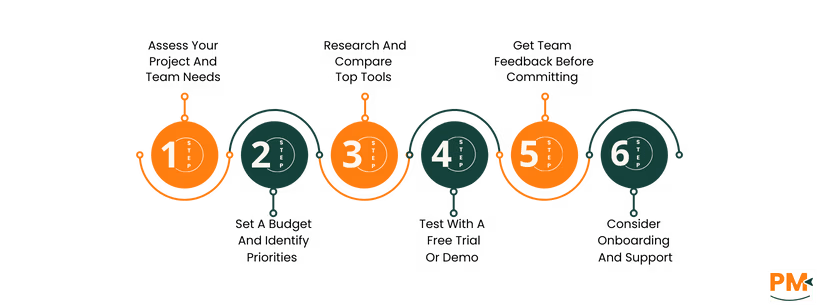
Picking a software isn’t just about finding a popular platform—it’s about finding a system that matches your workflows, team structure, and operational goals. Follow these practical steps to select the right construction project management software:
1.Assess Your Project And Team Needs
Start by evaluating the size and complexity of your projects. Are you managing small-scale renovations or multi-million-dollar builds across multiple locations? Consider who will be using the software—project managers, site supervisors, estimators, subcontractors—and how each role fits into your workflow. Make a list of core tasks you need help with, such as scheduling, budgeting, or document control, to guide your selection criteria.
2.Set A Budget And Identify Priorities
Once your needs are clear, define your budget. Construction software pricing varies widely depending on the feature set and user count. Identify must-have features like RFI tracking or job costing, and distinguish them from nice-to-haves. Prioritizing features helps prevent overspending on tools that won’t add value to your daily operations.
3.Research And Compare Top Tools
Look into multiple software options to understand what’s available. Pay attention to user reviews, especially from construction firms of similar size or specialty. Compare features like mobile access, document sharing, integrations, and scheduling tools. Use comparison pages and case studies to see how these platforms perform in real construction environments.
4.Test With A Free Trial Or Demo
Most reputable platforms offer a free trial or live demo. Take advantage of these to test the interface, explore the features, and simulate your workflows. Does the tool feel intuitive? Can your team easily navigate it? This hands-on experience is vital for understanding whether the platform fits your day-to-day processes.
5.Get Team Feedback Before Committing
Involve key team members—both in the field and at the office—during the trial phase. Their insights on usability and relevance to real job-site challenges are invaluable. Gathering feedback early fosters buy-in and increases the chances of a smooth implementation.
6.Consider Onboarding And Support
Even the best software is only as effective as its rollout. Look for platforms that offer thorough onboarding, user training, and responsive customer support. Whether it’s through live webinars, tutorials, or a dedicated support team, strong onboarding ensures your team can hit the ground running and avoid costly delays in adoption.

The right construction project management software can mark the difference between success and failure. As we’ve established before, the construction industry is rife with all sorts of challenges such as complexity, budget overruns and documentation.
However, once a PM construction software enters the equation, the problems become a lot more manageable; they become small bumps on the road rather than hills that must be climbed. For instance, many construction projects face the challenge of budget overruns. But, if the team gets a PM construction software that comes with real-time cost tracking and budget dashboards, they can make proactive financial decisions and drive down costs.
Similarly, if a team is facing a documentation issue, missing important files like RFIs, permits, etc. , then they can take advantage of a cloud-based construction PM software. This way, they can centralize their files in one place and access them anywhere, anytime.
In short, picking the right construction PM software means picking the right set of solutions for your problems.
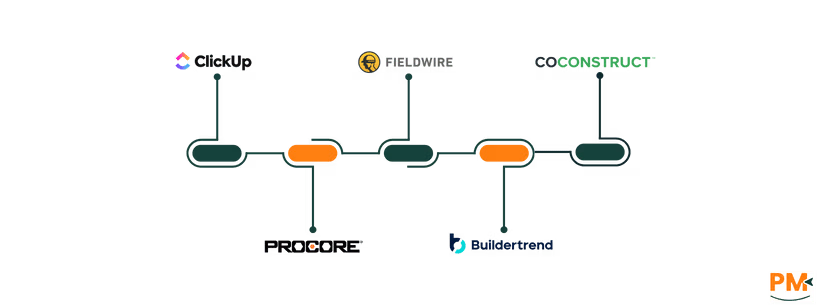
- ClickUp – A comprehensive all-in-one PM platform offering construction-specific templates, robust document collaboration, and unlimited users/tasks, ideal for firms of any size
- Procore – Specifically designed for construction operations, Procore simplifies the entire process, allowing it’s users to manage resources, designs, bids and budgets across one integrated platform
- Fieldwire – Tailored to fieldwork coordination, Fieldwire enables on-site crews to manage tasks and track progress via task assignments and real-time notifications
- Buildertrend – Suited for commercial contractors and remodelers, Buildertrend offers end-to-end tracking for expenses, time, and client communication in one unified platform
- CoConstruct – Provides various construction management feature—such as project tracking, reporting and billing—for custom home builders and remodelers
What is the best project management software for construction?
There’s no one-size-fits-all solution. Top choices include Procore for large-scale builds, ClickUp for flexibility, and Buildertrend for commercial contractors.
Can small construction companies benefit from project management (PM) software?
Yes, even small teams can save time and reduce errors with tools that offer scheduling, budget tracking, and communication features.
What is the average cost of construction PM tools?
Costs typically range from under $100/month to $500-$2000+/month, depending on software functionality, users, and deployment type.
Is cloud-based construction software better?
Typically, cloud-based tools are better since they offer real-time updates, mobile access, and easier collaboration across job sites and offices.
How do I know if my team is ready for software implementation?
If your team struggles with missed deadlines, manual processes, or miscommunication, it’s likely time to consider a software solution.
How does a construction PM software streamline workflows?
A construction project management software streamlines workflows by centralizing tasks, documents, and communication in one platform.