Feeling buried under issue logs, multifaceted workflows, and shifting project scopes? You’re in good company. Software teams often face the challenge of balancing structure with flexibility—managing tasks, resolving bugs, and coordinating development cycles can easily become overwhelming without the right system in place.
That’s where ClearQuest and Jira step in. Both focus on workflow and issue management but follow distinctly different philosophies. ClearQuest is engineered for compliance-driven environments, offering rigorous change control and detailed traceability across development lifecycles. Jira emphasizes agility and collaboration, giving teams the freedom to iterate, customize, and evolve workflows in real time.
ClearQuest Vs Jira: At A Glance
Feature
ClearQuest
Jira
Tasks & Workflow Management
Rigid, rule-based workflows, predefined states and approvals, schema controlled by admins, traceability, compliance-focused
Extensive Atlassian Marketplace, GitHub, Slack, Jenkins, APIs for custom integrations, modern DevOps-friendly
TL;DR: Choose ClearQuest if your organization prioritizes governance, accountability, and process precision. Opt for Jira if you need a highly customizable, agile environment designed for collaboration and continuous improvement.
ClearQuest Overview
IBM Rational ClearQuest is a change management solution designed to enhance visibility, control, and collaboration across development teams. It integrates with existing tools to support efficient workflows, enforce consistent processes, and maintain full lifecycle traceability. With flexible deployment and customizable automation, it enables teams to manage changes effectively, adapt to various enterprise environments, and access up-to-date project insights for better decision-making and continuous improvement.
ClearQuest Pros And Cons
Pros
Flexible workflow engine allows tailored process flows and state transitions
Strong integration with source-control and life-cycle tools boosts traceability of artifacts
Rich reporting and charting capabilities provide visibility into trends, aging, and project status
Cons
The web client interface is less modern compared with newer tooling alternatives
High customization demands lead to increased administration and ongoing maintenance effort
Jira Overview
Jira offers a unified solution for managing projects with the help of AI-driven automation and intelligent insights. Through Rovo AI, it simplifies planning, identifies risks, and enhances team coordination across departments. Integrated with leading workplace tools, Jira helps users align tasks with organizational goals and track outcomes in real time. Built for both startups and large enterprises, it supports faster delivery, stronger collaboration, and measurable impact across every stage of the project lifecycle.
Jira Pros And Cons
Pros
Enables structured team task management for requirement-driven workflows
Supports agile execution through sprints, real-time dashboards, and workflow control
Provides efficient bug tracking and defect monitoring for development teams
Cons
Task status updates may fail to reflect real-time progress changes
File uploads restricted to 25MB, limiting larger test evidence attachments
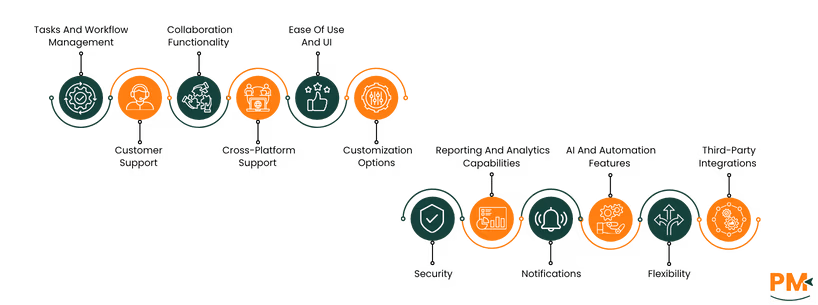
Tasks And Workflow Management
ClearQuest structures task management around rigid, rule-based workflows suited for change and defect tracking. Each process follows predefined states and approvals, ensuring traceability and compliance. Administrators control schema modifications, allowing minimal deviation from set procedures. This structured design supports complex development cycles where consistency, control, and accountability take precedence over adaptability.
Jira emphasizes agile task and workflow management with customizable boards and sprint tracking. Users can visualize workloads, assign responsibilities, and automate routine transitions. Its drag-and-drop interface supports iterative planning and progress monitoring. Teams gain flexibility to modify workflows without coding, making Jira ideal for dynamic projects requiring fast updates and evolving priorities.
Winner: Jira stands out for its adaptable and user-driven workflow design, while ClearQuest is more suitable for regulated, process-heavy environments.
Customer Support
IBM Rational ClearQuest offers a robust support system designed to help users navigate its features and resolve issues effectively. Support is available through comprehensive and detailed documentation that covers a wide range of topics, from setup and configuration to troubleshooting common problems. In addition to the documentation, users can access real-time assistance via a live chat feature, enabling immediate guidance from support representatives.
Jira support combines Atlassian’s extensive documentation, active community, and tiered paid assistance. Users can access self-help articles or raise tickets for advanced troubleshooting. Enterprise plans include dedicated account managers and 24/7 support availability. This layered model caters to both small teams seeking autonomy and enterprises needing responsive service coverage.
Winner: Jira wins for its accessible, multi-tiered support structure that scales effectively across different business sizes.
Collaboration Functionality
ClearQuest enables collaboration through shared issue records, change logs, and comment histories. Users can document updates and tag team members on specific cases, while administrators maintain access control and audit integrity. Collaboration remains structured and asynchronous, favoring environments that value traceable records over real-time team interaction.
Jira promotes interactive collaboration with comments, mentions, attachments, and shared dashboards. Team members discuss issues directly within tasks, keeping all communication contextual. Integration with Slack, Microsoft Teams, and Confluence enhances transparency. This live, interconnected approach fosters coordinated teamwork across agile and distributed groups.
Winner: Jira leads with its real-time collaboration capabilities and seamless integrations, offering a more dynamic team experience than ClearQuest.
Cross-Platform Support
Primarily designed for on-premises environments, ClearQuest offers desktop and web client options. Users typically access the platform within controlled enterprise networks. This setup ensures stability and data control but limits flexibility for remote or hybrid work scenarios.
Jira delivers broad accessibility through web, desktop, and mobile applications. Users can track projects from browsers or mobile devices, enabling productivity from any location. The cloud version supports automatic updates and cross-device synchronization, while self-hosted editions serve organizations with specific compliance or network needs.
Winner: Jira wins for its comprehensive cross-platform accessibility and cloud-first design that supports modern, distributed teams.
Ease Of Use And UI
ClearQuest features a form-based interface emphasizing detailed data entry and process accuracy. Navigation and customization require familiarity with the platform’s configuration logic. Though powerful for structured workflows, the UI feels dated and less intuitive for modern agile teams seeking simplicity and speed.
Jira’s modern UI offers an intuitive experience with clear dashboards and drag-and-drop boards. Users can easily track progress, view dependencies, and switch between project views. The design reduces onboarding time and supports quick task updates, making it well-suited for teams that prioritize usability and workflow visibility.
Winner: Jira clearly outperforms ClearQuest with its clean, intuitive interface designed for rapid adoption and ease of navigation.
Customization Options
Customization in ClearQuest involves schema design, state management, and scripted rules defined by administrators. Changes require planning and technical implementation, ensuring consistency across projects. This deep configuration supports regulated industries needing strict workflow governance and traceability.
Jira’s customization framework allows users to modify workflows, issue types, and fields using graphical editors. Teams can personalize boards or install marketplace plugins to extend functionality. These no-code tools empower teams to adapt Jira rapidly to changing project requirements without extensive administrative overhead.
Winner: Jira excels with faster, user-friendly customization tools, while ClearQuest remains best for strict process control.
Security
Security in ClearQuest centers on granular access controls, audit trails, and data protection for on-premises deployments. Administrators define strict role permissions and authentication rules. The system’s closed architecture supports organizations prioritizing regulatory compliance and internal governance over open accessibility.
Jira integrates enterprise-grade security features, including encryption, SSO, and compliance certifications such as SOC 2 and ISO 27001.Administrators configure permissions and identity management across projects, while cloud hosting ensures regular patching. This approach offers strong protection for both SMBs and large enterprises.
Winner: ClearQuest provides deeper control for on-premise security, but Jira offers broader, enterprise-ready protection with modern compliance standards.
Notifications
ClearQuest issues email alerts and internal notifications based on record changes or approvals. Administrators set up event triggers that keep teams informed of workflow transitions. While effective for audit trails, the notification system lacks real-time collaboration or mobile push updates found in newer platforms.
Jira provides configurable notifications through email, in-app alerts, and mobile push messages. Users can subscribe to specific issues or projects, ensuring relevant updates without overload. It delivers instant alerts, enabling faster responses and more transparent task tracking.
Winner: Jira dominates in notification flexibility and immediacy, offering real-time alerts tailored to agile team needs.
Reporting And Analytics Capabilities
ClearQuest delivers structured reporting through queries, charts, and audit logs. Users can extract compliance-oriented metrics or export data to external BI tools for deeper analysis. The focus remains on traceability and documentation rather than dynamic visualization or predictive analytics.
Jira offers real-time dashboards, agile metrics, and customizable reports for sprints and workloads. Teams track velocity, issue resolution times, and project health through visual charts. Integration with tools like Power BI or Tableau extends analytical depth, supporting data-driven decision-making.
Winner: Jira leads with rich, interactive analytics and real-time dashboards, surpassing ClearQuest’s static, compliance-based reports.
AI And Automation Features
ClearQuest relies on rule-based scripting for automation, handling transitions, validations, and notifications. It lacks native AI capabilities but offers reliable, deterministic control over workflow logic. This approach fits enterprises needing predictable automation aligned with strict process governance.
Jira incorporates rule-based automation and emerging AI tools that suggest priorities, auto-assign issues, and generate summaries. Low-code automation rules simplify repetitive tasks, helping teams focus on strategic work. This combination of AI and automation enhances speed and efficiency across agile projects.
Winner: Jira wins with its blend of automation simplicity and AI-driven enhancements that streamline daily operations.
Flexibility
ClearQuest’s design prioritizes consistency and process discipline, limiting ad-hoc flexibility. Any workflow or schema change typically passes through administrative configuration, ensuring control and compliance. This rigidity benefits highly regulated sectors but restricts rapid process evolution.
Jira’s flexible architecture enables users to modify workflows, create custom views, and adapt project structures instantly. Agile teams can pivot between methodologies and experiment with process improvements in real time. Its adaptability makes it suitable for organizations undergoing continuous change.
Winner: Jira emerges as the more flexible solution, adapting easily to varied methodologies and fast-changing project demands.
Third-Party Integrations
ClearQuest integrates with legacy systems like Rational Team Concert, SCM tools, and testing environments through custom connectors. These integrations are reliable but require configuration expertise. The ecosystem supports large enterprises maintaining older toolchains and strict integration governance.
Jira features a vast integration ecosystem via Atlassian Marketplace, connecting easily with GitHub, Slack, Jenkins, and hundreds of SaaS tools. API access allows developers to build custom connections. This extensive compatibility enables seamless collaboration across modern DevOps and business environments.
Winner: Jira wins decisively for its expansive marketplace and effortless integration with contemporary development and collaboration tools.
ClearQuest vs Jira Pricing Comparison
ClearQuest
IBM ClearQuest offers customized pricing tailored to the needs of your business.
Jira
Jira offers a tiered pricing model. Per-user price decreases as user count increases, with free trials for Standard and Premium.
Name
Cost (/user/month)
Key Features
Free
$0
Unlimited goals, projects, tasks, and forms, Backlog, list, board, timeline, calendar, and summary views, Reports and dashboards, 100 automation rule runs per month- 2 GB of storage- Support from Atlassian Community, Up to 10 users
Standard
$9.05
Everything in Free plus- Rovo Search, Chat, and Agents, integrated AI-powered work features- User roles and permissions, External collaboration- Multi-region data residency, 1,700 automation rule runs/month, 250 GB of storage- 9/5 regional support, Up to 100,000 users/site
Premium
$18.30
Everything in Standard plus- Cross-team planning and dependency management- Customizable approval processes, per user automation limits (1,000 rule runs/month), Unlimited storage- 24/7 Support for critical issues- 99.9% uptime SLA
Enterprise
Contact sales
Everything in Premium plus- Cross-product insights, Advanced analytics, scale, and security for enterprises
Who Is ClearQuest Best For?
ClearQuest is best suited for software development teams, QA engineers, and organizations operating in highly regulated environments where compliance, auditability, and process control are critical. It is particularly ideal for teams managing complex change requests, defect tracking, and formal release workflows.
Enterprise IT departments, regulated industries such as finance or healthcare, and large-scale development organizations benefit from ClearQuest’s structured workflows, traceable approvals, and strict process enforcement. It suits anyone who needs a reliable, governance-focused platform to maintain order, control, and accountability across development and QA cycles.
Who Is Jira Best For?
Jira is a highly scalable software that caters to the needs of organizations of all sizes. It is ideal for agile teams, product managers, developers, and cross-functional groups that require flexible project tracking, collaboration, and iterative workflows. The software is widely used across industries including information technology, architecture, manufacturing and retail, e-commerce, and government.
Teams benefit from Jira’s customizable boards, automation rules, reporting dashboards, and extensive integrations, making it well-suited for organizations that prioritize real-time visibility, continuous improvement, and efficient collaboration on complex projects.
Which One May Suit Your Needs Better?
Choosing between ClearQuest and Jira depends on the nature of your projects, organizational structure, and workflow priorities. If your focus is on strict compliance, structured change control, and traceable audit trails, ClearQuest is the better fit. Its rigid workflows, approval processes, and governance features make it ideal for regulated industries, large-scale development teams, and organizations where accountability and process enforcement are critical.
Conversely, if you need a flexible, collaborative, and scalable platform that supports agile project management, iterative workflows, and cross-team visibility, Jira stands out. Its customizable boards, automation tools, reporting dashboards, and integrations with other software make it suitable for teams across IT, manufacturing, e-commerce, government, and more, enabling dynamic adaptation and continuous improvement.
What Are The Alternatives
ClearQuest Alternatives
Alternative
Description
Redmine
Open‑source issue and project tracker with support for multiple projects, custom workflows and role‑based access control.
Trac
Lightweight web‑based bug tracking and wiki tool integrating with version control systems and offering simple schema customization.
Roundup
Python‑based open‑source issue tracking system with web, email and command‑line interfaces aimed at high customizability.
BugTracker. NET
Free web‑based issue tracking application aimed at general purpose usage with light‑weight deployment.