
When it comes to choosing the right productivity platform, the debate of Confluence vs Notion project management has become increasingly relevant for teams. Both tools have evolved beyond simple documentation platforms—now offering robust features for task tracking, collaboration, and knowledge management.
But which one is better suited for your team’s workflow?
This side-by-side comparison is designed for users who are evaluating the best solution for managing projects, organizing team knowledge, and boosting productivity. Whether you’re scaling a startup or optimizing operations in an enterprise environment, understanding the strengths and trade-offs of each platform is key.
In the sections that follow, we’ll break down how Confluence and Notion stack up in terms of usability, project management capabilities, integrations, pricing, and more—so you can make a confident, informed decision.
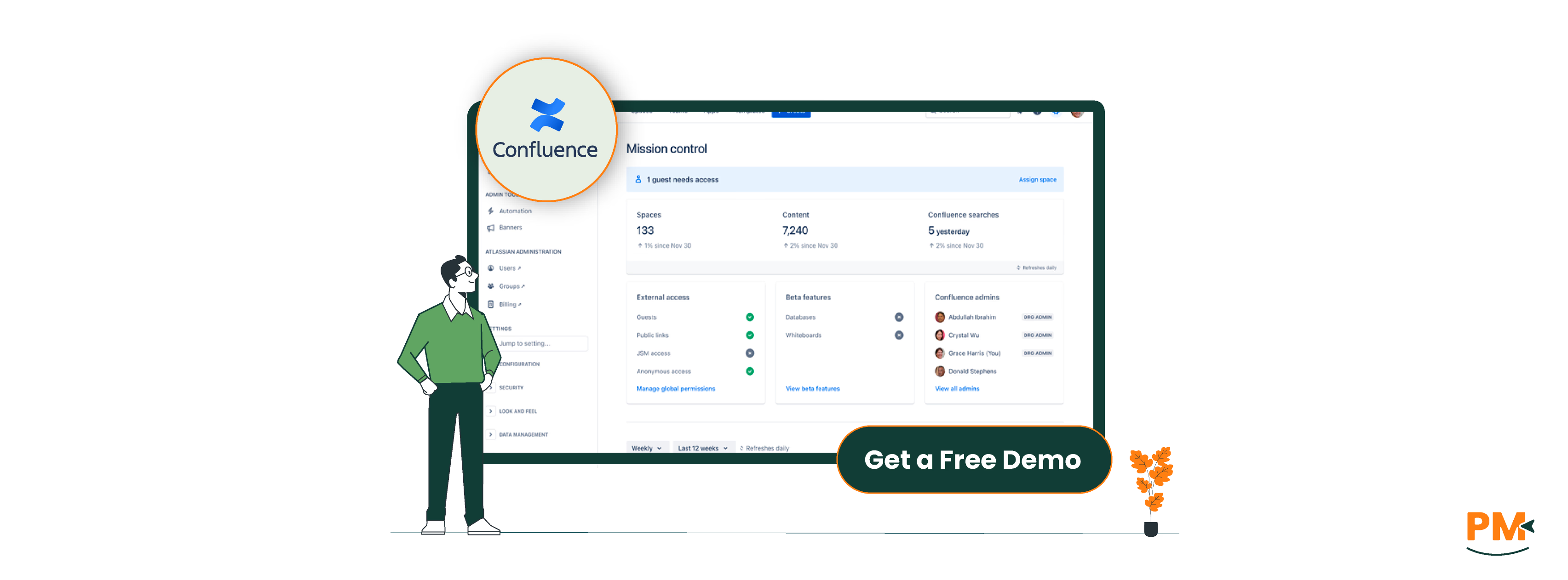
Confluence, developed by Atlassian, is a team workspace designed for structured content collaboration—particularly popular among software and enterprise teams. While traditionally seen as a documentation tool, Confluence has matured into a powerful platform for project management, especially when integrated with tools like Jira.
In a project management context, Confluence excels at organizing knowledge around projects: creating detailed project plans, decision logs, meeting notes, and team documentation all in one place. Its tight integration with Jira means teams can embed live issue data, roadmaps, and sprint progress directly into Confluence pages—ideal for engineering and product teams operating in agile environments.
Where Confluence stands out is its ability to enforce structure. Enterprise-grade permissions, page hierarchies, and standardized templates make it well-suited for larger organizations that prioritize governance and consistency over creative flexibility.
Confluence Pros And Cons
Pros | Cons |
|
|
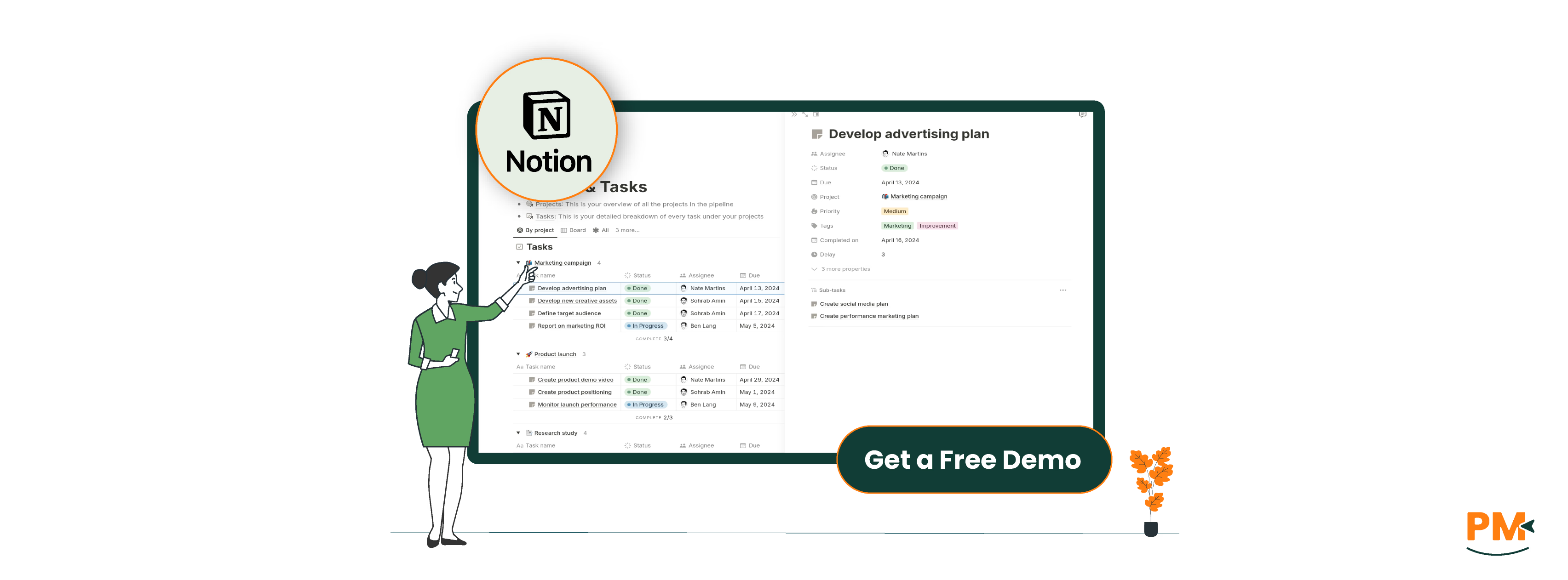
Notion is an all-in-one workspace that blends documents, databases, and collaboration tools into a single platform—making it especially appealing for project management use cases in modern, dynamic teams. Unlike Confluence’s structured approach, Notion thrives on customizability.
Teams can build tailored workflows using Notion’s core building blocks: kanban boards, timelines, calendars, databases, and synced content blocks. Whether you’re managing sprints, tracking OKRs, or maintaining a lightweight CRM, Notion allows you to create a project system that mirrors how your team thinks and works.
Its flexibility is a double-edged sword—it empowers users to design bespoke workflows but also requires intentional setup. Still, its drag-and-drop UI and modular structure make it accessible for non-technical users.
Notion is especially popular among startups, remote teams, creatives, and solo project managers who value adaptability, visual organization, and minimalist UX over strict structure. It’s ideal for teams that want to blend project planning with knowledge sharing in one cohesive interface.
Notion PM Pros And Cons
Pros | Cons |
|
|
Confluence
Confluence supports task tracking through inline checklists, @mentions, and status macros. Tasks can be assigned to users within pages, and deadlines can be set—but there’s no built-in task board or timeline view.
Where Confluence shines is through its tight integration with Jira. Teams using Jira can embed live Jira issues, sprint boards, and epics directly into Confluence pages. This allows for a seamless bridge between high-level planning (in Confluence) and execution (in Jira). It’s a powerful setup for technical teams but depends heavily on the Jira ecosystem.
Additionally, Confluence offers prebuilt templates for project planning, meeting notes, and retrospectives—streamlining process documentation but not replacing a full PM system.
Limitations: Without Jira, task management in Confluence remains basic and manual. There's no native support for kanban boards, dependencies, or automated task workflows.
Notion
Notion takes a database-first approach to task and workflow management. Users can create custom task boards, calendar views, and timeline layouts using database templates. Each task can include nested properties—status, due dates, priority, assignees, and linked documents—making it highly adaptable to various workflows.
Notion also supports kanban boards out of the box, and users can build entire project pipelines with filters, sorts, and formulas. Prebuilt and third-party project management templates are widely available, which speeds up setup for common use cases like sprint planning, content calendars, or client onboarding.
However, Notion lacks native support for task dependencies, critical path tracking, or Gantt charts—requiring manual workarounds or third-party integrations like Notion2Charts or Zapier.
Bottom Line: Notion is more flexible out of the box for general task management, especially for visual and non-technical teams. But it may fall short for complex project workflows without external tools.
Confluence
Confluence offers layered support based on plan level. Standard users get access to the Atlassian self-service help center, product documentation, and a vast community forum with active participation from Atlassian staff and users.
For Premium and Enterprise plans, Confluence includes 24/7 priority support with faster response times, SLA commitments, and dedicated support teams for larger accounts. Atlassian also provides detailed onboarding documentation, admin guides, and training resources through Atlassian University.
User Experience: Support is structured and professional, but navigating documentation can be time-consuming. Many enterprise users value the ability to escalate critical issues through formal channels.
Notion
Notion provides a well-organized Help Center and growing community forum, including user-contributed templates and Notion Ambassadors offering tips and support.
Paid plans include priority in-app chat support, generally responding within a few hours during business days. The company also offers regular feature update webinars, tutorials, and a library of use-case-specific templates.
However, Notion’s support lacks dedicated account reps or enterprise-grade SLAs unless part of its Enterprise plan, which includes a technical account manager and security reviews.
User Experience: Support is friendly and fast for smaller teams, but larger organizations may find the resources limited without an enterprise contract.
Confluence
Collaboration in Confluence is structured and version-controlled—ideal for teams that value audit trails and consistent documentation. Multiple users can edit the same page, and inline comments, @mentions, and page watching allow for targeted feedback and updates.
A standout feature is page version history, enabling users to compare edits, roll back changes, and see who made what updates. This is especially valuable for content governance and regulated environments.
Permissions in Confluence are granular, with detailed controls at the space, page, and user group levels—supporting complex access hierarchies.
Notion
Notion offers a modern, fluid real-time editing experience, similar to Google Docs. Users can @mention teammates, leave comments on specific blocks, and co-edit documents, task boards, or databases simultaneously.
Notion’s collaboration feels lighter and faster, ideal for brainstorming, async updates, and distributed teams. Permissions can be set at the page, sub-page, or database level, though fine-grained role management is more limited than in Confluence.
Shared databases make it easy to collaborate across functions—project managers, designers, and marketers can all work from the same task board or dashboard.
Confluence
Confluence is built with enterprise-grade accessibility in mind, offering full-featured support across web browsers, desktop apps (Windows & macOS), and mobile apps for iOS and Android. The web version is the most comprehensive, supporting all features, integrations, and admin controls.
The desktop apps provide a consistent experience, but they’re essentially wrappers around the web interface. Mobile apps are functional for reading and light editing—great for reviewing documents, checking notifications, or approving content—but not ideal for heavy editing or admin tasks.
Confluence does not offer robust offline support. Users must be online to access or edit most content, which can be limiting in low-connectivity environments. However, sync performance across devices is generally stable, and enterprise-grade security ensures data integrity across all platforms.
Notion
Notion is a web-first platform with well-supported desktop apps (Windows & macOS) and mobile apps (iOS & Android). The experience is largely consistent across devices, and its mobile app stands out for its usability compared to other productivity tools.
Unlike Confluence, Notion includes limited offline functionality—users can access and edit recently opened pages even without internet, with changes syncing once reconnected. This is a key advantage for remote or mobile-first teams.
While sync is typically reliable, performance can lag with large databases or highly complex pages—especially on mobile. That said, for most teams, the cross-device experience is smooth, visually consistent, and well-optimized for day-to-day project work.
Confluence
Confluence is designed for structured documentation and process adherence, which gives it a more technical and rigid interface. The navigation system uses a left-hand sidebar and page hierarchy that reflects organizational structures—great for enterprises, but it can feel heavy for new users.
The editing interface is clean but less flexible than modern tools. Adding macros, tables, or Jira widgets can require some initial guidance. Atlassian provides training resources, but onboarding non-technical users often requires support or documentation.
For teams already using Jira or other Atlassian tools, the UI feels cohesive. For newcomers, the learning curve is noticeable—especially if they’re expecting a more fluid, Google Docs-style experience.
Notion
Notion prioritizes flexibility and minimalism, with a drag-and-drop interface that’s intuitive even for first-time users. Content is created using blocks—each block (text, checklist, table, etc.) can be moved or nested, making the UI feel modular and interactive.
The learning curve is low for simple use cases, but power users may need time to fully understand databases, relations, and advanced filtering. Still, Notion’s clean design makes exploration approachable, and its blank-slate nature appeals to creative teams.
However, the same flexibility can lead to inconsistencies in workspace structure, especially in larger teams without guidelines or workspace templates.
Summary: Confluence offers structure and predictability, better for teams needing governance. Notion offers customization and ease of use, ideal for agile, fast-moving environments.
Confluence
Confluence does not offer native time tracking features. However, it integrates with several time tracking tools within the Atlassian ecosystem and beyond. Popular integrations include Tempo Timesheets, Clockify, Harvest, and Everhour—most of which work in conjunction with Jira.
For teams already using Jira, Tempo Timesheets is a powerful add-on that provides detailed time logs, reports, billable tracking, and team workload views. These time-tracking capabilities can be visualized or embedded within Confluence pages for context and reporting.
Without these integrations, tracking time directly in Confluence requires manual tables or macros, which is not scalable for teams with billing or time-sensitive workflows.
Notion
Notion does not support native time tracking, but users often create workarounds using date fields, status tags, and formula columns to estimate effort or durations. While this can work for high-level visibility, it lacks the granularity of start/stop timers and actual tracked time.
For accurate tracking, users typically integrate third-party tools like Toggl, Clockify, or Harvest via Notion APIs or Zapier. These allow you to log time on external dashboards and link summaries or embed reports into Notion pages.
Overall, Notion is flexible for building a time management interface but not ideal for true time tracking without external tools.
Confluence
Confluence is purpose-built for structured documentation and shines in long-term knowledge management. It uses a hierarchical page system where content is organized into spaces, with built-in version control, templates, and permissions. This makes it ideal for engineering wikis, project logs, internal manuals, and compliance records.
Templates cover everything from project retrospectives to product requirement docs. Each page supports macros, tables, media embeds, and Jira widgets, enabling dynamic, cross-functional documentation.
Confluence is particularly strong when documentation needs to be auditable, well-organized, and collaboratively maintained across departments.
Notion
Notion offers a more visual and flexible documentation experience, with block-based editing that makes it easy to mix text, images, databases, code snippets, and embeds in a single page. It’s ideal for creating beautiful docs, quick notes, and lightweight internal wikis.
It lacks native version history per block but does offer page history, collaborative editing, and comments, making it suitable for team-based documentation—especially in less formal environments.
While less structured than Confluence, Notion supports linked databases and custom templates, enabling scalable documentation systems if users define clear conventions.

Confluence Pricing
Confluence pricing includes:
- Free: $0/user/month (for up to 10 users)
- Standard: $5.16/user/month
- Premium: $9.73/user/month
- Enterprise: Custom pricing
Confluence uses a per-user licensing model. Pricing scales based on the number of users, with bulk discounts for larger teams.
Notion Pricing
Notion offers following pricing options:
- Free: $0/member/month
- Plus: $12/user/month
- Business: $24/user/month
- Enterprise: Custom pricing
Ideal For:
- Enterprise teams needing structured documentation
- Organizations using Jira or other Atlassian tools
- Teams with formal processes and governance needs
- Technical documentation and compliance workflows
- Cross-departmental knowledge sharing at scale
Why It Works:
- Hierarchical page structure
- Robust version control & permissions
- Seamless integration with Jira
- Scalable collaboration and content governance
- Best when precision, control, and scalability matter
Who Is Notion Project Management Best For?
Ideal For:
- Startups and agile teams
- Remote and creative teams
- Content marketers, solo PMs, cross-functional squads
- Teams wanting customizable, lightweight workspaces
Why It Works:
- Drag-and-drop modular interface
- Custom databases, boards, and views
- Combines docs, tasks, and dashboards in one place
- No developer needed — build your own system
- Best when speed, flexibility, and simplicity matter
Which One May Suit Your Needs Better?
When it comes to Confluence vs Notion project management, the right choice ultimately depends on how your team works.
Choose Confluence if you need enterprise-grade documentation, a structured collaboration model, and seamless Jira integration. It's ideal for technical teams operating in a regulated or process-heavy environment.
Go with Notion if your team values flexibility, visual task boards, and an all-in-one workspace that grows with you. It’s especially effective for smaller, remote, or fast-moving teams.
Bottom line: Choose based on your team’s workflow style—or test both tools to see which fits your collaboration habits and project scale best.