When it comes to choosing the right digital workspace, Craft vs Notion is a comparison many teams are actively weighing. Both platforms have emerged as leading contenders in the productivity and project management space, offering sleek interfaces and powerful features—but they serve different needs.
Craft is known for its beautifully structured documents and native Apple ecosystem integration, making it a favorite for teams that value aesthetics and offline functionality. Notion, on the other hand, has built a reputation as an all-in-one workspace, praised for its flexibility, database capabilities, and wide range of integrations.
This guide is designed to help you make a confident, informed decision. Let’s dive in.
Craft Overview
Craft is a modern writing and collaboration app designed with a document-first mindset. Initially developed for Apple devices, it offers a native experience on macOS, iOS, and iPadOS, with a web app for broader accessibility. Craft is built for individuals and small teams who prioritize clear communication, structured documents, and a distraction-free interface.
At its core, Craft emphasizes simplicity, elegance, and ease of use. Its block-based editing system allows users to create richly formatted notes, meeting briefs, knowledge hubs, and personal wikis—while maintaining a visual clarity that's often missing from more complex tools. Offline support is robust, making it especially useful for users who travel or work in environments with limited connectivity.
Craft's strengths lie in its intuitive user experience, seamless syncing across Apple devices, and ability to export clean, shareable documents. It’s particularly appealing to writers, managers, and creators who value clarity and aesthetics as much as functionality. However, Craft is less focused on database-style organization or team-scale project management, which may be important to some users.
Craft Pros And Cons
Pros
Cons
Clean, minimal UI that promotes focus and reduces visual clutter
Easy export options for clean document sharing
Robust offline support for uninterrupted access and editing
Fewer integrations with external tools compared to more mature platforms
Free plan has usage limits that may not meet the needs of frequent users
Notion Overview
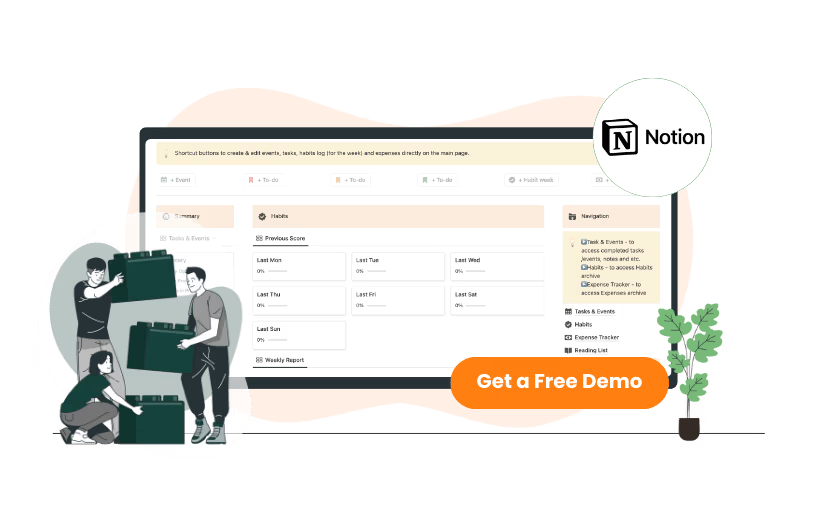
Notion is an all-in-one productivity platform that combines note-taking, task management, wikis, databases, and collaboration tools into a single, flexible workspace. It continues to evolve with more powerful features, including AI-assisted writing, improved calendar views, and enhanced database filtering and automation.
Designed for both individuals and teams, Notion is highly customizable, allowing users to build their own workflows—from personal to-do lists to company-wide knowledge bases. Its modular system is centered around blocks, which users can arrange to create documents, tables, kanban boards, timelines, and more. This flexibility is what makes Notion particularly useful for cross-functional teams managing projects, documentation, and internal processes in one place.
Notion’s strengths lie in its ability to scale from personal use to enterprise environments, thanks to a rich ecosystem of templates, robust sharing options, and an expanding list of third-party integrations. However, its flexibility comes with a learning curve, and performance can vary depending on the size and complexity of a workspace.
Notion Pros And Cons
Pros
Cons
All-in-one platform combining docs, tasks, wikis, and databases
Extensive template library and community-created resources
Powerful database views and filters for organizing complex information
Performance issues in large workspaces with heavy databases
Limited offline functionality, especially in web and mobile versions
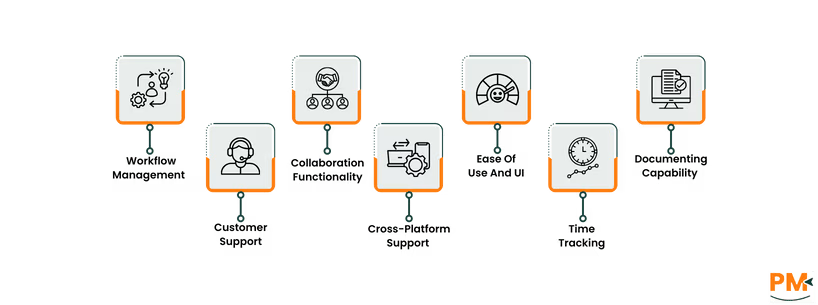
Tasks And Workflow Management
Craft
Craft includes basic task management features that are well-suited for lightweight personal or team workflows. Users can create tasks using checklists, to-dos, and inline blocks within any document. Tasks can be linked across pages, allowing for light cross-referencing, and documents can be grouped or structured hierarchically to organize ongoing work.
There’s no dedicated task manager or board view, but tasks can be embedded in daily notes, project outlines, or meeting agendas. Craft offers native calendar integration with Apple Calendar, enabling users to see linked documents and dated notes in context. However, Craft lacks automation, recurring task functionality, or advanced filtering—making it better for simple task tracking rather than full project management.
Notion
Notion takes a more structured, database-driven approach to task and workflow management. Users can create project boards (Kanban), timelines, calendars, and list views using its flexible database system. Tasks can include due dates, assignees, statuses, and custom fields—ideal for tracking everything from sprints to OKRs.
Notion also supports templates for recurring workflows and task automation through integrations or third-party tools like Make and Zapier. While powerful, the flexibility requires setup time and may feel overwhelming to new users. For teams needing customizable workflows, Notion is a strong fit; but for simple task lists, it may be more than necessary.
Customer Support
Craft
Craft offers support primarily through email and an in-depth knowledge base, which covers everything from basic functions to advanced use cases. The platform also features in-app feedback options, allowing users to report issues or request features directly.
While support is generally responsive for individual users, there’s limited real-time assistance or priority support tiers—something to consider for teams that need faster turnaround or enterprise-level help.
Notion
Notion provides a comprehensive help center, live chat support (for paid plans), and a robust community forum. The platform has invested in educational content including tutorials, webinars, and onboarding templates.
While live chat is a welcome addition, response times can vary, especially during peak hours. For many users, the active Notion community and wide availability of third-party guides and templates help bridge support gaps effectively.
Collaboration Functionality
Craft
Craft supports basic collaboration features, including real-time editing, shared workspaces, and document-level commenting. Team members can co-author documents, leave feedback, and organize shared pages within folders.
However, Craft doesn’t offer granular permission settings or user roles, which can limit collaboration at scale. It's best suited for smaller teams or creators who need simple, elegant collaboration without complex access controls.
Notion
Notion is built with team collaboration in mind. It offers real-time multi-user editing, @mentions, inline comments, and detailed permission controls at both page and database levels. Teams can assign tasks, restrict views, and manage access across departments or roles.
Its versatility supports everything from small team hubs to company-wide knowledge bases. That said, in very large workspaces, collaboration can become harder to manage without strict organization and governance practices.
Cross-Platform Support
Craft
Craft was originally designed for Apple users, and its native apps for macOS, iOS, and iPadOS reflect that focus with deep system integrations, smooth performance, and an offline-first architecture. It works exceptionally well within the Apple ecosystem, offering features like Handoff, Apple Pencil support, and native sharing.
A web version is available, providing limited access for non-Apple users. While a Windows beta exists as of 2025, it lacks the polish and responsiveness of the Apple-native apps. Cross-platform syncing is reliable across Apple devices, but the experience outside of Apple’s ecosystem remains secondary. For users deeply embedded in macOS or iOS workflows, Craft performs at its best.
Notion
Notion offers full cross-platform availability across macOS, Windows, iOS, Android, and all major browsers. Its sync experience is seamless, allowing users to switch between desktop, mobile, and web apps without friction. Notion also supports offline access via desktop and mobile apps, although limitations remain—offline functionality can be inconsistent, particularly for large workspaces or deeply nested pages.
Notion continues to refine its cross-device performance, offering one of the most flexible environments for users who work across operating systems or devices.
Ease Of Use And UI
Craft
Craft offers a refined, elegant UI that’s especially intuitive for Apple users. Its interface prioritizes clarity and structure, with a markdown-like writing experience that feels natural and distraction-free. Blocks are styled cleanly, navigation is fluid, and most formatting actions are accessible without breaking flow.
For new users, Craft requires little onboarding—it’s easy to start writing and organizing without prior setup. However, its simplicity comes at the cost of advanced customization; users looking for deeply tailored workflows may find Craft’s minimalism limiting over time.
Notion
Notion uses a block-based interface where every element—text, images, tables, tasks—is a movable, configurable block. This system allows for powerful customization and flexible layouts, but it can feel overwhelming at first. New users often face a steeper learning curve, especially when navigating databases, templates, or advanced configurations.
That said, once mastered, Notion offers a highly adaptable workspace. The UI is clean and utilitarian, though not as visually polished as Craft. It's better suited for users who want full control over how their workspace is structured—even if it takes some upfront effort to get there.
Time Tracking
Craft
Craft does not offer native time tracking features, and its core design doesn't focus on time-based workflows. While users can manually note timestamps or durations within documents, there’s no built-in timer, time log, or tracking dashboard.
Some users work around this by integrating with third-party tools like Toggl via links or widgets, but the experience is disjointed and lacks automation. For teams or freelancers who rely on time tracking, Craft may require external tools to fill this gap.
Notion
Notion doesn't include built-in time tracking either, but its flexible database system allows users to manually build time logs or task duration trackers using custom properties (e. g. , start time, end time, time spent). While effective, these setups require initial configuration and don’t track time in real time.
Notion integrates more easily with time tracking tools like Clockify, Harvest, and others through APIs or platforms like Zapier—making it a more practical option for those who want light time tracking embedded in their workspace.
Documenting Capability
Craft
Craft is designed around high-quality writing and structured documentation, with a focus on clarity and aesthetics. It uses a markdown-like editor, allowing users to create beautifully formatted documents, notes, and internal reports. Nesting pages, linking between them, and organizing them into folders is smooth and intuitive.
Craft also offers impressive export options (PDF, Markdown, Word, web links), making it easy to share clean, professional documents externally. It's ideal for writing-focused users who value layout and design in their documentation.
Notion
Notion excels as a multi-purpose documentation tool. Users can build structured wikis, knowledge bases, SOPs, and internal guides using a mix of text, databases, and embedded content. Documents can be interlinked, nested, tagged, and customized using properties.
Unlike Craft, Notion doesn’t prioritize typographic polish, but it offers superior content organization, collaboration features, and scalability. Export options include Markdown, PDF, and HTML, though formatting can sometimes be inconsistent. It's a strong fit for teams that prioritize knowledge management over document design.
Craft Vs Notion Pricing Comparison
Craft
The software offers the following pricing options for different teams:
Starter - $24/editor/month
Pro - $99/editor/month
Enterprise – Custom pricing
Notion
Notion’s pricing plans include:
Free - $0/member/month
Plus - $12/member/month
Business - $24/member/month
Enterprise - Custom pricing
Craft Vs Notion: Who Are They Best For?
Craft — Best For: Creatives And Apple-Centric Users
Craft is perfect for individuals and small teams who value:
Beautiful, structured writing
Seamless integration with macOS & iOS
Aesthetically pleasing, minimal UI
Offline access for distraction-free productivity
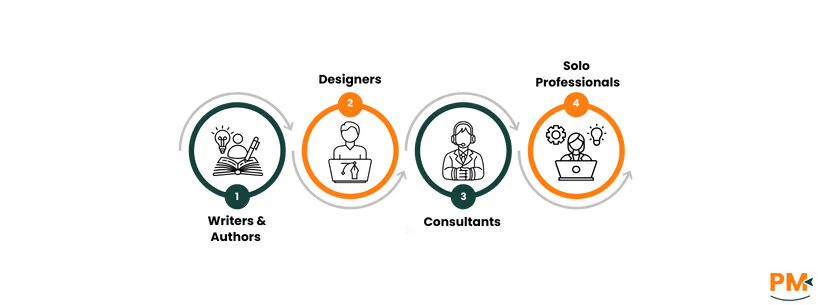
Ideal Users Include
Writers & authors
Designers & creative professionals
Consultants handling client deliverables
Solo professionals who want polished, document-like notes
If you want your workspace to feel like a finely crafted document—not a cluttered dashboard—Craft is made for you.
Notion — Best For: Teams And Workflow Builders
Notion shines for startups and teams that need:
Custom databases & flexible layouts
All-in-one collaboration (projects, tasks, wikis)
Asynchronous workflows & process transparency
Third-party integrations to power productivity
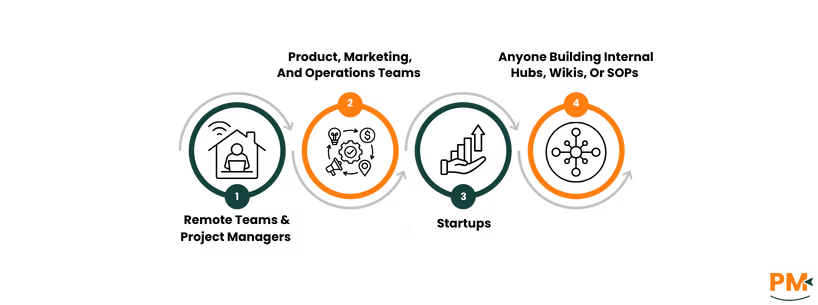
Ideal Users Include:
Remote teams & project managers
Product, marketing, and operations teams
Startups scaling fast and organizing knowledge
Anyone building internal hubs, wikis, or SOPs
If your team runs on shared docs, task boards, and structured collaboration, Notion scales with your ambition.
Which One May Suit Your Needs Better?
When it comes to Craft vs Notion, the right tool depends on your priorities, team structure, and preferred workflow style.
If you're an Apple-first user, value elegant interfaces, and focus heavily on writing, note-taking, or client-facing documents, Craft offers a beautifully streamlined experience with strong offline performance and great export options.
On the other hand, if you’re managing team projects, company knowledge, or operational workflows, Notion provides far more flexibility through its database-driven approach, collaboration features, and cross-platform support.
Both tools serve different use cases well—so the best choice depends on whether you need a polished writing environment or a dynamic all-in-one workspace.
Usman Bashir is a Technical Content Writer specializing in the medical category at SF. With a degree in PharmD, Usman brings deep understanding and passion for medical content. His expertise and dedication to clarity and accuracy make his work stand out. Outside of work, Usman enjoys hiking and capturing the beauty of nature through photography, finding balance and inspiration in nature.
Share this Article
Sign Up
Sign up to stay updated with the new content and expand your HR expertise.
Usman Bashir is a Technical Content Writer specializing in the medical category at SF. With a degree in PharmD, Usman brings deep understanding and passion for medical content. His expertise and dedication to clarity and accuracy make his work stand out. Outside of work, Usman enjoys hiking and capturing the beauty of nature through photography, finding balance and inspiration in nature.