
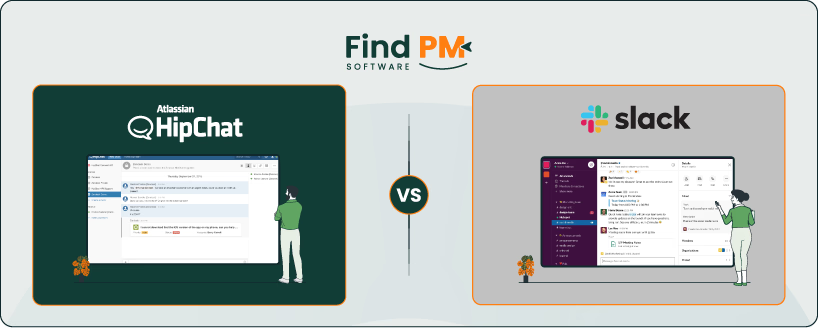
In the world of team collaboration tools, HipChat and Slack have long been contenders. While Slack has become a household name in workplace communication, HipChat, once a strong competitor, offered unique features that appealed to many teams, especially those already using Atlassian products. This article compares both tools across key dimensions like messaging, workflow management, collaboration, security, and pricing to help you decide which one suits your team best.
Below is a quick comparison table followed by a verdict snippet to give you a snapshot of the differences.
Feature | HipChat | Slack |
Messaging Retention | Unlimited with paid plans | 90 days (Free), Unlimited (Paid) |
File Sharing | Drag-and-drop, preview support | Drag-and-drop, cloud integrations |
Video Conferencing | Supported | Huddles (up to 50 participants) |
Integrations | Atlassian ecosystem | 2,600+ third-party integrations |
Pricing | Starts at $2/user/month | Starts at $7.25/user/month |
Security | 256-bit SSL encryption | HIPAA compliance (Enterprise) |
UI & Ease of Use | Functional but dated | Modern, intuitive |
Slack offers broader integrations, a more modern UI, and better scalability for growing teams. HipChat, while discontinued, was ideal for Atlassian users seeking a secure and simple chat tool.
HipChat was Atlassian’s team communication tool designed for businesses that needed secure, persistent messaging integrated with their existing Atlassian stack. It featured group chat rooms, direct messaging, file sharing, and video conferencing. One of its standout strengths was its seamless integration with tools like Jira, Confluence, and Bitbucket, making it a natural fit for development and IT teams.
Despite its popularity among Atlassian users, HipChat struggled to keep pace with competitors like Slack and Microsoft Teams. In 2018, Atlassian announced the discontinuation of HipChat and its successor, Stride, selling its IP to Slack and offering migration paths to existing users. While HipChat is no longer supported, it remains a notable example of early enterprise chat platforms that prioritized security and workflow alignment over flashy UI.
HipChat Pros and Cons
Pros | Cons |
|
|
Slack is a cloud-based messaging and collaboration platform that has become the industry standard for modern workplace communication. It organizes conversations into channels, supports direct messaging, and offers features like Huddles (for quick audio/video calls), Canvases (collaborative whiteboards), and powerful search capabilities. Slack’s intuitive UI and extensive app ecosystem, with over 2,600 integrations, make it highly adaptable for teams of all sizes.
Slack’s strength lies in its flexibility. Whether you're a startup or a global enterprise, Slack scales with your needs. It supports external collaboration via Slack Connect, automates workflows, and offers enterprise-grade security, including HIPAA compliance on higher-tier plans. However, its pricing can be steep, especially for larger teams, and the free plan limits message history to 90 days.
Slack Pros and Cons
Pros | Cons |
|
|
HipChat
HipChat offered persistent chat rooms and direct messaging, with support for file sharing and basic formatting. Messages were retained indefinitely for paid users, and the platform allowed simple search functionality. While it supported video calls and screen sharing, its messaging experience lacked advanced features like threads or reactions.
Slack
Slack provides threaded conversations, emoji reactions, and powerful search filters. Free users get a 90-day message history, while paid plans offer unlimited retention. It supports rich media, file sharing up to 1GB, and integrates with cloud storage platforms. Slack’s messaging is more dynamic and customizable, making it ideal for fast-paced teams.
HipChat
HipChat was primarily a messaging tool and didn’t offer built-in task management features. However, it integrated well with Atlassian products like Jira and Trello, allowing users to track tasks and project updates directly from chat rooms. This made it useful for development teams already working within the Atlassian ecosystem.
Slack
Slack doesn’t include native task management either, but it excels through integrations. Tools like Asana, ClickUp, Trello, and Monday. com can be connected to Slack, enabling users to create, assign, and update tasks without leaving the platform. Slack also supports workflow automation via Slackbot and custom workflows, making it more flexible for managing tasks across departments.
HipChat
HipChat offered basic customer support through Atlassian’s help center, including documentation, community forums, and ticket-based assistance. Since the product was retired, official support is no longer available, and users were encouraged to migrate to Slack or other Atlassian-supported tools.
Slack
Slack provides multi-tiered support depending on the plan. Free users have access to help articles and community forums, while paid plans include email support. Enterprise customers benefit from 24/7 support, dedicated account managers, and priority response times. Slack also offers a robust knowledge base and in-app guidance for onboarding and troubleshooting.
HipChat
HipChat supported team collaboration through persistent chat rooms, file sharing, and video conferencing. Users could create topic-specific rooms, share updates, and integrate with Atlassian tools like Jira and Confluence to keep conversations aligned with project workflows. However, its collaboration features were basic compared to modern standards and lacked real-time document editing or advanced integrations.
Slack
Slack excels in collaboration with features like channels, threads, Huddles, and Canvases. It allows teams to work together in organized spaces, share files, and jump into quick calls. Slack’s integrations with tools like Google Workspace, Notion, and Zoom enhance collaborative workflows, making it suitable for cross-functional teams and remote environments.
HipChat
HipChat was available on Windows, macOS, Linux, iOS, and Android, offering consistent functionality across platforms. Its desktop and mobile apps allowed users to stay connected, though the mobile experience was often considered less polished compared to competitors.
Slack
Slack offers robust cross-platform support with apps for Windows, macOS, Linux, iOS, Android, and even browser-based access. Its mobile app is highly responsive and mirrors desktop functionality well, making it easy for teams to collaborate on the go. Slack also supports notifications and syncing across devices for a seamless experience.
HipChat
HipChat featured a straightforward interface with minimal distractions, making it easy for teams to jump into conversations. Its layout was functional but lacked the polish and responsiveness of newer tools. Navigation was simple, but customization options were limited, and the overall design felt dated toward the end of its lifecycle.
Slack
Slack is known for its clean, modern UI and intuitive user experience. Channels, threads, and integrations are easy to access, and the platform offers a high degree of customization—from themes to notification settings. Slack’s onboarding is smooth, and its interface scales well across desktop and mobile, making it user-friendly for both tech-savvy and non-technical users.
HipChat
HipChat offered solid security features for its time, including 256-bit SSL encryption and optional on-premise deployment for enterprise users. It allowed teams to control data access and manage user permissions, which made it appealing to organizations with strict compliance needs. However, since the platform is discontinued, it no longer receives security updates or support.
Slack
Slack provides enterprise-grade security, including data encryption at rest and in transit, SSO (Single Sign-On), two-factor authentication, and compliance with standards like SOC 2, ISO/IEC 27001, and HIPAA (on Enterprise Grid). Admins can manage user access, monitor activity, and integrate with DLP and eDiscovery tools for added control.
Notifications
HipChat
HipChat offered basic notification settings, allowing users to receive alerts for mentions, direct messages, and room activity. Users could customize sound alerts and set do-not-disturb hours, but the options were limited compared to modern tools. Mobile notifications were functional but lacked granular control.
Slack
Slack provides highly customizable notifications across devices. Users can set preferences per channel, mute conversations, enable keyword alerts, and schedule do-not-disturb times. Slack also supports desktop, mobile, and email notifications, ensuring users stay informed without being overwhelmed.
HipChat vs Slack Pricing Comparison
Feature | HipChat | Slack |
Free Plan | $0 | 90-day message history; up to 10 apps |
Entry-Level Paid Plan | $2/user/month(plus) | $8.75/user/month (Pro) |
Mid-Tier Plan | - | $18/user/month (Business+) |
Enterprise Plan | - | Custom pricing (Enterprise+) |
Storage | Unlimited (on paid plans) | Unlimited (on paid plans) |
Support | Email and ticket-based support | 24/7 support for paid plans |
Automation | Basic integrations with Jira/Trello | Workflow Builder + Slack AI (paid plans only) |
Disclaimer: The pricing is subject to change.
HipChat was ideal for teams already using Atlassian tools, offering affordable plans and basic automation. However, since it's discontinued, support and updates are no longer available.
Slack provides flexible pricing tiers and advanced features, making it suitable for teams that prioritize real-time communication, integrations, and scalability.
Who Is HipChat Best For?
HipChat was best suited for:
- Development and IT teams: Integrated deeply with Jira, Bitbucket, and Confluence for streamlined workflows.
- Small to mid-sized businesses: Offered budget-friendly pricing and essential collaboration features.
- Security-conscious organizations: Provided SSL encryption and on-premise deployment options.
- Teams using Atlassian products: Seamless compatibility made it a natural fit for existing Atlassian users.
- Companies preferring simple tools: Focused on messaging without overwhelming users with excessive features.
Who Is Slack Best For?
Slack is ideal for:
- Remote and hybrid teams: Enables seamless real-time communication across locations
- Fast-paced environments: Supports quick decision-making with instant messaging and huddles
- Tech-savvy organizations: Integrates with thousands of apps and supports workflow automation
- Customer-facing teams: Slack Connect allows secure collaboration with external partners
- Teams needing flexible communication: Channels, threads, and AI tools streamline conversations
Which One May Suit Your Needs Better?
Choosing between HipChat and Slack depends on your team’s current tools, collaboration style, and scalability needs.
If your team was deeply embedded in the Atlassian ecosystem and preferred a simple, secure messaging tool, HipChat was a solid choice, especially for smaller teams focused on development workflows. However, since HipChat is discontinued, it’s no longer a viable option for new users.
Slack, on the other hand, is a modern, feature-rich platform that supports real-time communication, extensive integrations, and scalable collaboration. It’s ideal for teams that need flexibility, automation, and cross-functional coordination. While it comes at a higher cost, its capabilities justify the investment for most growing organizations.
What Are The Alternatives?
If HipChat or Slack doesn’t fully meet your team’s needs, here are some strong alternatives to consider:
Alternatives to HipChat
- Microsoft Teams – Offers deep integration with Office 365, ideal for enterprise environments.
- Mattermost – Open-source and self-hosted, great for teams needing full control over data.
- Rocket. Chat – Another open-source option with strong security and customization.
- Google Chat – Lightweight and integrated with Google Workspace.
- Twist – Designed for asynchronous communication with a focus on clarity and calm collaboration.
Alternatives to Slack
- Discord – Popular among tech and gaming communities, supports voice channels and rich media.
- Microsoft Teams – A direct competitor with robust video conferencing and document collaboration.
- ClickUp – Combines chat, tasks, and docs in one platform.
- Chanty – Simple and affordable, with built-in task management.
- Zoho Cliq – Part of the Zoho suite, ideal for small businesses looking for integrated tools.