

Hive and Asana are leading project management platforms that, while both focused on streamlining workflows, cater to slightly different organizational needs. Asana is a widely recognized and user-friendly system, celebrated for its versatility, various project views (List, Board, Timeline), and robust free tier, making it ideal for general task management and broad cross-functional collaboration.
In contrast, Hive is an all-in-one platform distinguished by its advanced, native resource management capabilities and integrated email functionality, positioning it as the stronger choice for agencies and professional service teams that require deep capacity planning and a comprehensive suite to replace multiple standalone tools. Ultimately, Asana provides scalability and ease of use for general organization, while Hive delivers specialized power for resource-heavy, agency-style project execution.
Feature | Hive | Asana |
Tasks & Workflow Management | Highly flexible workflows with subtasks, dependencies, and automation, plus native chat and email integration | Clear task system with assignees, due dates, and automation via Forms and Rules |
Customer Support | Offers in-app chat, email, community forum, knowledge base, and dedicated support for higher tiers | Provides Help Center, chatbot, community forum, and 24/7 expert support for Enterprise plans |
Collaboration Functionality | Native chat, Hive Notes for real-time docs, and direct-action assignment from notes | Task comments, @mentions, and centralized updates keep collaboration in context |
Cross-Platform Support | Web app plus mobile apps (iOS/Android) for managing projects on the go | Web, mobile apps, plus desktop apps (Mac/Windows) with offline and OS-native features |
Ease of Use & UI | Intuitive and customizable interface, but slightly steeper learning curve due to feature depth | Clean, modern, and highly intuitive UI with simple drag-and-drop functionality |
Customization Options | Multiple views (Kanban, Gantt, Calendar, etc.) , Hive Automate, labels, templates, and custom dashboards | Views like List, Board, Timeline, custom fields, templates, and workflow Bundles. |
Security | SOC 2 certified, SSL encryption, data backups, strict access controls, and enterprise-grade permissions | SOC 2 certified, TLS & AES-256 encryption, SSO, 2FA, IP allowlisting, EKM, and GDPR compliance |
Notifications | Centralized under a bell icon with tabs for Me, All, Mentions; push to email and mobile when offline | Centralized Inbox with customizable per-project settings, email summaries, and push notifications |
Time Tracking | Native time tracking with start/stop timer, manual logging, estimates, and detailed timesheets | Basic time tracking via custom fields or timer; advanced tracking via third-party apps |
Reporting & Analytics | Hive Analytics add-on with custom dashboards, KPIs, workload, and time tracking insights | Dashboards at Project, Portfolio, and Universal levels with customizable charts and filters |
AI & Automation | HiveMind AI assistant for content and brainstorming, plus Hive Workflows and Automate for cross-app automation | Rules automation, AI Studio for intelligent workflows, Smart Summaries, Smart Editor, and Smart Goals |
Third-Party Integrations | 1,000+ integrations (Slack, Zoom, Jira, GitHub, Google Drive, Dropbox, etc.) via Hive Automate/Zapier | Robust ecosystem including Slack, Teams, Jira, GitHub, Harvest, Everhour, and more |
Hive is best for teams that want an all-in-one, customizable work hub with native time tracking, in-app chat, and deep automation options. Asana stands out for its clean, intuitive UI, strong collaboration through task-based communication, and powerful reporting and integrations, making it great for clarity and scalability.
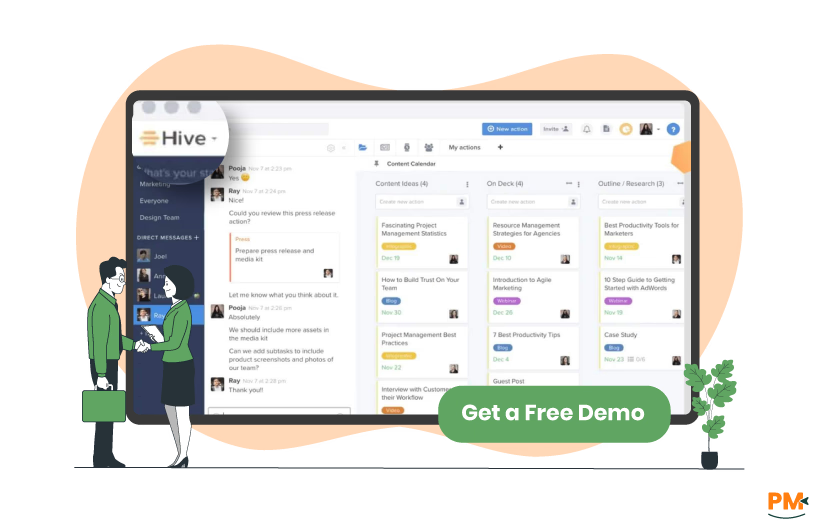
Hive is an all-in-one project management and team collaboration platform designed to help fast-paced teams, particularly those in agencies and professional services, centralize their work and move teams, particularly those in agencies and professional services, centralize their work and move projects forward efficiently. Launched in 2015, Hive is distinguished by its "democratically built" approach, meaning its feature set is heavily influenced by user feedback. It offers robust core features like flexible project views (Gantt, Kanban, List), automated workflows, and time tracking. Crucially, Hive stands out with its powerful, native features like integrated email (allowing users to create tasks from their inbox without leaving the app) and advanced resource management tools, making it an excellent choice for teams that need to closely monitor team utilization and capacity alongside project progress.
Hive Pros and Cons
Pros | Cons |
|
|
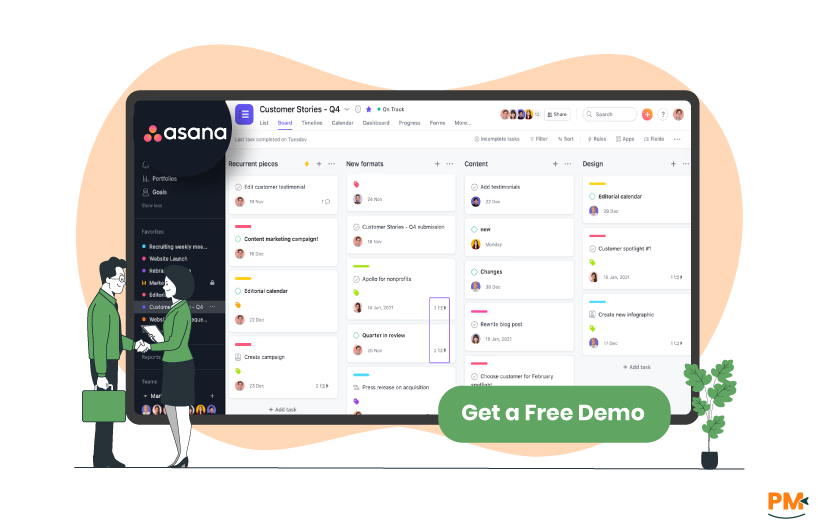
Asana is a veteran, cloud-based work management platform designed to help teams of all sizes organize, track, and manage their work from start to finish. Widely recognized for its clean, intuitive interface and flexibility, Asana excels at breaking down large projects into manageable tasks, making accountability clear across cross-functional teams. It provides multiple views—including List, Board (Kanban), Timeline (Gantt-style), and Calendar—allowing different teams to visualize work in the way that suits them best. Asana’s core strength lies in its task management capabilities, robust Free tier, and extensive integrations, making it highly scalable and a popular choice for operational teams, marketing departments, and general project collaboration.
Asana Pros and Cons
Pros | Cons |
|
|
Tasks And Workflow Management
Hive
Hive is distinguished by its highly flexible and customizable approach to task and workflow management, often serving as an all-in-one work hub. Its task features, including subtasks, dependencies, and customizable fields, are viewable across multiple formats like Gantt charts, Kanban boards, and a Calendar. Hive's workflows are powered by a no-code Automation builder for multi-step processes and are enhanced by natively integrated tools such as time tracking, built-in chat, and a unified email inbox, which minimizes the need to switch between different applications to manage tasks and communications.
Asana
Asana provides an elegant and scalable platform for task and workflow management, focusing heavily on clarity and accountability. Its task system is organized around clear assignees, due dates, and multiple project views (List, Board, Timeline, Calendar) to visually track progress. Asana's workflows are highly efficient for standardizing processes using Forms to manage work intake and Rules to automate routine actions like assigning tasks or updating their status. Furthermore, Asana's strength lies in its ability to orchestrate cross-functional work, supported by a vast ecosystem of third-party integrations that connect its task management to hundreds of other business tools.
Customer Support
Hive
Hive provides robust customer support, often highlighting its superior quality and availability to users. While specific contact channels can vary by plan, Hive generally offers support through multiple methods, including in-app chat and email ticketing. Hive also maintains a dedicated community forum and knowledge base to help users find immediate answers and engage with other users. For its higher-tier plans, Hive provides dedicated support and additional customer success resources, which is especially beneficial for larger organizations needing enhanced assistance with setup, adoption, and complex queries.
Asana
Asana offers a structured support system centered on its Help Center, where users can access self-help articles, tutorials, and a chatbot interface to initiate support requests. To contact support, users navigate to Asana’s support portal, click the chat icon, agree to the privacy prompt, and then describe their issue, which will escalate to a support ticket if needed. Asana also emphasizes community engagement via its user forum, where users can seek peer advice and share solutions. For customers on paid tiers—especially enterprise clients—Asana provides access to more advanced support from specialized teams.
Collaboration Functionality
Hive
Hive offers rich collaboration tools built into its core to help teams stay aligned and productive. There’s an in-app messenger for real-time chat, custom statuses (e. g. busy or out-of-office), and support to import Slack so everyone can communicate where they already are. Creative collaboration is supported via proofing & approvals, letting internal and external stakeholders annotate, comment, and approve work (including assets and URLs). Email is also deeply integrated — users can bring their Gmail or Outlook inbox into Hive, create tasks from emails, attach email threads to tasks, and send messages from Hive so conversations around work live where the work is. There are also tools for external collaboration: you can invite external users to projects with controlled permissions and visibility, making it easier to work with clients or partners outside your organization.
Asana
Asana's collaboration functionality centers on providing clear context, accountability, and seamless communication around the work itself, acting as a "single source of truth." Its collaboration tools are built directly into tasks, allowing team members to use Task Comments to discuss work, ask questions, and share updates in real-time. The use of @mentions ensures that specific teammates are instantly added as collaborators and notified of relevant updates.
Crossplatform Support
Hive
Hive provides comprehensive cross-platform support to ensure teams can manage their projects from anywhere, maintaining continuity across different devices and environments. The platform is primarily web-based, accessible through any major browser, which serves as the full-featured desktop experience. For mobile accessibility, Hive offers dedicated native applications for both iOS and Android, allowing users to check project status, create new tasks, add comments, and collaborate while on the go.
Asana
Asana is built for maximum accessibility across devices, offering its full functionality through a modern, user-friendly interface accessible via a web browser. To provide a more focused and integrated experience on desktop machines, Asana offers a dedicated Desktop App for both Mac and Windows operating systems, which includes features like native OS notifications and a distraction-free environment for deep work. For users on the move, Asana maintains a strong mobile presence with powerful, dedicated apps for both iOS and Android devices, which allow users to perform key actions offline, such as creating tasks with voice input, managing their to-do list ("My Tasks"), and receiving real-time updates via their Inbox.
Ease Of Use And UI
Hive
Hive’s ease of use lies in its flexibility to be as simple or as sophisticated as a team needs, but the key to maximizing its value lies in prioritizing the end-user experience. Since end users are often balancing multiple responsibilities alongside updating Hive, the platform works best when kept intuitive and straightforward. Clear definitions for labels, statuses, custom fields, and priorities are recommended to avoid confusion, and in larger organizations, administrators can use Enterprise Security settings to limit who can create these elements. By thoughtfully structuring these features and avoiding unnecessary complexity, teams can ensure Hive remains efficient, intuitive, and enjoyable to use.
Asana
Asana is widely praised for its clean, intuitive interface and minimal learning curve. The drag-and-drop UI and logically organized layout make it easy for new users to get started quickly. Its multiple project views, like list, board, timeline, and calendar, are accessible and switchable, giving users flexible perspectives without clutter. Overall, Asana balances simplicity with enough depth to support complex workflows without sacrificing usability.
Customization Options
Hive
Hive’s Pages feature acts as a fully customizable homepage for users, enabling them to build dashboards tailored to their priorities. You can assemble widgets (charts, tables, embeds, notes, goals, etc.) from Hive apps or external sources, choose how they display, and decide which projects or tasks they reflect. Pages support different view modes (Edit vs View), letting you fine-tune layout or lock it once finalized. You can control page visibility (private, shared, or workspace-wide), rename, share, and reorganize them as needed.
Asana
Asana’s Customize menu offers a powerful way for teams to shape projects to fit their exact workflows, ensuring that no two projects must look or function the same. Through this menu, users can add Sections to organize tasks, create Custom Fields to capture specific data, or use Rules to automate repetitive actions like status updates or task assignments. Features such as Forms streamline intake processes, while Approvals simplify review cycles by clearly indicating what needs sign-off. For more complex planning, the Timeline and Task Dependencies options allow teams to map out project schedules and manage relationships between tasks. By turning features on or off as needed, every project can be as simple or as detailed as required. This flexibility ensures that teams stay focused, only engaging with the tools that drive efficiency and clarity for their unique goals.
Security
Hive
Hive puts security front and center across all layers of its platform. It is SOC 2 certified, uses industry-standard methods for access control and user authentication, and keeps detailed audit logs of all user actions so that irregularities are detected and addressed in real time. Network communications are protected with 256-bit SSL/TLS encryption, and sensitive resources have expiring links and access controls. On the infrastructure side, data is stored in secure, enterprise-grade data centers with physical access controls, ISO 27001 accreditation, regular backups, and fault tolerance (so a single node failure does not compromise data integrity). Hive also runs a Vulnerability Disclosure Program, offering rewards for responsibly reported security bugs.
Asana
Asana places a strong emphasis on data protection and privacy as core components of its platform. It maintains ISO 27018:2019 and ISO 27701:2019 certifications to align with international privacy standards and offers a Data Processing Addendum (DPA) that embeds standard contractual clauses and privacy protections for cross-border data flows. Customers can choose data residency options (e. g. , Europe, US, Japan, Australia) to control where their data is stored, and Enterprise clients can use Enterprise Key Management (EKM) to retain control over encryption keys. Asana also supports security features like SAML/SSO and enforces the principle of minimal data processing—using customer data only to deliver services and not for unrelated purposes.
Notifications
Hive
Hive’s notification system is designed to consolidate and categorize updates efficiently. Users access notifications via a bell icon, which turns orange when something new arrives. Notifications are divided into five tabs — Me (updates directly relevant to you), All (activity on items you follow), Mentions, plus Archived and Pinned items. You can mark items as read, archive or unarchive them, and even use bulk actions for convenience. When offline or inactive, Hive pushes notifications to your email and mobile device; users can toggle these offline notifications and banner alerts in their profile settings.
Asana
Asana lets users finely control how and when they receive updates through its notification settings. You can choose whether to get emails, push notifications, or browser alerts for key events like task assignments, comments, and project changes. The settings let you opt in or out of notifications for each project to reduce noise, and you can receive daily or weekly digests instead of real-time messages. By configuring these preferences, users ensure they stay informed about the work that matters to them—without being overwhelmed by redundant alerts.
Time Tracking
Hive
Hive’s time tracking is built to consolidate how teams log, monitor, and plan work. Users can automatically track time on any action or subaction, input estimates, categorize time entries, and view actual vs estimated effort. The feature integrates with Hive’s resourcing tools, letting managers set teammate capacity, define holidays, and block out availability. Timesheet reporting allows filtering by date-range, teammate, or project, making it easier to analyze team utilization, billing hours, and trends over time.
Asana
Asana’s time tracking helps users estimate and record the actual time spent on tasks, supporting more precise planning and accountability. Users can set estimated durations for tasks and then either use an embedded timer or log hours manually to track real work. This information feeds into Asana’s resource management tools, giving visibility into where time is being spent so managers can better staff projects and balance workloads. While the native feature provides basic data for comparing actual time against estimates and creating simple dashboard reports, many advanced users and service-based teams opt to leverage one of the robust third-party time tracking integrations, such as Clockify or Everhour, to gain access to more detailed timesheets, reporting, and advanced features.
Reporting And Analytics Capabilities
Hive
Hive’s analytics add-on delivers powerful visibility into project and workspace performance by letting users build dashboards filled with widgets—charts, pivot tables, counters—that track trends across actions, projects, and teams. You can filter dashboards by status, date, owner, and more, then export individual widgets or full dashboards as images, CSVs, or Excel files. The built-in workspace overview dashboard provides rapid insight into overdue tasks, completed actions, and project counts, while administrators can also create custom dashboards tailored to specific metrics or team needs.
Asana
Asana provides a robust reporting system centered around interactive Dashboards, which can be created at three main levels: Project Dashboards (for a single project), Portfolio Dashboards (for multiple connected projects), and Universal Reporting Dashboards (for combining data from tasks, projects, portfolios, and goals across the organization). Users can easily create custom charts—including column, line, donut, number, and lollipop charts—by selecting inputs like tasks, projects, or goals, grouping data by assignees, custom fields, or time periods, and applying filters for specific date ranges or completion statuses.
AI And Automation Features
Hive
Hive’s AI & Automation suite—powered chiefly by Buzz, Hive Automate, and Workflows—lets teams offload repetitive work and accelerate creative tasks. Buzz acts like a 24/7 executive assistant: it can generate project plans from simple prompts, proofread and summarize text, translate or adjust tone, even create images and content on demand. Behind the scenes, Hive Automate allows multi-step “recipes” that connect Hive with external apps via triggers and actions, while the Workflows app offers no-code automation inside Hive for internal processes (e. g. changing labels, sending reminders) without leaving the platform. Combined, these tools let users customize automation—from inbox management to workspace-wide reporting—so routine busywork is minimized, letting people focus on higher-value tasks.
Asana
Asana combines powerful automation with integrated AI capabilities to streamline workflows and eliminate repetitive tasks. Its rules engine allows users to set triggers and actions—like assigning tasks, updating fields, or sending notifications—so routine processes happen automatically. Overlaid on this, AI-powered features such as smart summaries, smart editor, and smart goals interpret task activity, generate status updates, and help refine communications. With AI Studio, users can design intelligent workflows using natural-language prompts, enabling even non-technical users to build advanced, context-aware automations across their projects and teams.
Third-Party Integrations
Hive
Hive supports a rich ecosystem of integrations, allowing users to seamlessly connect their key work tools directly into the platform and manage everything from a centralized environment. With over 1,000 available integrations, Hive helps teams bring data together into a unified dashboard for greater efficiency. Native integrations include Google Drive, Dropbox, Box, and OneDrive for easy file sharing; Google Calendar and Outlook Calendar for syncing actions; and communication tools like Zoom, Microsoft Teams, and Slack for streamlined collaboration. Development teams benefit from integrations with Jira and GitHub, while QuickBooks integration supports invoicing workflows. Beyond these, Hive also connects with Zapier for access to hundreds of additional apps and offers a public API for building custom connections. Together, these integrations reduce tool-switching, automate workflows, and enable teams to centralize their operations within Hive.
Asana
Asana supports a broad ecosystem of app integrations that allow teams to connect it seamlessly with their existing tools. Through its integrations, users can synchronize data, automate actions, and extend Asana’s capabilities—linking with apps for communication (like Slack or Microsoft Teams), code and development (GitHub or Jira), file storage (Google Drive, Dropbox), calendars, and more. These integrations ensure that work and updates in Asana stay in sync with external systems, minimizing manual handoffs and centralizing work within the Asana environment.
Hive | Asana |
Disclaimer: Pricing is subject to change. |
Disclaimer: Pricing is subject to change. |
Hive is a versatile and scalable platform suited for organizations ranging from small teams to global enterprises. It’s particularly strong in industries like marketing, creative agencies, and professional services, where features such as native time tracking, resource management, and approval workflows are essential. Hive excels at bringing together collaboration and execution in one place, making it a great fit for teams that need flexibility alongside advanced project oversight.
Asana is best for teams that rely on highly structured, workflow-driven project management and need to coordinate complex, cross-functional initiatives. It’s widely adopted by marketing, operations, IT, and product development teams due to its strong emphasis on process automation, goal alignment, and portfolio management. Asana shines in organizations that prioritize structured planning, accountability, and clear progress tracking across multiple departments.

Choose Hive if: You are budget-conscious or belong to a creative, marketing, or agency team where time tracking, resource capacity planning, and approval workflows are essential. Hive's most significant advantage is its cost-effectiveness, with paid plans starting at nearly half the price of Asana's. It provides native, all-in-one access to key functions like time tracking, making it a stronger choice for teams that manage workload capacity closely or bill clients.
Choose Asana if: Your team prioritizes advanced, automated cross-functional workflows, goal setting, and universal governance. Asana is exceptionally strong at structuring complex processes, often favoring large operations, IT, and product teams. While more expensive, Asana excels at tying project work directly to company goals and provides superior governance features in its higher tiers, such as Universal Workload management and significantly more automation actions, ensuring consistency and clear accountability across large organizations.
If Hive and Asana don't perfectly fit your team's workflow, these alternatives offer distinct approaches to project management, resource tracking, and automation.
