

Hootsuite and Zoho Social are two leading social media management platforms—but they serve slightly different audiences. Hootsuite is a mature, enterprise-grade platform built for teams that need deep analytics, extensive integrations, and scalable workflows across many brands. Zoho Social focuses on simplicity and efficiency, offering smart scheduling, a visual calendar, and tight integration with the Zoho ecosystem—making it especially attractive to small-to-mid teams and agencies.
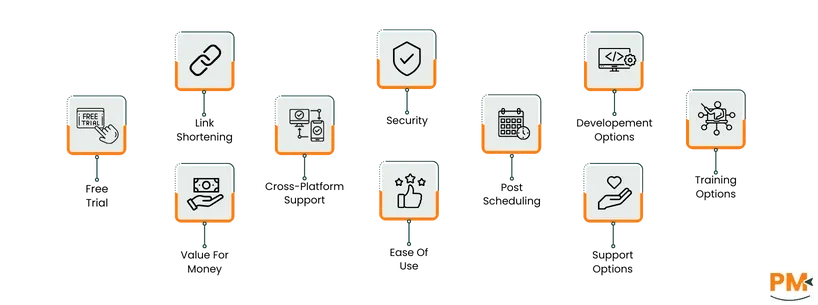
This article compares both tools feature-by-feature (scheduling, link shortening, cross-platform support, development/APIs, security, training, value, ease of use, and pricing), pulls pros and cons from real user feedback, and highlights where each product shines.
TL;DR: Zoho Social is best for small-to-mid teams seeking ease of use, smart scheduling, and Zoho ecosystem integration, while Hootsuite excels for larger teams and enterprises needing advanced analytics, multi-platform management, and scalable workflows.
Feature/Area | Hootsuite | Zoho Social | Winner |
Best for | Medium → large teams, enterprises, agencies that need scale & advanced reporting | Small → mid teams, agencies, Zoho ecosystem customers who want ease + SmartQ | Depends (see verdict) |
Free trial | Longer hands-on trial (generally 30 days) | Shorter trial (generally ~15 days) | Hootsuite |
Link shortening | Built-in Ow. ly + Bitly support, tracking & vanity options | Built-in zurl. co + Bitly integration; auto-shorten toggle | Hootsuite |
Cross-platform support | Broad (Facebook, IG, X, LinkedIn, YouTube, Pinterest, etc.) | Major networks (Facebook, IG, X, LinkedIn, YouTube) | Tie |
Post scheduling | Powerful scheduling + AutoSchedule, bulk scheduling | Visual calendar, SmartQ (optimal time suggestions), recurring posts | Zoho Social |
Development/API | App Directory + APIs; limited deep customization | Zoho APIs + Zoho Flow; stronger integration & customization | Zoho Social |
Security & compliance | Encryption, RBAC, SOC 2 / ISO controls | SSL, 2FA, RBAC, Zoho’s ISO/SOC/GDPR compliance | Tie |
Training & docs | Hootsuite Academy, certifications, tutorials | Zoho Learn, webinars, guides, product resources | Tie |
Ease of use | Feature-rich but steeper learning curve | More opinionated, quicker onboarding, intuitive calendar | Zoho Social |
Value for money | Best ROI for organizations using many advanced features | Strong value for smaller teams and Zoho customers | Tie |
Who should choose it | Enterprises, large agencies, orgs needing deep analytics & social governance | Small→mid agencies, businesses using Zoho CRM, teams wanting fast onboarding | — |

Hootsuite is one of the most widely used social media management platforms, designed to help businesses and individuals streamline their social media presence. It allows users to schedule posts, monitor brand mentions, engage with audiences, and analyze performance across multiple social networks from a single dashboard. Known for its scalability, Hootsuite caters to freelancers, small businesses, and large enterprises alike. Its robust integrations and reporting tools make managing campaigns more efficient, saving time and improving overall social media strategy.
Hootsuite Pros and Cons
Pros | Cons |
Helps keep teams aligned and manage clients effectively Provides centralized analysis of metrics across all social networks The drag-and-drop feature in the calendar lets users move posts and fill empty days | AI generated suggestions are not correct always Sometimes, social accounts might disconnect randomly |

Zoho Social is a comprehensive social media management platform built for businesses seeking efficient ways to manage, track, and grow their social media presence. It offers tools to schedule posts, monitor engagement, analyze performance, and collaborate with teams. With an intuitive dashboard and real-time analytics, Zoho Social helps businesses make data-driven decisions while maintaining a consistent brand voice. Its seamless integration with the broader Zoho ecosystem makes it ideal for companies already using Zoho products, creating a centralized hub for marketing, sales, and customer engagement.
Zoho Social Pros and Cons
Pros | Cons |
Users can post on multiple social channels from a centralized platform Engagement and performance tracking can be done from a single space The visual calendar is helpful in planning and scheduling | Features for Instagram Stories are limited The mobile app lacks some features available on the desktop |

Hootsuite Pricing Plans
Plan | Best For | Key Features | Pricing |
Standard | Individuals managing multiple social accounts |
| $149/month |
Advanced | Small teams needing collaboration |
| $399/month |
Enterprise | Large organizations with advanced needs |
| Custom pricing |
Zoho Social Pricing Plans
Plan | Best For | Key Features | Pricing |
For Businesses | |||
Free | Best for small businesses and startups |
| $0/month
|
Standard | Small businesses or individuals |
| $15/month |
Professional | Growing teams |
| $40/month |
Premium | Large agencies |
| $60/month |
For Agencies | |||
Agency | Agencies managing multiple brands |
| $320/month |
Agency Plus | Large agencies with many clients |
| $460/month |
Hootsuite is best suited for medium to large businesses, marketing agencies, and enterprises that manage multiple social media accounts across platforms. It’s ideal for teams with 3 or more members who need to coordinate publishing schedules, track performance analytics, and collaborate on content approval workflows.
The platform particularly benefits corporate marketing teams, agencies, and enterprises in industries like retail, finance, higher education, and media, where brand reputation management and cross-department collaboration are key. With its powerful analytics, role-based permissions, and integration with tools like Slack, Salesforce, and Google Drive, Hootsuite enables large teams to handle high-volume campaigns efficiently.
Zoho Social is ideal for small to mid-sized businesses, startups, agencies, and growing teams that want a balance between functionality and affordability. It’s best suited for teams of 1 to 10 users who need an intuitive tool to plan, schedule, and analyze social media activity without complex setup or steep learning curves.
It’s especially beneficial for digital marketing agencies, SaaS startups, and eCommerce brands that rely on data-driven content strategies. Zoho Social’s seamless integration with Zoho CRM, Zoho Desk, and Zoho Campaigns makes it an excellent choice for businesses already using the Zoho ecosystem — enabling a unified view of marketing and sales performance.
When comparing Hootsuite vs Zoho Social, both platforms excel in managing social media across multiple channels, but they cater to different audiences and priorities.
If your organization needs enterprise-level control, advanced analytics, and robust collaboration tools, Hootsuite stands out. Its comprehensive dashboard, security controls, and third-party integrations make it ideal for large teams managing multiple brands or global campaigns. It’s designed for scale and strategy — perfect for organizations that rely on detailed reporting and structured workflows.
On the other hand, Zoho Social is the better choice for small to mid-sized businesses and agencies looking for a cost-effective yet capable platform. Its SmartQ scheduling, visual calendar, CRM integration, and easy-to-learn interface make it highly efficient for everyday content management. It simplifies team collaboration and offers strong value without the complexity or price tag of enterprise systems.
Hootsuite Alternatives
Tool | Best For | Key Highlights |
Buffer | Small teams & solopreneurs | Intuitive scheduling, engagement tracking, and analytics at an affordable price |
Sprout Social | Enterprises & marketing agencies | Powerful reporting, CRM integration, and social listening tools |
Later | Visual content creators & eCommerce brands | Best for Instagram and TikTok scheduling with a strong visual planner |
Sendible | Agencies managing multiple clients | Custom dashboards, client collaboration, and white-label reporting |
Agorapulse | Mid-sized marketing teams | Unified inbox, competitor analysis, and detailed performance metrics |
Zoho Social Alternatives
Tool | Best For | Key Highlights |
Buffer | Small businesses & content creators | Clean interface and effective publishing tools for growing teams |
Sprout Social | Established companies | Deep analytics and premium collaboration features for marketing teams |
Loomly | Small to mid-sized marketing teams | Streamlined content calendar and post idea suggestions |
Metricool | Freelancers & digital marketers | All-in-one platform for analytics, ads, and content scheduling |
Publer | Startups & agencies | Affordable solution with AI-assisted post generation and bulk scheduling |
