
When teams struggle to stay organized, collaborate seamlessly, or deliver projects on schedule, project management software steps in. Among the most popular solutions designed to address these challenges are Atlassian Jira and Adobe Workfront. While both platforms help teams manage projects, their strengths and intended audiences differ significantly.
Jira: An Agile project management platform favored by development and IT teams. It excels at sprint planning, backlog prioritization, and highly customizable workflows. It integrates seamlessly with GitHub, Bitbucket, and Confluence, making it a strong fit for software delivery pipelines and DevOps practices.
Workfront: Aimed at marketing, creative, and operations teams, with a focus on resource planning, workload balancing, budgeting, and portfolio management. Its native Adobe Creative Cloud supports asset collaboration, approvals, and creative workflows. It integrates with Microsoft Teams, Slack, Google Drive, and SharePoint, making it ideal for large organizations managing complex, multi-stakeholder initiatives.
This article dives into a feature-by-feature comparison of Jira and Workfront, covering every aspect to help you determine which tool best aligns with your team’s needs.
Feature | Jira | Workfront |
Tasks and Workflow Management | Great for Agile and IT projects with customizable workflows. | Strong collaboration, especially with Adobe Creative Cloud. Cloud-based with web and mobile access. |
Customer Support | Community help and paid support plans. | Enterprise-level support with onboarding and training. |
Collaboration | Works well with Confluence, Slack, and comments. | Strong collaboration, especially with Adobe Creative Cloud. |
Cross-platform Support | Web, desktop, mobile, and third-party integrations. | Cloud-based with web and mobile access. Cleaner, more intuitive for non-technical teams. |
Ease of Use and UI | Powerful but complex for new users. | Cleaner, more intuitive for non-technical teams. |
Time Tracking | Log work hours to enhance project tracking accuracy. | Built-in and suited for resource management. |
Reporting and Analytics | Strong Agile reports and add-ons. | Advanced dashboards and portfolio insights. |
Our Verdict
Jira is ideal for software teams seeking agile workflows, flexible task management, and seamless integrations. Workfront works well for large enterprises and cross-department projects, but for most teams, Jira delivers more adaptability and efficient task tracking.

Jira, developed by Atlassian, started as an issue-tracking tool and has grown into one of the most widely used Agile project management platforms. Its strengths include highly customizable workflows, robust integrations, and strong support for Scrum, Kanban, and hybrid methodologies. It is best suited for software teams and growing companies that need to manage complex projects with flexibility.
Jira Pros And Cons
Pros:
- Powerful issue and bug tracking
- Flexible dashboards and reporting
- Automation and APIs for customization
Cons:
- UI may feel overwhelming for beginners
- Sometimes slows with large data and complex workflows
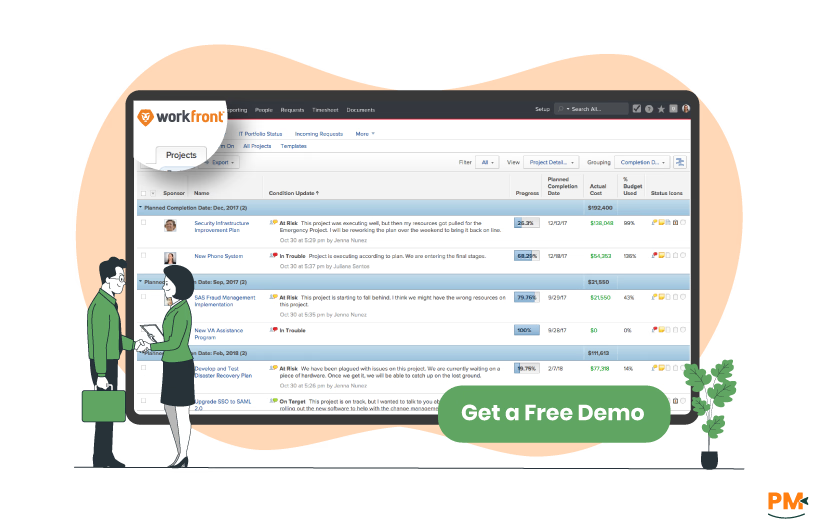
Adobe Workfront is a cloud-based enterprise work management platform that streamlines complex projects and cross-functional collaboration. It excels at connecting strategy to execution for marketing, creative, and IT teams. With powerful tools for project tracking, resource management, and automated proofing and approvals, Workfront brings clarity and structure to an organization's most intricate workflows.
Workfront Pros And Cons
Pros:
- Organize Workflow, Production, and Projects
- Native integration with Adobe Creative Cloud
- Scalable for large organizations
Cons:
- Customer view includes unnecessary internal notes
- Updates sometimes make the navigation a bit different

Jira
Built for dynamic, iterative task management. Excels at visualizing work via Scrum/Kanban boards and automating workflows. Ideal for technical teams managing sprints, bugs, and user stories with deep dev tool integrations.
Workfront
Workfront provides structured work management, ideal for marketing and creative teams. It governs complex projects using templated tasks, Gantt charts, and formal approval chains to ensure clear stakeholder alignment and streamlined proofing.

Jira
Jira offers tiered support, where access escalates with your plan. Free and Standard plans rely on community forums and self-help resources, while Premium and Enterprise tiers unlock 24/7 support with guaranteed SLAs and faster response times. Direct phone support is reserved for the highest-value enterprise contracts.
Workfront
Adobe Workfront offers a dedicated support and services section that highlights end-to-end business and technical assistance, including training resources. The program also emphasizes access to dedicated personnel who can supplement internal teams, ensuring organizations receive both strategic guidance and hands-on support to drive successful outcomes.

Jira
Jira enables seamless team collaboration with @mentions, threaded comments, and real-time activity feeds directly within tasks. It keeps discussions, decisions, and files centralized in every ticket, ensuring full visibility and context for all stakeholders without switching tools.
Workfront
Workfront streamlines collaboration with native proofing and annotation tools for visual feedback, supported by contextual communication features like @mentions and threaded comments to keep discussions centralized.
Jira
Jira keeps your team connected and productive with powerful web, desktop, and mobile apps. Update tasks, track progress, and collaborate in real time, all while staying synced across every device.
Workfront
Workfront is a web-based platform that lets teams manage projects from anywhere. It integrates seamlessly with tools like Adobe Creative Cloud, keeping creative and marketing teams aligned and productive across all their apps.

Jira
Jira has a clean interface with customizable dashboards and sidebars that make it easier to organize projects. Its boards and timelines give a clear view of tasks, and built-in AI features help create and manage work faster.
Workfront
Workfront has a clean, web-based interface with customizable dashboards and task views, making it simple for teams to see priorities and track progress immediately.

Jira
Jira allows users to log the time spent on tasks, track remaining time, and compare it with original estimates. This gives teams a clear view of progress and helps manage workloads and deadlines efficiently. Admins can customize settings such as work hours and time formats.
Workfront
Workfront allows team members to record hours spent on tasks and projects directly in their timesheets. Administrators can set up which tasks appear and manage hour types. This helps teams keep track of work and stay organized.

Jira
Jira provides built-in reports like burndown and sprint charts to track project progress. Teams can create custom dashboards to see real-time data from multiple projects. These tools help identify bottlenecks and make better decisions.
Workfront
Workfront provides advanced analytics for workload, capacity, budget, and project progress. It’s well-suited for executives who need to monitor ROI and resource efficiency.
Jira Pricing Plans
Plan | Pricing |
Free | Yes, for up to 10 users |
Standard | $8.60/user/month with a free trial (for a team with 100 users) |
Premium | $17user/month and a free trial (for a team with 100 users) |
Enterprise | Custom pricing, depending on the number of users |
Workfront Pricing Plans
Plan | Pricing |
Select | Custom Pricing |
Prime | Custom Pricing |
Ultimate | Custom Pricing |
Disclaimer: The pricing is subject to change
Who Is Jira Best For?
Jira is ideal for teams across industries such as software development, IT, marketing, and design operations. It works well for startups to large enterprises and is especially suited for agile teams using Scrum or Kanban, providing customizable workflows, real-time reporting, and seamless integrations.
Who Is Workfront Best For?

Adobe Workfront is ideal for large marketing teams and enterprise organizations managing complex, cross-functional projects. It serves industries like Financial Services, Healthcare, Manufacturing, Retail & E-commerce, Media & Entertainment, and Technology, excelling in campaign oversight, resource allocation, and strategic planning.
Which One May Suit Your Needs Better?
For teams focused on software development, agile workflows, and customizable task management, Jira’s efficiency, integrations, and flexibility make it the preferred choice. Workfront remains ideal for enterprise-level projects and cross-department collaboration. Still, for most project management scenarios, especially those requiring adaptability and streamlined task tracking, Jira provides the best overall solution.
What Are The Alternatives?
If you’re still not completely satisfied with Jira or Workfront, there are several other tools that might fit your team’s needs better:
Trello — Simple, visual task and board-based management; easy onboarding and ideal for lightweight workflows
- NetSuite — Cloud ERP platform that combines operations and finance in one system; useful when you need more than project tracking
- Jama Connect — Requirements management tool with traceability; supports capturing, reviewing, validating, and tracking requirements end-to-end
- Monday CRM — Customizable boards with collaboration tools; flexible setup for modeling different processes and workflows
- Aprimo — Digital asset and content operations platform; well-suited for teams managing media, content workflows, and approvals
- SAS 360 Plan — Customer intelligence and marketing planning platform; supports campaign orchestration, data integration, and strategy planning
- Microsoft Project — Full-featured project planning and scheduling; strong in enterprise environments with robust resource and portfolio management
- Zoho Projects — Affordable, versatile project management; offers task automation, reporting, time tracking, and multiple views (Gantt, Kanban, calendar), making it a solid option for SMBs
Both Jira and Workfront bring strong capabilities but serve different needs. Jira is better suited for teams that want flexibility, agile workflows, and powerful integrations to manage projects iteratively. Workfront, on the other hand, is stronger for large enterprises that need structured oversight, resource planning, and cross-department collaboration.
For most organizations looking for efficiency and adaptability in day-to-day project management, Jira proves to be the more versatile choice. However, if your projects demand enterprise-level governance and strategic alignment, Workfront may deliver greater value.