In the world of modern productivity software, Loop vs Notion has become a common debate for teams seeking the ideal collaboration and knowledge management solution. Both platforms promise streamlined workflows, shared workspaces, and a better way to manage tasks—but they approach these goals with fundamentally different philosophies.
Microsoft Loop, introduced as part of the Microsoft 365 ecosystem, emphasizes real-time co-creation with flexible components that sync across apps like Teams, Outlook, and Word. Notion, on the other hand, has built a loyal following as a powerful all-in-one workspace, combining notes, wikis, databases, and project tracking into a highly customizable interface.
If you're evaluating tools to boost team productivity, simplify documentation, or unify your project management process, this comparison will help you make an informed choice. We’ll break down the key features, strengths, and limitations of both tools—so you can decide which platform aligns best with your team’s needs.
Loop Overview
Microsoft Loop is a flexible collaboration platform designed to unify content, tasks, and communication across Microsoft 365.Positioned as a modern co-creation space, Loop helps teams ideate, plan, and execute work in real-time—whether they’re in the same room or across time zones.
Loop is built around three core components: Workspaces, Pages, and Loop Components. Workspaces serve as shared hubs where teams can organize everything related to a project. Pages are flexible canvases where content, ideas, and tasks live.
But the real innovation lies in Loop Components—dynamic pieces of content like task lists, tables, and checklists that can be edited in real-time and embedded into tools like Outlook, Teams, or Word. These components stay in sync no matter where they appear.
Loop Pros And Cons
Pros | Cons |
Ideal for fast-paced, iterative collaboration Clean, minimalist interface focused on reducing distraction Context-aware task management and syncing across projects | Not as customizable or extensible as others Lacks advanced database, and content structuring features |
Notion is a powerful all-in-one workspace that combines notes, wikis, task management, and databases into a highly flexible system. At its core, Notion is structured around blocks—modular elements like text, checklists, media, and code—that users can arrange freely within pages. These pages can be nested, linked, or connected to databases for advanced organization and automation.
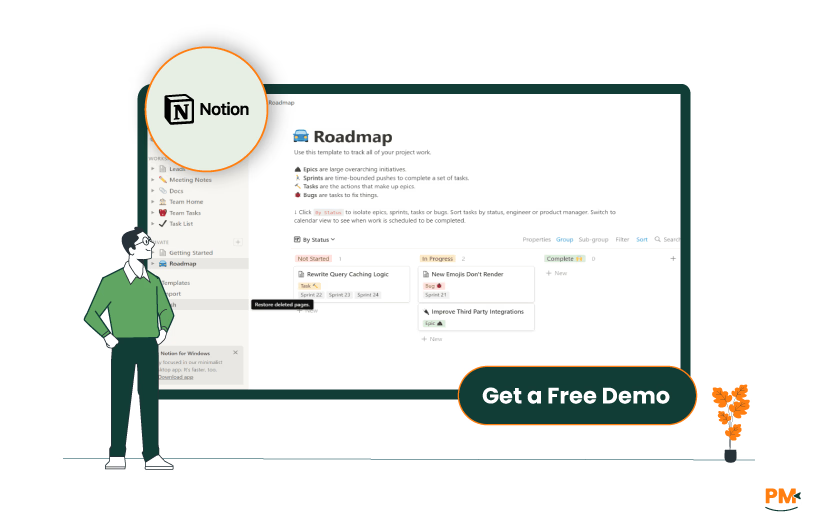
Popular among startups, freelancers, and remote teams, Notion shines in project management, internal documentation, personal productivity, and collaborative knowledge bases. Its appeal lies in its adaptability: users can build custom dashboards, SOPs, or product roadmaps using drag-and-drop templates and integrations.
The software continues to expand its ecosystem with features like Notion AI, advanced calendar views, and integrations via Notion API. It remains one of the most widely used tools in the productivity space, especially for teams looking for a centralized, design-friendly, and highly customizable platform.
Notion Pros And Cons
Pros | Cons |
Highly customizable with blocks, databases, and templates Massive template and community ecosystem for faster onboarding Beautiful, minimal UI with drag-and-drop simplicity | Performance can lag with large pages or complex databases Permissions and access control can be complex for larger teams |

Loop
Loop streamlines task management by embedding action items directly within collaborative components. For example, during a meeting in Microsoft Teams, a team can create a Loop Component task list that updates in real-time across Outlook, Word, or Loop Pages. These tasks can be synced with Microsoft Planner or To Do, making them accessible in users’ daily task dashboards without duplicating work
Loop is particularly effective for teams already embedded in the Microsoft 365 ecosystem. Its tight integration allows tasks to live in context—inside a project workspace, a Teams chat, or an email—ensuring follow-through. However, it lacks native kanban boards or advanced workflow automation, making it better suited for lightweight project collaboration than complex project management.
Notion
Notion offers robust task and workflow management through customizable databases. Users can set up kanban boards, calendar views, or list formats for tasks and apply filters, priorities, due dates, and team assignments. Recurring tasks can be simulated using templates and duplication logic, though automation requires some manual effort or third-party tools like Make or Zapier.
For example, a product team might track sprints using a kanban board filtered by status, while a content team uses a calendar view to manage editorial deadlines. While incredibly flexible, Notion’s power comes with complexity—requiring some setup time and familiarity with relational databases for optimal use.

Loop
As part of the Microsoft 365 suite, Loop users primarily rely on the broader Microsoft Help Center, which offers extensive documentation, forums, and guided articles. Enterprise users benefit from Microsoft’s dedicated support channels, including admin support and live chat.
However, free or individual users may find personalized help limited, often navigating large support libraries or posting in community forums for answers. Additionally, because Loop is still relatively new, some edge-case questions might not be well-documented yet.
Notion
Notion offers a more user-friendly support experience, especially for newer users. The in-app help is responsive and provides guided suggestions. Users can access searchable help articles, submit email tickets, or reach out via chat (for paid plans). Notion’s online community is also active, with users frequently sharing templates, workflows, and solutions on platforms like Reddit and Notion’s official subreddit and Discord servers.
While enterprise support has expanded in recent years, small teams and individual users generally find Notion’s documentation and community support more accessible and hands-on than Microsoft’s. That said, support response times can vary depending on plan tier.

Loop
Loop is designed for fluid, real-time collaboration, especially across Microsoft 365 apps. Its standout feature is Loop Components—dynamic elements like checklists, tables, and task lists that can be embedded and co-edited across Outlook, Teams, Word, and Loop itself.
Changes made in one location reflect instantly everywhere the component is used, making asynchronous collaboration seamless. This structure enables context-aware teamwork without switching apps, ideal for fast-paced environments like product or operations teams.
Notion
Notion supports collaboration through shared pages, team workspaces, comment threads, and mentions. Teams can leave feedback directly on blocks, assign tasks, or create shared dashboards. With granular permission settings, admins can control who views, edits, or comments on content at the page or workspace level. However, real-time editing is more page-based, and while effective, it lacks the embedded sync capabilities of Loop Components. Still, Notion offers a versatile and transparent space for multi-layered teamwork, especially for documentation-heavy or multi-project teams.

Loop
Loop is accessible via the web, Windows/macOS desktop apps, and iOS/Android mobile apps. As a native part of the Microsoft 365 ecosystem, Loop integrates tightly with tools like Teams and Outlook, providing in-context access to collaboration components.
Syncing across devices is reliable within the Microsoft environment, but external access (e. g. , for users outside your org or non-Microsoft platforms) is more limited. Loop is best experienced when fully embedded in a Microsoft 365 workspace.
Notion
Notion offers excellent cross-platform support with apps for web, Windows, macOS, iOS, and Android, and maintains strong feature parity across devices. Whether you're switching between desktop and mobile or accessing Notion in a browser, the experience remains largely consistent.
Syncing is fast and dependable, though some users report occasional delays in collaborative updates or large databases on mobile. Unlike Loop, Notion isn’t bound to a specific ecosystem, making it more flexible for diverse or remote teams using mixed tech stacks.
Loop
Loop features a clean, minimalist interface that mirrors other Microsoft 365 apps, making it intuitive for users already familiar with Outlook, Teams, or Word. The learning curve is gentle—most users can start collaborating with Loop Components quickly without setup overhead.
Navigation within Loop Workspaces and Pages is straightforward, though its simplicity may limit power users seeking deeper customization.
Notion
Notion’s interface is modular and highly customizable, allowing users to design their own dashboards, workflows, and knowledge systems. It’s visually appealing and intuitive for basic use (e. g. , taking notes, building to-do lists), but becomes more complex when working with databases, relations, or formulas.
Onboarding can take time, especially for teams new to flexible tools. However, the payoff is high—once users master it, Notion becomes a deeply personalizable productivity hub.

Loop
Microsoft Loop does not offer native time tracking. Teams looking to monitor time must rely on external solutions within the Microsoft ecosystem, such as Microsoft Planner or Project, which offer basic time-based task views and progress tracking.
However, these aren’t deeply integrated into Loop’s interface. For more advanced needs—like tracking billable hours or generating reports—users will need to explore third-party tools via Microsoft Power Automate or other integrations, making time tracking more of an external add-on than a built-in feature.
Notion
Notion also lacks built-in time tracking, but it offers greater flexibility for workarounds. Users can manually create time logs using databases with start/end timestamps or duration formulas. More advanced setups often leverage templates or integrate tools like Clockify, TMetric, or Harvest through Notion’s API or platforms like Zapier.
While effective for basic logging or light time management, these setups can be tedious and aren’t a substitute for dedicated time tracking software. For serious time-tracking needs, Notion requires intentional customization or third-party support.

Loop
Loop is built for collaborative note-taking and in-context documentation, especially during meetings and discussions. Loop Components can be embedded directly in Microsoft Teams chats or Outlook emails, allowing teams to take notes collaboratively while staying in their workflow. These notes auto-sync and update in real time, reducing redundancy and version conflicts.
However, Loop lacks structured content management features—there’s no system for tagging, nesting, or advanced formatting, which limits its appeal for long-term documentation or complex knowledge bases.
Notion
Notion excels as a comprehensive documentation platform. Users can build multi-level wikis, SOPs, onboarding guides, and project docs using nested pages, databases, and rich content blocks. Features like template galleries, linked databases, and version history make it ideal for organizing technical and non-technical documentation.
It supports structured, searchable, and interconnected knowledge management far beyond basic note-taking—making it a go-to for product teams, HR, marketing, and knowledge managers alike.

Loop Pricing
The software offers the following pricing options:
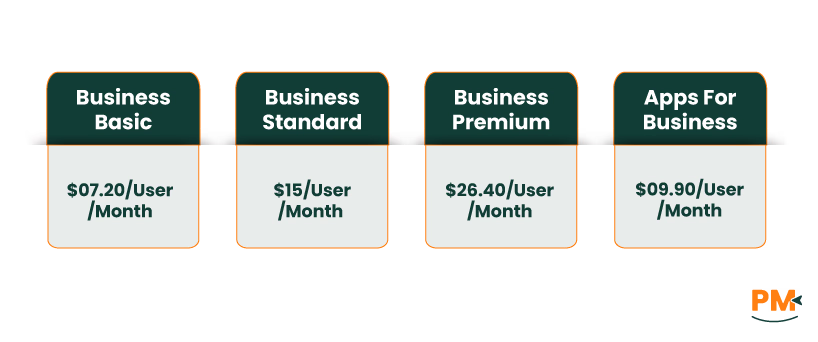
- Microsoft 365 Business Basic - $07.20/user/month
- Microsoft 365 Business Standard - $15/user/month
- Microsoft 365 Business Premium - $26.40/user/month
- Microsoft 365 Apps for business - $09.90/user/month
Notion Pricing
Notion includes four pricing plans for its users
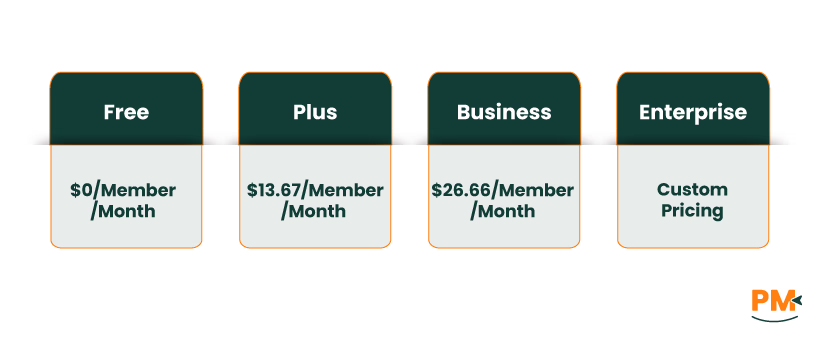
- Free - $0/member/month
- Plus - $13.67/member/month
- Business - $26.66/member/month
- Enterprise – Custom pricing
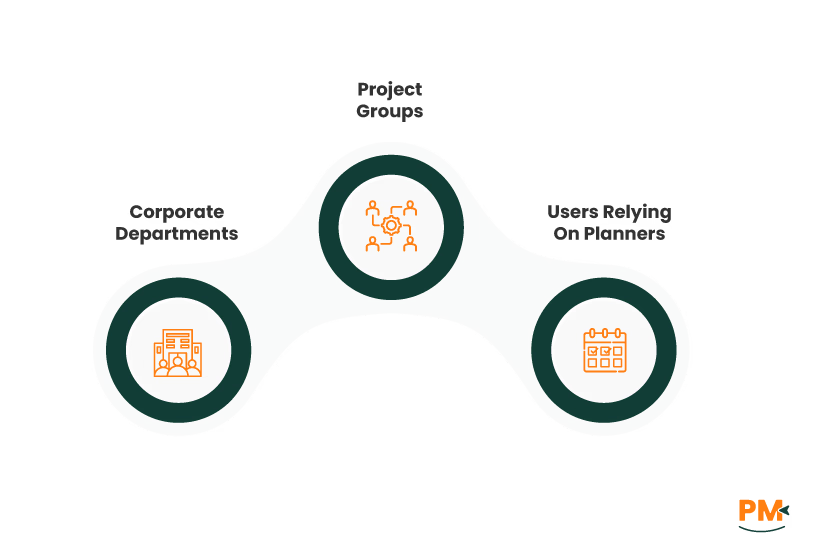
Loop is best suited for teams already using Microsoft 365 who want to collaborate in real time without constantly switching between apps. It works especially well for:
- Corporate departments and internal teams
- Project groups working inside Microsoft Teams, Outlook, or Word
- Users relying on Planner, To Do, OneDrive, and Teams
Loop shines when co-editing notes, action items, and task lists within daily communication tools—helping reduce context switching and streamline follow-ups.
Note: Loop’s utility drops significantly outside the Microsoft ecosystem, making it less ideal for teams using diverse or third-party tools.
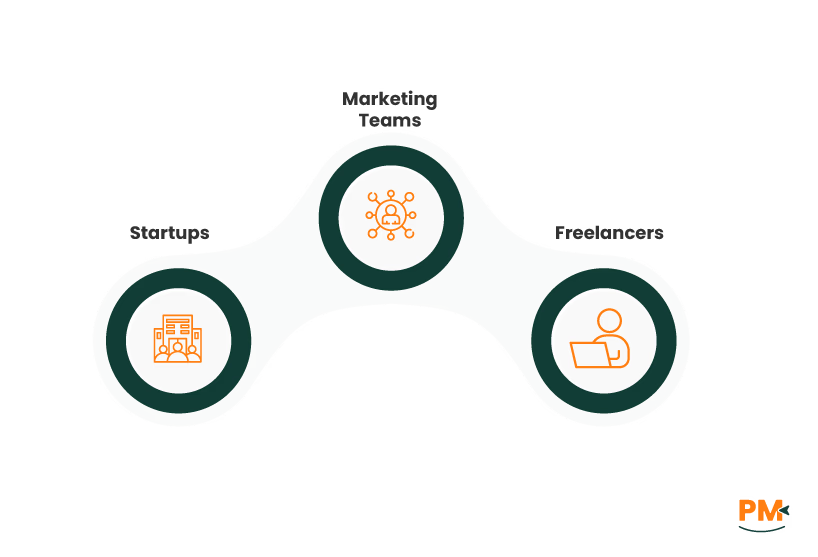
Notion is a great choice for teams and individuals seeking a customizable, all-in-one workspace. It’s ideal for:
- Startups building internal wikis
- Marketing teams managing campaigns
- Freelancers organizing personal projects
With its modular design, Notion adapts to your workflow—not the other way around. It also:
- Supports diverse tech stacks (Slack, GitHub, Google Drive)
- Offers powerful databases, templates, and dashboards
- Enables full customization of layout and structure
🛠️ Heads-up: Notion has a learning curve and setup time, so it's best for users who value flexibility over simplicity.
Choosing between Loop vs Notion comes down to how your team works and what ecosystem you operate in. If your team is already deeply embedded in Microsoft 365, and you're looking for a tool to enhance live collaboration across Outlook, Teams, and Word—Loop is the seamless choice. It integrates natively and offers a smooth, contextual experience with real-time co-editing.
On the other hand, if you need a customizable, cross-platform workspace for managing projects, building wikis, or coordinating workflows across a variety of tools, Notion provides unmatched flexibility. It’s ideal for startups, distributed teams, and users who value design freedom and modular structure.
Choose Loop if you're a Microsoft-first team needing real-time collaboration inside your existing tools.
Choose Notion if you want a fully customizable platform for structured content, documentation, and flexible workflows.