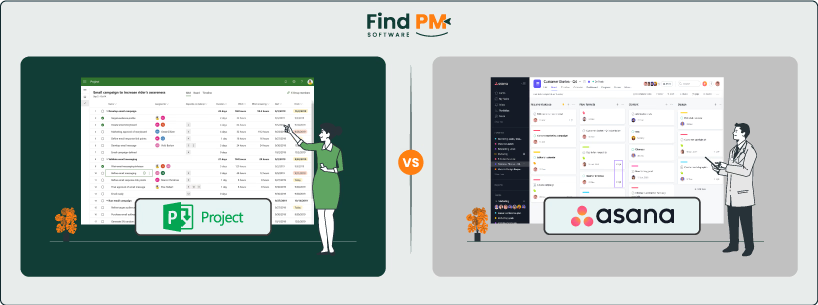
Choosing the right project management platform can make or break your team’s productivity. In the battle of Microsoft Project vs Asana, both platforms offer robust solutions—but serve very different types of users.
This in-depth comparison guide is designed for professionals, project leads, and business owners looking for the best-fit software to streamline workflows, improve visibility, and boost team collaboration. We’ll walk you through how Microsoft Project and Asana stack up in terms of usability, features, integrations, pricing, and more—so you can make an informed decision based on your specific needs.
If you’re evaluating tools to enhance project delivery and team alignment, you’re in the right place. Let’s dive into the key differences that could impact your next big project.
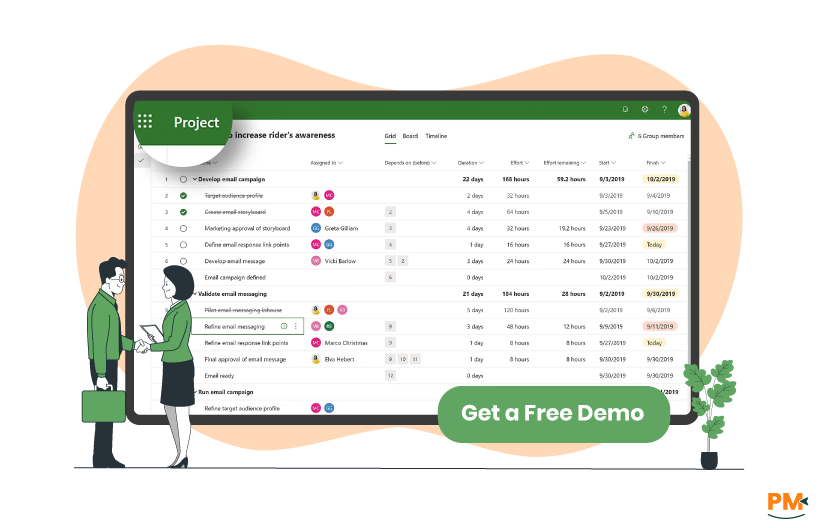
Microsoft Project is a powerful project management software developed by Microsoft, tailored primarily for enterprise-level project planning and execution. It's known for supporting traditional project management methodologies such as Waterfall, with strong capabilities in scheduling, resource management, and Gantt chart visualization.
The platform offers a comprehensive suite of tools that help project managers plan tasks, allocate resources, track progress, and manage budgets. Microsoft Project integrates seamlessly with the Microsoft 365 ecosystem—including Teams, Excel, and SharePoint—making it a natural fit for organizations already using Microsoft products.
Its primary strength lies in complex project planning, especially for organizations managing long-term, resource-intensive projects with multiple stakeholders. Key modules include Project Online, Project for the Web, and the desktop-based Microsoft Project Professional.
Microsoft Project is best suited for certified project managers, enterprise PMOs, and large cross-functional teams that require detailed oversight, customizable reporting, and structured workflows. While it’s highly capable, its steep learning curve and cost structure may not make it ideal for casual users or smaller teams.
Microsoft Project Pros And Cons
Pros | Cons |
Advanced Gantt chart and timeline features for structured planning Supports resource and budget management at scale Suitable for managing large, multi-phase projects | Limited flexibility for agile or fast-paced project workflows Interface can feel outdated compared to modern PM tools |
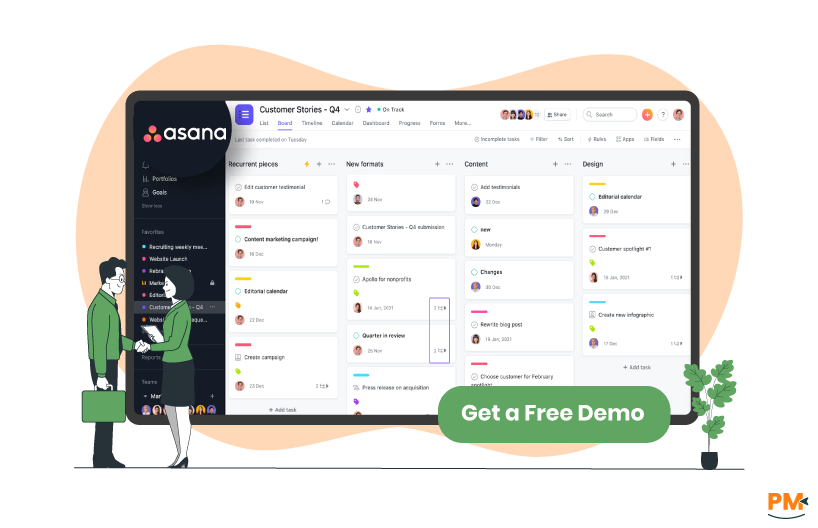
Asana is a modern, cloud-based project and task management platform designed to help teams organize, track, and collaborate on work. Known for its intuitive UI and flexibility, Asana excels in agile environments, making it ideal for teams that favor iterative planning and collaboration over rigid structure.
The platform is widely used for task tracking, sprint planning, workflow automation, and cross-functional coordination. Its visual project views—including lists, boards, calendars, and timelines—allow teams to manage work in the format that suits them best. Asana also supports robust automation through its “Rules” feature and integrates with tools, including Slack, Google Drive, Zoom, and Jira.
Asana is especially popular among startups, creative teams, marketing departments, and remote or distributed teams. Its accessibility and collaborative design make it a go-to choice for organizations looking to improve visibility, accountability, and team efficiency—without the overhead of enterprise-level systems.
Asana Pros And Cons
Pros | Cons |
Clean, intuitive user interface with minimal onboarding required Strong collaboration tools with real-time updates and comments Built-in automation for routine tasks (via Rules) | Limited native reporting tools for enterprise-level needs Customization is limited compared to traditional PM tools |

Microsoft Project
Microsoft Project is built for traditional, top-down project management. It supports task creation with meticulous detail, allowing users to define durations, dependencies, milestones, and constraints. The platform is ideal for managing complex, linear projects using methodologies like Waterfall.
Tasks are managed through detailed Gantt charts and hierarchical work breakdown structures (WBS). You can set precise task dependencies (finish-to-start, start-to-start, etc.) , assign resources, and track progress via percent-complete fields. The software emphasizes structure and control, making it particularly strong for scenarios where scope, budget, and deadlines are tightly regulated.
However, this level of precision can come at the cost of usability and flexibility. Non-expert users may find it less intuitive, especially without formal training in project scheduling.
Asana
Asana takes a more flexible, modern approach to task and workflow management. It supports multiple project views, including Kanban boards, lists, calendars, and timelines, catering to various team preferences and work styles. Tasks are quick to create and easy to assign, comment on, and tag with priorities or custom fields.
For agile workflows, Asana offers features like sprint planning templates, backlog management, and task grouping by sections or milestones. Automation is another strength—Asana’s “Rules” allow teams to auto-assign tasks, trigger reminders, or update statuses without manual input.
Asana shines in fast-paced, collaborative environments where adaptability is key. While it may lack some of the advanced scheduling tools of Microsoft Project, it offers a far more user-friendly experience for managing daily workflows and cross-team initiatives.

Microsoft Project
Microsoft Project’s support is delivered through the broader Microsoft 365 support infrastructure. Users can access documentation, self-service troubleshooting via the Microsoft Learn platform, and community forums. For enterprise customers, Microsoft offers high-tier support plans that include 24/7 access to technical specialists, proactive guidance, and dedicated account managers.
Training resources are abundant, but the learning curve can be steep—particularly for users not familiar with formal project management methodologies or Microsoft’s ecosystem. Response times are generally reliable for enterprise clients, but smaller teams on basic plans may rely more on self-service content.
Asana
Asana provides multi-channel support, starting with a well-organized Help Center, community forum, and onboarding guides. Free users primarily rely on these self-service tools, while paid users gain access to email-based customer support. Premium and Business plan subscribers benefit from faster response times and live training sessions.
Enterprise customers receive priority support and access to a dedicated Customer Success Manager. Asana’s support is often praised for its speed, clarity, and accessibility—especially for teams new to project management tools. Its clean interface and guided tutorials further reduce the need for frequent support intervention.

Microsoft Project
Microsoft Project supports collaboration primarily through its integration with the broader Microsoft 365 suite. Teams can share project files and updates via SharePoint or communicate through Microsoft Teams. However, real-time task collaboration within the Project interface itself is limited. Updates often happen asynchronously, and collaboration feels more hierarchical and document-driven than conversational.
While it’s effective for status reporting and structured project reviews, it lacks built-in features like in-task commenting or real-time co-editing. Teams already embedded in the Microsoft ecosystem may find the workflow smooth, but it’s less dynamic for fast-paced or iterative team communication.
Asana
Asana is built with collaboration at its core. Team members can comment on tasks, mention colleagues, attach files, and update statuses in real-time—all within a centralized project view. The platform supports collaborative workspaces where teams can manage shared goals, deadlines, and discussions without switching tools.
With features like task followers, real-time notifications, and easy-to-navigate activity streams, Asana ensures that everyone stays aligned and updated. Its communication-first design significantly reduces the need for external messaging apps, making it ideal for remote or distributed teams who rely on speed and clarity.
Microsoft Project
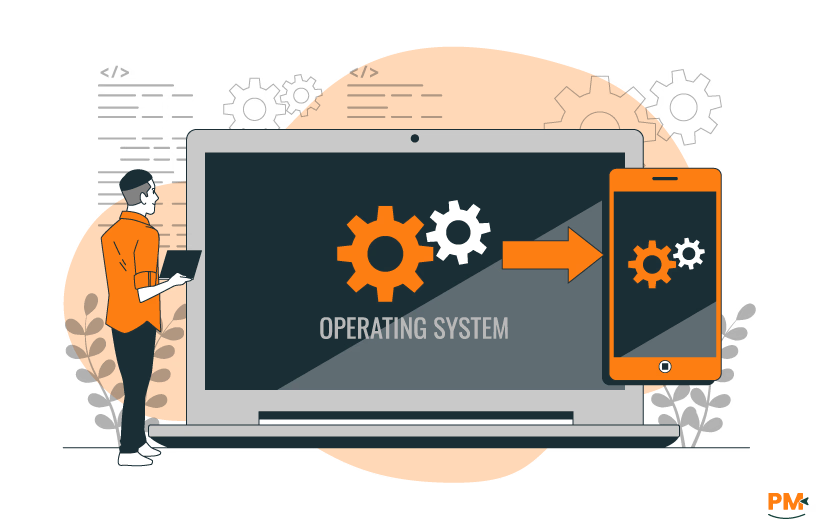
Microsoft Project offers both web and desktop-based access, with its desktop version (Microsoft Project Professional) offering the most comprehensive features. The cloud-based version—Project for the Web—is integrated into the Microsoft 365 environment and accessible via browser, but with limited capabilities compared to its desktop counterpart.
Mobile access is available but not native to the full Microsoft Project experience; instead, users typically rely on related Microsoft apps like Teams for mobile updates. As a result, Microsoft Project is best used on desktops within enterprise IT environments, where tight integration with Office apps is prioritized.
Asana
Asana is a web-first platform with full-featured mobile apps for both iOS and Android, offering excellent cross-platform consistency. Users can create, edit, and comment on tasks on the go, with near-instant sync across devices. Its mobile experience mirrors the desktop version’s visual clarity and usability, making it highly accessible to distributed teams.
Whether you're on a laptop, tablet, or phone, Asana ensures seamless project updates and communication—making it more versatile for teams working across locations and devices.

Microsoft Project
Microsoft Project is a tool designed for power users. Its interface is dense, technical, and heavily reliant on project management terminology. Users must navigate through ribbon-style menus, layered settings, and multiple views to perform advanced planning tasks.
The steep learning curve makes it better suited to experienced project managers or teams with formal PM training. Onboarding typically requires structured tutorials or professional training. While powerful, the user experience can feel overwhelming to those new to project management software.
Asana
Asana is known for its clean, intuitive interface and minimal learning curve. Users can start building projects, assigning tasks, and tracking progress with very little setup. Its UI design emphasizes clarity, with drag-and-drop functionality, color-coded tags, and customizable layouts that make navigation simple and visually engaging.
Even non-technical users or first-time PMs can feel comfortable quickly, and Asana’s built-in guides and templates further streamline onboarding. The overall experience is smooth, collaborative, and beginner-friendly—ideal for teams that want quick adoption without sacrificing functionality.

Microsoft Project
Microsoft Project includes native time management tools designed for detailed project scheduling and tracking. Users can plan work hours, assign effort estimates, and monitor actual work completed versus planned progress. This makes it ideal for teams needing tight control over project timelines, resource allocation, and billing.
Project managers can generate time-phased reports, evaluate task performance, and track team workload through built-in analytics and dashboards. For organizations that require timesheet compliance or detailed labor tracking—especially in enterprise or client-facing contexts—Microsoft Project offers powerful built-in capabilities.
Asana
Asana does not include a native time tracking feature. However, it integrates seamlessly with a wide range of third-party time tracking tools such as Harvest, Toggl, Clockify, and Everhour. These integrations allow teams to track time directly from tasks, view timesheets, and generate billing or productivity reports.
For most teams, this plug-and-play flexibility is sufficient—especially when combined with Asana’s lightweight and collaborative task environment. However, organizations with strict internal timekeeping policies or billing requirements may find the lack of a native solution less ideal without the help of external tools.

Microsoft Project
Microsoft Project allows users to attach documents to tasks and store related project files via SharePoint integration. Notes can be added to individual tasks or resources, but the platform lacks rich internal documentation features such as wikis or collaborative text editing.
While suitable for file-based documentation and linking external resources, Microsoft Project is not designed as a knowledge management system. Teams that rely heavily on shared knowledge bases or written SOPs may find its documentation capabilities limited.
Asana
Asana excels in lightweight internal documentation. Task descriptions support rich text formatting, allowing teams to document processes, requirements, and context directly within tasks. Users can comment in threads, upload files, and create project briefs to centralize key information.
For ongoing knowledge sharing, Asana’s interface encourages in-line documentation and context preservation. While it doesn’t replace a full-fledged internal wiki, its collaborative features and file handling make it far more versatile than Microsoft Project for day-to-day knowledge capture and retrieval.

Microsoft Project Pricing
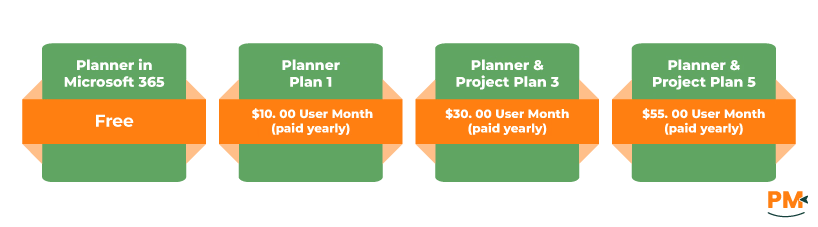
The software offers the following pricing options:
- Planner in Microsoft 365 - Free
- Planner Plan 1 - $10.00/user/month (paid yearly)
- Planner and Project Plan 3 - $30.00/user/month (paid yearly)
- Planner and Project Plan 5 - $55.00/user/month (paid yearly)
Asana Pricing
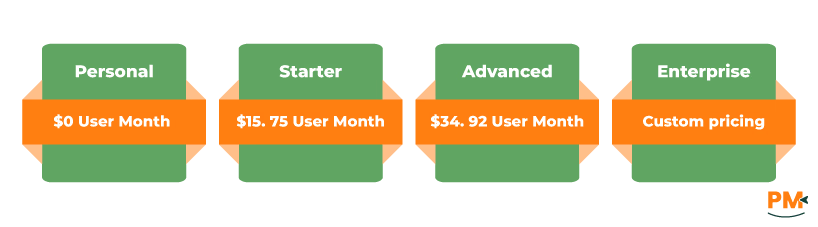
Asana includes four pricing options for its users:
- Personal - $0/user/month
- Starter - $15.75/user/month
- Advanced - $34.92/user/month
- Enterprise – Custom pricing
Who Is Microsoft Project Best For?
Ideal Users:
- Enterprise-level project managers
- IT departments
- Teams in structured or regulated industries
Best For You If You:
- Follow Waterfall methodology
- Manage long-term, resource-intensive projects
- Require strict oversight, compliance tracking, or formal reporting
Key Strengths:
- Advanced scheduling & dependency management
- In-depth budgeting and resource allocation
- Seamless integration with the Microsoft 365 ecosystem
Summary:
Microsoft Project is built for precision and structure. If your work involves detailed timelines, complex staffing needs, or regulatory demands, it provides the robust control needed to keep enterprise-scale projects on track.
Who Is Asana Best For?
Ideal Users:
- Startups & creative teams
- Marketing & design agencies
- Remote or distributed teams
Best For You If You:
- Need a collaborative, agile workspace
- Prioritize speed, flexibility, and team visibility
- Want minimal setup with maximum team alignment
Key Strengths:
- Visual dashboards and task-based organization
- Real-time updates and seamless communication
- Ideal for iterative work and creative workflows
Summary:
Asana is built for teams that move fast and think creatively. If you value collaboration over rigidity, and want a platform that keeps everyone on the same page without slowing down, Asana is an excellent choice.
Verdict: Which Project Management Software Is Better?
When comparing Microsoft Project vs Asana, the ‘better’ choice depends entirely on your team’s structure, project complexity, and workflow preferences.
Microsoft Project is ideal for enterprises managing complex, resource-heavy projects that require detailed planning, cost tracking, and compliance. It’s built for certified project managers who follow structured methodologies and need tight integration with the Microsoft ecosystem.
Asana, on the other hand, excels at team collaboration, agile workflows, and visual task management. It’s a smart pick for startups, creative teams, and organizations seeking flexibility, ease of use, and fast adoption.
Ultimately, the right platform hinges on your use case. Explore a free trial of each to see which one aligns with your team’s needs and work style.