When it comes to choosing the right project management platform, Monday. com vs Jira is one of the most common comparisons teams face. Both tools are industry leaders, but they cater to different workflows, priorities, and team structures—making the right choice critical for productivity and long-term success.
This guide is designed for professionals, managers, and teams evaluating the best solution for organizing projects, tracking tasks, and aligning cross-functional work. Whether you're managing agile sprints or coordinating complex marketing campaigns, understanding how Monday. com and Jira differ can help you avoid costly mismatches.
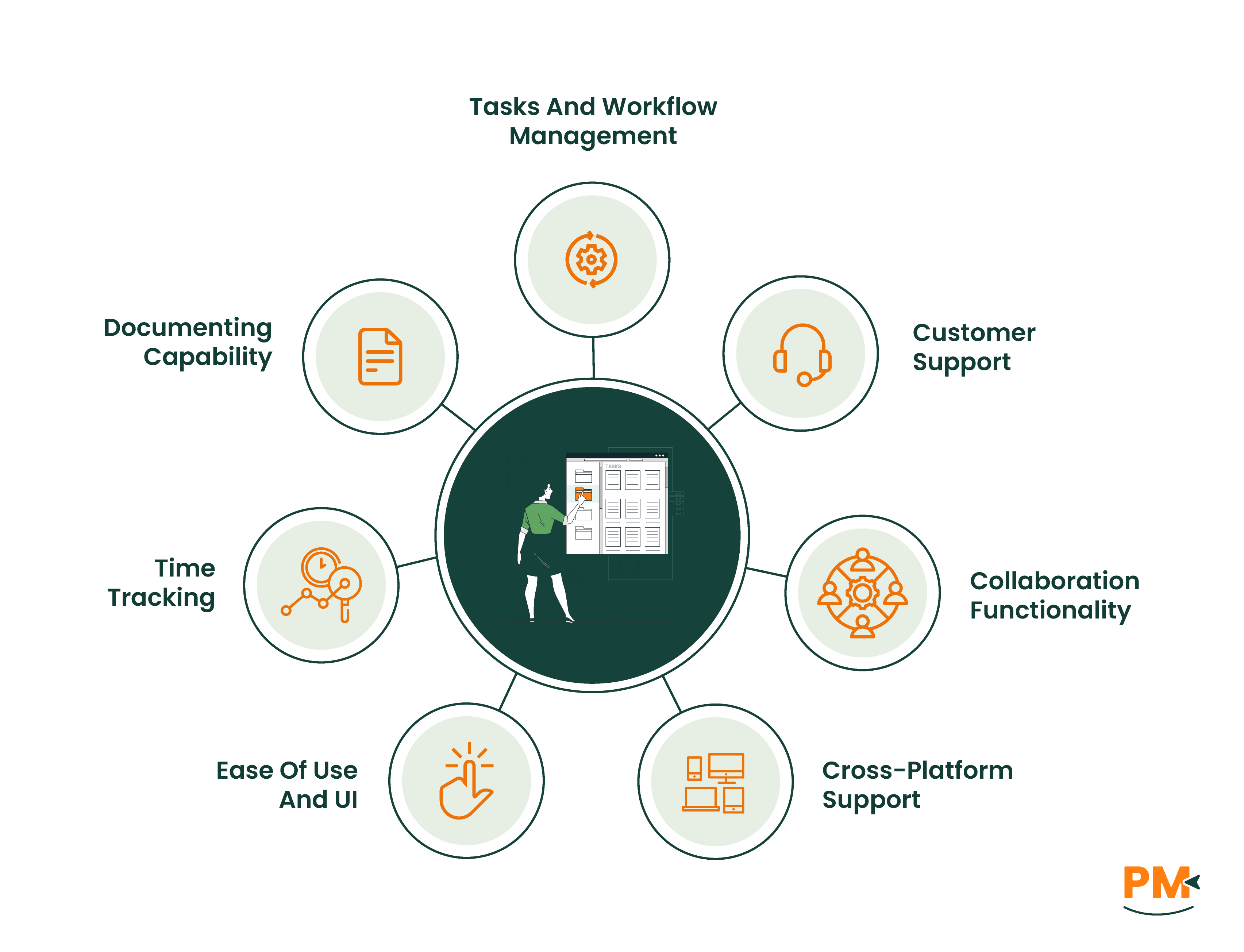
In the sections ahead, we’ll dive into a feature-by-feature breakdown—from ease of use and integrations to automation, reporting, and pricing—so you can make a confident, informed decision based on your team’s needs and goals.
Monday. com Overview
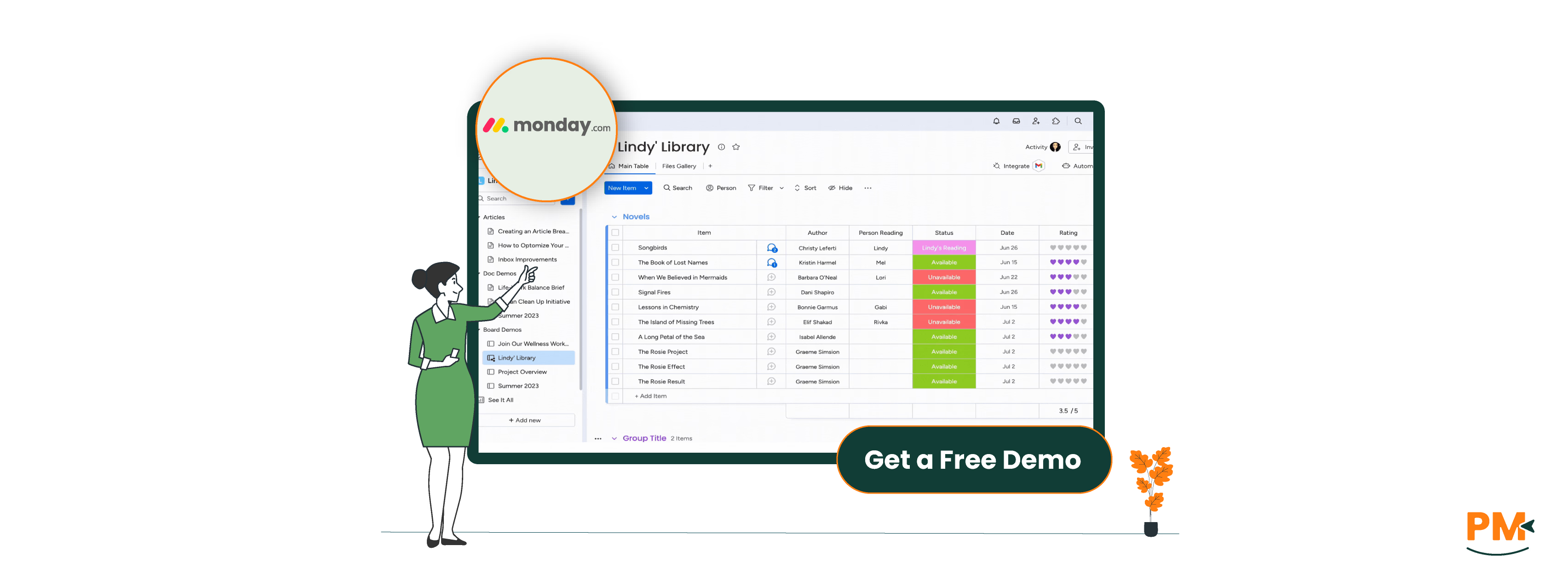
Monday. com is a cloud-based work operating system (Work OS) designed to help teams plan, manage, and track projects in a highly visual and collaborative way. Originally known for its vibrant UI and flexibility, Monday. com has evolved into a robust platform supporting workflows across marketing, sales, operations, HR, and more.
At its core, Monday. com organizes work into customizable boards, where users can create tasks, assign owners, set deadlines, and automate repetitive actions. Its visual dashboards give teams real-time insights into progress, resource allocation, and KPIs—without needing to write a line of code.
The software includes advanced features like workflow automation, integrations with 200+ tools (including Slack, Zoom, and HubSpot), time tracking, and document collaboration via WorkDocs. Its intuitive drag-and-drop interface and prebuilt templates make it especially appealing for creative teams, marketing departments, and non-technical users who need flexibility without complexity.
Monday. com Pros And Cons
Pros
Cons
Highly visual interface makes it easy to understand project status
Powerful automations reduce manual work
Flexible board templates for marketing, operations, HR, and more
Automation usage is capped by plan, which can limit scalability
Reporting tools are basic without premium add-ons
Jira Overview
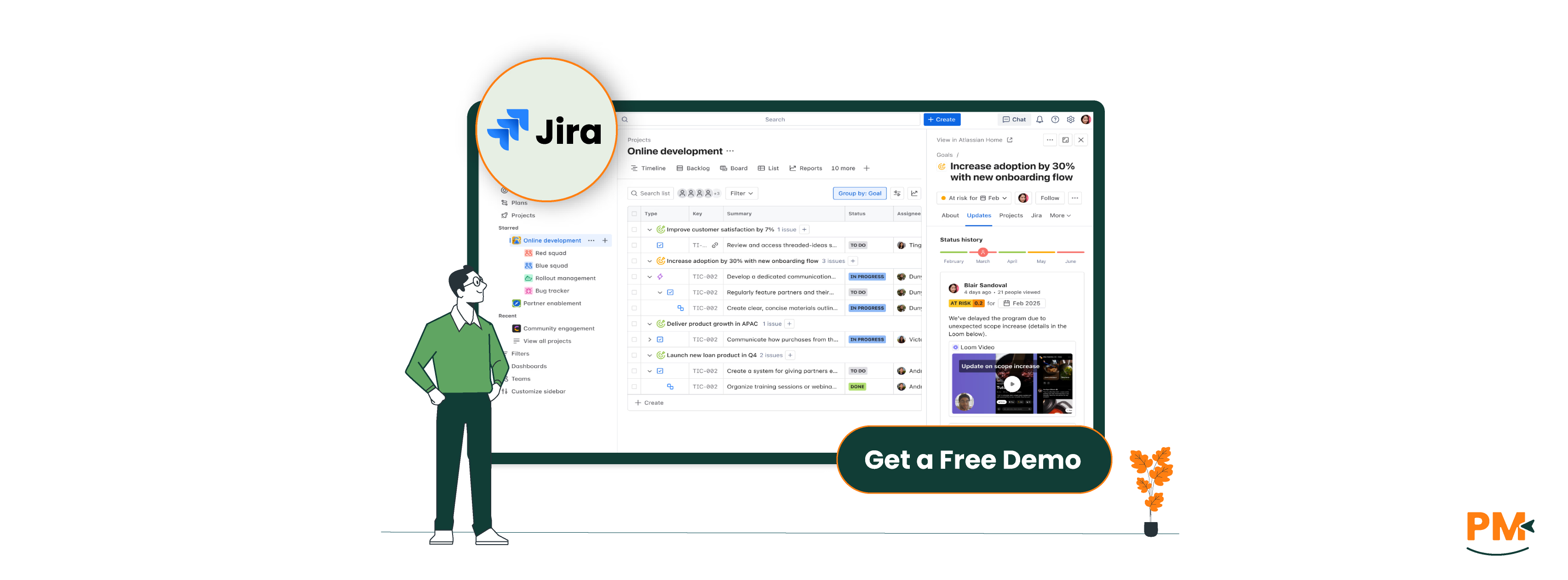
Jira, developed by Atlassian, is a leading project and issue-tracking tool built specifically for software development and agile team management. Trusted by engineering and product teams worldwide, Jira supports highly structured workflows and deep configuration, making it ideal for managing code releases, bug tracking, and sprint planning.
At its foundation, Jira offers Scrum boards, Kanban boards, and advanced issue tracking systems. These tools allow developers and technical project managers to visualize workloads, prioritize tasks, and track the lifecycle of every feature, bug, or story—from backlog to deployment.
Jira is deeply integrated within the Atlassian ecosystem, working seamlessly with Confluence (documentation), Bitbucket (source control), and Opsgenie (incident management). Teams can also take advantage of automation rules, custom workflows, and advanced reporting tailored to agile frameworks like SAFe or Scrum@Scale.
Jira is best suited for engineering, DevOps, IT operations, and technical PMs who need detailed control over workflows, granular permission settings, and built-in support for agile methodologies.
Jira Pros And Cons
Pros
Cons
Highly customizable workflows support complex development processes
Advanced issue tracking enables detailed monitoring of bugs
Automation reduces overhead in sprint and backlog management
Setup and configuration require time, often needing admin-level expertise
Performance lags may occur in large instances without optimization
Monday. com structures task management around highly visual boards, where items (tasks) can be customized with fields like status, priority, due date, and owner. Users can choose from prebuilt task templates for various workflows—such as content production, campaign planning, or onboarding—making setup fast and intuitive.
One of Monday. com’s standout features is its automations. These allow users to automate repetitive steps, like moving tasks when statuses change, sending reminders, or syncing with external tools. Paired with integrations across platforms like Slack, Google Calendar, and Trello, it enables a streamlined, centralized task environment.
This system works especially well for marketing, operations, creative, and cross-functional teams who prefer a visual, flexible approach and don't need deep technical task hierarchies.
Jira excels in structured, developer-centric task management. It supports agile methodologies through Scrum boards, Kanban views, and detailed issue tracking. Each task is treated as an “issue” with metadata like story points, priority, components, and sprint association.
Teams can manage tasks across sprints and backlogs, with built-in features for grooming, planning, and velocity tracking. Jira also supports custom workflows with conditional logic, approvals, and transitions—ideal for complex development lifecycles.
This system is best suited for engineering, DevOps, and product teams needing granular control, agile alignment, and traceability from backlog to deployment.
Customer Support
Monday. com: Support Plans, Help Center, Live Chat, Community
Monday. com provides multi-tiered support based on your plan. All users get access to an extensive Help Center, tutorials, and an active community forum. Live chat support is available on Pro and Enterprise plans, offering relatively quick responses during business hours.
Enterprise customers receive a dedicated Customer Success Manager and onboarding assistance. The platform emphasizes user empowerment through interactive guides, templates, and video content.
For teams that prioritize fast setup and accessible help channels, Monday. com offers a supportive, user-friendly experience, especially for smaller or non-technical teams.
Jira: Atlassian Support Tiers, Documentation, Jira Community, Ticket Response Time
Jira operates under the Atlassian umbrella, offering structured support via Standard, Premium, and Enterprise tiers. The Atlassian documentation is thorough, covering both Jira Software and related tools. However, navigating it can be complex due to the platform’s technical depth.
Support is primarily delivered via tickets, with SLAs depending on your plan—Premium and Enterprise tiers get faster turnaround times. Jira also benefits from a vast, highly engaged community forum, which is especially useful for troubleshooting and customizations.
Jira’s support model favors technical users and system administrators who can work through documentation and value deeper configurability over rapid chat-based help.
Collaboration Functionality
Monday. com: Comments, Tag Team Members, Real-Time Collaboration On Boards
Monday. com was built with collaboration in mind. Every task supports real-time comments, file attachments, and @mentions to notify team members. Updates are visible on a shared activity feed, keeping communication centralized and contextual.
Teams can co-edit documents using WorkDocs, and board views automatically update in real time across users, ensuring alignment without constant check-ins. For distributed or hybrid teams, this creates a lightweight, intuitive collaboration layer ideal for marketing, operations, and client services.
Jira’s collaboration tools are more developer-focused. While it supports @mentions, task comments, and notifications, the platform assumes users are collaborating in conjunction with tools like Confluence (for documentation) and Bitbucket (for code).
Its real strength lies in linking work across these tools—for example, embedding a pull request inside a Jira issue or documenting sprint goals in a linked Confluence page. This ecosystem works well for technical teams, but may feel fragmented or overly complex for non-technical collaborators.
Cross-Platform Support
Monday. com: Desktop, Mobile Apps, Browser-Based Experience
Monday. com offers a seamless experience across desktop (Windows and Mac), mobile apps (iOS and Android), and browsers. Its apps are designed to keep users connected whether at their desks or on the go. The mobile app supports real-time updates and notifications, making it easy to track progress and communicate outside the office.
While Monday. com performs well in online mode, its offline capabilities are limited—tasks and boards sync once connectivity is restored, but users can’t make significant updates offline. Its browser-first design ensures consistent features across devices, ideal for teams who switch between platforms frequently.
Jira: Desktop, Mobile Apps, API Availability, Integrations
Jira is accessible via web browsers, mobile apps for iOS and Android, and through a rich set of APIs that enable integration with countless third-party tools. The mobile apps are geared toward quick issue updates, notifications, and sprint tracking, but like Monday. com, offer limited offline functionality.
Jira’s strength lies in its extensive API support, allowing large enterprises to build custom syncs and workflows across internal systems. This makes Jira a powerful option for organizations needing complex integrations or automation beyond standard apps.
In summary, Monday. com’s mobile experience is slightly more polished for everyday project collaboration, while Jira’s cross-platform strength shines in enterprise environments leveraging APIs and integrations. Neither tool supports robust offline task management, but both sync efficiently when online.
Monday. com is built for ease of use with a highly visual, drag-and-drop interface that minimizes friction for new users. Its colorful boards, intuitive menus, and template library help teams get started quickly—even without prior project management experience.
Onboarding is streamlined with interactive guides and prebuilt workflows, making it popular among creative, marketing, and general business teams. Users appreciate the low learning curve, which reduces training time and accelerates adoption.
Jira: Technical UI, Powerful but Complex, Better for Experienced Users
Jira offers a feature-rich but complex UI, reflecting its deep customization and technical focus. New users often face a steep learning curve, especially if unfamiliar with agile frameworks or issue tracking concepts.
While powerful for experienced product managers, developers, and IT teams, Jira’s interface can feel overwhelming to newcomers. Onboarding typically requires formal training or dedicated admin support to configure workflows, permissions, and boards effectively.
Overall, Monday. com is ideal for teams prioritizing fast adoption and visual clarity, while Jira excels in environments that demand robust, technical project tracking and can invest in user training.
Time Tracking
Monday. com: Time-Tracking Column, Integrations Like Toggl
Monday. com offers a native time-tracking column that allows users to start and stop timers directly on tasks or manually log time spent. This built-in feature is straightforward and visually integrated into boards, providing team leads with quick visibility into how much effort each task requires.
For more advanced time management, Monday. com integrates seamlessly with third-party tools like Toggl Track, enabling detailed reporting and billing features. However, time tracking on Monday. com remains lightweight and best suited for teams needing basic tracking alongside project management.
Jira: Built-in Time Tracking, Logging Work, Third-Party Tools Like Tempo
Jira includes a built-in time tracking feature where users can log work directly on issues, specifying hours worked and remaining estimates. This data feeds into sprint reports and burndown charts, making it valuable for agile teams monitoring velocity and capacity.
For enhanced functionality, many teams add third-party apps like Tempo Timesheets, which offer sophisticated reporting, approval workflows, and budgeting features. While Jira’s native time tracking provides granular control, it can be less intuitive for non-technical users compared to Monday. com.
Overall, Monday. com is ideal for teams wanting simple, integrated time tracking, while Jira suits development teams needing detailed logging tied to agile metrics.
Documenting Capability
Monday. com: Docs Feature, Embedding In Boards, Collaboration
Monday. com introduced WorkDocs, a native document creation and collaboration tool that allows teams to create rich-text docs embedded directly within boards. WorkDocs support real-time editing, comments, and task linking, helping teams keep documentation close to project data.
This integration makes Monday. com effective for maintaining project notes, SOPs, and meeting minutes without switching apps. Documents can be linked to tasks or used as standalone knowledge bases, supporting collaborative workflows for marketing, operations, and client-facing teams.
Jira: Confluence Integration, Markdown Support
Jira relies heavily on Confluence, Atlassian’s dedicated documentation platform, for internal wikis, project specs, and SOPs. Confluence offers powerful collaboration features, version control, and integration with Jira issues, enabling teams to connect documentation tightly with their work.
Additionally, Jira supports Markdown formatting within issue descriptions and comments, allowing developers and technical teams to create structured notes without leaving the platform.
Jira and Confluence together form a comprehensive documentation ecosystem, ideal for engineering, product, and IT teams requiring detailed project records and knowledge sharing.
Monday. com Vs Jira: Pricing Comparison
Monday. com
Monday. com pricing plans starts with a free option, including:
Free - $0/two seats
Basic - $14.75/seat/month
Standard - $17.44/seat/month
Pro - $28.17/seat/month
Enterprise – Custom pricing
Jira
Jira offer following pricing options for different teams:
Deep Customization: Field configurations, permission schemes, Jira Query Language (JQL)
Atlassian Ecosystem: Seamless with Confluence, Bitbucket, Trello
Ideal for technical teams that need full control over complex workflows and can invest in onboarding.
Which One Should You Go For?
When deciding between Monday. com vs Jira, the best choice depends largely on your team’s workflow, size, and technical needs. Monday. com offers a visually intuitive, flexible platform ideal for non-technical teams needing ease of use and broad collaboration features. Conversely, Jira provides a powerful, agile-focused environment tailored to software development and IT teams requiring detailed tracking and customization.
Evaluate your priorities carefully: if your projects demand simple setup and cross-team visibility, Monday. com is a strong candidate. If you need robust agile tools and deep integrations within a technical ecosystem, Jira is likely the better fit.
Ultimately, choose the platform that aligns with your team’s unique workflow and scale. Take the time to explore demos and feature sets to decide which tool will best support your productivity goals.
Usman Bashir is a Technical Content Writer specializing in the medical category at SF. With a degree in PharmD, Usman brings deep understanding and passion for medical content. His expertise and dedication to clarity and accuracy make his work stand out. Outside of work, Usman enjoys hiking and capturing the beauty of nature through photography, finding balance and inspiration in nature.
Share this Article
Sign Up
Sign up to stay updated with the new content and expand your HR expertise.
Usman Bashir is a Technical Content Writer specializing in the medical category at SF. With a degree in PharmD, Usman brings deep understanding and passion for medical content. His expertise and dedication to clarity and accuracy make his work stand out. Outside of work, Usman enjoys hiking and capturing the beauty of nature through photography, finding balance and inspiration in nature.