


In today’s competitive business environment, choosing the right Customer Relationship Management (CRM) software can make or break your sales strategy. Pipedrive and Zoho CRM are two of the most popular options out there, each catering to different business needs.
Pipedrive is a sales-focused CRM known for its intuitive pipeline management, visual deal tracking, and user-friendly interface, making it ideal for small to mid-sized sales teams.
Zoho CRM, on the other hand, offers a more comprehensive suite of features, including advanced automation, analytics, and omnichannel engagement, suited for businesses looking for an all-in-one customer relationship solution.
This comparison dives deep into their strengths, weaknesses, and which might fit your team best.
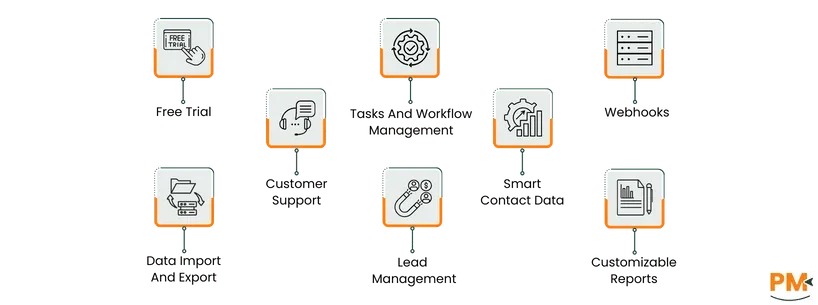
Features | Pipedrive | Zoho CRM |
Free Trial | 14-day trial with access to core pipeline and sales management tools; no payment info required | 15-day trial with full access to CRM ecosystem including automation, analytics, and customization |
Customer Support | Email, live chat, knowledge base, webinars, and priority support for paid plans | 24/7 email, phone, and live chat; knowledge base, video tutorials, forums; dedicated account managers for higher tiers |
Data Import and export | CSV/Excel import of contacts, deals, and activities; export to CSV; third-party integrations like Google Contacts | CSV/XLS/VCF import with field mapping and validation; scheduled imports and exports; API support for automated data transfer |
Tasks And Workflow Management | Custom tasks linked to deals/contacts; automated activity creation; timelines and notifications; simple workflow optimization | Task assignment across modules; subtasks, recurring tasks, and dependencies; conditional automation triggers; visualization of sales pipelines |
Lead Management | Capture leads via forms or imports; assign to reps; visual pipeline tracking; segmentation and filtering for prioritization | Lead capture from multiple channels; lead scoring and prioritization; automated follow-ups; detailed analytics and reporting on conversions |
Webhooks | Real-time notifications triggered by events (deals, contacts, activities); easy endpoint configuration; integration with apps like Slack | Advanced webhook configuration for triggers like lead creation or deal updates; supports JSON payloads; integrates with external apps and workflows |
Smart Contact Data | TLS encryption in transit and at rest; access controls; GDPR compliant; secure storage of messages and attachments | Multi-layered encryption; role-based access; audit logs; GDPR compliance; secure APIs for external integrations |
Customizable Reports | Tailored reports for sales, deals, activities, and revenue; filters, sorting, visual charts; exportable to CSV/PDF | Custom reports across modules; drag-and-drop interface; dashboards with KPIs; scheduled delivery and cross-functional analytics |
If your priority is speed, simplicity, and pipeline clarity, choose Pipedrive. If your focus is automation, flexibility, and enterprise-grade functionality, Zoho CRM is the better choice.
In the sections below, we will evaluate these software across key features, pricing, and overall suitability for different business needs.

Pipedrive is a sales-focused CRM designed to help small and mid-sized teams manage their pipelines efficiently. Built around visual deal tracking, it allows sales reps to see the progress of each opportunity at a glance, ensuring nothing slips through the cracks.
With features like customizable pipelines, activity reminders, and automated follow-ups, Pipedrive simplifies daily sales tasks while improving team productivity. Its intuitive interface and minimal learning curve make it accessible even for teams new to CRM systems.
Additionally, Pipedrive offers reporting and analytics tools to monitor performance and optimize sales strategies. While it excels in pipeline management and user experience, it is more limited in broader business functionalities like marketing automation or customer support compared to full-suite CRMs.
Pipedrive Pros And Cons
Pros | Cons |
Streamlines deal management and workflow organization Simplifies client oversight with customizable views | Some advanced features require extra payment Limited reporting filters for custom metrics |

Zoho CRM is a versatile, cloud-based customer relationship management platform designed to support businesses of all sizes. It provides a comprehensive suite of tools to manage sales, marketing, and customer support in one place.
With features like workflow automation, AI-assisted analytics, omnichannel communication, and customizable dashboards, Zoho CRM enables teams to track leads, automate routine tasks, and gain actionable insights into customer behavior.
Its scalability and wide range of integrations make it suitable for businesses looking for an all-in-one solution. While it offers extensive functionalities, its interface can feel more complex to new users compared to sales-focused CRMs like Pipedrive, requiring a slightly steeper learning curve.
Zoho CRM Pros And Cons
Pros | Cons |
Offers intuitive dashboards for lead tracking Automates follow-ups and reduces manual work Improves customer management and sales forecasting | Reporting features can be improved Performance slows with large data or complex reports |

Both Pipedrive and Zoho CRM offer tiered plans tailored to different team sizes and business needs. Pipedrive focuses on sales pipeline efficiency, while Zoho CRM provides a full-featured, scalable platform with advanced automation.
The tables below summarize each plan’s pricing and included features for easy comparison.
Pipedrive Pricing
Plan Name | Price (per user/month) | What’s Included |
Lite | $24 | Pipeline and deal management, basic reporting, integrations and mobile apps |
Growth | $49 | Email sync & tracking, meeting scheduler, workflow automation |
Premium | $79 | Custom reports, revenue forecasts, e‑signatures, team tools |
Ultimate | $99 | Enhanced permissions, project tools, 24/7 support |
Zoho CRM Pricing
Plan Name | Price (per user/month) | What’s Included |
Free Edition | $0 | Basic CRM: leads, contacts, deals, mobile apps. |
Standard | $20 | All the essentials plus custom modules, workflows, sales forecasting |
Professional | $35 | Everything in the Standard plan, plus Blueprint, CPQ, inventory management, webhooks, Kiosk Studio, Google Ads integration |
Enterprise | $50 | Everything in the Professional plan, plus AI assistant (Zia), territory management, journey orchestration, multi-user portal, and advanced customization |
Ultimate | $65 | Everything in the Enterprise plan, plus highe feature limits, custom AI/ML platform, data preparation, unified business insights, and advanced administration |
Disclaimer: The pricing is subject to change.
Pipedrive is best suited for small to mid-sized sales teams that need a straightforward, visual CRM to manage deals and pipelines efficiently. Its intuitive interface and minimal learning curve make it ideal for teams that want to focus on sales productivity without getting bogged down by complex features.
The platform works well across industries like technology, consulting, real estate, and professional services, where tracking deals and follow-ups is critical. Typically, teams with 5–50 users benefit the most, though it can scale for larger teams.
Pipedrive excels for organizations seeking simplicity, clear pipeline visibility, and efficient lead-to-deal management.
Zoho CRM is ideal for businesses of all sizes, from small teams to large enterprises, that require a comprehensive platform to manage sales, marketing, and customer support in one place.
Its robust automation, multichannel communication, and advanced reporting make it particularly suitable for technology, e-commerce, financial services, and large B2B organizations. Zoho CRM can efficiently handle teams ranging from 10 to several hundred users, offering scalability as businesses grow.
Organizations that need customizable workflows, in-depth analytics, and cross-department collaboration will find Zoho CRM especially beneficial for streamlining operations and improving overall customer relationship management.
Choosing between Pipedrive and Zoho CRM ultimately depends on your team size, business complexity, and priorities. Pipedrive stands out for small to mid-sized sales teams that value simplicity, visual pipeline management, and quick onboarding. It allows teams to focus on closing deals efficiently without being overwhelmed by advanced features.
Zoho CRM, in contrast, is better suited for businesses that need a full-featured, scalable solution. Its advanced automation, multichannel lead management, customizable reports, and integrations make it ideal for larger teams or organizations with complex workflows spanning sales, marketing, and support.
For teams seeking ease of use and sales-focused efficiency, Pipedrive is the better choice. For those needing comprehensive functionality and scalability, Zoho CRM comes out on top.
Pipedrive Alternatives
If Pipedrive doesn’t fully meet your sales CRM needs, consider these options:
Zoho CRM Alternatives
If Zoho CRM feels too complex or doesn’t fit your workflow, here are some alternatives:
