

Project Information Management (PIM) software is a tool that enables teams to store, manage, and access all project-related information in one centralized location. Unlike basic document or content management systems, PIM is built specifically for project workflows. It organizes data by project, version, and team roles, making it easy to locate the correct file quickly.
This reduces confusion, avoids duplication, and keeps everyone on the same page. For architecture, engineering, and construction teams, where projects involve vast amounts of data and collaboration, PIM ensures that nothing gets lost or overlooked.
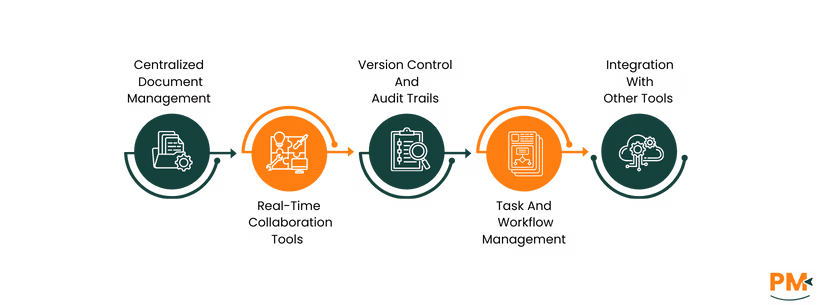
Here are the essential features of PIM software that help teams manage projects efficiently:
Centralized Document Management
PIM software organizes project documents by automatically sorting them into structured folders based on project name, phase, or discipline, like architecture, electrical, or procurement. For example, a construction team can instantly access the latest structural drawings without having to dig through email threads or desktop folders. It also locks final versions, so outdated plans can't be used by mistake.
Real-Time Collaboration Tools
Real-time collaboration in PIM software enables multiple team members to work on the same document simultaneously, such as a site plan or budget sheet, without encountering version conflicts. Engineers can leave markups, architects can update drawings, and managers can add comments instantly. Everyone sees updates as they happen, which reduces delays from back-and-forth emails.
Version Control And Audit Trails
With built-in version control, PIM systems automatically track every change made to a document, along with who made it and when. For instance, if a subcontractor updates a floor plan, the system logs the edit and keeps the previous version. Audit trails provide a comprehensive record of all activity, including file downloads, comments, and approvals.
Task And Workflow Management
PIM software enables teams to create task lists, assign responsibilities, and set due dates that are directly linked to project files. For instance, a design approval task can trigger automatic notifications to the assigned architect. It can also automate tasks such as routing documents for review or sending deadline reminders. This is really beneficial in avoiding delays and missing important steps.
Integration With Other Tools
Integration with various tools enables PIM software to serve as a central hub for all project activities. For example, when integrated with accounting software, cost approvals or invoice files can be instantly pulled into the PIM system. The connections with various tools enable smoother file sharing and communication, eliminating the need to switch platforms.
PIM software brings real, day-to-day advantages to project teams. Here's how it directly supports project teams throughout every stage of their work:
- Single Source Of Truth: A centralized repository ensures that all team members are working with the most current version of a document or data
- Role-Based Access: By assigning different levels of access based on roles, PIM software ensures that team members only see the project information relevant to them
- Secure Storage: Cloud-based PIM platforms use advanced encryption and security protocols to protect data from cyber threats. This offers enhanced security compared to storing documents on local servers or personal computers
- Advanced Search Capabilities: PIM software's powerful search functionality allows users to quickly find specific items using filters and keywords
- Faster Product Launches: It speeds up approvals, reduces delays, and automates tasks, helping teams launch products or complete projects faster
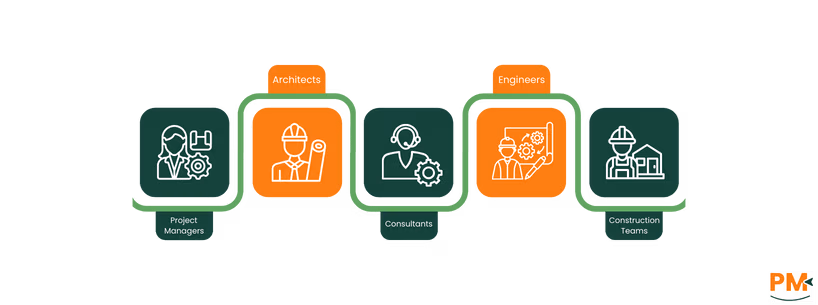
PIMs are especially valuable for teams working on complex, document-heavy projects. Take a look at the key roles and industries that benefit most from using it:
Project Managers
Project managers benefit most from PIM software because it gives them full visibility over timelines, tasks, and file updates in one place. They can assign responsibilities, track progress, and check document status without needing to follow up manually. If a permit is missing or a deadline is at risk, they are alerted immediately.
Architects
Architects handle complex drawings, markups, and revisions. PIM software helps them manage multiple file versions, share updates with consultants, and access the latest plans on-site or in the studio. If a structural change is approved, it gets logged instantly, so everyone works from the correct version without any backtracking or costly rework.
Consultants
Consultants often work across multiple teams and need access to a wide range of project data, like budgets, schedules, reports, and drawings. With PIM software, they can view relevant documents without needing full access to any folder. They can provide timely feedback and track project updates without getting lost in endless email chains.
Engineers
Engineers rely on precise and up-to-date technical documents. Using PIM, they can always have the latest specs, layouts, and calculations without needing to request files from others. It also allows them to review past changes, leave comments, and access reference materials quickly.
Construction Teams
Site workers, contractors, and foremen utilize PIM to access real-time updates, such as installation drawings or change orders. When a client signs off on a material change, for instance, the update is instantly transmitted to the field. This helps avoid mistakes from using outdated documents and keeps the build process smooth and aligned with the plan.
While both traditional project management tools and project information management systems support project workflows, the latter is purpose-built for managing files, communications, and critical data. Here's how PIM differs from traditional project management tools:
- Document-Centric Vs. Task-Centric: PIM focuses on organizing, storing, and managing project documents like contracts, drawings, and emails. Standard tools mainly focus on task lists, deadlines, and progress tracking
- Built-in Version Control: Unlike traditional project management tools that often require manual file uploads and lack version tracking, a PIM tracks every version of a file automatically and keeps older versions accessible
- Email And Communication Logging: While most traditional project management tools don't track email conversations, a PIM system captures project-related emails and links them directly to the relevant document or project. This keeps all communication in context
- Structured Document Access: PIM systems offer folder structures, file tagging, and role-based permissions. In contrast, general PM tools often rely on external storage (like Google Drive) without deep file controls
- Detailed Audit Trails: Every change to a document or file is logged into PIM software. General PM tools usually log task activity, not document-level actions
- Designed For Data-Heavy Industries: PIM is tailored for fields like construction, engineering, and architecture where document accuracy is critical. Standard tools are more general and may not support CAD files, markups, or BIM integrations
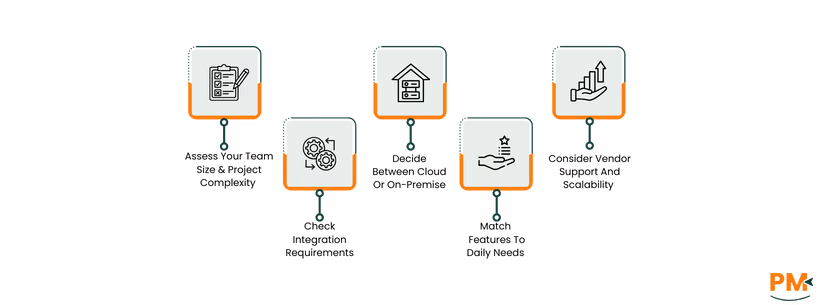
The process of selecting the right PIM software varies depending on a company’s individual requirements. However, considering these factors can help you make an informed choice.
Assess Your Team Size And Project Complexity
Small teams working on basic projects can use simpler PIM software with core document management features. However, larger organizations managing detailed PIM projects, such as engineering, will benefit from advanced tools.
Check Integration Requirements
Choose a PIM system that connects easily with your existing tools. Having a seamless integration helps avoid manual uploads and keeps data consistent across platforms. For example, in PIM construction, syncing with design and project costing software can save hours of work.
Decide Between Cloud Or On-Premise
Cloud-based PIMs are ideal for remote or hybrid teams as they offer quick access, lower setup costs, and automatic updates. On the other hand, on-premises PIM software may be better if your company requires full control over data, especially for compliance or privacy reasons.
Match Features To Daily Needs
Look for specific features your team needs, like document tagging, real-time collaboration, role-based access, or audit trails. If you're handling highly regulated or detail-heavy work, choose a PIM project solution with built-in compliance and approval workflows.
Consider Vendor Support And Scalability
Look for PIM software providers that offer strong customer support and training resources. Ensure the tool can scale with your team, whether you are managing five projects today or fifty in a year.
What is a PIM software?
PIM software is a tool that helps teams manage all project-related data to ensure everyone works with the latest information.
What is the purpose of PIM software?
PIM software centralizes all project documents and communication to keep teams aligned and reduce errors.
Is PIM the same as a document management system?
No. While both handle files, PIM is more advanced as it links documents to specific projects, tracks changes, and supports team collaboration and workflows.
Can small businesses use PIM tools?
Yes. Many PIM tools offer flexible pricing and features that suit smaller teams managing multiple projects or large volumes of files.
What are examples of PIM software?
Popular PIM tools include Plytix, Salsify, Akeneo, Inrive Inc. , Pimcore, and Agility PIM.
Is PIM software secure?
Yes. Most PIM systems offer strong security features like user permissions, encryption, and audit logs to protect sensitive project data.