

In today's fast-paced workplace, team communication tools can make the difference between productivity and chaos. Pumble and Slack are popular team communication tools designed to improve collaboration, but they cater to different needs.
Pumble is a simple, cost-effective platform ideal for small to medium teams, offering messaging, file sharing, and basic voice or video calls. Slack is a feature-rich solution suitable for teams of all sizes, with threaded conversations, integrations, advanced search, and documentation tools like Slack Canvas.
This article compares both platforms across messaging, collaboration, task management, file sharing, ease of use, and pricing, helping teams decide which solution fits their workflow best.
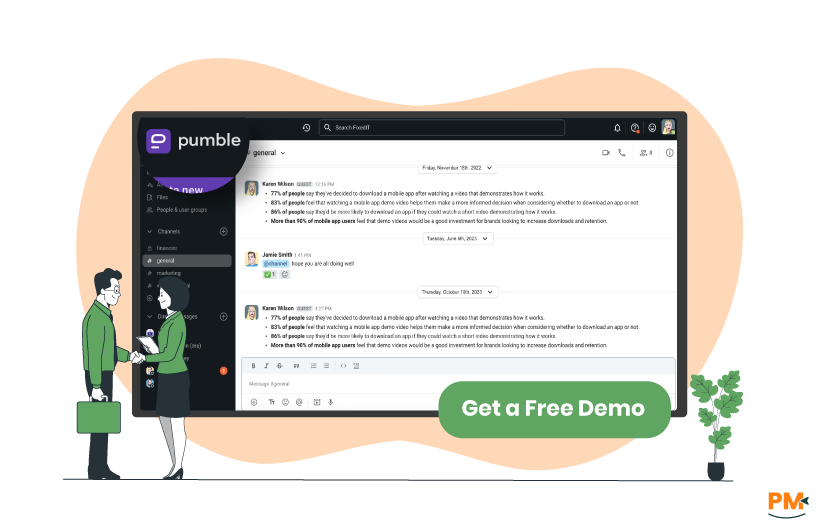
Pumble is a free team communication platform designed to streamline workplace collaboration. It provides unlimited users and message history at no cost, making it suitable for small teams and enterprises alike. The platform is accessible across the web, desktop, and mobile with 24/7 support.
It supports structured communication through channels, threads, and direct messages. Teams can share files, conduct voice calls, and host video meetings with features like screen sharing and secure meeting links. This makes it a centralized hub for daily collaboration.
Administrators can manage members with role-based permissions, guest access, and Slack to import options. Enterprise controls include single sign-on (SSO), data retention policies, and SOC 2 compliance for security. In short, Pumble offers an all-in-one, scalable, and secure communication suite for real-time teamwork.
Pumble Pros and Cons
Pros | Cons |
|
|
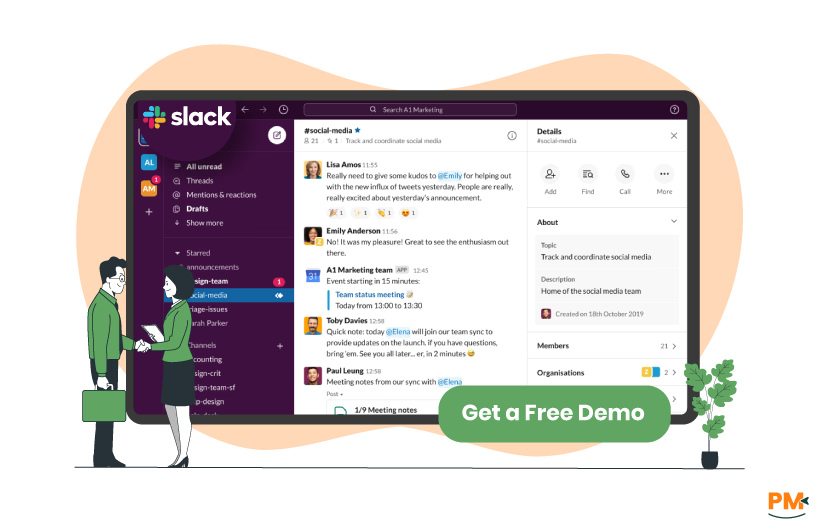
Slack brands itself as the “operating system for work." It unifies people, processes, data, agents, and AI into a conversational interface designed to reshape organizational workflows. Teams collaborate in channels—dedicated spaces for real-time conversations, file sharing, and automation through Slack Connect, Channels, and Huddles, with AI-powered recaps and summaries built in.
Beyond messaging, Slack ties directly into how teams get work done. It supports automated processes via Workflow Builder, connects with over 2,600 apps (like Google Drive, Salesforce, Office 365), and natively embeds intelligent features such as AI search, summaries, and Agentforce agents.
On the backend, Slack maintains enterprise-grade security with encryption, SSO, SCIM provisioning, audit logs, retention controls, and data governance. In short, Slack is a collaborative, AI-infused communication hub with deep integrations and robust administrative controls.
Slack Pros And Cons
Pros | Cons |
|
|
Pumble
Pumble provides robust messaging for teams, and its approach emphasizes indefinite message and file retention across all plans. Additionally, enterprise clients can configure automatic deletion schedules for compliance purposes. Teams can send unlimited messages, including standard text, threaded replies, voice and video messages, as well as scheduled or recurring messages.
The platform also supports a wide range of attachments, such as PDFs, images, audio, and video, with a 256 MB/file limit. Web and desktop users can attach up to 20 files/message, while mobile users are limited to 10.In terms of storage, Pumble adjusts by plan: Free workspaces receive 10 GB, Pro provides 10 GB/user, Business 20 GB/user, and Enterprise allows 100 GB/user.
Slack
Slack focuses on structured, channel-based communication, but message retention varies by plan. Free users can access only the last 90 days of messages, while paid plans retain all messages and files indefinitely, with options for custom retention policies.
Slack allows unlimited messaging, although search visibility on free plans is restricted to recent messages. It supports diverse attachments, including images, PDFs, videos, and code snippets, with a 1 GB/file limit and 1 MB for text/code snippets.
Instead of imposing fixed storage quotas, Slack relies on retention policies to manage workspace data. Free plans automatically expire older messages after 90 days, while paid plans provide the flexibility of indefinite storage tailored to organizational needs.

Pumble
Pumble focuses primarily on team collaboration and real-time communication, rather than traditional task management. Teams can centralize project-related discussions by creating dedicated channels, which ensures that updates and context remain visible to all relevant members. Within channels, threads help organize conversations around specific messages, allowing teams to maintain clarity and reduce information overload.
Additionally, users can share files, images, and documents directly in conversations, providing context and resources for ongoing tasks. While Pumble doesn’t provide built-in tools like Kanban boards or to-do lists, it connects with third-party project management apps to extend its capabilities.
In practice, Pumble handles task management through conversation, letting teams coordinate responsibilities flexibly instead of relying on rigid tracking systems.
Slack
Slack provides more structured tasks and workflow management alongside its communication features. Teams can create and track tasks using Slack Lists, which allow them to manage priorities without leaving the platform.
Moreover, the Workflow Builder enables automation of routine tasks, approvals, and reminders, reducing manual effort and improving consistency. Slack also integrates with over 2,600 third-party apps, including Asana, Trello, and Jira, allowing teams to link their existing project management systems directly into Slack channels.
Complementing this, AI-powered features such as conversation summaries further enhance productivity. Collectively, these capabilities make Slack suitable for teams that need robust task and workflow management within their communication environment.

Pumble
Pumble provides a collaborative environment designed to help support teams manage customer inquiries efficiently. Teams can create dedicated channels for different types of issues, such as technical support, billing, or account management, ensuring that queries are routed to the right agents promptly.
Within these channels, agents can use threads to keep conversations organized and maintain context for ongoing discussions. Pumble also supports real-time voice and video calls, enabling agents to provide more personal and immediate assistance for complex issues.
Pumble also supports guest access, allowing external stakeholders or customers to join select channels for direct collaboration. Combined with file sharing and timely notifications, this setup improves transparency and speeds up resolutions, making Pumble a practical fit for small to mid-sized support teams that prioritize communication-driven service.
Slack
Slack provides a robust platform for customer support teams, combining real-time collaboration with deep integrations. Agents can use Slack Huddles for instant voice conversations, which allows teams to resolve complex issues quickly and collaboratively.
In addition, channels and threads help organize inquiries by type or priority, keeping discussions structured while preserving context. Moreover, integrations with tools like Service Cloud for Slack enable agents to access customer data, escalate issues, or involve subject-matter experts without leaving the platform.
Finally, file sharing, notifications, and workflow automations further streamline support processes, making Slack suitable for teams that need scalable, efficient, and real-time customer service management.

Pumble
Pumble offers a streamlined approach to team collaboration and efficiency. Teams can create dedicated channels for specific topics, ensuring organized discussions and easy access to relevant information. Within these channels, members can engage in private messages, group chats, or public discussions, fostering an inclusive communication environment.
To enhance collaboration, Pumble supports real-time voice and video calls, allowing teams to connect instantly without leaving the platform. Additionally, users can share files directly within conversations, keeping all relevant materials centralized and easily accessible.
Recognizing the importance of focus in collaborative settings, Pumble provides features like threaded conversations and customizable notifications. Threads help organize discussions around specific messages, while customizable notifications ensure that team members are alerted to important updates without being overwhelmed.
Slack
Slack provides a comprehensive suite of tools designed to enhance team collaboration. Teams can organize their work into channels, which can be public or private, to facilitate focused discussions on specific topics. Within these channels, members can share messages, files, and links, ensuring that all relevant information is easily accessible.
To further streamline communication, Slack offers Slack Huddles, enabling real-time voice conversations directly within channels or direct messages Slack. For asynchronous communication, Slack supports video and screen recordings, allowing team members to share information at their convenience.
Slack also integrates with a wide range of third-party applications, enabling teams to connect their existing tools and workflows seamlessly. This integration capability ensures that teams can collaborate efficiently without switching between multiple platforms.
Pumble
Pumble ensures seamless collaboration across multiple devices, allowing teams to stay connected whether they are using desktop, mobile, or web applications. Its desktop apps support Windows, Mac, and Linux, providing a consistent experience across major operating systems.
Meanwhile, the mobile apps for iOS and Android keep users productive on the go, and the web application enables access without any installation, offering flexibility for teams with varying device preferences.
In addition, Pumble highlights intuitive collaboration and efficiency, ensuring that communication and collaboration remain smooth regardless of the platform used.
Slack
Slack also provides robust cross-platform support, allowing teams to stay connected across desktop, mobile, and web platforms. Its desktop applications are available for Windows, Mac, and Linux, ensuring a consistent experience across major operating systems.
Similarly, the mobile apps for iOS and Android allow users to collaborate from anywhere, while the web version provides flexibility for those who prefer not to install software.
Moreover, Slack enhances cross-platform functionality through extensive third-party integrations, enabling teams to centralize communication and workflows regardless of the devices or applications they use.

Pumble
Pumble is designed with simplicity and efficiency at its core, making it accessible for teams of all sizes. To begin with, its clean and intuitive interface allows users to navigate channels, direct messages, and settings with ease, minimizing the learning curve for new team members.
Moreover, features such as a customizable sidebar enable users to prioritize frequently accessed channels and messages, streamlining navigation. In addition, threaded conversations keep discussions organized by allowing replies to specific messages, while the robust search functionality ensures past messages, files, and conversations can be retrieved efficiently.
Finally, drag-and-drop file sharing supports various file types, keeping resources centralized and accessible, collectively enhancing overall usability for teams that prefer a straightforward, communication-focused platform.
Slack
Slack emphasizes a user-friendly experience combined with powerful functionality, making it suitable for teams of varying sizes. Initially, its intuitive design helps new users adapt quickly, as communication is organized into channels, direct messages, and threads.
Furthermore, customizable workspaces allow users to adjust notifications, themes, and sidebar layouts to suit their preferences. In addition, AI-enhanced search and thread summaries reduce the time spent catching up on missed discussions.
Finally, seamless integrations with numerous third-party applications centralize workflows, ensuring that teams can access all necessary tools without leaving the platform. These features collectively make Slack both versatile and efficient, accommodating complex team communication needs.

Pumble
Pumble offers a straightforward and efficient approach to file sharing, enabling teams to collaborate seamlessly. Users can share files, documents, photos, and videos directly from their computer, device, or cloud storage service of choice, all without switching tabs or windows. This integration simplifies the process, allowing for quick and easy sharing within the platform.
Regarding storage, Pumble provides varying capacities based on the subscription plan:
- Free Plan: 10GB total storage for the entire workspace
- Pro Plan: 10GB storage/user
- Business Plan: 20GB storage/user
- Enterprise Plan: 100GB storage/user
These storage allocations ensure that teams have ample space for their files and documents, with the flexibility to choose a plan that suits their needs.
Slack
Slack provides robust file sharing capabilities, facilitating efficient collaboration among team members. Users can easily share files, documents, photos, and videos directly within Slack or use integrations with cloud storage services like Google Drive, Dropbox, Box, and OneDrive. This versatility allows teams to work with their preferred tools while maintaining a centralized communication platform.
Slack's file sharing features are enhanced by its integration with various applications, enabling users to preview documents, search for files, and manage permissions directly within Slack. This integration streamlines workflows and ensures that all team members have access to the necessary resources.

Pumble
Pumble offers a straightforward approach to documentation that centers on uncomplicated workflows. Users can share files, documents, photos, and videos directly within channels or direct messages, facilitating easy access and collaboration among team members. The platform supports drag-and-drop functionality for uploading multiple files at once, streamlining the process of sharing documents.
While Pumble provides essential features for document sharing, it does not offer advanced tools for creating or editing documents within the platform. Teams may need to rely on external applications for document creation and editing, integrating them into Pumble for sharing and collaboration purposes.
Slack
Slack provides robust tools for documentation, enabling teams to create, share, and collaborate on documents seamlessly within the platform. The introduction of Slack Canvas allows users to create visual, interactive documentation that combines text, images, and embedded files in one collaborative space. This feature is particularly useful for documenting workflows, project plans, and meeting notes.
Additionally, Slack's integration with third-party applications like Google Drive, Dropbox, and Box allows teams to access and collaborate on documents stored externally without leaving the platform. This integration ensures that all relevant documents are easily accessible and editable within Slack, enhancing collaboration and productivity.
Pumble
The software offers the following pricing plans:
- Free Plan – $0
- Pro Plan – $2.99/seat/month
- Business Plan – $4.99/seat/month
- Enterprise Plan – $7.99/seat/month
Disclaimer: The pricing is subject to change.
Slack
The software offers the following pricing plans with a free 30-day trial:
- Free – $0
- Pro – $8.75/user/month
- Business+ – $18/user/month
- Enterprise – Custom pricing
Disclaimer: The pricing is subject to change.
Who Is Pumble Best For?
Pumble is best suited for small to medium-sized teams looking for a simple, efficient platform to manage communication and collaboration without the complexity of large enterprise tools. It works especially well for:
- Tech startups and small businesses
- Marketing and creative teams
- Educational institutions and professional services
- Teams needing cross-platform communication across desktop, mobile, and web
Pumble shines when teams organize project or topic-based conversations in channels, share documents, images, and PDFs instantly, and hold quick voice or video calls for clarifications. This helps reduce communication delays and streamline day-to-day workflows.
Note: Pumble is less ideal for very large enterprises or teams needing advanced integrations and enterprise-level administrative controls.
Who Is Slack Best For?
Slack is best suited for teams of all sizes, from small startups to large, distributed organizations, that need a flexible, integration-rich platform for communication and collaboration. It works especially well for:
- Remote-first or hybrid teams
- Tech and software development teams
- Marketing, professional services, and operations teams
- Teams relying on multiple third-party tools and apps
Slack shines when organizing conversations in channels, managing threaded discussions, and integrating with a wide range of apps, helping reduce context switching and centralize workflows.
Note: Teams seeking a simple, lightweight communication tool may find Slack more complex than necessary, particularly for small groups with basic collaboration needs.
Which One May Suit Your Needs Better?
In summary, choosing between Pumble and Slack depends on team size, workflow complexity, and collaboration needs. Pumble excels for small to medium teams seeking a simple, intuitive platform for messaging, file sharing, and lightweight calls. Slack, in contrast, suits teams of all sizes needing advanced integrations, threaded conversations, AI-powered features, and structured workflow management.
Both platforms provide strong cross-platform support and collaboration capabilities, but Pumble prioritizes simplicity, while Slack emphasizes flexibility and depth.
Evaluating your team’s requirements, budget, and preferred integrations will help determine which tool delivers the optimal balance of efficiency, scalability, and communication functionality.
What Are The Alternatives?
Pumble Alternatives
If Pumble doesn't fully meet your team needs, several alternatives offer similar communication and collaboration features, including:
- Chanty provides a simple chat platform with task management capabilities
- Flock combines messaging, file sharing, and productivity tools in one interface
- Microsoft Teams integrates deeply with Microsoft 365, supporting video calls, channels, and document collaboration
- Ryver offers chat and workflow management for teams that need structured communication
Slack Alternatives
If Slack doesn't fully meet your team’s needs, several alternatives offer similar communication and collaboration features, including:
- Microsoft Teams provides deep integration with Office 365, supporting video calls, channels, and document collaboration
- Flock combines messaging, file sharing, and productivity tools in a single interface
- Chanty offers a lightweight, cost-effective chat platform for small teams
- Discord delivers robust voice and chat features, ideal for creative or remote-first teams
- Mattermost is a self-hosted solution providing enhanced security and customization for organizations that require full control over their communication platform