When it comes to enterprise-grade project management, Rally vs Jira is a comparison that frequently surfaces among agile teams, program managers, and IT leaders. Both tools are widely adopted for scaling agile practices, streamlining workflows, and improving visibility across complex software development lifecycles—but they serve slightly different needs.
This guide is designed for professionals evaluating which platform offers the best fit for their organization’s productivity and planning goals. Whether you're leading a large-scale agile transformation or refining your team’s sprint cadence, understanding the strengths and trade-offs of Rally and Jira can make a meaningful impact on delivery speed, alignment, and reporting.
In the sections that follow, we’ll break down each platform feature-by-feature—so you can make an informed decision backed by clear, actionable insights. If you’re deciding between Rally and Jira, this guide is your starting point.
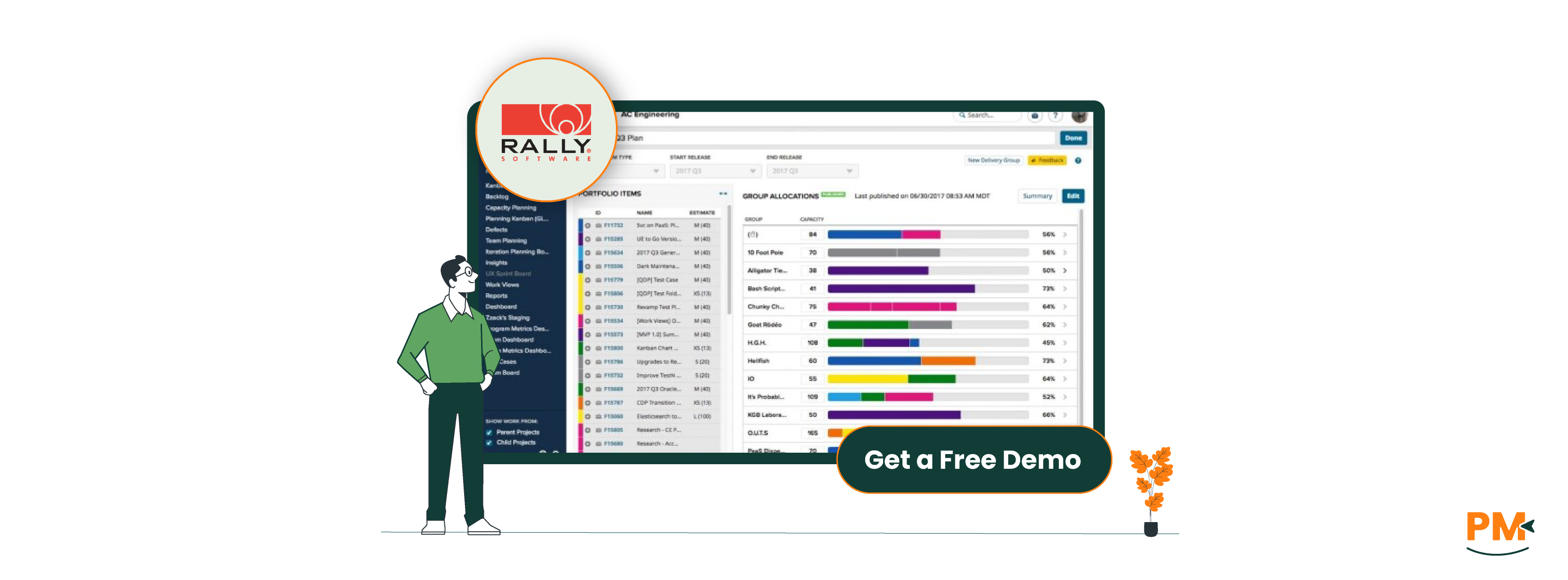
Rally (formerly CA Agile Central) is an enterprise-grade agile project management platform designed to help large organizations plan, track, and manage software development at scale. Developed by Broadcom, Rally is purpose-built for agile and lean teams working across multiple programs, departments, or portfolios.
Its core strength lies in enabling visibility and coordination across complex Agile environments. Rally offers robust support for agile planning, iteration tracking, backlog prioritization, and release forecasting. It also provides advanced portfolio-level reporting and customizable dashboards to align development work with strategic business goals.
Designed primarily for enterprise agile teams, Rally supports frameworks like SAFe®, Scrum, and Kanban, making it a strong fit for organizations undergoing agile transformation or managing multiple cross-functional teams. With built-in metrics such as velocity, cumulative flow, and cycle time, it helps leaders monitor performance and optimize delivery.
Rally excels where granular tracking and high-level visibility must coexist—making it a trusted choice for large-scale software teams seeking operational clarity and alignment.
Pros | Cons |
|
|
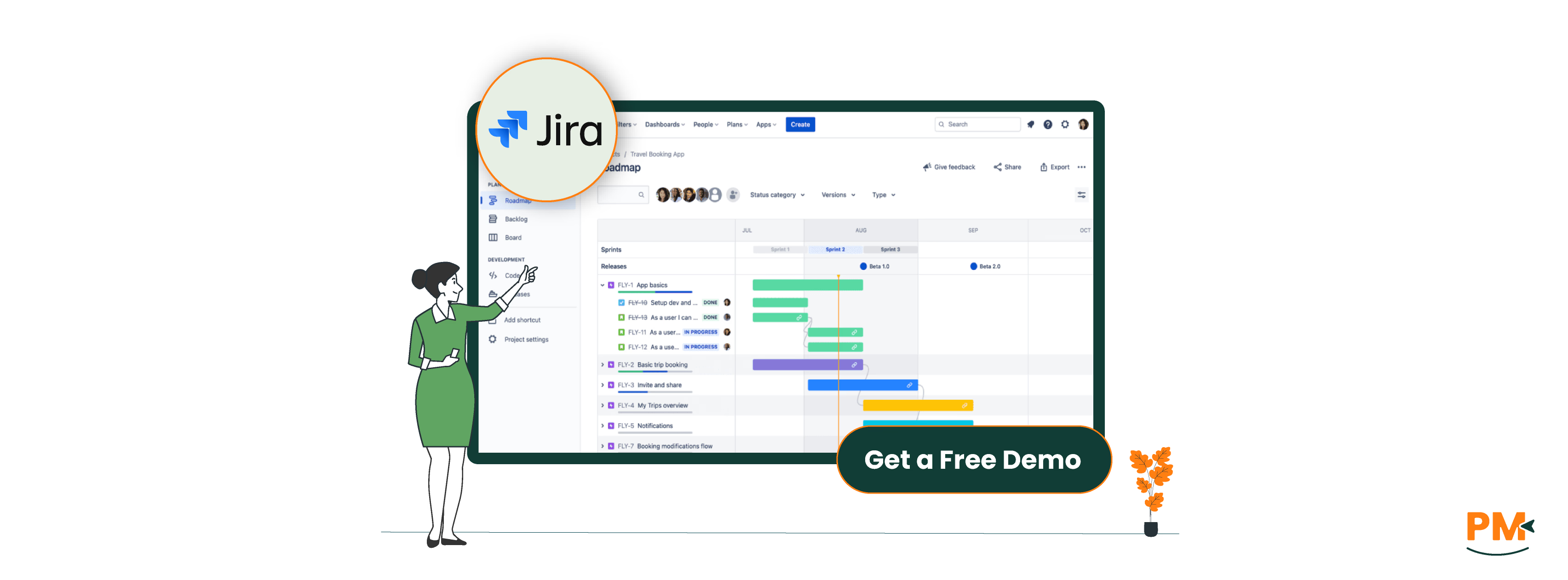
Jira software, developed by Atlassian, is a leading project and issue tracking tool widely used by software development, IT, and product teams. Known for its deep support of Agile methodologies, Jira enables teams to plan, track, and release software with precision and transparency.
The software supports a broad range of Agile practices, including Scrum, Kanban, and hybrid workflows. Teams can manage sprints, create custom workflows, define issue types, and visualize progress through boards, backlogs, and burndown charts. Its flexibility makes it popular among startups and enterprises alike.
Jira integrates natively with Atlassian’s ecosystem—such as Confluence, Bitbucket, and Trello—and connects seamlessly with third-party tools like Slack, GitHub, and Figma. It also features advanced automation, customizable dashboards, and robust role-based permissions, catering to diverse team structures and security needs.
While Jira Software is suitable for teams of all sizes, it’s especially valued by technical and cross-functional teams looking to align development and operations through a single, scalable platform.
Jira Pros And Cons
Pros | Cons |
|
|
Rally
Rally structures task and workflow management around Agile principles, offering robust support for iteration planning, backlog refinement, and team-level execution. Tasks are organized under user stories, which roll up to features and initiatives, supporting a full portfolio hierarchy. Each item can be customized with specific states, owners, and timeframes. Rally’s Agile workflow engine enables teams to define sprint goals, assign work, and track progress across iterations.
Workflow customization is available through team templates, while built-in automation tools handle recurring actions like status transitions or notifications. Rally also supports role-based access, ensuring clarity in task ownership and team responsibilities. While not plugin-dependent, advanced users may use REST APIs or integrate Rally with CI/CD pipelines for end-to-end visibility.
Jira
Jira centers its task management around issues—which can represent stories, tasks, bugs, or epics—organized within Scrum or Kanban boards. These boards are highly customizable, with configurable columns, swimlanes, and workflow transitions. Each project can define its own workflow schemes, allowing for precise control over how tasks move from start to completion.
Jira’s automation rules allow users to trigger actions based on conditions, such as auto-assigning tasks, sending alerts, or updating issue fields. Jira also supports complex hierarchies using Epics and Advanced Roadmaps (formerly Portfolio). Admins can define user roles and permissions granularly, while plugins like Structure or BigPicture add enhanced workflow and portfolio management capabilities.
Rally
Rally offers enterprise-level customer support, primarily targeted at large organizations. Support is available through Broadcom’s support portal, which includes ticketing, documentation, and an extensive knowledge base.
Customers on enterprise plans typically receive dedicated account managers and access to onboarding assistance, training, and escalation paths. While the platform’s help documentation is thorough, hands-on support may require a paid support tier or service engagement.
Jira
Atlassian provides tiered support for Jira software, with options including Free, Standard, Premium, and Enterprise plans. Higher-tier customers benefit from 24/7 support, faster SLAs, and dedicated support teams. The Atlassian Community is highly active and serves as a valuable resource for troubleshooting and best practices.
Extensive online documentation and tutorials are available for both cloud and self-managed (on-prem) deployments. Cloud users receive automatic updates and support coverage, whereas on-prem (Data Center) users rely more heavily on admin resources and enterprise SLAs.
Rally
Rally fosters collaboration through shared team and planning boards, allowing teams to coordinate work across iterations, features, and portfolios. Real-time updates on status, dependencies, and progress are available via customizable team dashboards.
Portfolio-level views enable program managers and executives to track cross-team delivery and strategic alignment. Rally’s limited native chat or commenting capabilities are supplemented by integrations with tools like Microsoft Teams and Slack, though collaboration is more structured than conversational.
Jira
Jira supports collaboration through in-line comments, @mentions, and real-time notifications, which keep team members in sync on issue updates. Native integration with Confluence enables seamless documentation sharing and requirements linking. Slack and Microsoft Teams integrations further enhance communication by pushing updates directly into team channels. Jira also offers flexible team permissions, enabling shared visibility without compromising access control. Combined with real-time board updates and integrations, Jira promotes dynamic collaboration across development and business teams.
Rally
Rally is a web-based platform designed primarily for desktop use. It is fully supported on modern browsers like Chrome, Firefox, and Edge, offering a consistent experience for enterprise users working in structured environments.
However, mobile accessibility is limited—Rally does not offer dedicated mobile apps, and while the web UI is technically accessible on mobile browsers, the experience is not optimized for small screens. This can make on-the-go task management or quick updates challenging for mobile-first users.
Jira
Jira offers strong cross-platform support, with a fully responsive web interface and dedicated mobile apps for iOS and Android. The mobile apps are designed for agile teams needing to track issues, comment, and update tickets while away from their desks.
Although not all admin features are available on mobile, the core functionality—such as backlog grooming, sprint tracking, and issue editing—is accessible and intuitive. The cross-device consistency makes Jira more suitable for hybrid or remote teams that rely on mobile collaboration.
Rally
Rally's UI is designed for enterprise users, with a focus on structure, scale, and detail. While powerful, the interface can feel complex and unintuitive for new users, especially those not deeply familiar with Agile frameworks. Initial setup, including configuring teams, iterations, and portfolio hierarchies, often requires guidance from a trained administrator.
The UI prioritizes functionality over visual simplicity, which may slow down onboarding and increase the learning curve for smaller teams or non-technical users.
Jira
Jira features a more modern and customizable UI, especially in the cloud version. Agile boards are visually intuitive, with drag-and-drop capabilities and clear workflows that support fast team adoption. Users can tailor dashboards, filters, and views to their role or needs.
However, as functionality expands—especially with added plugins or advanced workflows—the interface can become cluttered or overwhelming. While Jira is easier to get started with compared to Rally, mastering its full potential still requires time, especially for admin users configuring projects at scale.
Rally
Rally emphasizes timebox-based planning, allowing teams to estimate effort and track progress within iterations or sprints. While it enables tracking of time spent versus estimated time, Rally lacks a native time tracking timer.
Users must manually input time data, and for more detailed tracking or reporting, organizations often rely on integrations with external tools or custom solutions.
Jira
Jira offers native time logging capabilities, allowing users to manually record time spent on tasks. For enhanced functionality, plugins like Tempo Timesheets provide advanced features such as AI-assisted time tracking, calendar integrations, and detailed reporting on billable hours and project costs.
Tempo Timesheets supports automated time tracking, timesheet approvals, and customizable reports, making it a robust solution for teams needing comprehensive time management tools.
Rally
Rally provides basic documentation support within tasks, allowing users to add descriptions and comments. However, it lacks advanced documentation features, and teams often need to integrate Rally with external tools to manage comprehensive documentation needs.
Jira
Jira integrates seamlessly with Confluence, Atlassian's collaborative documentation platform. This integration enables teams to create, link, and manage detailed documentation directly within their workflow. Jira issues can include rich text descriptions, attachments, and comments, facilitating collaborative knowledge creation and serving as a centralized knowledge base for teams.
Rally Vs Jira Pricing Comparison

Rally
Rally follows a custom pricing model designed for enterprise customers. It’s cost depends on factors such as the number of users, deployment scale, required support levels, and integration needs.
Jira
Jira, developed by Atlassian, provides a more transparent pricing structure. It offers a free plan for up to 10 users, making it accessible for small teams. Paid plans include:
- Free: $0 (free for 10 users)
- Standard: $8/user/month
- Premium: $14/user/month
- Enterprise Plan: Custom pricing (for large-scale deployments)
Jira's pricing is based on a per-user model, allowing teams to scale their subscription according to their size and needs.
Who Is Rally Best For?
Rally is ideal for large-scale enterprise Agile teams that require:
- Structured planning across multiple programs and portfolios
- Deep visibility into team-level iterations and top-down strategic roadmaps
- Coordination within mature Agile frameworks like SAFe®
Key Strengths:
- Hierarchical planning for large development teams
- Portfolio-level tracking and road mapping
- Comprehensive Agile metrics and reporting
Best Suited For:
Enterprises managing thousands of developers, project managers, and stakeholders — where alignment, visibility, and rigorous tracking are essential for delivery success.
Who Is Jira Best For?
Jira is a flexible, scalable project management tool tailored for:
- Teams of all sizes — from lean startups to large enterprises
- Software development teams practicing Agile, Scrum, or Kanban
- Cross-functional teams needing rich integrations and workflow control
Key Strengths:
- Modular design with customizable workflows
- Agile boards (Scrum, Kanban) for sprint tracking
- Seamless integration with Confluence, Bitbucket, Slack, and more
Best Suited For:
Teams that prioritize collaboration, iteration, and process adaptability, with a need for real-time tracking and seamless scaling.
Which One Should You Go For?
When comparing Rally vs Jira, the right choice ultimately depends on your team’s structure, scale, and workflow complexity.
Choose Rally if you're part of a large enterprise operating under a formal Agile methodology like SAFe, and you need robust support for portfolio planning, hierarchical coordination, and enterprise-grade visibility.
Opt for Jira if you want a flexible, scalable solution that supports Agile teams of any size, with powerful customization and a rich ecosystem of integrations. It’s especially strong for development teams seeking fast onboarding and iterative workflows.
Bottom Line:
Choose based on your team’s size, goals, and workflow style—each tool serves a distinct purpose in the Agile landscape.