
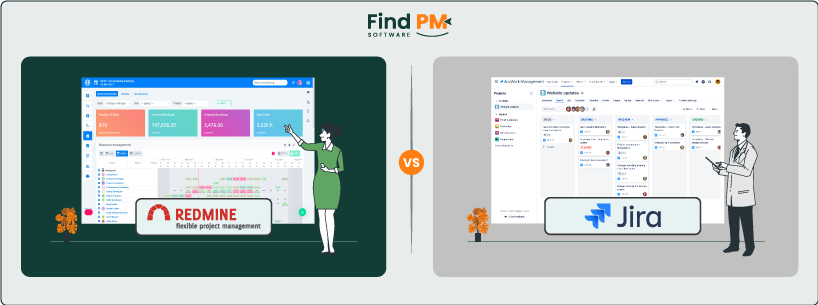
Choosing the right project management software can make or break your team's productivity. In the “Redmine vs Jira” debate, both tools offer powerful features—but they cater to different workflows, team sizes, and customization needs. Whether you're managing agile sprints, tracking bugs, or coordinating cross-functional teams, selecting the right platform is essential.
This guide is designed to help you compare Redmine and Jira head-to-head across the features that matter most; usability, integrations, flexibility, reporting, and more. If you're exploring which tool aligns better with your team's goals, processes, and budget, you're in the right place.
Let’s break down what each platform offers—so you can make a confident, informed decision.
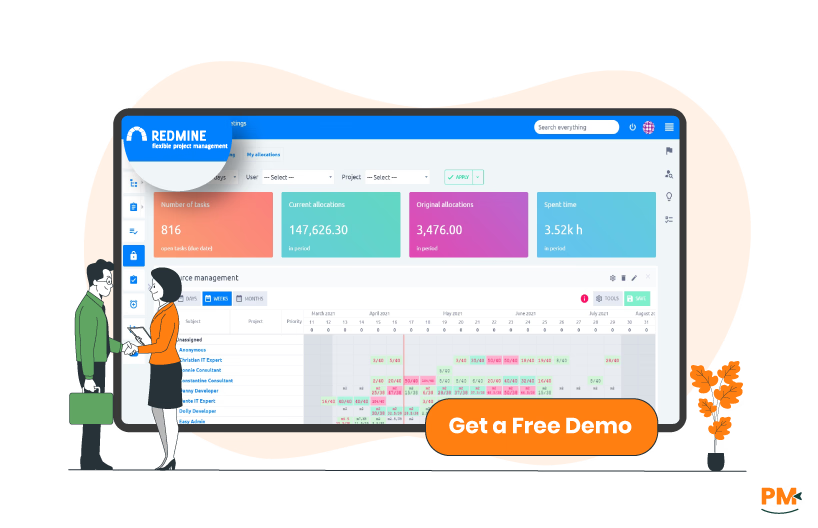
Redmine is an open-source project management and issue-tracking tool known for its flexibility and extensibility. Built on the Ruby on Rails framework, Redmine allows teams to manage multiple projects with customizable workflows, user roles, Gantt charts, and time tracking. It’s especially popular among development teams and technical users who value full control over their software stack.
Because Redmine is self-hosted, organizations have the freedom to configure the tool as needed, including advanced permissions, data privacy, and server-level customizations. Its plugin ecosystem is one of its key strengths, offering hundreds of community-built extensions for agile boards, CRM functionality, reporting, and more.
While Redmine lacks some modern UX polish, its modular design and developer-friendly environment make it a preferred choice for teams that require deep customization—particularly in agile and software development contexts where adaptability and transparency are critical.
Redmine Pros And Cons
Pros | Cons |
|
|

Jira is a proprietary project management and issue-tracking platform developed by Atlassian. Originally built for software development teams, it has since evolved into a versatile solution that supports a wide range of workflows—from agile sprint planning to IT service management and business operations.
Jira comes in multiple product lines: Jira Software, which is tailored for agile development using Scrum or Kanban boards, and Jira Work Management, designed for non-technical teams managing tasks, timelines, and approvals. Jira also integrates deeply with other Atlassian tools like Confluence, Bitbucket, and Trello, and supports thousands of apps through the Atlassian Marketplace.
Key features include advanced issue tracking, custom workflows, automation rules, and detailed reporting dashboards. Its cloud-based architecture ensures scalability, while also offering a self-managed option for enterprise environments. Jira’s flexibility makes it a powerful platform—but it can come with a learning curve, especially for teams new to agile methodologies.
Jira Pros And Cons
Pros | Cons |
|
|

Redmine
Redmine handles task and workflow management through a system of trackers (task types), issues, and customizable workflows. Each issue can be configured with priorities, statuses, assigned users, and time estimates. Admins can define distinct workflows per role and tracker—giving teams precise control over how tasks move through stages.
While Redmine doesn’t come with built-in agile boards, its plugin ecosystem (e. g. , Redmine Agile, Kanban, or Backlogs) offers flexible work visualization tools. Teams often use Redmine’s Gantt charts and calendar views for planning, but agile functionality typically requires extra configuration.
For developer-heavy teams that prefer a structured, transparent workflow with self-managed customization, Redmine excels. However, non-technical users may find the task management interface less intuitive without added plugins.
Jira
Jira offers a robust task and workflow engine designed with agile and collaborative teams in mind. Out of the box, Jira Software provides Scrum and Kanban boards, sprint planning, backlog prioritization, and drag-and-drop task tracking—all mapped to customizable workflows.
Users can choose from workflow templates or build their own using a visual editor. Automation features let teams set up triggers, conditions, and actions (e. g. , auto-assigning tasks or sending notifications). Tasks (issues) support subtasks, dependencies, due dates, and rich formatting.
For cross-functional teams or large-scale agile setups, Jira’s workflow management feels polished and scalable. It’s particularly well-suited to distributed teams needing real-time visibility, though configuration can get complex as workflows evolve.

Redmine
As an open-source platform, Redmine relies on a community-driven support model. Official support isn’t included, but users can access extensive documentation, active forums, GitHub issues, and third-party blogs. For organizations needing hands-on help, several companies offer paid Redmine hosting and support services.
Support responsiveness varies depending on the channel—community forums may take longer, while commercial providers can offer SLAs. Documentation is generally accurate but sometimes fragmented or technical, requiring deeper knowledge of the stack.
Redmine is best suited for teams with in-house IT or developer resources who can troubleshoot and customize independently.
Jira
Jira benefits from Atlassian’s multi-tiered support offerings, including Standard, Premium, and Enterprise plans with defined SLAs, 24/7 incident response, and dedicated support engineers (for higher tiers). Users can also access a vast knowledge base, in-app help, and the Atlassian Community for peer solutions.
Documentation is thorough, well-organized, and updated regularly. Support responsiveness depends on your pricing plan—Premium and Enterprise users typically receive much faster resolution times.
Jira’s commercial support model offers more predictability and reliability, making it a safer choice for large or mission-critical teams.

Redmine
Redmine facilitates collaboration through custom user roles, email notifications, and internal messaging systems. Users can comment on issues, attach files, and track changes via history logs. However, real-time collaboration features are limited without plugins.
To bridge that gap, teams often install plugins for wiki sharing, document storage, or team chat integrations. While this modularity is powerful, it requires careful selection and configuration.
Redmine’s collaboration tools suit technical teams accustomed to asynchronous workflows, but may feel disconnected for business teams needing richer, integrated communication.
Jira
Jira enables real-time collaboration through inline comments, @mentions, and notifications across issues and boards. It integrates deeply with Confluence for shared documentation and Slack or Microsoft Teams for instant updates and discussions.
Changes are synced in real-time, with activity streams keeping team members aligned. Jira’s design also bridges developer and business collaboration by allowing product managers, QA, and stakeholders to contribute in a shared space.
This makes Jira particularly effective for distributed or cross-functional teams where transparency, alignment, and continuous updates are key to delivery.
Redmine
Redmine is primarily a self-hosted, browser-based application. It runs on most Linux and Windows servers and is accessed through any modern web browser. This makes it OS-agnostic for end users but places the burden of setup and maintenance on the IT team.
While Redmine doesn’t offer an official mobile app, third-party apps like RedminePM, Easy Redmine Mobile, or custom-built clients are available—often requiring additional configuration or plugin support. Mobile experiences vary in quality and feature coverage.
Redmine’s cross-platform accessibility is functional but highly dependent on the host environment and plugins. For teams comfortable managing infrastructure and prioritizing control, it works well. For others, the lack of turnkey mobile and cloud options can be limiting.
Jira
Jira supports both cloud-hosted and on-premise (Data Center) deployments, giving teams flexibility based on compliance, scale, or security needs. Most users today adopt the cloud version, which is maintained by Atlassian and regularly updated.
Jira offers official mobile apps for iOS and Android with robust functionality—allowing users to create, comment on, and manage tasks on the go. The web version is responsive and works seamlessly across devices and operating systems.
Jira’s platform support is comprehensive and user-friendly, making it a strong fit for hybrid or distributed teams needing consistent access from desktop, tablet, or phone.

Redmine
Redmine’s interface is functional but dated by modern standards. Its layout leans toward tables, lists, and form-based inputs—prioritizing utility over aesthetics. While technically structured and powerful, the user experience can feel unintuitive, especially for non-developers.
Initial setup involves configuring trackers, roles, workflows, and permissions—all of which require administrative know-how. Even basic functionality like agile boards or dashboards often needs plugin installation and configuration.
The learning curve is steeper for casual users, but developers and technical project managers may appreciate the raw control and open-ended design once familiar with its architecture.
Jira
Jira features a modern, visually intuitive interface with drag-and-drop boards, dynamic filters, and customizable dashboards. Atlassian provides detailed onboarding guides, tooltips, and setup wizards to help new users get started—especially in Jira Software’s agile templates.
That said, customization complexity increases quickly. Admins often need to navigate multiple layers of settings for workflows, schemes, permissions, and automations. This can overwhelm first-time users or smaller teams.
Overall, Jira balances a sleek UI with enterprise-level depth, making it more user-friendly than Redmine out of the box—but potentially more complex as teams scale or customize heavily.

Redmine
Redmine offers built-in time tracking functionality, allowing users to log hours directly against issues or tasks. Each time entry can be categorized (e. g. , development, testing, meetings) and assigned to specific users or activities. The system supports reporting by project, user, and activity, making it ideal for internal billing or productivity audits.
For more advanced needs, plugins like Redmine Timesheet, Redmine Time Tracker, or Redmine HRM can enhance features such as timer-based logging, visual summaries, or time budgeting. These extensions are particularly useful for freelancers, consultants, or dev teams managing multiple billable projects.
However, usability may depend on proper setup, and real-time tracking is not as seamless out of the box.
Jira
Jira doesn’t offer native time tracking with detailed reporting, but it allows users to log work time manually on issues. For more robust features—like time budgets, billing, and team-wide tracking—teams often integrate with apps like Tempo Timesheets, Clockify, or Harvest from the Atlassian Marketplace.
Tempo, in particular, provides granular control, approvals, cost tracking, and visual analytics—making Jira a strong solution for agencies, dev teams, or enterprises that require compliance-grade time reporting.
Jira’s time tracking is more scalable and polished when extended with add-ons, especially in cloud environments.

Redmine
Redmine supports documentation through a built-in project-level Wiki, which enables teams to create structured internal documentation with interlinked pages. Additionally, file attachments, issue-level comments, and a versioned change log support document collaboration and auditability.
While the wiki is basic in styling and lacks WYSIWYG editing, it’s useful for teams that prefer lightweight, structured internal documentation within the same tool. The search functionality covers wiki content and attachments, but may feel limited for large content volumes.
Documentation is functional and developer-friendly, though not as polished or user-centric as modern knowledge base platforms.
Jira
Jira itself isn’t designed for long-form documentation, but it integrates seamlessly with Confluence, Atlassian’s dedicated documentation and wiki platform. This combo allows teams to create rich, searchable knowledge bases, meeting notes, SOPs, and technical specs, all linked directly to Jira issues.
Within Jira, users can add detailed task descriptions, custom fields, and comment threads, which support lightweight documentation. However, for structured, centralized knowledge, Confluence is the key advantage—particularly for distributed teams and large organizations.
Overall, Jira with Confluence offers a superior documentation experience, combining structured project data with searchable, collaborative content.
Redmine Pricing
Redmine is entirely free and open-source, with no licensing costs. Organizations can self-host the platform and customize it as needed. Optional third-party hosting or support providers offer managed services at varying rates.
Jira Pricing
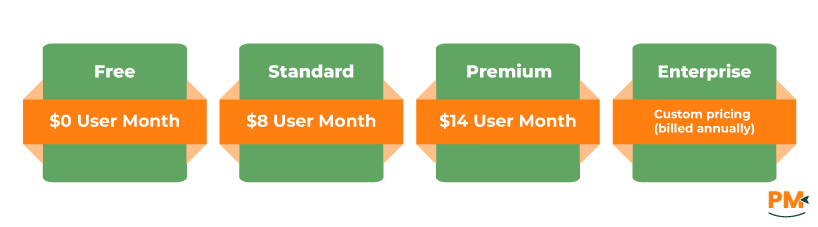
In contrast, Jira operates on a subscription-based model. Its pricing is as follows:
- Free - $0/user/month
- Standard - $8/user/month
- Premium - $14/user/month
- Enterprise – Custom pricing (billed annually)
Ideal Users:
- Development teams
- Privacy-conscious organizations
- Technical users & engineers
Best For You If You:
- Need a self-hosted, open-source project management tool
- Want full control over workflows, permissions, and infrastructure
- Have complex internal processes requiring deep customization
- Operate in a regulated industry with a focus on data ownership
Recommended For:
Organizations with in-house IT teams who can manage:
- Server setup
- Plugin installation
- Ongoing maintenance
Summary:
Redmine is perfect for agile teams that want to configure every aspect of their environment. If you’re comfortable with a steeper learning curve and want a cost-effective but powerful tool, Redmine delivers flexibility unmatched by most proprietary platforms.
Ideal Users:
- Agile development teams
- Enterprises & startups
- Cross-functional and distributed teams
Best For You If You:
- Want a cloud-based, plug-and-play platform
- Value collaboration, visibility, and automation
- Use tools like Confluence, Slack, GitHub, etc.
- Rely on real-time updates and continuous delivery
Recommended For:
- Fast-paced environments that need:
- Scalable solutions
- Advanced agile boards (Scrum/Kanban)
- Built-in reporting & analytics
Summary:
Jira is ideal if you're looking for an enterprise-ready, all-in-one project management solution. It's especially useful for teams that want to move fast, stay in sync, and scale effortlessly—even if that means paying a premium.
Redmine vs Jira comes down to your team’s structure, technical capacity, and workflow preferences. Choose Redmine if you need a free, open-source solution with high flexibility, full data control, and deep customization—especially if you have a technical team to manage and configure the system.
Choose Jira if you want a ready-to-use, cloud-based platform built for collaboration, agile methodologies, and scaling across teams with minimal setup.
- Redmine: Best for dev-heavy, self-hosted environments that need control and cost savings
- Jira: Best for agile, fast-moving teams that need robust features and cloud convenience
Ultimately, the right choice depends on your team’s priorities—control vs convenience, flexibility vs structure.