

Tana and Notion solve the same problem: organizing ideas, tasks, and projects, but they go about it in completely different ways. Tana is the newer tool, structured around an outliner where every note can evolve into something bigger. With features like supertags and a flexible graph view, it feels more like building a living system than just taking notes.
Notion takes a broader approach. It combines pages, databases, and collaboration features into a single workspace that teams and individuals have been adopting for years. Its strength lies in versatility. Whether you’re drafting documents, running project boards, or setting up a team wiki, it all happens in one place.
We’ll walk through their key features, strengths, and trade-offs so you can figure out which one clicks for you.
Feature | Tana | Notion |
Core Concept | Graph-based outliner where everything is a node, focused on structured knowledge | All-in-one workspace combining notes, databases, and collaboration |
Best For | Researchers, consultants, knowledge workers, small to mid-sized teams | Startups, enterprises, creatives, educators, cross-functional teams |
Strengths | Supertags, AI voice capture, relational linking, flexible graph views | Templates, integrations, scalability, customizable dashboards |
Weaknesses | Limited integrations, some mobile limitations, newer ecosystem | Performance issues with large databases, relies heavily on internet |
Collaboration | Shared workspaces, publishable read-only links | Real-time co-editing, granular permissions, mentions and comments |
Pricing | Free Plus ($8/month) Pro ($14/month) | Free Plus ($12/month) Business ($24/month) Enterprise (custom) |
Integrations | Limited, API-based, still developing | Strong marketplace + API, integrates with Slack, Google Drive, Figma, etc. |
AI Features | Native AI assistant for notes and workflows | Notion AI: content generation, summaries, action items, automation |
Cross-Platform | Browser + desktop apps (macOS, Windows, Linux), mobile (limited) | Full web, desktop, and mobile apps with offline support |
Customization | Supertags, custom fields, live searches | Highly customizable pages, templates, databases |

Tana is an AI-native workspace designed to help individuals and teams organize their thoughts, tasks, and projects seamlessly. At its core, Tana utilizes a graph-based outliner system, allowing users to create interconnected nodes that can represent tasks, projects, notes, and more. This structure enables a dynamic and flexible approach to knowledge management.
Features like supertags let you customize data fields, while voice memos and live transcription streamline capturing and processing information on the go. Whether for individual use or team collaboration, Tana aims to reduce context switching and enhance productivity.
Tana Pros and Cons
Pros | Cons |
|
|

Notion is an all‑in‑one workspace designed to bring notes, tasks, databases, and collaboration tools under one roof. It offers a clean, drag‑and‑drop interface that makes it easy to create custom layouts tailored to your needs.
Whether you’re managing personal projects or coordinating a team, Notion lets you organize everything in a way that works for you. Its database system allows for powerful content structuring, while pre‑built templates save setup time. This combination of flexibility and simplicity is what makes Notion a favorite for individuals and teams alike.
Notion Pros and Cons
Pros | Cons |
|
|
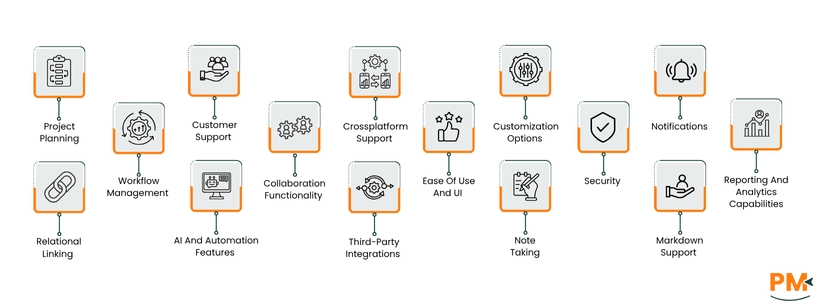
Project Planning
Tana
Tana offers a streamlined approach to project planning, integrating various tools to keep everything connected. With its pre-built templates, users can quickly set up project overviews, kanban boards, and calendar views without extensive setup.
The system emphasizes lightweight linking, allowing tasks and meetings to be effortlessly connected to projects. This ensures all relevant information is in one place.
Notion
Notion provides a flexible workspace for project planning, enabling users to create custom project plans using templates or starting from scratch. It allows for the organization of project details, setting timeframes, and designating categories.
The platform supports real-time collaboration, making it easy to invite teammates and track progress collaboratively.
Workflow Management
Tana
Tana treats workflows as living systems, not rigid checklists. You can use Supertags, Views, and Custom Feeds to mold information into what your work needs, projects, tasks, notes, outcomes, all connected and evolvable.
Its Template Store lets you drop in full workflow systems: tracking OKRs, running weekly rituals, or handling hires, each with pre-configured fields, agent automations, and filters that you can tweak.
Managers get flexibility: you can zoom in on granular tasks or zoom out to strategy and goals, directly linking ‘company objectives’ to what people are doing day to day. So in Tana, workflow management is all about adaptability, linking, and letting the structure flex with you rather than forcing you into a rigid mold.
Notion
Notion builds workflow management around highly custom and shared databases, boards, dashboards, and templates, letting teams design workflows that match how they work. For example, its Notion for Managers offering shows how you can combine goals, project pages, and status overviews in one place.
You can use linked databases + different views (Kanban boards, calendars, lists, timeline) to see your projects in different ways. That helps both high-level overviews and detailed task execution live side by side.
Templates and import tools let you bring in existing processes (from other tools) so you don’t start from blank. The idea is to let teams iterate: build a base, then customize dashboards, notifications, permissions etc. to fit their workflow.
In Notion, workflow management feels like building your own command center. Dashboards, custom databases, views, and templates are all configured so you and your team move together, not bump into process friction.
Customer Support
Tana
Tana’s customer support is built around a mix of self-help resources, community interaction, and direct contact. The official Learn Tana section provides documentation, guides, and updates to help users troubleshoot common issues.
For account-related queries or technical problems, users can reach out directly via the email address provided in the account settings. Tana also encourages participation in its community, where users and the team exchange feedback, ideas, and solutions. While Tana does not yet offer enterprise-style ticketing or chat support, it focuses on responsiveness through email and fostering a collaborative support ecosystem.
Notion
Notion provides a more established support framework, reflecting its larger user base. The Help Center is the first stop for troubleshooting, with detailed guides covering everything from login issues to workspace management. If platform problems occur, users can check the Notion Status page for real-time updates on outages and performance.
Developers working with the API have access to status codes and error documentation to resolve integration issues. Overall, Notion combines self-service documentation with real-time system transparency, giving users confidence that support is available at both technical and operational levels.
Collaboration Functionality
Tana
Tana supports collaboration via shared workspaces: you can invite members into a workspace where everyone sees the same nodes, edits, and updates. Workspaces let you control who has access to and what content is shared.
You can also publish parts of your workspace as read-only public links through Tana Publish, letting people view (but not edit) content without needing a Tana account. Edit history is tracked (who did what, when), and there are notifications and member permissions built in, so teams stay on the same page.
Notion
Notion is built for teams: you can add members, guests, or groups to a workspace and assign granular permissions on pages/databases to view, comment, or edit. Multiple people can co-edit a page in real time; you’ll see edits, live cursors/profiles, and changes synced instantly across devices.
Comments, mentions, and reminders add asynchronous collaboration support, so people can work together even when not online together. Notion’s shared content + permissions control + notifications ensure everyone knows what’s happening and who made what change.
Crossplatform Support
Tana
Tana runs in the browser and also offers a native desktop app for macOS, Windows and Linux so you can work in a proper native window when you need speed and native features. Its mobile app (iOS, Android) is meant for quick capture and on-the-go access.
The company notes that some mobile experiences may differ while they work toward parity, so expect the richest feature set on desktop/web for now. Tana also highlights specific desktop-only conveniences, native tabs, meeting notetaker and system integrations that aim to keep long sessions smoother than the pure web experience.
Notion
Notion works everywhere: full web access in supported browsers, downloadable desktop apps for macOS and Windows (plus community/Linux options), and mobile apps for iOS and Android so you can pick up work on any device.
Notion also documents offline behavior and best practices. Pages and essential blocks can be made available offline in the desktop and mobile apps, and the company published guides and a recent release that expanded offline capabilities. For exact system requirements and the best experience tips, Notion’s system-requirements page is handy (keeps browsers, OS versions and limits explicit).
Ease Of Use And UI
Tana
Tana focuses on keeping its interface clean while allowing advanced flexibility. The system is built around nodes and supertags, which organize information without rigid templates and help users adapt the tool to their own workflow.
The command bar and quick capture options let you jump between workspaces or insert notes without breaking focus. Its design supports speed and structure, though some users may need time to adjust to the ‘everything is a node’ model.
Notion
Notion uses a block-based interface, making every piece of content (text, tables, images, tasks) something you can move, drag, and reorganize intuitively. The customizable sidebar and drag-and-drop builder make the UI easy for beginners while still powerful for advanced setups.
Accessibility improvements like dark mode and keyboard shortcuts are part of the native design. However, Notion itself notes that large databases can affect speed, which sometimes impacts usability.
Customization Options
Tana
Tana is built with flexibility at its core, and customization plays a big part in that. Instead of rigid templates, it offers supertags that let you shape your workspace around the type of work you do, whether that’s project tracking, research, or client management.
You can define fields, create custom views, and build your own workflows without needing code. The live search and flexible node structure mean you can surface information in different contexts, adapting Tana to fit personal or team preferences.
Notion
Notion is widely known for how deeply you can customize it. Every page is a blank canvas, allowing you to build anything from a lightweight task list to a full project management dashboard. Custom databases, relations, filters, and views give teams the power to create systems tailored to their work.
Templates (both official and community-made) make it even easier to get started and then adjust as your workflow grows. With advanced settings like custom icons, covers, and database properties, Notion’s customization is one of its biggest selling points.
Security
Tana
Tana takes data security seriously, though its documentation is not as extensive as older platforms. The company states that all data is encrypted both in transit and at rest, ensuring that notes, projects, and files are protected from unauthorized access.
They also highlight compliance with standard data protection practices, with hosting and infrastructure secured on industry-grade platforms. While Tana is still developing its public security documentation, its policies confirm that protecting user information is a core priority.
Notion
Notion provides more detailed public information about its security measures. All data is encrypted at rest and in transit. They also undergo regular third-party audits like System and Organization Controls 2 (SOC 2) Type 2 compliance to verify security controls.
For businesses, Notion offers advanced security features such as SAML single sign-on (SSO) and user provisioning through SCIM. Notion’s privacy policy further clarifies how data is stored, shared, and protected, giving teams more transparency over their information.
Notifications
Tana
Tana’s notification system is still evolving, but it already supports keyways to keep users in the loop. You can set reminders on tasks and use live searches combined with supertags to surface what’s due or requires attention.
Tana also provides in-app notifications for shared workspaces, helping teams stay aligned when updates are made. While push notifications on mobile are available for quick capture and reminders, the platform continues to expand notification settings for more granular control.
Notion
Notion has a more mature notification system designed to support collaboration-heavy teams. Users receive alerts for mentions, comments, page shares, and database updates both inside the app and via email. Mobile apps (iOS and Android) also provide push notifications so you never miss an update on the go.
Notifications can be customized to reduce noise, for example, muting specific pages or channels while keeping critical mentions active. This balance of flexibility and visibility makes it easier to stay informed without being overwhelmed.
Reporting And Analytics Capabilities
Tana
Tana doesn’t position itself as a traditional analytics platform, but its live searches and customizable views act as lightweight reporting tools. Users can create dynamic dashboards by filtering and sorting data across nodes, tasks, and projects, making it easier to track progress and spot patterns without leaving the workspace. Supertags add another layer by standardizing fields across entries, so you can run structured reports for things like project status, deadlines, or meeting notes.
Notion
Notion’s strength in reporting comes through databases. You can apply filters, groupings, and multiple views (tables, calendars, timelines, galleries) to build custom reports suited to your projects.
For deeper analytics, Notion integrates with third-party tools like Google Analytics or Zapier-powered reporting systems. Enterprise teams also get advanced analytics and audit logs, giving admins more visibility into workspace activity.
Relational Linking
Tana
Relational linking is a core strength of Tana. Every piece of content, called a node, can be linked to any other. This allows users to create knowledge graphs that mirror how information connects in real life.
Supertags and fields let you define structured relationships, which means tasks, people, or projects can reference each other seamlessly. This makes Tana especially powerful for users managing complex or interconnected data.
Notion
Notion approaches relational linking through its database relations and rollups. You can connect databases, for example, linking tasks to projects or employees to clients, and then pull related data into custom views.
Inline links between pages also allow for simple cross-referencing, helping users stitch together information without losing context. This combination of page links and database relations makes Notion flexible for both lightweight note-taking and robust project management.
AI And Automation Features
Tana
Tana has been building AI into its platform as a native layer. The Tana AI assistant can help restructure notes, generate summaries, and suggest follow-ups directly inside the workspace. Its command bar also acts as a workflow automation hub, letting you perform actions like creating nodes or inserting tags without manual steps.
For more advanced automation, Tana’s flexible structure with live searches means recurring tasks and reminders can be dynamically surfaced without external tools.
Notion
Notion has fully integrated Notion AI across its platform. It can generate content, summarize meeting notes, translate text, create action items, and even adjust writing tone, all within your workspace.
For automation, Notion supports recurring tasks, database templates, and formula fields. Combined with integrations like Zapier and Make, users can connect Notion’s workflows to other tools for end-to-end automation
Third-Party Integrations
Tana
Tana is still maturing in terms of integration. At its core, it focuses on building an all-in-one workspace and doesn’t yet have a vast integration marketplace like Notion. However, it does support API-based connections and community-built extensions, and the team has signaled that broader integrations are in development.
Notion
Notion is much stronger here. It integrates natively with tools like Slack, Google Drive, GitHub, and Figma, plus offers an official API for custom workflows. Enterprise customers can connect with identity management and admin systems too. On top of this, a growing marketplace of third-party apps makes Notion extensible beyond its default capabilities.
Note-Taking
Tana
Tana positions itself as more than just a note-taking app, but note capture is at its heart. Every entry is a node, and you can nest, tag, and interlink notes to build structured knowledge graphs. Quick capture and mobile input make jotting down ideas frictionless, while supertags and fields allow for context-rich note-taking that scales into project or research systems.
Notion
Notion has become a popular note-taking platform because of its block-based system. Notes can include text, images, code snippets, and embeds, all arranged however the user prefers. With databases, you can turn notes into actionable items or link them across projects. The ability to share notes instantly with teams also makes it stronger for collaborative knowledge management.
Markdown Support
Tana
Tana supports Markdown formatting in its editor, letting users apply familiar styling for headings, lists, bold/italic, and code blocks. This makes it easier for people transitioning from plain-text workflows or other Markdown-based tools to adapt without friction.
Notion
Notion also supports Markdown both for input and export. You can paste or type Markdown into a page, and it will automatically convert to the correct block style. Pages can also be exported as Markdown files, making it easier to back up or migrate notes to other platforms.

Tana Pricing
Plan | Price (Monthly) | What You Get |
Free | $0 | Includes basic editor functionality, supertags, search nodes, basic storage, but no AI credits, capped file size/storage, limited integrations. |
Plus | $8/month | 2,000 AI credits/month (e. g. ~8 × 30‑min meeting agent usage or 10 hours voice transcription), plus most features beyond Free. |
Pro | $14/month | 5,000 AI credits/month, more images or meeting/voice transcription quota, fuller integration/usage beyond Plus. |
Notion Pricing
Plan | Monthly Cost (Per Seat) | Key Features |
Free | $0 | Unlimited blocks for individuals, guest collaborators (limited), file upload size limit (5 MB), basic page history (7 days), basic integrations. |
Plus | $12/month | Unlimited file uploads, longer page history (30 days), more guest seats, more teamspace features. |
Business | $24/month | Private teamspaces, advanced permissions, SAML SSO, audit logs, workspace analytics, more security/control. |
Enterprise | Custom | All Business‑tier features plus more enterprise‑level controls, compliance, security, custom pricing. |
Tana is best suited for knowledge workers, researchers, and teams who thrive on structured information management. Its database-like graph system is especially helpful for industries such as academia, research, consulting, and knowledge-intensive startups.
Tana works well for both individuals and small-to-medium teams, typically up to a few hundred users, who want a highly organized workspace where data interconnections matter more than just simple note-taking. Larger enterprises may find it useful too, but Tana’s current adoption and feature set lean more toward agile teams that prioritize research-driven projects and interconnected workflows.
Notion is a versatile platform that caters to a wide spectrum of users, from solo entrepreneurs to enterprises with thousands of employees. It is particularly well-suited for startups, creative agencies, remote-first companies, and large organizations looking for customizable project management and documentation solutions.
Notion’s templates, collaboration features, and integrations make it a powerful tool for industries like marketing, software development, education, and operations. While individuals and small teams benefit from its affordability and flexibility, its enterprise-grade plans ensure scalability for larger organizations with complex workflows and cross-departmental collaboration needs.
Both Tana and Notion offer powerful ways to manage information and workflows, but the choice depends on your priorities. Tana stands out for users who need highly structured data management, strong relational linking, and AI-powered workflows, making it the better pick for research-driven teams and professionals who thrive on context-heavy projects.
Notion, on the other hand, shines in versatility and scalability, providing a polished balance of note-taking, project management, and team collaboration. If your team needs a flexible, widely adopted, and integration-friendly platform, Notion comes out as the more accessible and scalable option. However, if your focus is on advanced relational knowledge management, Tana may be the stronger performer.
If you’re not fully convinced that this tool is the right fit, there are plenty of strong alternatives available. Here are some of the most popular options you can consider:
