
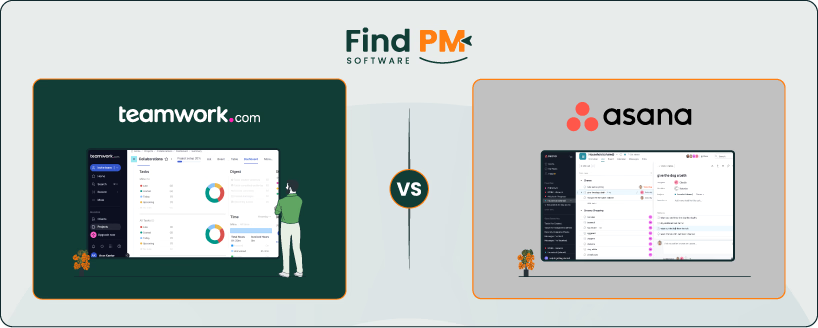
Project management software has become essential for teams to organize tasks, track progress, and collaborate effectively. Two of the most popular platforms in this space are Teamwork and Asana. Both tools aim to streamline workflows but differ in their depth, customization, and best-fit audiences.
Teamwork is known for its client-focused project management approach, offering billing, time tracking, and workload features tailored to service-based businesses. Asana, on the other hand, is widely recognized for its user-friendly interface and flexible task management, making it a top choice for teams that prioritize ease of use and integrations.
In this article, we’ll compare Teamwork and Asana across features, usability, collaboration, support, pricing, and best-fit industries—so you can decide which platform suits your needs better.

Feature | Teamwork | Asana |
Tasks And Workflow Management | Detailed tasks, subtasks, dependencies, workflows, automations
| Tasks with owners, multiple views, rules, forms for workflows |
Customer Support | Built-in helpdesk (Teamwork Desk), ticketing, portal, knowledge base | No native helpdesk, uses forms + integrations, support resource |
Collaboration Functionality | Comments, mentions, file attachments, boards, message board, chat | Comments, mentions, collaborators, secure sharing, Slack/Teams integration |
Crossplatform Support | Web, desktop apps, full-featured iOS & Android, real-time sync | Web, desktop, iOS & Android apps, browser extensions, sync |
Ease Of Use And UI | Intuitive, drag-and-drop, visual tools, accessible design | Clean interface, simple layouts, easy onboarding, low learning curve |
File Sharing Capability | Attachments in tasks/pages, Spaces storage, version history, cloud integration | Task/project attachments, file tab, cloud integrations (Drive, Box, etc. |
Automation | Automation hub, rules, prebuilt templates, status updates | Rules, forms, bundles, workflow templates, no coding |
Time Tracking | Built-in timers, timesheets, billable rates, detailed report | No native tracking, supports integrations (Harvest, Everhour, etc.) |
Pricing | Includes free plan; paid plan starts from $13.99/month | Includes free plan; paid plan starts from $13.49/month |
Teamwork is a project management platform designed to help teams—particularly service-based businesses—plan, collaborate, and deliver client projects more efficiently. It offers task and workflow management, time tracking, billing, and workload features, making it stand out as a tool tailored for agencies, consultancies, and client-focused organizations. Teamwork also supports collaboration with both internal teams and external clients, allowing all stakeholders to stay aligned in one system.
Teamwork Pros and Cons
Pros | Cons |
|
|
Asana is a widely used project and work management tool designed to help teams organize tasks, track progress, and hit deadlines. Its strength lies in its flexibility—users can manage projects through lists, boards, timelines, or calendars, adapting to different workflows and team preferences. Asana also provides automation, integrations with 200+ apps, and reporting tools, making it suitable for businesses of all sizes that want visibility and accountability across their projects.
Asana Pros and Cons
Pros | Cons |
|
|
Teamwork

Teamwork offers detailed task management with due dates, assignees, tags, and dependencies to structure work clearly. Tasks can be split into subtasks, and teams can use lists or Kanban boards to track progress across stages. Workflows allow custom multi-step processes to be applied across projects. Automation further ensures tasks move or update automatically as progress is made.
Asana

Asana organizes work through tasks and projects, each with an assigned owner and deadline for accountability. Teams can choose from list, board, timeline, or calendar views to manage work in the format they prefer. Workflow automation is supported with rules and forms that help standardize processes. These tools reduce manual effort by moving or updating tasks automatically when triggers are met.
Teamwork
Teamwork includes Teamwork Desk, a built-in helpdesk system where customer emails are converted into support tickets. Agents manage tickets through shared or smart inboxes, with tagging and assignment options for better organization. Automated triggers can be set for responses or assignments, improving efficiency. A customer portal and knowledge base are also available for clients to find answers independently.
Asana
Asana does not have a native helpdesk, but support teams can create workflows for customer requests using projects and forms. Ticket management can also be achieved by integrating third-party tools from the Asana App Directory. Customers benefit from access to the Help Center, community forums, and dedicated support teams on higher plans. Overall, Asana enables service management through task tracking and integrations rather than a built-in system.
Teamwork
Teamwork enables direct collaboration within tasks and projects, with comments, mentions, and file attachments keeping communication tied to work. Shared views like Kanban boards, dashboards, and Gantt charts provide transparency across projects. A company-wide message board allows updates to be shared broadly. For real-time messaging, Teamwork also integrates with Teamwork Chat.
Asana
Asana promotes collaboration by allowing comments and mentions directly on each task’s activity feed. Team members and guests can be added as collaborators to ensure everyone stays informed. Projects can be shared securely with controlled access for external partners. Integrations with apps like Slack, Teams, and email help connect discussions to task progress.
Teamwork
Teamwork is available on web, desktop, and mobile, ensuring access across all major platforms. The iOS and Android apps allow users to manage tasks, track time, upload files, and check calendars on the go. Desktop apps for Windows and Mac mirror the core web functionality. Real-time syncing keeps work consistent no matter which device is being used.
Asana
Asana works on web browsers, desktop, and mobile devices, keeping teams connected wherever they are. Native mobile apps for iOS and Android allow status updates and task management from phones or tablets. A lightweight desktop app and browser extensions extend functionality for quick task creation. All views and tasks sync instantly across devices for consistency.
Teamwork
Teamwork’s interface is designed to be clear and approachable, with simple navigation and drag-and-drop features. Task creation and resource scheduling are quick to set up, making the platform easy for new users. Visual tools like Gantt charts and boards help simplify complex projects. Overall, the design supports usability while offering depth for advanced project management.
Asana
Teamwork’s interface is designed to be clear and approachable, with simple navigation and drag-and-drop features. Task creation and resource scheduling are quick to set up, making the platform easy for new users. Visual tools like Gantt charts and boards help simplify complex projects. Overall, the design supports usability while offering depth for advanced project management.
Teamwork
Teamwork supports file sharing by allowing attachments within tasks, messages, or project pages. Teamwork Spaces provides a central location where files can be organized and managed. Version history ensures older file versions remain accessible when updates are made. The platform also integrates with major cloud storage tools for external document linking.
Asana
Asana allows users to attach files directly to tasks or project conversations. Each project has a file tab that centralizes attachments for easy access. Integrations with services like Google Drive, Dropbox, OneDrive, and Box extend storage options. This keeps all documents tied to the relevant work and ensures teams can collaborate around the latest versions.
Teamwork
Teamwork includes an automation hub where teams can build rules to handle repetitive updates. Automations can update fields, adjust statuses, or send notifications when certain conditions are met. Prebuilt templates make it easier to set up common workflows quickly. These features reduce manual work and keep projects moving consistently.
Asana
Asana provides automation through rules, forms, and workflow templates that do not require coding. Teams can set triggers and actions to automate approvals, assignments, or status changes. Forms standardize request intake, while project bundles help apply processes across multiple projects. Together, these tools make workflows faster and more reliable.
Teamwork
Teamwork has built-in time tracking, allowing users to log hours manually or with timers. Entries can be tied to specific tasks and projects for accurate reporting. Billable rates can be set per user, and timesheets can be approved for invoicing. Reports and dashboards provide visibility into how time is allocated across the team.
Asana
Asana does not include native time tracking but supports integrations with apps like Harvest, Everhour, and TMetric. These tools allow teams to log hours directly within Asana tasks. Users can also track budgets and generate timesheets through connected apps. This flexibility enables organizations to choose the time-tracking system that best fits their needs.
Teamwork vs Asana Pricing Comparison
Teamwork and Asana each offer free tiers and multiple paid plans with annual-billed monthly pricing. Below are tables listing all available plans, their monthly price (when billed annually), and key features. Information is from the official pricing pages of each tool.
Teamwork Pricing Plan
Plan | Price (monthly) | Key features |
Free | $0 | Task lists, project templates, basic collaboration, up to 5 users |
Deliver | $13.99 | Time tracking, Gantt chart, dashboards, up to 500 automations |
Grow | $25.99 | Workload management, project portfolio, advanced integrations, unlimited client users |
Scale | Custom | Budget management, advanced time reports, resource scheduling, priority support |
Enterprise | Custom | Enterprise-grade controls, advanced security, tailored onboarding, premium integrations |
Asana Pricing Plan

Plan | Price (monthly, billed monthly) | Key features |
Personal | $0 | Unlimited tasks, projects, messages, and activity log (up to 15 users) |
Starter | $13.49 | Timeline view, task dependencies, custom fields, reporting across unlimited projects, Asana AI |
Advanced | $30.49 | Portfolios, workload management, approvals, advanced integrations (Salesforce, Tableau) |
Enterprise | Custom | Enterprise security (SAML, SCIM, data export), advanced admin controls, dedicated support |
Teamwork is best suited for small to mid-sized businesses that need a balance between project organization and client collaboration. Its free plan supports up to five users, making it appealing for startups and small teams who want to keep project management simple without immediate investment.
As companies grow, Teamwork scales effectively with features like time tracking, workload management, and budget controls, making it especially useful for professional service providers such as agencies, consultants, and IT firms. While it offers enterprise-level options, its core strength lies in supporting teams ranging from a handful of people to a few hundred users, particularly those working on client-facing projects that require transparency and accountability.
Who Is Asana Best For?
Asana is designed to cater to a wide range of teams, from small startups to large enterprises managing complex workflows. Its flexible structure and extensive integrations make it a strong choice for organizations of all sizes, whether they are in marketing, product development, operations, or remote-first setups.
Smaller teams benefit from the free plan, which supports up to 15 users and covers essential task and project management. Larger businesses gain value from Asana’s advanced features like workload management, automation, and portfolio oversight, making it particularly effective for companies managing cross-departmental collaboration and multi-project tracking. Its scalability allows it to serve both growing teams and established enterprises with thousands of users.
Which One May Suit Your Needs Better?
The better choice between Teamwork and Asana ultimately depends on your team’s size, structure, and priorities. If you need client-focused project management with features like billing, time tracking, and workload management built-in, Teamwork may align more closely with your needs. On the other hand, if your focus is on scalable task and collaboration management across multiple teams, with extensive integrations and automation, Asana could be the stronger option.
In short, teams handling client projects or agency workflows may find Teamwork more practical, while organizations emphasizing internal collaboration, cross-department projects, and flexibility may prefer Asana.
What Are The Alternatives?
Not every team will find Teamwork or Asana the perfect fit. If you’re still exploring options, here are some alternative project management platforms worth considering. Each offers unique strengths depending on your team’s workflows and priorities.
Alternatives to Teamwork
- Wrike Software – Strong for enterprises needing advanced reporting and customizable workflows
- ClickUp Software – Feature-rich platform with task, doc, and goal management in one place
- Basecamp Software – Simple, client-friendly tool best for teams who value communication and ease of use
Alternatives to Asana
- Trello Software – Easy-to-use Kanban-based system great for small teams and simple task tracking
- Smartsheet – Spreadsheet-style platform ideal for teams used to Excel-like project planning
- Jira Software – Tailored for software development teams managing agile workflows