
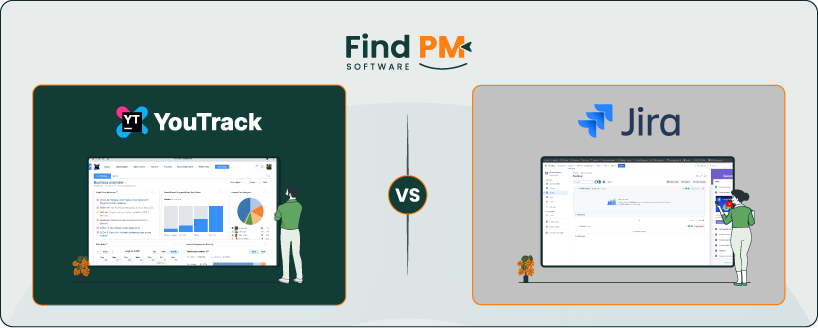
Successful projects rely on more than to‑do lists. Teams need to assign work, share updates and see progress. YouTrack by JetBrains and Jira by Atlassian are two popular tools for that job. YouTrack is designed for a clean experience with built‑in agile boards and simple automation. Jira offers deep customization, a large marketplace and broad integrations.
This comparison looks at key areas such as messaging, workflows, support, collaboration, platform availability, usability, automation, analytics, time tracking and pricing, and then offers a verdict on who each tool suits best.
Category | YouTrack | Jira |
Messaging | Comments with mentions, emoji and voting; attachments up to 10 MB by default and deleted threads kept for ~14 days | Comments with mentions and threads; attachments up to 1 GB (2 GB with admin setting); mobile notifications |
Workflows | Scrum and Kanban boards with swimlanes, WIP limits and status merging; Gantt charts and time logs | Backlogs, boards and sprints with custom issue types; highly configurable workflows but can be complex |
Collaboration | Inline comments, reactions and voting for quick feedback | Rich comments with permissions; integrates with chat tools |
Platforms | Web plus native iOS/Android apps for adding and editing tasks | Web and mobile apps with push notifications |
Ease of use | Clean interface and low learning curve for non‑technical teams | Feature‑rich interface; training often needed |
Automation | Scripted and visual workflows automate assignments and status changes | No‑code automation builder with triggers, conditions and actions |
Analytics | Burndown, cumulative flow and interactive Gantt charts | Sprint burndown, burnup, velocity, control charts and workload reports |
Time tracking | Built‑in time logs integrate with boards and reports | Native work logs and reports |
Verdict (summary) – YouTrack suits teams seeking simple agile boards and low cost. Jira is ideal for organizations that need custom workflows, extensive reporting, and a huge marketplace. Choose based on your team’s size, technical needs, and budget.
YouTrack is an issue tracker with built‑in Scrum and Kanban boards. You can merge multiple statuses into one column, set swimlanes by assignee, tag or epic, and enforce work‑in‑progress limits. The tool includes burndown and cumulative flow charts, plus interactive Gantt charts to plan dependencies and timelines. Time tracking is built in, and a simple automation engine lets you write rules to assign issues or change states. YouTrack also offers native mobile apps so you can create and update tasks on the go.
YouTrack Pros and Cons
Pros | Cons |
|
|
|
|
|

Jira began as a bug tracker and grew into a full project management platform. It supports sprints, backlogs and Kanban boards, and allows custom issue types, fields and workflows. A vast marketplace of apps lets you add time tracking, test management, resource planning and more. The interface is powerful but can be overwhelming, and many teams hire administrators to configure projects. Mobile apps send push notifications and let users update issues anywhere.
Jira Pros and Cons
Pros | Cons |
|
|
|
|
|

YouTrack
YouTrack supports messaging through issue comments with granular control. Teams can set visibility at project, issue, or even comment level. Attachments inherit visibility rules, and signed URLs for files expire after a set time. This helps maintain privacy while keeping discussions tied to work items.
Jira
Jira enables messaging through comments and file attachments at the issue level. Permissions are managed across projects, but lack per-comment visibility controls. Storage of attachments can grow quickly, impacting performance if not managed. Integrations with Slack and Teams allow teams to stay updated outside Jira.

YouTrack
YouTrack supports Agile project management with built-in Scrum and Kanban boards. It allows custom issue fields and states, and you can define custom workflows with a visual editor or scripts. The focus is on quick setup – teams can start tracking tasks with minimal configuration and then refine workflows as needed.
Jira
Jira is known for its powerful, highly configurable workflows. Teams can create detailed custom statuses and transitions to mirror almost any process. This flexibility supports very complex workflows, but it also means setup can be time-consuming and usually requires an experienced admin. Jira provides the same Agile board types (Scrum, Kanban) and advanced workflow settings for larger projects.
YouTrack
JetBrains provides support for YouTrack via email and a web portal. Paid customers often have access to live chat or phone support as well. In addition, there’s extensive documentation and a community forum for self-help.
Jira
Atlassian uses a tiered support model. Free plan users rely on self-service resources (docs and community). Standard plan customers can file support tickets (response during business hours), while Premium/Enterprise users get 24/7 priority support with faster service level agreements (SLAs). The large Atlassian Community is a key support resource for all Jira users.

YouTrack
Collaboration in YouTrack occurs on issues themselves – team members comment, mention colleagues, and attach files. Everyone following the issue sees updates in real time. YouTrack also includes a built-in Knowledge Base where teams can write and share documentation or notes inside the app.
Jira
Jira serves as a central hub for project discussions. Users comment on issues and use @mentions to loop in teammates, keeping all conversation tied to the work item. A major advantage is Jira’s integration with Confluence (Atlassian’s wiki), which lets teams link or embed specs and docs directly from issues. That way, context from requirements or meeting notes is readily accessible alongside the task.

YouTrack
YouTrack is accessible via browser on any operating system, with mobile apps for iOS and Android. It also offers a self-hosted server option for teams that prefer on-premise deployment. Cloud and server editions provide flexibility, letting teams choose based on infrastructure and compliance needs.
Jira
Jira works across platforms via its web interface and offers mobile apps for iOS and Android. It comes in both Cloud and Data Center editions, giving enterprises the choice of SaaS convenience or self-managed hosting. Its cross-platform availability ensures consistent access for distributed teams.

YouTrack
YouTrack has a clean, intuitive interface with minimal clutter, making it accessible for new users. Teams can quickly adapt to boards, backlogs, and search queries. The streamlined design reduces onboarding time, so small to mid-sized teams often find it easier to adopt without heavy training.
Jira
Jira’s user interface (UI) is powerful but dense. While customizable dashboards and views provide flexibility, the interface can overwhelm new users. Its complexity is best suited for teams with dedicated admins or larger organizations. Once configured, the system supports detailed workflows but requires more effort to master.
YouTrack
Automation in YouTrack is achieved via custom workflow rules. You can configure triggers and actions to automate tasks (for example, auto-assigning issues or adding a comment when status changes). It’s flexible but may require some setup or scripting for advanced cases.
Jira
Jira includes a powerful no-code Automation engine for creating “if-this-then-that” rules. Teams can automate many processes (e. g. , transition an issue or send an alert on a trigger) using a simple interface. On the higher plans, automation usage is essentially unlimited, whereas the Free/Standard plans impose monthly execution limits. Overall, Jira’s automation is very robust and can significantly reduce manual work.
YouTrack
YouTrack offers standard reports to monitor team progress. Agile charts (burndown, burnup), Gantt timelines, and time spent reports are available. These cover most day-to-day needs for tracking work and team performance. However, YouTrack’s reporting options are more limited compared to Jira’s expansive set.
Jira
Jira provides a wealth of reporting and analytics features. You get Agile reports like velocity, burndown/burnup charts, and cumulative flow diagrams, plus the ability to build custom dashboards with many gadgets. This allows tracking of almost any metric. With the addition of Marketplace apps, Jira can handle advanced analytics or portfolio-level reporting that goes beyond what YouTrack offers.
Time Tracking Capability

YouTrack
YouTrack has built-in time tracking. Users can log hours on issues and set time estimates. The tool can produce simple timesheet reports, which helps in understanding where effort is spent or for client billing needs. It’s straightforward and included in the base product.
Jira
Jira also supports time tracking natively. Team members can input original estimates and record the actual time spent on tasks. Jira calculates remaining time automatically. Basic reports can sum up hours per issue or user. For deeper time management (like invoicing or capacity planning), many teams integrate plugins (e. g. , Tempo), but the built-in functionality covers basic requirements.
YouTrack vs Jira Pricing Comparison
YouTrack Pricing | ||
Plan | Pricing (USD) | Details |
Free (Cloud or Server) | $0 for up to 10 users | Always free for small teams (Cloud or self-hosted) |
Cloud – Monthly (11+ users) | Starts at $5.40/user/month | Volume discounts apply for larger teams |
Cloud – Annual (11+ users) | Starts at $4.50/user/month | Two months free each year; discounts apply as user count increases |
Helpdesk – Monthly (4+ agents) | $6.00/agent/month | First 3 agents free; pricing starts from the 4th agent |
Helpdesk – Annual (4+ agents) | $5.50/agent/month | First 3 agents free; billed annually with two months free included |
Server – Legacy Packs | Varies (legacy pricing) | Available for existing customers until renewal |
Disclaimer: The pricing is subject to change.
Jira Cloud Pricing | ||
Plan | Pricing (USD per user/month) | Details |
Free | $0 for up to 10 users | Includes community support |
Standard | $7.53/user/month | Volume discounts available; billed monthly or annually |
Premium | $13.53/user/month | Includes advanced features, unlimited storage, and 24/7 support |
Enterprise | Custom pricing | Tailored for enterprise needs; includes enterprise-grade security and support |
Disclaimer: The pricing is subject to change.

Who Is YouTrack Best For?
YouTrack is ideal for small to mid-sized teams, especially software development groups, that want an agile tool without a steep learning curve. It’s great for startups or teams that find Jira too complex or costly. If you value quick setup, ease of use, and the option of self-hosting at low cost, YouTrack is a strong choice.
Who Is Jira Best For?
Jira is best for larger teams and organizations that need extensive customization and scaling. Enterprise information technology (IT) and development teams managing complex projects (or multiple teams) will benefit from Jira’s flexibility. If your project management demands advanced workflows and rich reporting – and you have the resources to administer the tool – Jira will likely serve you well.
Which One May Suit Your Needs Better?
In the end, the choice comes down to your team’s priorities. YouTrack is better when ease of use, quick setup, and affordability are top of mind (e. g. small agile teams or those who find Jira too overkill). Jira is better when you need a more scalable, feature-packed solution that can be finely tuned to complex workflows (common in larger companies or multi-team projects). Evaluate what matters more to your projects – simplicity or sophistication – to decide which tool fits you best.
What Are The Alternatives?
If neither tool fits, other project management platforms offer different balances of simplicity and power.
Alternatives to YouTrack
- Linear – lightning-fast issue tracker for dev teams.
- ClickUp – flexible all-in-one project management tool.
Alternatives to Jira
- Monday CRM – intuitive work management platform.
- Asana – simple project and task management for teams.