

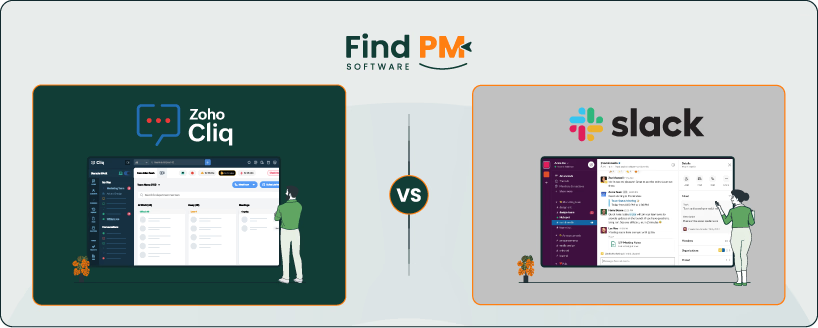
When teams come together, communication tools become the backbone of productivity. Zoho Cliq and Slack are two heavyweights in this space, each packing a different set of features.
Zoho Cliq and Slack help teams collaborate through messaging and calls. Zoho Cliq integrates well with Zoho apps and offers a budget-friendly option, while Slack is known for its extensive features and wide app support. But beyond the surface, there are differences in functionality, pricing models, and usability that could steer your choice depending on your team’s specific needs.
In this comparison, we’ll look into the core features, weigh the pros and cons, and break down the costs to help you get a clear picture of what each tool brings to the table, and which one might fit best with your workflow and budget.
Feature | Zoho Cliq | Slack |
Messaging | Real-time, threaded conversations, fork messages, pin messages, attachments, emoji | Real-time, threaded conversations, 4000 chat limit, 1GB file upload, emoji |
Task And Workflow Management | Integrates with Zoho Projects, automation via Zoho Flow, task assignment in chats | Built-in task lists, Workflow Builder, integration with Trello, Asana, Jira |
Video And Audio Calls | 1-1 and group calls, meetings up to 10,000 participants, call recording | 1-1 and group calls, Huddles, screen share, calls up to 15 participants |
Collaboration | Multi-chat view, contextual suggestions, Zoho suite integration, large meetings | Threaded conversations, Slack Connect for external collaboration, 2600+ app integrations |
Cross-platform Support | Desktop (Win, Mac, Linux), Mobile (iOS, Android), WearOS, CarPlay, Android TV | Desktop (Win, Mac, Linux), Mobile (iOS, Android), Web |
Ease of Use And UI | Clean, minimal, multi-chat interface, customizable, seamless Zoho integration | Polished, modern, customizable interface, extensive notifications control |
Document Sharing And Security | End-to-end encryption, DLP, role-based permissions, file monitoring | End-to-end encryption, DLP integrations, Enterprise Key Management, audit logs |
Notifications | Customizable per chat, real-time push, bot alerts, multi-level control | Highly customizable, Do Not Disturb mode, keyword notifications, synced devices |
Pricing | Free, Standard, Professional, Enterprise plans with increasing features | Free, Pro, Business+, Enterprise+ plans varying by history retention and features |

Zoho Cliq is a team communication platform that centralizes chat, video calls, and workflow automation to boost productivity. Its key features include real-time messaging, threaded conversations, and seamless integration with Zoho apps like CRM and Projects.
It supports custom workflows to automate repetitive tasks, making collaboration efficient for hybrid and remote teams. Zoho Cliq also offers a user-friendly interface with customization, mobile access, and strong admin controls for tailored team management. This makes it ideal for enterprises aiming to streamline communication while maintaining flexibility and control.
Zoho Cliq Pros and Cons
Pros
- Built-in video and audio calling available within chat windows
- Accessible across multiple devices and platforms including desktop and mobile
- Strong security features including SSL encryption and admin controls
- Easy to use and integrate, making professional communication efficient and smooth
Cons
- Occasional slow loading times during peak usage
- Connectivity issues impacting call quality and file sharing during meetings
- Some missing integrations reduce software effectiveness for certain teams

Slack is a cloud-based, AI-powered team communication platform designed to centralize conversations, projects, and data, enhancing collaboration and productivity. It was co-founded by Stewart Butterfield and is owned by Salesforce since 2020.
Slack provides channel-based messaging for teams, allowing real-time communication via channels, direct messages, and group chats, along with file sharing, audio/video calls, and app integrations.
It supports over 4,000 apps and features a searchable log of all communications. Slack serves millions of daily active users and is widely adopted by large companies. It operates on a freemium business model.
Slack Pros and Cons
Pros
- Seamless team collaboration enhancing communication and reducing meetings
- Easy to use, enabling effortless communication and organization regardless of location
- Effective communication capabilities that improve team collaboration
- Makes remote work easier with organized channels and availability indicators
- AI-powered tools and workflow automation improve efficiency
Cons
- Notification issues with some users finding them distracting
- Missing features in thread usability and message overload in busy channel

Messaging Capabilities
Zoho Cliq
Zoho Cliq offers real-time messaging with support for text, emojis, attachments, and actionable conversations. Users can fork messages to create subthreads without losing context, pin important messages for easy reference, and drag-and-drop files for seamless sharing.
Zoho Cliq integrates well with Zoho's suite and external tools, enabling tasks and reminders directly from messages. It supports audio and video calls within the app. Message retention is not explicitly limited, providing access to full history on free and paid plans. File size limits are not prominently specified, but the tool supports rich multimedia sharing in organized channels and private chats.
Slack
Slack allows sending messages up to 4,000 characters and supports text, files, images, audio/video clips, and emojis. The free version retains a 90-day message and file history limit, while paid plans offer unlimited history.
Slack integrates with thousands of apps to enhance message functionality and supports threads for organized conversations. File uploads have a size limit of 1GB per file. Slack's messaging includes audio/video calls and huddles for quick discussions. Slack imposes API rate limits affecting message querying, but the platform supports extensive collaboration features. Message retention and caps depend on the subscription plan.
Tasks And Workflow Management
Zoho Cliq
Zoho Cliq integrates robust task and workflow management features, especially when used with Zoho Projects. Teams can create and assign tasks, set due dates, and track progress directly within Cliq channels, minimizing context switching.
It supports adding tasks to any channel tab or associating projects with channels, which allows relevant notifications and updates to be sent to team members in real-time.
Cliq also supports automation of workflows through Zoho Flow, enabling reminders, notifications, task assignment by availability, and approval processes. This integration creates a unified environment for communication and project execution, enhancing accountability and decision-making.
Slack
Slack, while primarily a communication tool, offers flexible task and workflow management capabilities through native features and extensive integrations. Users can create task lists directly within channels by using messages or Workflow Builder to automate assignments, reminders, and task tracking.
Slack’s Workflow Builder allows creating multi-step processes for routing requests, approvals, and notifications without leaving the platform. For advanced project management, Slack integrates seamlessly with external tools like Trello, Asana, and Jira, bringing project updates and board views directly to Slack channels.
This combination of built-in tools and integrations makes Slack effective for managing tasks, workflows, and tracking progress within diverse team environments.
Customer Support
Zoho Cliq
Zoho Cliq offers comprehensive customer support including email, call, and message options. Paid users have access to 24/5 call support with dedicated numbers for countries such as India, Australia, Germany, France, Italy, Spain, Sweden, and the Netherlands. Email support is also available.
The Zoho Cliq developer platform enables automation tools and bots to streamline customer support workflows, keeping support teams informed and responsive. Zoho also encourages user feedback and bug reporting through their support channels and community forums. Customizable developer options allow businesses to tailor support automation to their needs.
Slack
Slack provides customer support primarily through its extensive online Help Center with articles and tutorials. It offers live chat support but does not provide telephone support. Support requests can be submitted via the Slack Help Center website, and users can sign in to personalize their support experience.
Slack also integrates with third-party customer service tools and apps that help manage and automate customer support requests within Slack workspaces. For sales and technical inquiries, Slack offers a dedicated contact line.
Collaboration Functionality
Zoho Cliq
Zoho Cliq supports multi-chat views allowing users to monitor several conversations simultaneously and easily switch between them. Cliq enhances collaboration with contextual suggestions, helping users set reminders, schedule calendar events, send follow-up emails, and initiate calls directly from chat.
Its video conferencing can host up to 10,000 participants with controls like attendee muting, screen sharing monitoring, and permission settings. Cliq integrates tightly with other Zoho apps for note-taking, calendar syncing, and project management.
Slack
Slack enables team collaboration through its highly intuitive interface with threaded conversations to maintain clarity and organized discussions. It supports real-time messaging, voice and video calls, and screen sharing for better remote collaboration. Slack excels with its extensive ecosystem offering integrations, allowing teams to automate workflows, share files, and collaborate across platforms efficiently.
Slack Connect enables external collaboration with clients and partners securely in shared channels. Slack’s interface and mobile apps ensure teams stay connected anywhere. Its customization options include Workflow Builder to automate routine tasks and integrate various productivity tools to fit team-specific workflows.
Crossplatform Support
Zoho Cliq
Zoho Cliq offers extensive cross-platform support, allowing users to access the platform across a wide variety of devices and operating systems. It is available on Android, iOS, iPadOS, WearOS, WatchOS, CarPlay, Android Auto, and Android TV, in addition to desktop versions for macOS, Windows, and Linux.
There is also a fully functional web version, ensuring that users can stay connected regardless of their device or location. This broad device compatibility supports real-time video and voice communication, organized messaging channels, and seamless syncing between mobile and desktop apps for uninterrupted workflow. Zoho Cliq also integrates with phone systems for calls directly within the app.
Slack
Slack is available as a cross-platform application supporting Windows, macOS, Linux desktop apps, as well as mobile apps for iOS and Android. It also offers a fully functional web client accessible from any modern browser. Slack ensures consistent user experience across devices with synchronized notifications, messages, and content.
This flexibility enables users to communicate and collaborate seamlessly whether at their workstation, on the move, or using various operating systems. Slack’s mobile app supports all core features, including messaging, calls, file sharing, and app integrations, providing full functionality on the go.
Ease Of Use And UI
Zoho Cliq
Zoho Cliq offers a simple, clean, and functional user interface that emphasizes ease of navigation and minimizing clutter. Its multi-chat feature allows users to engage in multiple conversations simultaneously, improving multitasking. The interface integrates contextual suggestions for reminders, calendar events, and calls directly within chats, streamlining workflows.
While it may lack some polish compared to Slack, it compensates with customization options and smooth integration with other Zoho apps, making it intuitive especially for users familiar with the Zoho ecosystem. The minimalist design is well-suited for users seeking straightforward and efficient communication without overwhelming complexity.
Slack
Slack features a modern, polished, and visually appealing interface that users find intuitive and easy to navigate. Its design includes threaded conversations to keep discussions organized and easy to follow. Slack supports extensive customization in appearance and functionality, allowing users to personalize notifications, channels, and integrations.
The platform is praised for a quick learning curve and seamless movement between desktop, mobile, and web apps. Slack’s interface is especially appreciated by teams looking for comprehensive communication with a touch of flexibility and aesthetics.
Document Sharing
Zoho Cliq
Zoho Cliq provides secure document sharing with built-in Data Loss Prevention (DLP) features designed to protect sensitive information. It allows administrators to restrict or monitor file sharing, block unauthorized uploads, and prevent sharing of sensitive data like credit card numbers or confidential files.
Messages and files are protected by end-to-end encryption during transmission and stored securely in data centers with strong physical and digital safeguards. Role-based access controls and channel permissions allow fine-grained management of who can view or share documents.
Slack
Slack supports secure document sharing across channels and direct messages, with files encrypted in transit and at rest. The platform enforces security through measures like data encryption, identity management, and compliance with regulatory frameworks. Slack offers granular permission settings and admin controls to manage file access and sharing.
Slack’s Enterprise Key Management (EKM) option provides additional control over encryption keys for enterprise customers. Slack also maintains audit logs and supports Data Loss Prevention (DLP) integrations to monitor and protect sensitive information shared within the workspace. Slack ensures that messages and files are safe with robust security and compliance standards.
Notifications
Zoho Cliq
Zoho Cliq offers a flexible and customizable notification system with support for notification settings at multiple levels: application, browser, and system level. Users can configure notifications for individual chats, group channels, or system-wide alerts.
It supports real-time push notifications on desktop and mobile apps, including different sounds and priorities for specific chats or message types. Zoho Cliq integrates with bots like Taz and Deskbot to automate reminders and alert users about important events such as ticket assignments in Zoho Desk.
Slack
Slack provides a comprehensive notification system that allows users to tailor alerts based on preferences at workspace, channel, and thread levels. Users can set notification schedules, customize sounds, and choose how they receive notifications (desktop, mobile, email).
Slack's Do Not Disturb mode helps avoid interruptions during focused work or outside business hours. It supports rich notifications that provide message previews and quick action buttons. Slack also offers keyword-based notifications and priority notifications for direct messages and mentions.
Notifications are synced across devices to ensure users don’t miss important communications whether on desktop or mobile. Workflow Builder in Slack can automate notifications for tasks and updates, integrating smoothly with message actions and external apps.
Zoho Cliq Pricing

Zoho Cliq offers the following plans:
- Free Plan - $0
Unlimited 1-1 and group chats, 10,000 searchable messages, 100 GB file storage per org, 1-1 audio/video calls, basic org directory, reminders, and remote work support - Standard Plan - $18/user/month (up to 25 users)
Unlimited searchable messages, call recording, external channels, custom keyboard shortcuts, basic usage reports, custom domain and email - Professional Plan - $2/user/month (minimum 10 users)
Advanced team and task management, channel permissions, enhanced security with DLP and audit history, branded meetings, expanded keyboard shortcuts - Enterprise Plan - $4/user/month (minimum 10 users)
Large channel capacity, extensive admin controls, network support, bulk team import, advanced security policies, data loss prevention, and usage report export
Disclaimer: The pricing is subject to change.
Slack Pricing
Slack offers the following plans:
- Free – $0
Basic plan with 90-day message/file history, limited integrations, and core messaging features. Best for small or casual teams - Pro – $8.75/user/month
Unlocks unlimited history, app integrations, huddles, clips, and core AI features like conversation summaries. Designed for small to mid-size teams - Business+ – $18/user/month
Adds advanced AI tools (recaps, translations, workflow generation), advanced AI, data exports, and priority support with faster response times. Suitable for growing organizations - Enterprise+ – Custom pricing
Includes all Business+ features plus enterprise-level compliance, audit logs, enterprise key management, and full Salesforce/AI integration. Tailored for large enterprises
Disclaimer: The pricing is subject to change.
Zoho Cliq is best suited for small to medium-sized teams and businesses, particularly those already using Zoho's suite of business applications. It offers seamless integration with other Zoho products like Zoho Projects and Zoho Calendar, making it ideal for organizations seeking smooth workflow automation and centralized communication.
Zoho Cliq supports organized chat channels, audio and video calling, file sharing, and custom integrations, making it great for industries that require secure and efficient communication. Its flexible user capacity can accommodate teams from a few users to larger enterprises.
The tool is especially attractive to startups and cost-conscious businesses due to its affordable pricing and feature-rich free tier.
Slack is designed for a wide range of teams, from small startups to large enterprises, across multiple industries including technology, media, and professional services. Its strengths lie in its robust app ecosystem, which appeals to companies requiring extensive customization and connectivity.
Slack offers real-time messaging, voice/video calls, workflow automation, and a highly polished user interface. It supports teams of any size but is favored by companies looking for scalable and flexible communication solutions with comprehensive features.
Slack's pricing and advanced plans make it better suited for organizations with bigger budgets that prioritize a wide range of integrations and customization.
For businesses heavily invested in Zoho's ecosystem or those focused on budget and simplicity, Zoho Cliq is a strong, cost-effective choice with integrated collaboration features and easy automation.
Conversely, Slack excels in environments that demand extensive third-party app integrations, scalability, and refined user experience. Slack is ideal for those willing to invest more for greater flexibility and customization.
Therefore, the choice depends on whether workflow integration and cost-efficiency (Zoho Cliq) or wide interoperability and advanced features (Slack) align better with an organization's priorities.
Alternatives to Zoho Cliq:
- Microsoft Teams: Comprehensive collaboration platform with deep Microsoft 365 integration
- Google Chat: Suitable for teams using Google Workspace for collaboration
- Flock: Affordable team messaging with productivity tools
- Chanty: Simple team chat with task management
- Rocket. Chat: Open-source messaging for customizable deployments
Alternatives to Slack:
- Microsoft Teams: Strong enterprise focus with integrated productivity tools
- Discord: Popular for voice, video, and text communication with communities
- Mattermost: Open-source alternative focused on security and self-hosting
- Twist: Emphasizes organized, thread-based communication
- Google Chat: Basic communication integrated with Google Workspace
These alternatives provide a range of options based on team size, industry needs, and preferred feature sets.
