
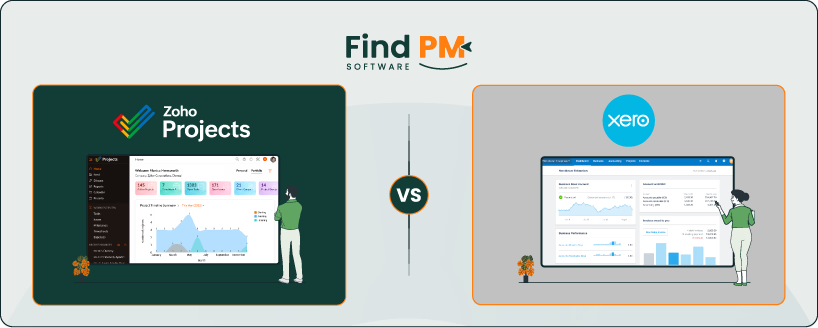
When businesses look at accounting software, project management isn’t always the first feature that comes to mind. Yet for many small teams and service-based businesses, the line between managing finances and managing projects is thin. That’s where Zoho and Xero meet. Both have carved out space not only as accounting solutions but also as platforms that help track projects, billable hours, expenses, and profitability.
Zoho takes a dual-approach: Zoho Books folds project accounting into its core, letting users log time, manage project-related expenses, and invoice against them. Meanwhile, Zoho Projects—a dedicated project management tool—offers scheduling, task dependencies, and collaboration features.
Xero, in contrast, keeps project tracking closer to the accounting workflow itself. Xero Projects is designed for businesses that need to see whether jobs are profitable, keep time and costs organized, and invoice clients based on actuals or fixed fees.
If you’re comparing Zoho vs Xero, the question isn’t only which tool handles invoices or reports better—it’s also about how each supports the flow of projects and jobs. Over the rest of this article, we’ll explore how these platforms align and where they diverge, so you can see which one better matches the way your team works.
Zoho Projects is a cloud-based project management platform designed to help teams plan, track, and collaborate effectively. It brings scheduling, task management, time tracking, and reporting into a unified workspace, reducing the need for scattered tools.
At its core, Zoho Projects emphasizes visibility and coordination. Teams can use Gantt charts, Kanban boards, and task dependencies to stay on top of schedules, while built-in time tracking and timesheets keep projects aligned with budgets. Collaboration features like feeds, forums, and file sharing ensure communication stays within context. Combined with integrations across Zoho’s ecosystem and third-party apps, Zoho Projects offers a versatile hub for teams looking to streamline project execution.
Zoho Pros And Cons
Pros | Cons |
|
|

Xero Projects is a job tracking tool built into Xero’s accounting platform, designed to give small businesses visibility into project profitability. It combines time tracking, expense recording, and project billing in a single interface, helping teams see whether work is staying on budget.
At its core, Xero Projects connects project activity directly with financial data. Users can log time with a start-stop timer, assign expenses to specific jobs, and create invoices based on actuals or fixed fees. The platform also provides simple dashboards that highlight costs versus revenue, ensuring businesses can track progress without complexity. For service-based teams, Xero Projects offers a clear, financial-first approach to project management.
Xero Pros And Cons
Pros | Cons |
|
|
Zoho

Zoho Projects includes built-in time tracking tools that let users log hours manually or use timers to record work in real time. Timesheets allow teams to organize and submit entries for approval, making it easier to manage billable hours and ensure accuracy. Project managers can view logged time across tasks to keep budgets and deadlines aligned. With its mobile app, Zoho Projects also enables time tracking on the go, which is especially useful for distributed teams and on-site work.
Xero
Xero Projects provides integrated time tracking tools that help businesses monitor time spent on various projects. Users can record time using a start-stop timer or enter hours manually. This integration allows for real-time job insights and helps in tracking project costs effectively. The mobile app supports location-based time tracking, which is advantageous for businesses with field operations.
Zoho
Zoho Projects offers a comprehensive suite of tools for planning and managing tasks. Users can create tasks, set dependencies, and assign them to team members. The platform provides Gantt charts for visual project timelines and Kanban boards for task tracking. Additionally, custom task statuses and recurring tasks enhance flexibility in managing workflows. Zoho Projects also supports time tracking and integrates with various third-party applications to streamline task management.
Xero
Xero focuses on job tracking with features like time tracking and cost management. Users can record time spent on projects using a start-stop timer and link costs directly to specific jobs. While it integrates with Xero's accounting tools for budgeting and invoicing, it lacks advanced task management features such as Gantt charts or Kanban boards.
Zoho
Collaboration is a cornerstone of Zoho Projects. The platform includes features like project feeds, forums, and direct messaging to facilitate communication among team members. It also offers document management capabilities, allowing users to store and share files within the project workspace. Integrations with tools like Google Drive, Microsoft Teams, and Slack further enhance collaborative efforts.
Xero
Xero Projects is designed with collaboration around project financials in mind. While it does not include built-in communication tools like chat or forums, it ensures teams stay aligned by keeping all project-related costs, time, and invoices in one place. Project managers and team members can see progress, expenses, and profitability updates in real time, reducing the need to juggle spreadsheets or external tracking. Collaboration here happens through shared visibility into financial performance, making it especially useful for service-based teams focused on client billing and project profitability.
Zoho
Zoho Projects offers robust reporting capabilities, including customizable reports on tasks, issues, and time logs. Users can generate visual reports to analyze project progress and performance. The platform also provides workload charts and timesheet reports to monitor resource utilization. These features aid in making data-driven decisions and optimizing project workflows.
Xero
Xero provides basic reporting features, focusing on financial aspects such as job profitability and cost tracking. Users can compare planned costs against actual expenses and monitor project budgets. However, the platform lacks advanced reporting tools for task management or team performance, limiting its analytical capabilities to financial data.
Zoho
Zoho Projects boasts extensive integration options, connecting with various Zoho applications like Zoho CRM, Zoho Books, and Zoho Analytics. It also supports third-party integrations with tools such as Google Workspace, Microsoft Office 365, and Slack. These integrations enable seamless data flow across different platforms, enhancing project management efficiency.
Xero
Xero Projects integrates primarily with Xero's accounting tools, allowing users to manage job costing, invoicing, and expenses within the same ecosystem. While it offers some integration with third-party applications, the options are more limited compared to Zoho Projects. The focus is on financial integration rather than comprehensive project management.
Zoho
Zoho Projects provides mobile applications for both iOS and Android devices, enabling users to manage tasks, track time, and collaborate on the go. The mobile apps offer features like task updates, document sharing, and real-time notifications, ensuring that team members stay connected regardless of location.
Xero
Xero offers a mobile app that allows users to track time and manage job costs from their devices. The app provides features like start-stop timers and location-based tracking, catering to users who need to monitor project activities while away from the office.
Zoho

The software offers the following pricing options:
- Free - $0/month
- Premium - $5/user/month
- Enterprise - $10/user/month
- Projects Plus – Custom pricing
It also offers a 15-day trial period with its Premium and Enterprise plans.
Disclaimer: The pricing is subject to change.
Xero
Xero offers the following pricing options with a one-month free option:
- Early - $20/month
- Growing - $47/month
- Established - $80/month
Disclaimer: The pricing is subject to change.
Zoho is best suited for businesses that want an all-in-one ecosystem combining project management, collaboration, and financial oversight. It works exceptionally well for:
- Small to medium-sized businesses scaling operations
- Service-based teams managing client projects and billing
- Organizations seeking tight integration across HR, CRM, and finance
Zoho shines when companies need both project planning tools like Gantt charts, dependencies, and collaboration feeds, along with direct links to accounting through Zoho Books. For teams that value having communication, projects, and operations tied together under one platform, Zoho provides cohesion and breadth.
Note: The sheer scope of Zoho’s suite may feel overwhelming for teams that only need lightweight job tracking or basic project-financial oversight.
Who Is Xero Best For?
Xero is a great choice for teams that prioritize financial clarity but still want visibility into project costs and profitability. It’s ideal for:
- Service-based businesses tracking time and expenses
- Nonprofits and small organizations need financial transparency
- Teams managing client billing and job costing alongside accounting
With Xero Projects, businesses can link hours, costs, and invoices directly to jobs, ensuring that every project’s financials are clear and accurate. It’s especially strong for organizations that want accounting and project tracking tightly woven together without juggling multiple platforms.
Heads-up: Xero’s project management features are more financial than operational, making it less suited for teams that need advanced task planning, Gantt charts, or extensive collaboration tools.
Zoho Vs Xero – Which One Should You Go For?
Choosing between Zoho vs Xero comes down to how deeply your team needs project management features integrated into your workflow. If your business values advanced project planning, task management, and team collaboration—alongside time tracking and billing—Zoho Projects is the stronger choice. It offers Gantt charts, forums, document sharing, and integrations that make it a complete hub for managing project execution from start to finish.
On the other hand, if your focus is on tracking project costs and profitability with minimal complexity, Xero Projects is the better fit. It’s built for small teams and service-based businesses that need to keep time, expenses, and invoicing tightly connected to accounting, without the overhead of advanced project planning tools.
Choose Zoho if you want a full-featured project management platform that emphasizes collaboration, planning, and execution. Choose Xero Projects if you want simple, effective job tracking that keeps time, expenses, and profitability tightly aligned with your accounting.