
Managing customer relationships efficiently can feel like juggling dozens of tasks at once. From tracking leads to automating workflows and collaborating across teams, finding the right CRM can make or break productivity.
Act! and Zoho CRM are two prominent solutions tackling this challenge, but they approach it differently. Act! focuses on small to medium-sized businesses, offering a user-friendly CRM with strong contact management, sales pipeline tracking, and integrated marketing tools. Zoho CRM, by contrast, is a highly customizable, cloud-based platform designed to serve businesses of all sizes, providing workflow automation, AI-driven insights, and a wide range of integrations to unify sales, marketing, and customer support.
Category | Act! CRM | Zoho CRM | Winner |
Tasks and Workflow Management | Integrated project and task management tools, customizable workflows, Gantt charts, and dashboards. | Advanced workflow automation, task rules, and cross-app automation via Zoho Flow. | Zoho CRM |
Customer Support | Email support, knowledge base, webinars, and downloads via the support center. | Email, phone, 24/7 enterprise support, community forum, and knowledge base. | Zoho CRM |
Collaboration Functionality | Centralized customer data, shared calendars, activity tracking, and integrations for SMB collaboration. | Feeds, Notes, Tags, and Groups with Zoho Workplace integration for chat, video, and document collaboration. | Tie |
Cross-Platform Support | Web access with mobile apps for iOS/Android; optimized for desktop experience. | Seamless access across web, iOS, and Android with consistent experience and productivity tools. | Zoho CRM |
Ease of Use & UI | Familiar desktop-style interface with customizable dashboards and minimal learning curve. | Modern, intuitive interface with deep customization options and easy navigation. | Act! CRM |
Customization Options | Custom fields, layouts, and menus; may require technical setup. | Canvas design studio for custom modules, fields, layouts, and personalized actions. | Zoho CRM |
Security | MFA, role-based access, and user permissions; some legacy vulnerabilities. | AES-256 encryption, 2FA, role-based access, and audit logs for compliance. | Zoho CRM |
Notifications | Configurable reminders, SMS notifications for calls, meetings, and promotions. | Email, mobile, desktop, and in-app alerts with API-based custom notifications. | Act! CRM |
Reporting & Analytics | Basic reports, forecasts, and pipeline tracking; limited advanced analysis. | AI-powered insights with customizable dashboards, KPIs, and predictive analytics. | Zoho CRM |
AI & Automation Features | Marketing Automation module with workflow triggers, lead scoring, and AI copywriting assistant. | Zia AI for predictive insights, anomaly detection, sentiment analysis, and custom ML models. | Tie |
Third-Party Integrations | Integrates with Outlook, Office 365, QuickBooks, Shopify, and Slack; Zapier supported. | 1,100+ native integrations with Zoho Flow and developer console for custom setups. | Act! CRM |
TL;DR: Opt for Act! if your priority is simplicity, straightforward sales pipeline management, and integrated email marketing. Choose Zoho if you need a flexible, scalable CRM capable of handling complex workflows, automation, and extensive integrations.
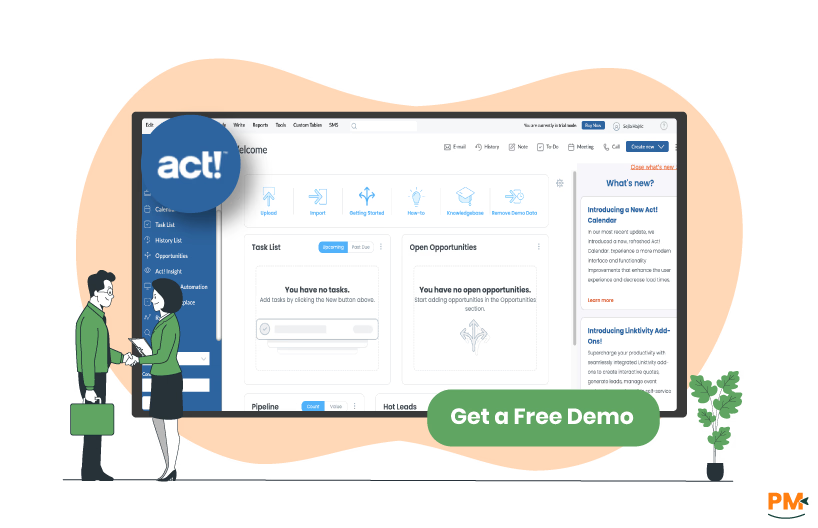
Act! CRM is a customer relationship management platform focused on helping small and midsize businesses manage sales, marketing, and client interactions. It combines contact management, activity tracking, and sales pipeline oversight in one interface. Users can create workflows, monitor opportunities, and manage campaigns to support business growth. The platform emphasizes organization and accessibility, with personalized onboarding and dedicated account support. Its flexible design allows teams to configure layouts and processes to match business needs while keeping critical customer data organized and actionable.
Act! Pros And Cons
Pros
- Marketing automation enables automated campaigns for consistent lead engagement
- Sales pipeline tracking improves forecasting and prioritization of opportunities
- Contact management consolidates client, partner, and project data effectively
Cons
- Excel contact imports fail for first/last name split fields
- Missing built-in phone and webmail email features limit functionality
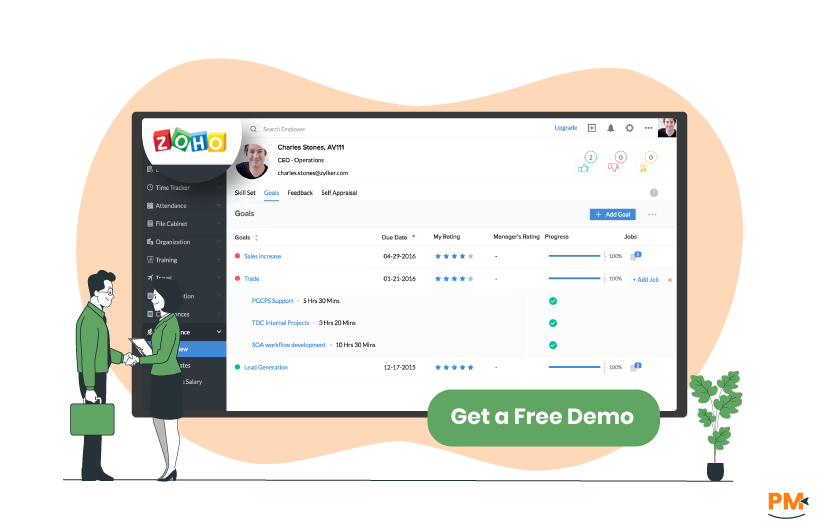
Zoho CRM is a cloud-based customer relationship platform designed to support businesses of all sizes in managing sales, marketing, and customer engagement. The system combines workflow automation, reporting, and AI-driven insights to enhance decision-making and operational efficiency. Users can create team-specific workspaces, automate routine processes, and track opportunities across departments.
It emphasizes building a complete view of customer relationships, facilitating collaboration, and supporting growth. Its interface balances functionality with accessibility, helping teams manage data, tasks, and communications effectively.
Zoho Pros And Cons
Pros
- Sales automation identifies and nurtures leads efficiently to boost revenue
- Task automation reduces manual follow-ups and lead assignment workload
- Customer management consolidates interactions for full visibility
Cons
- Large datasets or complex reports may slow system performance
- Advanced analytics capabilities are limited compared to specialized BI tools
Act! Pricing
Plan | Cost (USD/user/month) | Key Features |
Act! Desktop | $39 (billed annually) | Networked & offline access, Self-managed security, Complete control of updates, Expert technical support, Dedicated onboarding specialist, No free trial |
Act! Advantage Standard | $30 (billed annually) | Full-featured CRM & Mobile App, Basic Email Marketing (2,500 sends/mo), Office 365 & Gmail Integration, Standard Interactive Quotes & Online Appointment Scheduling, Standard Forms, Surveys, Website Chat & Event Management, Reports & Interactive Dashboards, Standard Support w/ Dedicated Onboarding Specialist, 15 Gb Cloud Storage with nightly backups & automatic updates, Free trial available |
Act! Advantage Professional | $45 (billed annually) | All Standard features, Email Marketing Plus (25,000 sends/month), AI Writing Assistant, Turnkey Campaigns & Nurture Marketing, Advanced Interactive Quotes & Online Appointment Scheduling, Advanced Forms, Surveys, Website Chat & Event Management, Accounting Integration, Project Management, 25 Gb Cloud Storage, Free trial available |
Act! Advantage Ultimate | $60 (billed annually) | All Professional features, Marketing Automation (50,000 sends/month), Lead Scoring, Prioritized Activity Scheduling & Progressive Profiling, Additional Email Domain, Custom Industry Tables, Online Customer Portal, Enhanced Support w/ Dedicated Onboarding Specialist, 35 Gb Cloud Storage, Free trial available |
Disclaimer: The pricing is subject to change.
Zoho Pricing
Plan | Cost (USD/user/month) | Key Features |
Standard | $14 (billed annually) | Mass email, Custom modules, Workflows, Cadences, Sales forecasting, Lookup fields, Canvas, Office 365 integration, Zoho Marketplace, Free trial available |
Professional | $23 (billed annually) | All Standard features, Blueprint, CPQ, SalesSignals, Inventory management, Webhooks, Assignment rules, Validation rules, Kiosk Studio, Google Ads integration, Free trial available |
Enterprise | $40 (billed annually) | All Professional features, Zia — AI assistant, Territory management, Custom functions, Journey orchestration, Multi-user portals, Page layouts, Client scripts, Approval process, Sandbox, Free trial available |
Ultimate | $52 (billed annually) | All Enterprise features, Enhanced feature limits, Custom AI/ML platform, Advanced customization, Data preparation, Augmented analytics, Data storytelling, Unified business insights, Advanced administration, Free trial available |
Disclaimer: The pricing is subject to change.
Act! is best for small to medium-sized businesses and sales-focused teams that want a straightforward CRM to manage contacts, sales pipelines, and marketing campaigns. It is particularly ideal for teams that need customizable workflows, detailed customer tracking, and integrated email marketing.
Sales representatives, account managers, and small business owners benefit from Act!’ s ability to organize customer data, streamline communications, and maintain consistent follow-ups. It suits anyone seeking a reliable, easy-to-use CRM that balances simplicity with powerful sales and marketing features.
Zoho CRM is best for businesses of all sizes, sales teams, and organizations that require a flexible, cloud-based solution for managing sales, marketing, and customer support in one platform. It is particularly ideal for teams that want workflow automation, AI-driven insights, and integrations with third-party apps. Marketing teams, project managers, and customer support departments benefit from Zoho’s ability to unify data, enhance collaboration, and scale with business growth. It suits anyone seeking a comprehensive, customizable CRM that adapts to diverse industry needs and complex workflows.

Choosing between Act! and Zoho CRM depends primarily on your business size, sales process complexity, and workflow needs. If your focus is on small to medium-sized teams that need a straightforward, easy-to-use CRM with strong contact management, customizable sales pipelines, and integrated email marketing, Act! is the better fit. It works well for sales representatives, account managers, and small business owners who want to streamline client interactions and maintain consistent follow-ups.
On the other hand, if you need a flexible, scalable, and highly customizable CRM that can support larger teams or growing businesses, Zoho stands out. It excels at unifying sales, marketing, and customer support, providing automation, AI-driven insights, and extensive third-party integrations, making it ideal for organizations looking to manage complex workflows and scale operations efficiently.
Act! Alternatives
Alternatives | Description |
BIGContacts | A user-friendly CRM tailored for small businesses, offering robust contact management and email marketing features. |
Less Annoying CRM | Designed for simplicity, this CRM focuses on essential features without overwhelming users. |
GreenRope | An all-in-one CRM that integrates sales, marketing, and operations, providing a comprehensive solution. |
Firmao | A versatile CRM and ERP system offering project management, inventory tracking, and customer relationship tools. |
A customizable CRM platform with modules for sales, project management, and invoicing. |
Zoho Alternatives
Alternatives | Description |
A visually intuitive CRM built on a work operating system, offering automation and customization for sales teams. | |
Salesforce Sales Cloud | A leading CRM platform providing advanced AI capabilities, deep customization, and scalability for enterprises. |
HubSpot CRM | A free, user-friendly CRM that integrates sales, marketing, and customer service tools. |
Pipedrive | A sales-focused CRM with visual pipeline and automation features, designed to help teams close deals efficiently. |
Insightly | A CRM that combines project management and sales automation, ideal for businesses managing complex workflows. |