


Every team reaches that breaking point where sticky notes and spreadsheets just won't cut it anymore. That's when the Assembla vs Trello search begins.
Trello provides visual project management through its kanban board system. This makes it easy for any team to organize work, track progress, and collaborate effectively. Its user-friendly design requires minimal training and adapts to various workflows. Assembla, in contrast, targets software development teams with features like built-in version control, code repository management, and developer-oriented workflows.
In this detailed guide, we’ll look closely at how Assembla vs Trello stack up in features, pricing, and usability, helping you decide which one fits your team’s unique workflow and goals best.
TD;LR: Choose Trello for versatile, easy-to-use project management across any team type. Choose Assembla if you're a software development team needing integrated version control and technical project tracking in one platform.
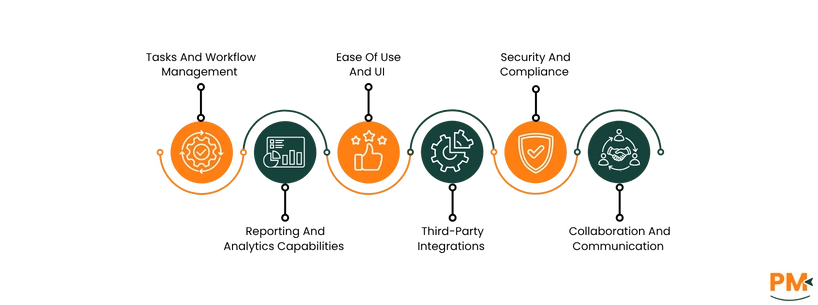
Features | Assembla | Trello |
Task and Workflow Management | Agile-focused: tickets as epics, stories, subtasks; supports sprints, milestones; customizable Kanban/Scrum boards; bulk updates | Visual Kanban boards: drag-and-drop cards with checklists, due dates, labels; no-code automation (Butler); AI Inbox |
Reporting and Analytics | Built-in reporting with Cumulative Flow Diagrams, milestone tracking, customizable dashboards, API for automated reports | Basic visual tracking; relies on Power-Up integrations for reports, burn-down charts, dashboards; calendar Power-Ups |
Ease of Use and UI | Complex, feature-rich UI merging project and source code management; tailored for technical workflows | Simple, intuitive drag-and-drop UI; visually engaging; mobile-friendly; AI-assisted task capture |
Third-Party Integrations | Integrates with Slack, Trello, Jira, GitHub, GitLab, Azure DevOps, Jenkins CI, Zapier, Zendesk, HubSpot, Microsoft Teams | 200+ Power-Ups including Slack, Jira Cloud, Miro, Google Drive, Zoom, Microsoft Teams, CRM, analytics tools |
Security and Compliance | SOC 2 Type II certified; GDPR and Privacy Shield compliant; AES 256-bit encryption at rest; SSL/TLS in transit | SOC 2 Type 2, ISO/IEC 27001, FedRAMP, PCI-DSS; GDPR compliant; automated vulnerability scans; bug bounty program |
Collaboration and Communication | Integrated code, tickets, and documentation; Wiki with WYSIWYG editor; Slack, Skype, Google Hangouts integration | Shared boards with real-time comments; attachments; AI Inbox converts communication into tasks; transparent boards |
Assembla is a comprehensive project management platform designed especially for software development teams, providing a merged source code and collaboration environment. The platform stands out by integrating powerful version control systems like Git, SVN, and Perforce within the platform.
The tool supports agile and scrum methodologies with tools for sprint planning, backlog management, and progress tracking using charts and customizable ticket workflows. Teams can attach hours or story points to individual tickets and set milestones for both short-term sprints and long-term product releases.
Additionally, Assembla emphasizes enterprise-grade security with AES 256-bit encryption, Two-Factor Authentication (2FA), SOC 2 Type II Compliance, Single Sign-On (SSO), and IP allowlisting.
Assembla Pros And Cons

Trello is a highly visual and user-friendly project management tool that helps teams capture, organize, and tackle tasks from anywhere. Centered around Kanban-style boards, it uses cards and lists to provide clear visibility into workflows, making task management simple and intuitive.
Its built-in automation tool, Butler, allows users to automate repetitive actions without coding, boosting productivity. The platform leverages Atlassian Intelligence (AI) to turn emails and messages from apps like Slack directly into actionable to-dos. Moreover, Trello can adapt to many team workflows, making it a popular choice for diverse industries needing a flexible, straightforward project management solution.
Trello Pros And Cons
Task And Workflow Management
Assembla
Assembla offers task and workflow management tailored for software development teams. Its system revolves around tickets, which can represent epics, stories, and subtasks, allowing a detailed breakdown of work. Epics cover large features spanning multiple sprints, stories represent user-centered tasks fitting within one sprint, and subtasks break those down further.
The tool supports agile planning with sprints represented as milestones, where tickets are assigned and tracked. It provides customizable card walls and task boards supporting Kanban, scrum, or custom agile models. List views, bulk updates, and cumulative flow diagrams help visualize progress and identify bottlenecks.
Trello
Trello simplifies task and workflow management using a visual Kanban board system consisting of drag-and-drop cards organized into lists. Each card represents a task that can hold checklists, due dates, labels, attachments, and comments. Trello’s drag-and-drop interface allows teams to move tasks through different stages easily. It supports flexible workflows for a wide range of use cases beyond software development.
Moreover, Trello includes a no-code automation tool, Butler, to automate repetitive task actions like moving or assigning cards. Its AI-powered Inbox converts emails and messages into actionable tasks, enhancing task capture and management across apps.
Assembla’s strength lies in detailed agile project planning specially integrated with code development cycles, while Trello excels in broad, intuitive task organization and automation accessible to diverse teams.
Reporting And Analytics Capabilities
Assembla
Assembla provides built-in reporting tools tailored to agile software development projects. It offers Cumulative Flow Diagrams (CFD) to visualize ticket progress across statuses over time, helping teams identify bottlenecks and track cycle times.
The reports track the progress of user stories within a milestone, showing movement toward completion or regression due to bugs or feature requests. Milestones are represented on color-coded calendars showing due dates and ticket statuses, with export options to iCal and Google Calendar.
Moreover, the tool supports customizable reports and dashboards, and its API enables automated daily user reports and data integration for deeper analytics.
Trello
Trello does not include native advanced reporting features but offers visual task tracking within boards and cards using checklists, due dates, and labels. Trello’s strength in reporting comes from integration with third-party analytics tools via its Power-Up system, such as Placker and Dashboard by Screenful, which provide customizable reports, burn-down charts, and project overview dashboards. Trello’s Butler automation can generate status reports or reminders within boards, while calendar Power-Ups helps track deadlines visually.
In summary, Assembla offers a comprehensive, native reporting suite designed for Agile project tracking and analysis, especially suited for software teams. Trello focuses on basic visual tracking and relies on integrations for more detailed project analytics and reporting.
Ease Of Use And UI
Assembla
Assembla’s user interface is designed with development teams in mind, combining project management with source code management in one platform. It offers customizable task boards and card walls that support Kanban, Scrum, or tailored Agile workflows, providing visual clarity of project status. The UI includes detailed ticket management with custom fields and bulk updates, catering to complex workflows common in software projects.
Trello
Trello is known for its user-friendly and intuitive design, making it easy for teams to get started quickly. Its visual Kanban board system uses boards, lists, and cards that can be dragged and dropped to organize tasks and workflows. Trello's clean and flexible interface adapts to various workflows across industries. Its mobile and desktop apps ensure access from anywhere, while new AI-driven tools like the Trello Inbox and Planner further simplify task capture and organization.
Trello shines with a simple, visually engaging, and easy-to-use interface suitable for a broad audience and rapid onboarding. In contrast, Assembla offers a more complex, feature-rich interface finely tuned for software development teams requiring integrated code and project management.
Third-Party Integrations
Assembla
Assembla offers strong integration capabilities through its platform, providing seamless connections with popular tools used by software development and project management teams. Key integrations include Slack, Trello, Jira Software Cloud, Microsoft Teams, GitHub, GitLab, Azure DevOps, Jenkins CI, Zapier, Zendesk, and HubSpot. These integrations enable automated workflows such as triggers for new tickets, ticket updates, code commits, and merge requests.
Trello
Trello supports 200+ integrations through its Power-Up system, allowing teams to enhance their boards with features like file sharing, voting, time tracking, reporting, and more. Popular Power-Ups include Slack for direct communication, Jira Cloud for real-time issue tracking linkage, Miro for collaborative whiteboarding, Google Drive, Dropbox, Zoom, Microsoft Teams, and various Customer Relationship Management (CRM) and analytics tools.
Both Assembla and Trello provide rich ecosystems of third-party integrations fitting their respective audiences: Assembla focuses more on developer and IT toolchain integrations, while Trello offers wide-ranging apps customizable to many industries through Power-Ups.
Security And Compliance
Assembla
Assembla prioritizes security and compliance for its users, especially focusing on development teams managing sensitive source code and project data. It is Systems and Organization Control (SOC) 2 Type II certified, demonstrating rigorous controls around data security, availability, integrity, and privacy verified by third-party audits annually. It also complies with General Data Protection Regulation (GDPR) and the U. S. - European Union (EU) Privacy Shield framework for data protection. The platform employs AES 256-bit encryption for data at rest and SSL/TLS for data in transit.
Trello
Trello maintains strong security standards with SOC 2 Type 2, International Standardization for Organization (ISO) / International Electrotechnical Commission (IEC) 27001, Federal Risk and Authorization Management Program (FedRAMP), and Payment Card Industry Data Security Standard (PCI-DSS) certifications. It supports GDPR compliance and secure data transfers under Standard Contractual Clauses. Trello uses automated vulnerability scans, peer-reviewed code changes, and runs a bug bounty program.
Both Assembla and Trello demonstrate enterprise-grade security and compliance credentials, including SOC 2 certification and GDPR adherence.
Collaboration And Communication
Assembla
Assembla enhances collaboration and communication integrating source code, tickets, and documentation into a single platform for development teams. It features a Wiki tool with an intuitive What You See Is What You Get (WYSIWYG) editor that allows teams to create and share knowledge seamlessly, ensuring important information is easy to find and always up to date. The tool connects with Slack, Skype, Google Hangouts, and other communication apps. This enables synchronous and asynchronous discussions linked directly to code changes and tickets.
Trello
Trello promotes collaboration through shared boards where team members can add comments, attachments, and task updates in real time to keep everyone aligned. Trello’s AI-powered Inbox converts emails and chat messages into actionable task cards, improving task capture from communication streams. The visual, flexible nature of Trello boards encourages team participation and transparency, with easy access for users across departments and roles.
Assembla integrates with developer workflows including code reviews and technical documentation, while Trello offers broad collaboration accessible to team members through visual boards and messaging integrations.

Assembla Pricing
Plan | Price (per user/month) | Key Features |
Repos | $11.50 | 50GB storage, limited to 1 repository per portfolio, basic support tools |
Spaces | $5.99 | Unlimited tickets in space, multiple spaces per portfolio, project management tools |
Repos + Spaces | $17.50 | Combination of Repos and Spaces, 250GB storage, unlimited tickets |
Assembla Dedicated Cloud | Custom | Enterprises needing single-tenant hosting & maximum control |
Trello Pricing
Plan | Price (Per User/Month) | Key Features |
Free | $0 | Unlimited boards, unlimited members, 10 MB/file storage, 250 Automation actions/month |
Standard | $5 (annual billing) / $6 (monthly) | 250 GB storage, unlimited Power-Ups, custom fields, 1,000 Automation actions/month |
Premium | $10 (annual billing) / $12.50 (monthly) | Dashboard, calendar, timeline, workspace views, advanced admin, priority support |
Enterprise | $17.50/user/month ($210 annual price/year) | Enterprise security, multi-user management, organization-wide controls, unlimited automations |
Who Is Assembla For?

Assembla is best for businesses and teams that require a secure, scalable platform combining source code management and project management tailored for complex and creative projects. It is widely used across industries such as game development, entertainment, software development, healthcare, semiconductors, defense, financial services, and automotive.
Who Is Trello For?
Trello is ideal for teams and individuals seeking a simple, visual tool to organize tasks, projects, and workflows across industries. It works well for small businesses, startups, and large enterprises aiming to enhance communication, maintain organization, and increase productivity. With its intuitive board-list-card system and extensive customizable templates, Trello stands out in managing creative projects, product development, sales pipelines, event planning, and professional service workflows.
Choosing between Assembla and Trello depends on your team’s specific needs. Assembla is best for software development teams and enterprises requiring deep source code management integrated with project tracking, security, and compliance. It excels in regulated industries or complex development workflows involving Git, SVN, or Perforce.
Meanwhile, Trello offers an easy-to-use task management platform suitable for a broad range of industries and teams looking for flexibility and collaboration. Trello’s rich automation and integrations make it ideal for diverse workflows without the complexity of code management. For technical depth and compliance, Assembla is the better choice; for simplicity and broad adaptability, Trello stands out.
Trello Alternatives
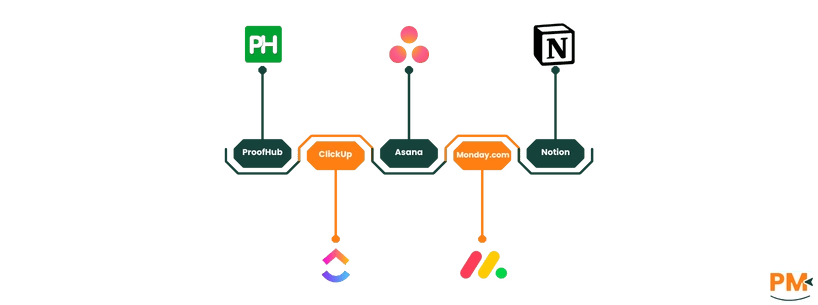
If Trello doesn't quite meet your needs, here are some strong alternatives to consider:
Assembla Alternatives
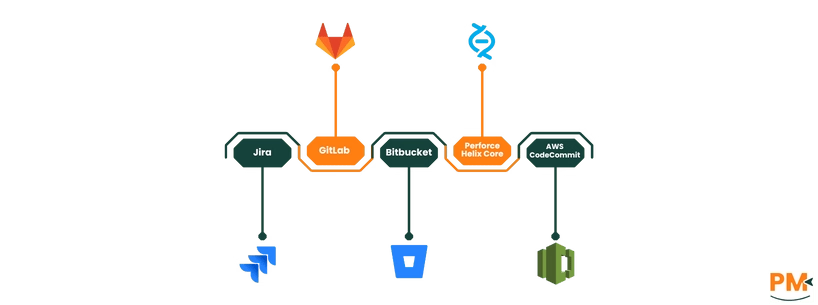
If Assembla doesn't fit your enterprise or development needs, consider these options:
