In the world of project management, two names often rise to the top: Basecamp and Trello. If you're comparing Basecamp vs Trello to find the right tool for your team, you're in the right place. Both platforms help teams stay organized and productive—but they take very different approaches.
Basecamp is known for its all-in-one simplicity—bundling messaging, task lists, file sharing, and scheduling into one clean interface. Trello, on the other hand, thrives on visual workflows and flexibility, using drag-and-drop Kanban boards that are easy to customize for teams of any size.
This in-depth comparison guide is designed for decision-makers, freelancers, and growing teams looking for the best project management solution. We’ll break down each platform’s features, pros and cons, pricing, and ideal use cases—so you can choose the one that fits your workflow, not the other way around.
Basecamp is a team collaboration and project management platform designed to simplify how teams communicate and get work done. Unlike complex enterprise tools, Basecamp focuses on clarity, ease of use, and reducing tool overload.
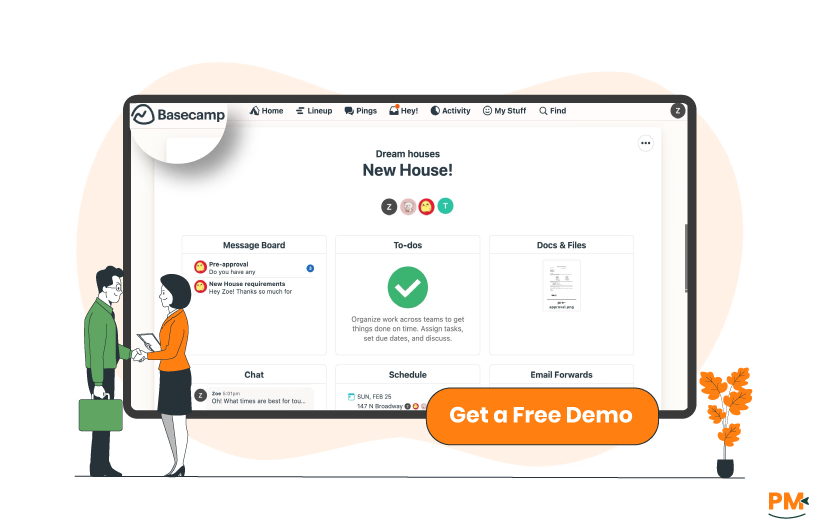
It combines essential project management features into a single dashboard—to-do lists, message boards, file storage, calendar scheduling, and team chat (Campfire)—eliminating the need for multiple apps. One standout feature is Hill Charts, a visual planning tool that helps teams track progress in a more intuitive way than traditional Gantt charts.
Basecamp is especially popular among remote teams, freelancers, small agencies, and startups looking for a centralized, low-friction workspace to manage communication and tasks. Its flat pricing model and emphasis on transparency make it a compelling option for businesses focused on efficiency over customization.
Basecamp Pros And Cons
Pros | Cons |
Centralized hub with to-dos, files, calendars, and discussions Intuitive, clutter-free interface with minimal learning curve Strong fit for remote-first and small teams | No advanced reporting features Fewer task dependencies and automation options |
Trello is a flexible, visual project management tool built around Kanban-style boards. Each board consists of lists and cards that represent tasks, which users can drag and drop to reflect progress. Trello's intuitive layout makes it especially appealing for both beginners and experienced project managers.
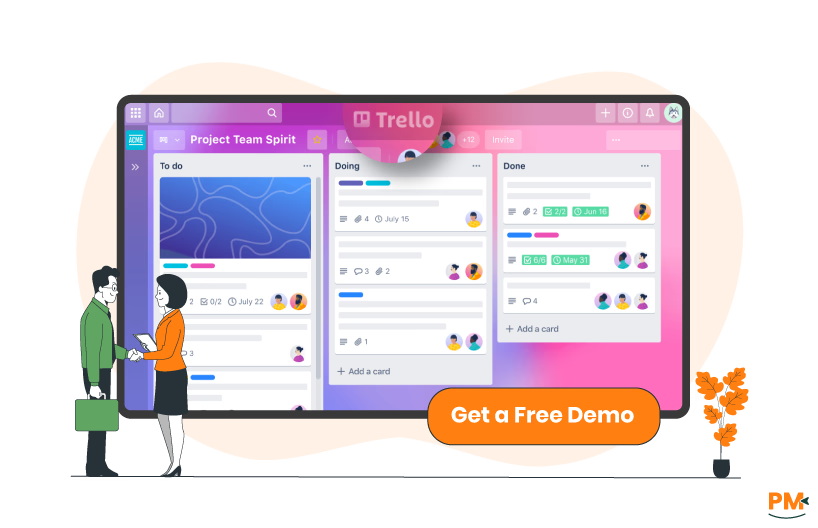
Key features include checklists, due dates, file attachments, and Butler automation, which enables users to create rules and automate repetitive tasks. With Power-Ups, Trello integrates with tools like Slack, Google Drive, Jira, and more—allowing users to extend its core functionality.
Trello is widely used by agile teams, marketing departments, product managers, and solopreneurs. Whether you're managing a content calendar or tracking sprint cycles, Trello adapts easily to individual and team workflows.
Trello Pros And Cons
Pros | Cons |
Highly visual interface that’s easy to learn and use Butler automation reduces repetitive work Scales well for everything from personal to team planning | Can become cluttered and overwhelming with large boards Power-Ups often require paid plans for full use |

Basecamp
Basecamp emphasizes simplicity and structure in task management. Projects are organized into separate spaces, each containing essential tools like to-do lists, schedules, file storage, and message boards. Tasks can be assigned to individuals, given due dates, and grouped under lists. Progress is easy to track but lacks complex dependencies or automation.
A standout feature is Hill Charts, which visualize progress based on uncertainty—perfect for high-level planning and status updates without the rigidity of timelines. Basecamp also includes a calendar view that syncs across projects, helping teams stay aligned on deadlines.
This model suits teams that prefer straightforward workflows, minimal setup, and a strong emphasis on visibility over granular control.
Trello
Trello excels at visual, customizable workflows. It uses boards (projects), lists (stages), and cards (tasks) to represent any kind of pipeline—from simple to complex. Users can attach checklists, due dates, labels, and attachments to each card, and organize tasks with drag-and-drop ease.
To handle more advanced workflows, Trello offers Power-Ups (such as Calendar, Gantt, and integrations) and Butler automation to trigger rules, move cards, or update statuses automatically. This makes it ideal for teams managing Kanban-style flows, agile sprints, editorial calendars, and more.
Trello fits users who thrive with visual organization, modular flexibility, and the ability to scale task complexity with integrations.

Basecamp
Basecamp offers a lean but responsive support model. Users can reach out via email support, with typical response times reported within a few business hours. The platform features a comprehensive Help Center with tutorials, how-to guides, and best practices. For community input, users can browse discussions and FAQs, though the platform doesn’t have a full-scale public forum.
While there’s no live chat or phone support, Basecamp’s minimalist design and strong documentation often reduce the need for constant assistance. It’s best for users who prefer self-service help and quick email support when needed.
Trello
Trello, part of the Atlassian ecosystem, provides support ticketing for both free and paid users. Paid users typically get faster responses. Trello’s Knowledge Base is robust, offering extensive step-by-step articles and videos. Additionally, the Atlassian Community is a large public forum where users can ask questions, exchange tips, and solve issues collectively.
Support options vary by plan, but the platform is generally strong on self-service, community engagement, and accessible documentation. It’s ideal for users who are comfortable troubleshooting through guides or reaching out via tickets when deeper issues arise.

Basecamp
Basecamp is designed for centralized, asynchronous collaboration. Each project space includes a Campfire chat for real-time group discussions, message boards for threaded announcements, and pings for direct, one-on-one conversations. Files, task updates, and notes live in one shared place, reducing email clutter.
The platform promotes structured communication—great for remote teams and small businesses that prioritize clarity and minimal interruptions. While real-time messaging exists, the emphasis remains on calm, asynchronous work and well-organized communication channels.
Trello
Trello supports collaboration through its interactive boards. Team members can leave comments on cards, @mention colleagues, and share updates within a task’s context. Boards are typically shared across teams, ensuring visibility and ownership.
Integration with tools like Slack, Google Drive, and Microsoft Teams enhances collaboration, especially in fast-paced or cross-functional environments. Trello supports both synchronous and asynchronous collaboration, making it flexible for different team dynamics—from daily scrums to loosely coordinated creative work.
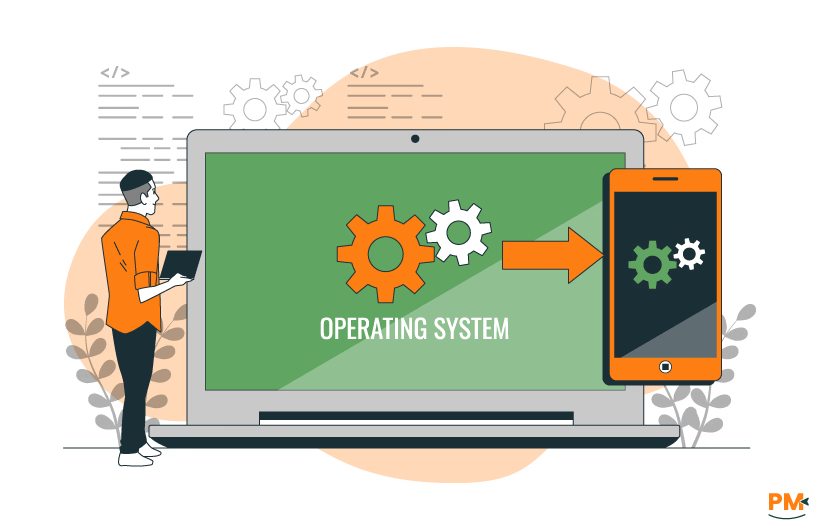
Basecamp: Browser, Desktop (macOS, Windows), iOS, Android
Basecamp is available on all major platforms, including web browsers, desktop apps for macOS and Windows, and mobile apps for iOS and Android. The experience remains consistent across devices, with real-time syncing that ensures users always have access to the latest project updates.
The mobile app is designed for simplicity, enabling users to view tasks, post messages, and chat with teammates on the go. While offline access is limited to previously loaded content, the platform prioritizes clean navigation and essential functionality across platforms—ideal for remote teams working from multiple devices.
Trello: Browser, Desktop, iOS, Android, Browser Extensions
Trello offers robust cross-platform accessibility through its web app, dedicated desktop clients, and fully-featured mobile apps for iOS and Android. It also supports a variety of browser extensions (like Chrome’s Trello Enhancer) to boost productivity.
Real-time syncing is seamless across devices, and Trello’s offline mode allows users to view and update boards even without an internet connection—with changes syncing once reconnected. Whether you're using a desktop or mobile device, Trello maintains a fluid, interactive experience suited for highly visual task management on the go.

Basecamp: Simplicity, Minimal Interface, Intuitive Structure
Basecamp is built around the principle of clarity over complexity. Its interface is clean, text-based, and free of visual clutter. Users are guided through clearly labeled sections like To-dos, Messages, Docs & Files, and Campfire, making navigation highly intuitive—even for those with no prior experience in project management software.
The platform's simplicity appeals to non-technical users, small business owners, and remote teams who value organization without the learning curve. With minimal customization needed, most teams can get started in minutes and focus on the work itself rather than tool setup.
Trello: Drag-and-Drop Boards, Visual Hierarchy, Learning Curve
Trello’s interface is visually rich and interaction-focused, built around Kanban boards that use drag-and-drop cards to represent tasks. This visual hierarchy makes it easy to grasp workflows at a glance. Users can customize boards with colors, labels, checklists, attachments, and due dates to match any process.
While Trello is accessible to beginners, teams aiming to leverage advanced features like Butler automation and Power-Ups may face a mild learning curve. It’s a great fit for tech-savvy users, creatives, agile teams, or anyone who thrives on visual task mapping and flexible project layouts.

Basecamp
Basecamp Classic includes native time tracking capabilities, but they are available only to users on the Plus or Pro plans. Within each project, users can manually log time by navigating to the Time tab. While Basecamp does not offer a built-in timer or stopwatch, it allows users to:
- Enable time tracking for specific To-Do lists
- Manually record time entries using decimal format (e. g. , 1.0 = 1 hour; 0.5 = 30 minutes)
- Assign time logs to individual users with notes for context
- Generate and export timesheet reports (up to six months at a time)
For teams that require more advanced tracking features—such as real-time timers, detailed dashboards, or extended analytics—Basecamp supports seamless integration with third-party tools like Harvest, Everhour, and TimeCamp. These tools enhance Basecamp’s functionality by linking directly to tasks or to-do items, enabling users to track billable hours more efficiently.
Trello
Trello does not have native time tracking, but it supports a wide variety of Power-Ups and integrations to add this functionality. Popular options include Clockify, Toggl Track, Planyway, and Time Doctor. These tools enable users to:
- Track time directly on individual cards
- Generate detailed time reports
- Visualize tracked time with Gantt charts, calendars, or timelines
For agile teams, marketers, and productivity-focused users, Trello’s flexible integrations allow for both simple and advanced time-tracking setups. This makes Trello a scalable solution for managing time-sensitive projects, often offering more customization than Basecamp’s more basic approach.

Basecamp
Basecamp provides strong native documentation tools. Its Docs & Files section allows teams to upload, store, and organize documents in project folders. You can also create rich-text docs directly within Basecamp—ideal for meeting notes, project outlines, or process documentation.
Additionally, Message Boards serve as threaded conversations that double as knowledge repositories, giving teams a space to post updates, share context, and archive decisions in an organized format. For small teams and clients who value clarity and centralization, Basecamp performs well as a lightweight knowledge base.
Trello
Trello handles documentation through its card descriptions, checklists, and attachments. Each card acts as a mini workspace, allowing users to add rich information, files, and comments. However, for more advanced documentation needs, Trello leans on Power-Ups like Confluence, Notion, and Google Docs.
This makes Trello a strong choice for teams that want to blend task management with dynamic content creation—such as editorial calendars, product roadmaps, or campaign planning. However, it requires third-party tools to match Basecamp’s native documentation depth and long-term knowledge management.

Basecamp Pricing
Basecamp offers following pricing options:
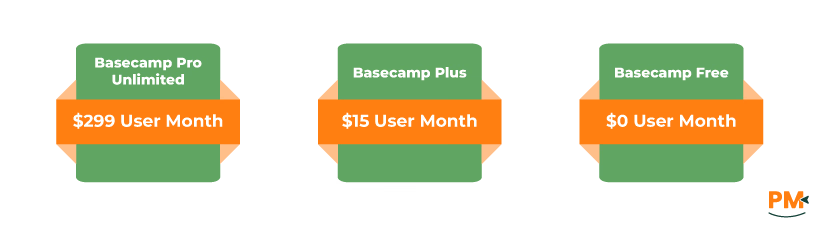
- Basecamp Pro Unlimited - $299/user/month (billed annually)
- Basecamp Plus - $15/user/month
- Basecamp Free - $0/user/month
Trello Pricing
The software includes four pricing plans for its users:
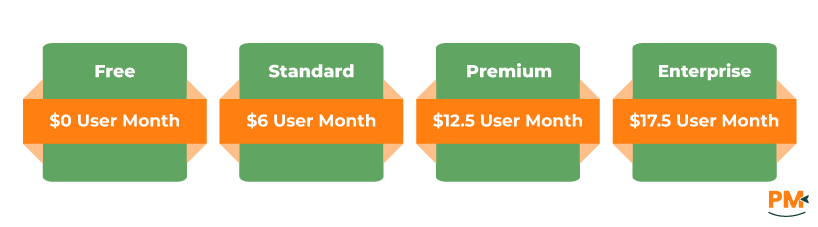
- Free - $0/user/month
- Standard - $6/user/month
- Premium - $12.5/user/month
- Enterprise - $17.5/user/month (billed annually)
Basecamp is a great fit for:
- Remote teams
- Small businesses and startups
- Agencies managing multiple clients
- Client-facing organizations that value centralized communication
Why Choose Basecamp?
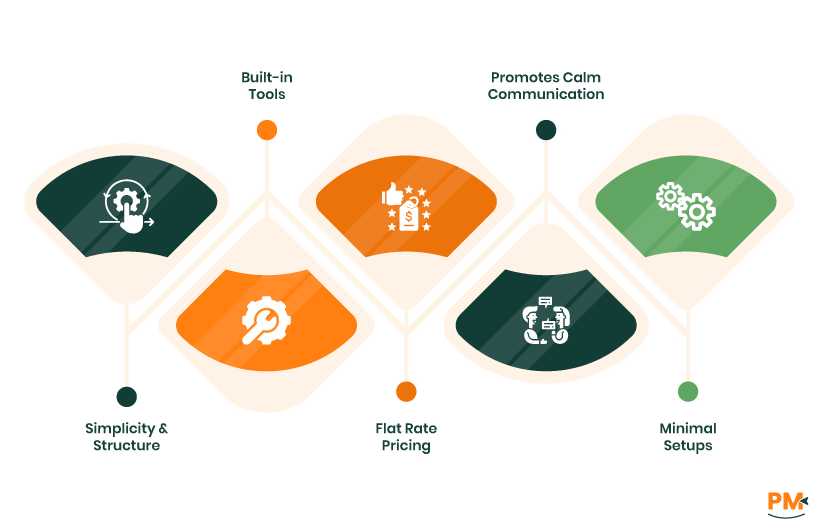
- Simplicity & structure: Clean interface with everything in one place
Built-in tools:
- Message boards
- To-do lists
- Shared calendars
- Real-time Campfire chat
- Flat-rate pricing: Cost-effective for growing teams with many collaborators
- Promotes calm communication: Reduces tool overload and keeps things organized
- Ideal for those who want minimal setup with maximum clarity
Trello is perfect for:
- Agile teams
- Marketers
- Product developers
- Educators and trainers
- Anyone who loves visual planning
Why Choose Trello?
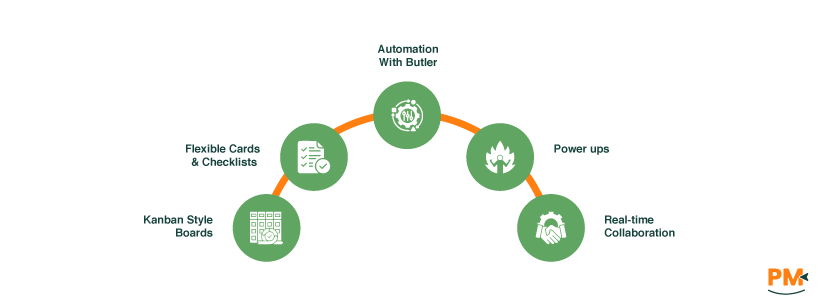
- Kanban-style boards: Visual clarity and intuitive workflow
- Flexible cards & checklists: Easy to customize for any project
- Automation with Butler: Saves time on repetitive tasks
- Power-Ups: Enhance productivity with app integrations
- Real-time collaboration: Keep teams synced and projects moving
Which One May Suit Your Needs Better?
When it comes to Basecamp vs Trello, the better choice depends on how your team works.
Basecamp offers an all-in-one, minimalist workspace perfect for remote teams, agencies, and businesses that want built-in tools for messaging, task tracking, and documentation—without the complexity of heavy customization.
Trello, on the other hand, excels with flexibility and visual organization, making it a favorite among agile teams, creatives, and planners who benefit from dynamic workflows and deep integrations.
In Short:
- Choose Basecamp for simplicity, structured communication, and cost-effective team collaboration.
- Choose Trello for customization, visual planning, and integration-rich workflows.
Decide based on your team structure, project style, and workflow preferences.