

Selecting the right project management software is a strategic decision for any organization. These platforms not only determine how tasks are assigned and tracked, but also influence communication efficiency, resource allocation, and overall project visibility. Among the leading options in this space are ClickUp and Asana, two solutions that have established themselves with distinct approaches to managing work.
ClickUp, founded in 2017, positions itself as an all-in-one productivity platform designed to consolidate multiple workplace tools. By combining project management, documentation, goal tracking, and collaboration features within a single system, it offers businesses the flexibility to tailor workflows to their specific operational needs.
Asana, launched in 2011, is a more mature platform with a strong focus on structured project management and cross-team coordination. Its strength lies in providing clarity around tasks, dependencies, and progress, enabling organizations to align day-to-day execution with broader strategic objectives.
Features | ClickUp | Asana |
Task And Workflow Management | Highly customizable with Spaces, Folders, and Lists; multiple views (List, Board, Calendar, Gantt); 35+ ClickApps for customization; automation for repetitive workflows | Structured task management with projects, tasks, and subtasks; multiple views (List, Board, Calendar, Timeline); My Tasks dashboard; automation with rules and templates; supports multi-homing |
Customer Support | Extensive Help Center, tutorials, ClickUp University, and live chat support on paid plans | Help Center, Asana Academy, community forums, and priority support on higher-tier plans |
Collaboration Functionality | Built-in Docs, Whiteboards, real-time Chat, and comments on tasks; collaborative dashboards | Task comments, project discussions, real-time collaboration; integrations with messaging tools like Slack and Teams |
Crossplatform Support | Available on web, Windows, Mac, Linux, iOS, Android, and Chrome extension | Available on web, iOS, Android, Windows, and Mac desktop apps |
Ease Of Use And UI | Feature-rich but can feel complex; customizable dashboards and views | Clean, intuitive, and beginner-friendly interface with minimal setup |
Customization Options | Deep customization with ClickApps, custom fields, statuses, automations, and dashboards | Moderate customization with templates, rules, fields, and project structures; less granular than ClickUp |
Security | SOC 2 Type II compliance, GDPR, HIPAA (Enterprise), SSO, 2FA, data encryption | SOC 2 Type II compliance, GDPR, SSO, 2FA, data encryption; Enterprise-grade admin controls |
Notifications | Customizable in-app, email, and mobile push notifications; granular control with Notification Center | Task, project, and due date reminders; customizable in-app and email notifications; “Inbox” for updates |
Reporting And Analytics Capabilities | Real-time dashboards with widgets; workload management; time tracking; goal tracking. | Advanced reporting with dashboards, workload management, milestones, and progress tracking |
AI And Automation Features | AI assistant for summaries, task generation, and writing help; advanced automation workflows. | AI-powered project organization, work summaries, and task prioritization; automation with rules and templates |
Third-party Integrations | 1,000+ integrations including Slack, Zoom, GitHub, Drive, and Zapier. | 200+ integrations including Slack, Zoom, Teams, Drive, Jira, and Salesforce |
ClickUp offers deep customization and advanced features, ideal for complex workflows. Asana prioritizes simplicity and ease of use, making it great for teams wanting clear, structured project management.
This analysis will examine both platforms in depth, comparing their features, advantages, and limitations, to help businesses determine which solution is better suited to their requirements.
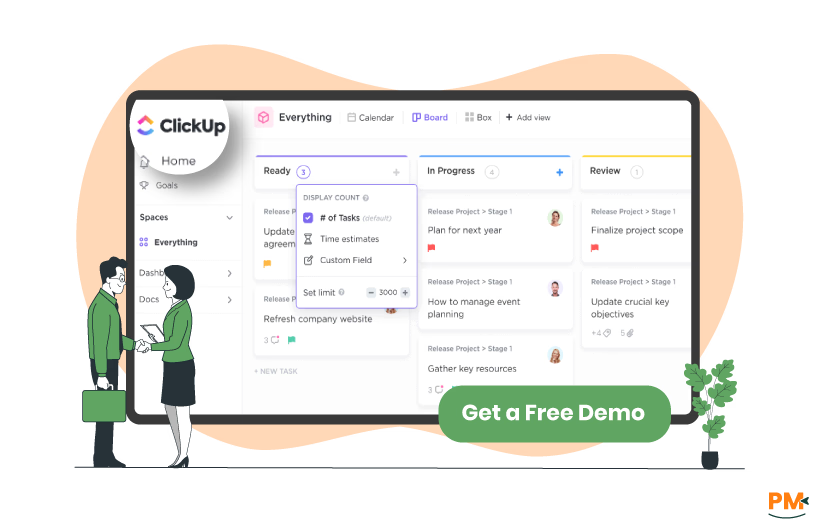
ClickUp is a highly configurable work platform that consolidates tasks, documents, goals, communication, and automation into a single workspace.
A key differentiator is its hierarchical structure: workspaces are organized into Spaces, Folders, Lists, tasks, and subtasks. This design allows teams to scale complex projects without losing clarity.
ClickUp supports more than 15 distinct views (list, board, calendar, Gantt, timeline, etc.) so that teams can visualize work in the format that fits their style.
The platform also offers ClickApps, which are modular add-ons for features like automations, relationships, time tracking, and custom fields, allowing teams to enable only the capabilities they need.
In addition, ClickUp places emphasis on blending project work with knowledge management: it provides an integrated Docs tool (supporting real-time editing and linking to tasks) and Whiteboards for visual brainstorming.
For mobile and remote work, the ClickUp mobile app is available on iOS and Android and supports creating and editing tasks, managing reminders, accessing dashboards, and collaborating on the go.
ClickUp Pros and Cons
Pros | Cons |
End-to-end project and software development tracking Highly customizable at a very detailed level Wide range of features that are easy to use for daily operations | Performance may slow slightly in very large workspaces Mobile app feels less intuitive compared to desktop |
Asana is a work management platform designed to connect an organization’s strategic goals with the individual tasks and projects that drive execution.
It is built on a data model called the Work Graph®, which underpins how tasks, projects, goals, teams, and dependencies relate to one another.
Asana enables teams to view work through multiple lenses; list, board, calendar, timeline, or Gantt-like charts, providing visibility into both current tasks and long-term plans.
Beyond core project tracking, Asana places focus on goals and reporting: users can map projects to company-wide objectives, monitor progress in real time, and align day-to-day work with strategic direction.
Asana also offers robust workflow automation (rules, triggers, integrations) and supports 200+ app integrations to ensure work remains connected across systems.
On its official site, Asana is described as ‘the only work management platform built for scale,’ and calls out its use by large enterprises, emphasizing security, governance, and cross-team alignment.
Asana is accessible via web and mobile, offering functionality for distributed and remote teams to stay aligned on projects from anywhere.
Asana Pros and Cons
Pros | Cons |
Allows seamless collaboration across multiple projects Engaging layout with powerful automation features Centralized workspace reduces communication overhead | Some integrations may require occasional manual adjustments Offline capabilities are somewhat limited |
Tasks And Workflow Management
ClickUp
ClickUp offers a highly customizable and feature-rich environment for task and workflow management, catering to diverse business needs. Tasks in ClickUp can be organized hierarchically using Spaces, Folders, and Lists, providing a clear structure for teams to manage their work. Each task can be tailored with over 35 ClickApps, enabling customization of task attributes such as priorities, statuses, and custom fields.
The platform supports various task views, including List, Board (Kanban), Calendar, and Gantt, allowing teams to visualize their workflows in the most effective manner. Automation features in ClickUp enable the creation of custom workflows to automate repetitive tasks, such as assigning tasks, updating statuses, and sending notifications, thereby enhancing efficiency.
For collaboration, ClickUp integrates tasks with Docs, Whiteboards, and Chat, facilitating seamless communication and information sharing within the platform. Additionally, ClickUp provides real-time dashboards to track project progress and performance, offering valuable insights for decision-making.
Asana
Asana provides a robust task and workflow management system designed to streamline team collaboration and project execution. Tasks in Asana can be organized within projects and assigned to team members with due dates, descriptions, attachments, and subtasks, ensuring clear accountability and detailed task tracking.
The platform offers multiple project views, including List, Board, Calendar, and Timeline, enabling teams to choose the most suitable visualization for their workflows. Asana's My Tasks feature consolidates all individual assignments in one place, allowing users to prioritize and manage their workload effectively.
Automation in Asana is facilitated through rules and templates, which help standardize processes and reduce manual work. The platform also supports multi-homing, allowing tasks to appear in multiple projects simultaneously, enhancing cross-functional collaboration without duplication.
For workload management, Asana provides tools to visualize team capacity, rebalance assignments, and track effort over time, ensuring optimal resource utilization. Additionally, Asana integrates with various tools and offers AI-powered features to assist in project organization and goal tracking.
Verdict: The winner in this category is ClickUp. Its highly customizable task hierarchy, extensive ClickApps for tailoring task attributes, and powerful automation features make managing complex workflows seamless and efficient.
Customer Support
ClickUp
ClickUp offers a multi-layered customer support system to assist users in efficiently navigating the platform. Its Help Center provides extensive articles, step-by-step guides, and tutorials covering a wide range of features and best practices.
For real-time assistance, ClickUp includes live chat support, while dedicated technical support addresses more complex issues such as troubleshooting, bug reporting, and advanced feature guidance.
Users can also engage in community forums to share insights and learn from other teams. Additionally, ClickUp University provides interactive courses and tutorials to help teams fully leverage the platform. Overall, ClickUp’s support ecosystem emphasizes rapid assistance, self-service resources, and structured learning for business teams.
Asana
Asana provides a robust customer support infrastructure aimed at helping teams use the platform efficiently while maintaining project alignment. Its Help Center offers comprehensive documentation, tutorials, and FAQs covering all aspects of the platform, and live chat support ensures real-time assistance when needed.
Users can also participate in Asana’s community forum to share knowledge and explore best practices. Premium users receive priority support and access to exclusive resources.
Asana’s support structure focuses on responsiveness, guidance, and enabling teams to resolve issues efficiently while maintaining operational productivity.
Verdict: The winner in this category is ClickUp. Its multi-layered support system, combining live chat, dedicated technical assistance, community forums, and interactive courses through ClickUp University, ensures users receive comprehensive guidance and can fully leverage the platform’s features.
Collaboration Functionality
ClickUp
ClickUp offers a comprehensive suite of collaboration tools designed to streamline team communication and enhance productivity. Its platform includes real-time chat, collaborative whiteboards, and integrated document editing, allowing teams to brainstorm, plan, and execute projects seamlessly.
Users can engage in real-time discussions within tasks, share documents, and assign comments as action items, ensuring clear accountability and efficient workflows. The platform also supports collaborative editing across various elements, including Docs, task descriptions, enabling multiple team members to work simultaneously on the same content.
Additionally, ClickUp's collaboration detection feature notifies users when others are viewing or editing a task, promoting synchronous teamwork and reducing miscommunication.
Asana
Asana provides a robust set of collaboration features aimed at facilitating team coordination and project execution. The platform enables users to assign tasks, set due dates, and add collaborators, ensuring clear ownership and deadlines.
Teams can communicate effectively through task comments, @mentions, and attachments, centralizing discussions and reducing reliance on external communication tools. Asana's shared workspaces and real-time updates allow teams to monitor progress, adjust priorities, and maintain alignment across projects.
Additionally, Asana's integration with various third-party applications enhances its collaborative capabilities, enabling teams to connect their workflows with other tools they use daily.
Verdict: The winner in this category is ClickUp. Its real-time chat, collaborative whiteboards, integrated document editing, and collaboration detection features enable seamless teamwork and synchronous collaboration, ensuring projects move forward efficiently with minimal miscommunication.
Crossplatform Support
ClickUp
ClickUp offers extensive cross-platform support to ensure seamless access and functionality across various devices and operating systems.
The platform provides native applications for Windows, Mac, and Linux desktops, as well as mobile applications for iOS and Android devices, enabling users to manage their tasks and projects from virtually anywhere.
Additionally, ClickUp supports browser-based access, allowing users to work directly from their web browsers without the need for additional installations. For enhanced productivity, ClickUp integrates with a wide range of third-party applications, facilitating streamlined workflows and data synchronization across different tools.
Asana
Asana ensures robust cross-platform support, enabling teams to collaborate effectively regardless of their preferred devices or operating systems.
The platform offers native applications for both desktop and mobile devices, including versions for Windows, Mac, iOS, and Android, ensuring consistent user experience across all platforms. Asana also provides browser-based access, allowing users to manage their tasks and projects directly from their web browsers.
Furthermore, Asana integrates with a variety of third-party applications, enhancing its cross-platform capabilities and allowing teams to connect their workflows with other tools they use daily.
Verdict: The winner in this category is ClickUp. Its extensive native apps for all major desktop and mobile platforms, combined with browser access and broad third-party integrations, ensure users can manage tasks and projects seamlessly from any device.
Ease Of Use And UI
ClickUp
ClickUp offers a highly customizable and feature-rich environment for task and workflow management, catering to diverse business needs. Its interface includes a sidebar with collapsible sections for quick access to Spaces, Folders, and Lists, providing a clear visual hierarchy of all work.
ClickUp's drag-and-drop functionality and customizable dashboards enhance user experience, enabling teams to tailor the workspace to their specific requirements.
Additionally, ClickUp offers onboarding guides and templates to assist new users in getting started efficiently.
Asana
Asana provides a clean and intuitive user interface designed to facilitate efficient project and task management.
Asana's sidebar allows easy navigation between projects and tasks, and its drag-and-drop functionality simplifies task organization. The platform also includes features like task dependencies, milestones, and custom fields to enhance project tracking and management.
Asana's user-friendly interface is complemented by onboarding resources and templates to help teams get up to speed quickly.
Verdict: The winner in this category is Asana. Its clean, intuitive interface and straightforward navigation make it easy for teams to manage projects efficiently, while onboarding resources and templates ensure a smooth start for new users.
Customization Options
ClickUp
ClickUp offers extensive customization capabilities to tailor the platform to diverse business needs. Users can create custom task types to represent various work items, such as clients, events, or inventory, providing flexibility in task management.
The platform supports different modular options, allowing customization of task attributes like priorities, statuses, and custom fields to suit specific workflows.
Asana
Asana provides a range of customization options to adapt the platform to various project management needs. Users can create custom fields to capture specific information pertinent to their tasks, such as priority levels, project phases, or client names.
Asana's customization menu allows users to adjust project settings, add custom fields, and set up rules for automating workflows, streamlining task management processes.
Verdict: The winner in this category is ClickUp. Its extensive customization options, including custom task types, modular task attributes, and flexible workflow configurations, allow teams to adapt the platform precisely to their unique business needs.
Security
ClickUp
ClickUp prioritizes data security through a comprehensive approach encompassing infrastructure, application, and compliance measures. The platform employs TLS 1.2 encryption for data in transit and AES-256 encryption for data at rest, aligning with industry standards used by financial institutions. Hosting is managed entirely on Amazon Web Services (AWS), providing end-to-end security and built-in privacy features.
Compliance with global data protection regulations is a key focus for ClickUp. The platform ensures full compliance with the General Data Protection Regulation (GDPR), enabling users to export and request deletion of their data as required. Additionally, ClickUp maintains ongoing PCI compliance, adhering to stringent industry standards for storing, processing, and transmitting credit card information online.
For enterprise clients, ClickUp offers advanced security features, including Single Sign-On (SSO), and session management controls. These measures are designed to safeguard user accounts and ensure secure access to the platform.
Asana
Asana implements robust security measures to protect user data and maintain compliance with industry standards. The platform utilizes encryption protocols to secure data during transmission and storage, safeguarding information from unauthorized access.
To enhance account security, Asana offers features such as Single Sign-On (SSO), two-factor authentication (2FA), and session duration controls. These options provide organizations with flexible security configurations to meet their specific needs.
Asana's commitment to data protection is further demonstrated through its compliance with global data protection regulations. The platform ensures that user data is handled in accordance with applicable laws and provides transparency regarding data management practices.
For enterprise customers, Asana offers additional security controls, including advanced permissions management and audit logs, to support organizational governance and compliance requirements.
Verdict: The winner in this category is ClickUp. Its robust security framework, including AES-256 encryption, AWS-hosted infrastructure, GDPR and PCI compliance, along with enterprise-grade features like SSO and session management, ensures comprehensive protection of user data.
Notifications
ClickUp
ClickUp provides comprehensive and customizable notification settings to ensure users stay informed without feeling overwhelmed. The platform's Inbox serves as a central hub for notifications, consolidating updates from tasks, comments, mentions, and more.
Users can filter notifications by importance, such as "Important" or "Other," and have the option to snooze notifications for a specified duration, allowing for focused work periods. ClickUp also offers granular control over notification triggers, enabling users to specify which actions (e. g. , task assignments, due date changes) prompt notifications and through which channels (email, mobile, desktop, browser).
Additionally, the platform supports customizable notification preferences for individual channels within ClickUp Chat, providing flexibility in communication settings.
Asana
Asana offers a streamlined notification system designed to keep teams informed about relevant updates. The platform's Inbox consolidates notifications related to tasks, projects, and conversations, allowing users to stay updated on activities pertinent to their work.
Users can customize their notification settings to control the frequency and types of alerts received, including email notifications for task assignments, comments, and project updates. Asana also supports browser notifications for real-time updates on tasks and projects.
The platform's filtering options enable users to prioritize notifications based on factors like unread status or specific projects, ensuring that critical information is easily accessible.
Verdict: The winner in this category is ClickUp. Its highly customizable notification system, with granular control over triggers, channels, and snoozing options, ensures users stay informed while maintaining focus and reducing unnecessary interruptions.
Reporting and Analytics Capabilities
ClickUp
ClickUp offers robust reporting and analytics features designed to provide comprehensive insights into project and team performance. The platform's Dashboards allow users to visualize data through various widgets, including charts, graphs, and tables, enabling real-time tracking of key metrics such as task completion rates, workload distribution, and project timelines. Users can customize these dashboards to focus on specific projects, teams, or objectives, ensuring that relevant data is easily accessible.
For advanced analytics, ClickUp integrates with tools like Easy Insight, which offer prebuilt dashboards and customizable reports to analyze performance trends, resource allocation, and project timelines. Additionally, ClickUp's AI-powered feature, ClickUp Brain, assists in interpreting data by providing insights and recommendations based on historical performance, helping teams make informed decisions.
Asana
Asana provides a suite of reporting and analytics tools aimed at enhancing project visibility and decision-making. The platform's Reporting Dashboards enable users to create custom charts and visualizations from data across projects, portfolios, and goals. These dashboards support various chart types, including column, line, donut, and number charts, allowing teams to monitor progress, identify bottlenecks, and assess performance metrics in real time.
For organizations requiring more advanced analytics, Asana integrates with third-party applications like Velocity, which offers customizable reports and dashboards. These integrations enable users to generate detailed reports, track team productivity, and visualize data trends, facilitating data-driven decision-making across the organization.
Verdict: The winner in this category is ClickUp. Its highly customizable dashboards, advanced analytics integrations, and AI-powered insights through ClickUp Brain provide teams with actionable data to monitor performance and make informed decisions efficiently.
AI and Automation Features
ClickUp
ClickUp integrates advanced AI capabilities to enhance productivity and streamline project management processes. The platform's AI features assist in summarizing content, generating task descriptions, and providing insights into project data. Users can leverage AI to automate routine tasks, such as progress updates, scheduling, and task assignments, reducing manual effort and allowing teams to focus on high-priority activities.
ClickUp's AI tools are designed to be intuitive and user-friendly, enabling teams to implement automation without the need for extensive coding knowledge. These features aim to optimize workflows, improve efficiency, and support data-driven decision-making within projects.
Asana
Asana incorporates AI-powered features to assist teams in managing projects more effectively. The platform's AI capabilities include automating routine tasks, providing insightful summaries, and assisting with task creation and editing. Users can utilize AI to streamline workflows, enhance collaboration, and improve overall project outcomes.
Asana's AI tools are designed to integrate seamlessly with existing project management processes, offering support for various tasks and activities within the platform. These features aim to enhance productivity and facilitate more efficient project execution.
Verdict: The winner in this category is ClickUp. Its intuitive AI tools not only automate routine tasks and generate insights but also provide user-friendly automation that optimizes workflows and boosts efficiency without requiring technical expertise.
Third-Party Integrations
ClickUp
ClickUp offers extensive integration capabilities, enabling users to connect with over 1,000 third-party applications to streamline workflows and enhance productivity. The platform supports integrations with popular tools such as Google Drive, Slack, GitHub, Microsoft Teams, Zoom, and Dropbox, among others.
Additionally, ClickUp integrates with automation platforms like Zapier and Integromat, allowing users to create custom workflows that connect ClickUp with various other applications. This flexibility ensures that teams can tailor their project management processes to fit their specific needs and existing toolsets.
Asana
Asana also provides robust integration options, connecting with a wide range of third-party applications to support diverse workflows. The platform integrates with tools such as Slack, Google Workspace, Microsoft Teams, Salesforce, GitHub, and Zoom, facilitating seamless collaboration across different platforms.
For advanced reporting and analytics, Asana offers integrations with Power BI and Tableau, enabling users to visualize and analyze project data effectively. These integrations help teams gain deeper insights into their project performance and make data-driven decisions.
Verdict: The winner in this category is ClickUp. Its support for over 1,000 third-party integrations, combined with automation platforms like Zapier and Integromat, provides unmatched flexibility to connect and customize workflows across a wide range of tools.
ClickUp Pricing | Asana Pricing |
ClickUp Offers the following pricing plans:
| Asana offers the following pricing plans:
|
| Disclaimer: Pricing is subject to change. | Disclaimer: Pricing is subject to change. |
ClickUp is designed to serve teams of all sizes, from small startups to large enterprises, providing a highly flexible and customizable project management platform. Its versatility makes it particularly well-suited for industries such as software development, marketing, consulting, creative agencies, and operations-heavy organizations, where tracking tasks, managing workflows, and fostering collaboration are essential.
Teams can organize work hierarchically through Spaces, Folders, and Lists, and leverage automation, dashboards, and real-time reporting to streamline operations. ClickUp accommodates teams ranging from five users to several hundred, scaling features to match organizational needs.
Its advanced capabilities, including multiple task views, custom fields, and goal tracking, make it suitable for teams managing complex projects and cross-functional initiatives. Organizations that prioritize adaptability, efficient collaboration, and a centralized platform for tasks, documents, and communication will find ClickUp particularly effective.
It is ideal for teams seeking a single solution to manage projects, workflows, and team productivity in one platform.
Asana is ideal for teams and organizations that prioritize clarity, structured workflows, and goal-oriented project management. It works well for small teams seeking simple task tracking as well as large enterprises that manage complex cross-departmental initiatives.
Industries such as marketing, technology, consulting, creative agencies, and education benefit from Asana’s robust project visualization, reporting, and collaboration tools. The platform scales efficiently for teams ranging from five users to hundreds, offering features like Timeline, Workload, and Portfolio management to help leaders monitor progress and optimize resources.
Asana is particularly suitable for teams that require transparent task ownership, recurring workflows, and centralized communication to maintain alignment. Organizations that value ease of use, actionable insights through dashboards, and integration with a wide ecosystem of tools will find Asana effective for improving productivity and ensuring projects stay on track.

Choosing between ClickUp and Asana depends largely on your team’s priorities and workflow requirements. ClickUp excels for organizations seeking an all-in-one, highly customizable platform with advanced task hierarchies, automation, dashboards, and flexible workflow views. It is ideal for teams that manage complex projects, require deep customization, or want a centralized system for tasks, documents, and collaboration.
Asana, on the other hand, shines for teams that prioritize structured project management, clarity, and ease of use. Its intuitive interface, robust reporting, Timeline, and Workload features make it particularly suitable for teams that need transparency, cross-team coordination, and goal tracking.
Ultimately, teams looking for maximum flexibility and extensive feature depth may prefer ClickUp, while those valuing simplicity, clear workflows, and streamlined project tracking may find Asana the better fit. Both tools are strong performers, so the choice should align with your organization’s size, complexity, and collaboration needs.
While ClickUp and Asana are among the leading project management platforms, some teams may require different features, pricing options, or interfaces to suit their workflows. Depending on organizational needs, team size, or industry requirements, alternative tools might be a better fit. Below are recommended alternatives for each.
