
Is your team juggling multiple projects, with deadlines looming, and everyone scattered across different tools and platforms? Sounds familiar? Enter two powerhouse solutions that promise to transform your workplace chaos into organized productivity—but they couldn't be more different in their approach.
ClickUp positions itself as the ‘one app to replace them all,’ offering an ambitious all-in-one workspace that combines project management, task tracking, document creation, and team collaboration under a single roof. Meanwhile, Slack has mastered the art of digital water cooler conversations, creating a communication-first environment where teams connect, share ideas, and integrate their favorite tools seamlessly.
TL: DR: Choose ClickUp if you need a comprehensive project management solution with built-in communication features and want to centralize all work-related activities in one platform. Choose Slack if your primary need is seamless team communication with the flexibility to integrate specialized tools for project management, and you prefer best-in-class messaging with a user-friendly interface.

Feature | ClickUp | Slack |
Messaging Capabilities |
|
|
Task and Workflow Management |
|
|
Customer Support |
|
|
Collaboration Functionality |
|
|
Cross Platform Support |
|
|
Ease of Use and UI |
|
|
Security |
|
|
Notifications |
|
|
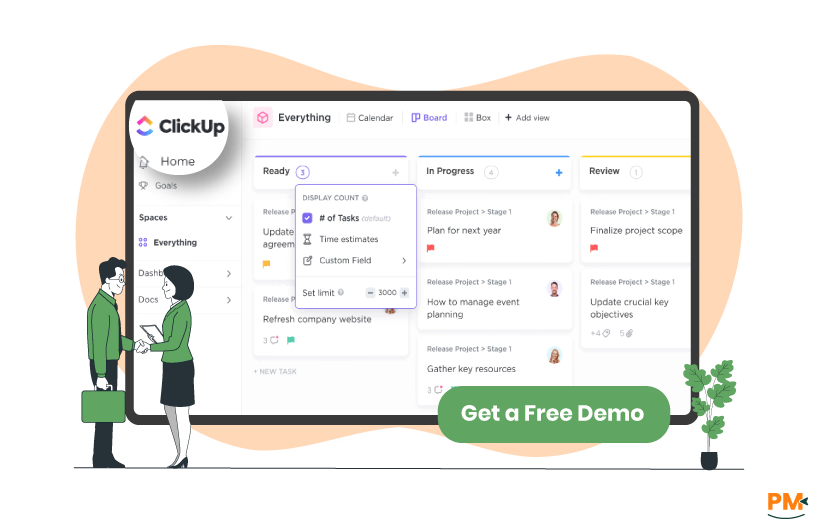
ClickUp is one of the most ambitious project management platforms in recent years, boldly claiming to be "the one app to replace them all." Founded in 2017, this comprehensive workspace platform goes far beyond traditional project management by integrating task management, document creation, time tracking, goal setting, and team communication into a single, unified interface. The platform offers multiple project views, including lists, boards, Gantt charts, calendars, and even a mind map view, ensuring that every team member can visualize work in their preferred format.
ClickUp Pros And Cons
Pros
- Strong customization options with regular improvements. ClickUp is constantly evolving to support businesses
- Excellent for organizing project sprints, categorizing project functions, setting task statuses, and efficiently assigning tasks to team members
- Multiple views are easy to navigate, with quick access to subtasks, checklists, custom fields, clear assignments, and even small internal docs
Cons
- Calendar integration is limited. Syncing with Google Calendar is possible but buggy, while the Outlook calendar lacks proper two-way sync
- Finding specific tasks or information can be tricky if filters are applied, which sometimes creates confusion
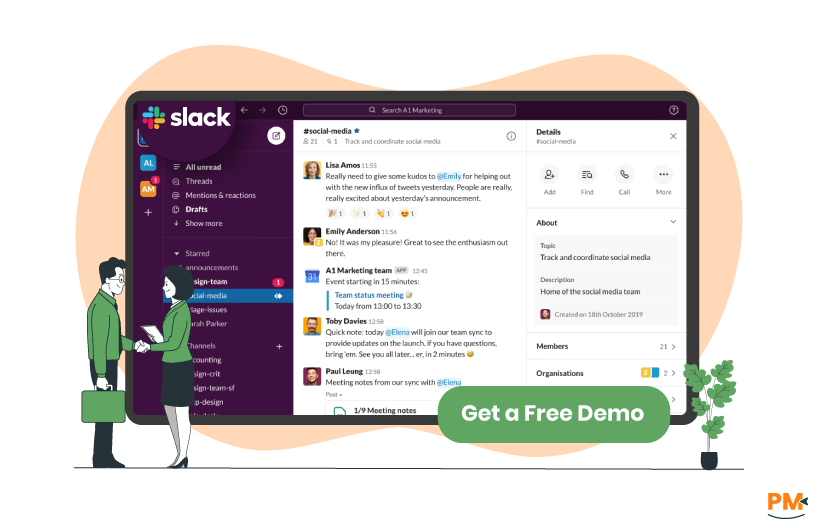
Slack revolutionized workplace communication when it launched in 2013, transforming the way teams collaborate by replacing lengthy email chains with organized, real-time conversations. At its core, Slack is a messaging platform designed around channels—dedicated spaces for specific projects, teams, or topics that keep conversations organized and searchable.
The platform excels at creating a digital office environment where team members can engage in both formal project discussions and casual interactions through features like direct messages, group chats, voice and video calls, and even fun elements like custom emojis and GIFs.
Slack Pros And Cons
Pros
- Customizable notifications prevent overload while keeping you updated, and private groups or direct messages make confidential or focused discussions easy
- A user-friendly interface organizes conversations into channels, keeping topics and departments clear and structured
- Real-time messaging, file sharing, and tagging team members for quick responses significantly improve workflow and collaboration
Cons
- Group chats are capped at 9 people, with no smooth way to transition into a channel. Notifications can also be unreliable and lack deeper customization
- The search function is limited, making it difficult to locate older messages or shared files unless everything is well-organized

ClickUp
ClickUp Chat integrates chat within the ClickUp ecosystem, allowing AI-powered assistance for task creation, action item highlights, and quick responses. Conversations are linked contextually to tasks and projects, supporting organized communication within spaces. It offers one-click voice and video calls with automatic meeting summaries, is optimized for mobile and offline use, and has high reliability. ClickUp imports Slack data easily and emphasizes productivity by unifying chat with task and project management in a single platform.
Slack
Slack centralizes communication through organized channels for teams, projects, or topics, enabling real-time messaging. It supports Slack Connect for secure external collaboration and Huddles for quick voice chats.
The platform offers file sharing, workflow automation, over 2,600 app integrations, and AI-driven summaries and note-taking. It emphasizes secure communication with enterprise-grade security and compliance. Slack reduces email overload and phishing risks by managing external communication within the platform, making it a robust messaging and collaboration hub.
For teams heavily invested in task management alongside messaging, ClickUp offers unique value, while Slack remains unmatched for pure communication and broad collaboration needs

ClickUp
ClickUp excels in comprehensive task and workflow management with hierarchical organization through workspaces, spaces, folders, lists, and tasks. ClickUp comes with hundreds of powerful productivity features that can be customized for any work need — with more added every week.
The platform offers over 100 options for task automation, such as updates and notifications, freeing your team for strategic work and enhancing efficiency. Tasks include multiple assignees, subtasks, dependencies, custom fields, and various views (List, Board, Gantt, Calendar, Timeline). Advanced features encompass goal tracking, sprint management, and resource planning for complete project lifecycle management.
Slack
Slack's task management capabilities are basic, primarily offering Slack lists, which allow teams to manage projects and collaborate on task lists from right where they're already working. By default, lists you create are private and can only be accessed by you unless you share the list to allow others to see.
It does not provide dedicated task management capabilities. However, there are ways you can adapt Slack's capabilities to manage your tasks with Slack messages and Slack posts. Its strength lies in integrating with dedicated project management tools, serving as a central communication hub where task updates and notifications are consolidated.
In conclusion, ClickUp provides comprehensive project management with task organization, automation, and multiple views. At the same time, Slack offers only basic task lists and relies on third-party integrations for serious project management needs.

ClickUp
ClickUp provides 24/7 AI chatbot support for all users, with live human chat on paid plans. It offers a comprehensive Help Center, email support, and priority assistance for Business and Enterprise customers. ClickUp is geared towards seamless integration of support within workspaces, enabling users to submit requests directly. Dedicated support reps and weekly check-ins are available for higher-tier plans, with a focus on project management within support workflows.
Slack
Slack offers extensive self-service help through a robust Help Center with articles, tutorials, and videos. It supports live chat, but no phone support. Slack integrates with top customer support tools and platforms, enabling automation, ticketing, and SLA tracking directly within Slack channels. Features like Slack Huddles enable quick live audio collaboration to resolve issues faster.

ClickUp
ClickUp integrates communication directly with project and task management, allowing users to chat within tasks, assign comments as tasks, and edit documents collaboratively. It provides built-in calendar views, goal tracking, and AI-powered assistance to summarize discussions and generate tasks. ClickUp channels align with project hierarchies, supporting clear collaboration in context.
Slack
Slack focuses on real-time communication through channels, direct messaging, and threads that keep conversations organized. It supports file sharing and voice and video calls. Slack's customizable notifications and search features streamline team interaction and information retrieval. While Slack lacks built-in project management, its extensive integrations connect with tools like Asana and Trello, making it a powerful communication hub for team collaboration.
Slack excels in real-time, flexible team communication with vast integrations, while ClickUp offers seamless collaboration tied closely to task and project management, ideal for teams needing structure and context.
ClickUp
ClickUp supports Windows, macOS, Linux, iOS, Android, and web browsers, providing a consistent experience across all devices. It offers offline mode on mobile apps and syncs automatically when online. ClickUp’s mobile apps are optimized for speed and usability, supporting full task management, comments, notifications, and document editing on the go.
Slack
Slack is available on multiple platforms, including Windows, macOS, Linux, iOS, Android, and web browsers. It offers seamless synchronization across devices, allowing users to switch between desktop, mobile, and web without losing continuity. Slack’s integrations and notifications operate consistently across all platforms, ensuring that teams stay connected anytime and anywhere.
Both Slack and ClickUp offer comprehensive cross-platform support with native apps across major operating systems and web access, ensuring users can stay productive on any device.

ClickUp
ClickUp offers a highly customizable interface combining task management and chat. While powerful, its many features can initially feel complex. The UI organizes tasks, docs, and chats in a unified workspace, but new users may require onboarding to navigate advanced functionalities effectively. It balances depth with usability for productivity-focused teams.
Slack
Slack features a clean, intuitive interface with easy navigation through channels, direct messages, and threads. Its design prioritizes quick access to conversations and integrations. Customizable notifications and simple message formatting enhance usability. Slack’s learning curve is minimal, making it straightforward for new users to adopt without extensive training.
Overall, Slack is simpler and quicker to adopt, while ClickUp balances complexity with powerful all-in-one functionality.

ClickUp
ClickUp is hosted entirely on Amazon Web Services (AWS), benefiting from AWS’s comprehensive end-to-end security and privacy infrastructure. ClickUp adds proactive security measures to protect its environment beyond AWS’s built-in features. It ensures a secure infrastructure environment with ongoing monitoring and controls.
Slack
Slack offers enterprise-grade security, including single sign-on, device management, and encryption of data at rest and in transit. It supports Slack Enterprise Key Management for advanced control and native and third-party data loss prevention. Slack provides governance features like retention policies, audit logs, eDiscovery, and meets industry standards, including HIPAA, ISO certifications, and GDPR compliance.
Slack offers comprehensive, certified enterprise security and compliance features, while ClickUp relies on AWS’s security foundation enhanced by its safeguards.
Notifications

ClickUp
ClickUp provides customizable notifications across inbox, email, desktop/browser, and mobile push notifications. The notifications can be filtered by activity types such as task updates, comments, due dates, and integrations. Mobile notifications are adjustable with different priority levels and can be muted or customized in detail. Notifications can be personalized per workspace and include advanced triggers like priority changes, tag updates, and automation alerts.
Slack
Slack offers customizable notifications for desktop, mobile, and email. Users can choose to be notified of all messages. Mobile notifications can be timed based on activity, with options like immediate alerts or delayed notifications after inactivity. Users can mute channels or set specific notification preferences for individual channels and DMs. Slack supports ‘Do Not Disturb’ scheduling and keyword alerts, helping reduce noise while keeping users informed.
Slack offers flexible, activity-based notification controls with advanced timing options, while ClickUp provides multi-channel, deeply customizable notifications tailored to task and project activity for focused productivity.
ClickUp vs Slack Pricing Comparison
ClickUp Pricing
Plan | Price (/user/month) | Key Features |
Free Forever | $0 | Unlimited tasks & users, 100MB storage, docs & whiteboards, calendar view, 24/7 support |
Unlimited | $7 (annual billing) | Unlimited storage, integrations, dashboards, guests, goal tracking |
Business | $12 (annual billing) | Advanced automation, time tracking, custom permissions, workload management |
Enterprise | Custom pricing | Custom permissions, advanced security, onboarding, dedicated success manager |
Slack Pricing
Plan | Price (/user/month) | Key Features |
Free | $0 | 90-day message history, channels, basic file sharing, 1:1 voice/video calls, Slack Connect 1:1 only, Huddles 1:1 only, basic templates |
Pro | $7.25 (annual billing) / $8.75 (monthly billing) | Unlimited message history, group calls, 24/7 support, customizable sections, user-created templates, workflow builder, up to 10 app integrations |
Business+ | $15 (annual billing) / $18 (monthly billing) | SSO with SAML, posting permissions in all channels, priority 24/7 support, admin analytics dashboard, Slack Enterprise Key Management (add-on) |
Enterprise+ | Custom pricing | Unlimited workspaces, multi-SAML, enhanced compliance features, legal holds, audit logs, dedicated account management |
ClickUp is designed for teams and organizations of all sizes seeking an all-in-one work platform that combines project management, task tracking, document collaboration, and communication. It is especially suited for companies looking to replace multiple apps with one unified solution, saving time and boosting productivity. ClickUp serves startups, enterprises, agencies, and non-profits across industries by offering highly customizable workflows, AI-powered tools, and extensive integrations to streamline diverse work processes and improve team alignment.
Who Is Slack Best For?
Slack serves a wide variety of industries by providing tailored collaboration tools that improve communication and productivity. It helps manufacturing, automotive, and energy teams centralize operations and collaborate with suppliers. Technology companies benefit from Slack’s 2,500+ integrations and Salesforce connectivity to speed innovation. Media teams streamline content delivery and external collaboration with Slack Connect. Additionally, Slack supports sectors like financial services, retail, education, and healthcare by offering secure, compliant, and customizable workflows that fit each industry's unique needs.
Which One May Suit Your Needs Better?
Choosing between ClickUp and Slack ultimately depends on your team's primary workflow needs and organizational structure.
Select ClickUp if you need a comprehensive project management solution that consolidates tasks, documentation, time tracking, and team collaboration in one platform, especially for teams managing complex projects with multiple dependencies and detailed workflows.
Choose Slack if your priority is seamless team communication and you prefer integrating best-in-class specialized tools, particularly for distributed teams that value real-time messaging, quick decision-making, and maintaining a strong team culture through consistent communication channels.
What Are The Alternatives?
If neither ClickUp nor Slack perfectly fits your team's needs, several excellent alternatives can provide similar functionality with different approaches to project management and team communication. The market offers diverse options ranging from specialized project management tools to hybrid communication platforms, each with unique strengths and target audiences.
ClickUp Alternatives
- Asana offers streamlined task management with excellent team collaboration features, making it ideal for teams
- Monday. com provides visual project management with colorful, intuitive boards that are perfect for teams preferring visual workflows
- Notion stands out as an all-in-one collaboration workspace that enables users to capture thoughts and knowledge and manage projects and tasks via wikis, boards, and databases
- For simpler project management needs, Trello offers Kanban-style boards that are extremely user-friendly
- While Basecamp focuses on simplicity and team communication
Slack Alternatives
- Team communication alternatives to Slack include Microsoft Teams, which integrates seamlessly with Microsoft Office 365 and offers robust video conferencing capabilities
- Discord has excellent voice channels and community features, making it suitable for creative teams and remote collaboration
- Google Chat (part of Google Workspace) provides simple, effective team messaging with strong integration to Google's productivity suite
- While Chanty offers a more affordable alternative with simi