

 Finding the right collaboration tools is key to keeping teams productive, aligned, and connected. Two popular names in this space are Confluence and Slack—tools that often work side by side but serve very different purposes.
Confluence, developed by Atlassian, is primarily a knowledge management and documentation platform. It helps teams create, share, and organize project documentation, wikis, and meeting notes in one central hub. Slack, on the other hand, is a real-time messaging and communication platform designed to replace email and streamline day-to-day conversations. With channels, direct messaging, and thousands of integrations, it keeps teams connected wherever they are.
In this Confluence vs Slack article, we’ll compare their features, usability, pricing, pros, and cons to help you understand how they differ, where they overlap, and which tool may be the better fit for your team’s needs.
Features | Confluence | Slack |
Messaging Capabilities | Comments, real-time editing, notifications, media embeds | Chat-first, integrates with tools, workflow automation, CRM support |
Tasks And Workflow Management | Task lists, pages, calendars, Jira integration, whiteboards | Workflow Builder, tool integrations, CRM workflows |
Customer Support | Business-hours support for Standard plan, 24/7 support for Premium and Enterprise, training resources | 24/7 support by tier, priority for Enterprise+ plan, training and dedicated managers |
Collaboration Functionality | Real-time edits, comments, version history, whiteboards, Loom, databases | Channels, threads, reactions, huddles, Canvas, Connect, AI tools |
Cross-platform Support | Desktop, mobile, web apps, offline access, APIs and WebDAV | Desktop, mobile, web apps, real-time sync, Apple Watch support |

Confluence is one of the most established knowledge management platforms on the market, known for its structured approach to organizing documentation and team collaboration. Designed to reduce information silos, Confluence brings together pages, whiteboards, databases, and collaborative editing in a single, centralized workspace.
The platform emphasizes creating a permanent knowledge base where information is easily discoverable and maintainable. With features like real-time editing, commenting, notifications, and structured content trees, it makes it especially appealing to teams that need to document processes, create internal wikis, and maintain project documentation.
Confluence Pros And Cons
Pros | Cons |
Strong collaboration capabilities through real-time editing and content sharing Powerful templates and seamless integrations with tools like Jira and Trello Scalable content organization through spaces, templates, and structured pages | Search limitations—users report difficulty locating content efficiently Page and navigation management can become cluttered or unintuitive in complex workspaces |
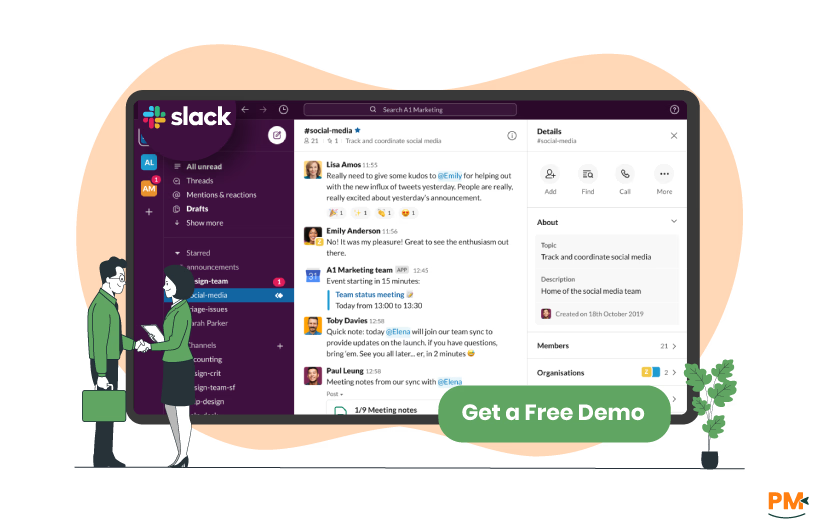
Slack is a modern collaboration platform that combines messaging, file sharing, and app integration into a single operating system for work. Unlike traditional communication tools, Slack organizes conversations into channels that can be created for any project, team, or topic, making information easily accessible and searchable.
The platform has evolved beyond messaging to include AI-powered features, workflow automation, and enterprise search capabilities. Beyond instant messaging, teams often use Slack for video calls, screen sharing, asynchronous updates, and as a central hub for notifications from other tools.
Slack Pros And Cons
Pros | Cons |
Reduces email noise, enhances real-time collaboration, and keeps teams aligned via channels and integrations Intuitive, user-friendly interface that supports both async and real-time communication well Mobile app has extensive set of features that helps stay organized | Notifications and constant messaging can be distracting, overwhelm users, and disrupt focus Limited searchable message history to recent 90 days |
Messaging Capabilities

Confluence
Confluence is designed primarily as a collaborative documentation platform and doesn’t function as a chat or messaging app. Instead, communication happens through comments and content updates within pages and live documents. The platform also supports real-time editing, in-line and page-level commenting, notifications for tagging or assigning tasks, and embedded media like images, GIFs, and videos within pages.
Slack
Slack takes a communication-first approach to task and workflow management, serving as the layer that connects with project management tools like Asana, Trello, Jira, and Monday. com. Its Workflow Builder enables automated processes for tasks such as status updates, approvals, and data collection, with triggers that send reminders or collect information through forms.
With Salesforce integration, teams can manage CRM workflows, such as viewing accounts, updating opportunities, and collaborating on deals, without leaving Slack. While highly flexible, effective use requires careful integration to prevent information fragmentation.
Tasks And Workflow Management

Confluence
Confluence takes a documentation-centric approach to task and workflow management. Teams can create project pages with embedded task lists, use databases to track work items, and leverage automation to manage recurring actions. Each project space can be organized with pages for requirements, meeting notes, and project updates.
The platform includes team calendars for scheduling and integrates deeply with Jira for advanced project management capabilities. Whiteboards allow teams to brainstorm and then convert ideas directly into Jira issues. The structured content tree makes it easy to organize project documentation hierarchically.
Slack
Slack takes a communication-first approach to task and workflow management, serving as the layer that connects with project management tools like Asana, Trello, Jira, and monday. com. Its ‘Workflow Builder’ enables automated processes for tasks such as status updates, approvals, and data collection, with triggers that send reminders or collect information through forms.
With Salesforce integration, teams can manage CRM workflows, such as viewing accounts, updating opportunities, and collaborating on deals, without leaving Slack. While highly flexible, effective use requires careful integration to prevent information fragmentation.
Customer Support

Confluence
Atlassian offers Confluence support through different channels based on plan level. Free users can access community forums and documentation, while Standard plan customers receive business-hours support. Premium and Enterprise plans include 24/7 assistance with guaranteed response times, and Enterprise users also get dedicated support teams and a specialized portal.
In addition, Atlassian provides extensive documentation, video tutorials, community forums, and training and certification programs to help teams maximize Confluence usage.
Slack
Slack provides tiered support depending on the plan. Free and Pro users get standard 24/7 support, Business+ customers receive 24/7 support with a 4-hour response time, and Enterprise+ users get 24/7 priority support with the same response commitment.
The platform also offers a help center, video tutorials, webinars, and a community forum, along with Slack Certified training. Enterprise customers additionally benefit from dedicated customer success and technical account managers for deployment and optimization.
Collaboration Functionality

Confluence
Confluence enables real-time collaboration with multiple users editing a page simultaneously, adding inline comments, mentions, and tracking changes via version history. Whiteboards offer an infinite canvas for brainstorming, diagrams, and process mapping, while Loom integration supports asynchronous video communication within pages.
Databases let teams aggregate and visualize information from various sources with dynamic, auto-updating views, and permissions can be set at space, page, or user level to manage access.
Slack
Slack’s collaboration is built around channel-based messaging, with conversations organized by topic and supporting threads, reactions, code snippets, and file previews. Huddles enable instant audio or video calls with screen sharing, while Canvas allows persistent documents within channels for notes and resources.
Slack Connect supports secure collaboration with external partners, and AI features add conversation summaries, information search, and automated notetaking.
Crossplatform Support
Confluence
Confluence provides native desktop apps and mobile apps for iOS and Android, plus a fully featured web application. The platform is designed to work seamlessly across devices with automatic syncing. Desktop applications provide offline access to marked content, with changes syncing when reconnected.
Mobile apps allow viewing and basic editing of pages, though complex formatting is best done on desktop. The web version offers full functionality and works across all modern browsers. Confluence also provides REST APIs for custom integrations and supports WebDAV for file system access.
Slack
Slack offers native desktop applications for Windows, Mac, and Linux, mobile apps for iOS and Android, and a web application. All versions provide core functionality with some platform-specific optimizations.
Mobile apps support push notifications and allow full participation in conversations, though some administrative features require desktop access. The desktop app includes features like multiple workspace support and custom notification settings.
Slack also offers an Apple Watch app for quick message triage and responses. All platforms sync in real-time, ensuring conversations remain consistent across devices.
Confluence Pricing
Confluence offers the following pricing plans:
The vendor also offers a 7-day free trial for Standard and Premium plans.
Disclaimer: Pricing is subject to change.
Slack Pricing
Slack provides several pricing tiers:
The vendor also offers a 30-day free trial for Pro and Business+ plans.
Disclaimer: Pricing is subject to change.
Confluence is ideal for teams that prioritize documentation, knowledge management, and structured information sharing. Its wiki-style approach and powerful organization features make it suitable for industries such as software development, product management, IT, and professional services, where maintaining comprehensive documentation is critical.
The platform performs best for teams between 10 - 1000 users who need to create technical documentation, project wikis, meeting notes, and process documentation. Organizations already using Jira or other Atlassian tools will find particularly strong value from the native integrations.
Teams seeking a central repository for organizational knowledge with robust search, version control, and permission management will find Confluence particularly effective.
Slack is best suited for teams that value real-time communication, quick decision-making, and integrated workflows. Its channel-based structure and extensive integrations make it ideal for industries like technology, marketing, media, and creative agencies where rapid collaboration and immediate feedback are essential.
Slack scales well from small startups to large enterprises with thousands of users, though smaller teams often see the most immediate benefits. The platform excels when teams are distributed, work across time zones, or need to reduce email usage.
Teams that want to centralize notifications from multiple tools, automate routine communications, and maintain searchable conversation history will find Slack particularly effective.
Choosing between Confluence and Slack largely depends on your team’s core needs. Confluence is designed for teams that require strong documentation, structured information architecture, and long-term knowledge management. It enables the creation of organized, searchable knowledge bases that act as a single source of truth for organizational information.
Slack, by contrast, focuses on real-time communication, fast collaboration, and integrated workflows. With channel-based messaging, broad app integrations, and AI features, it suits dynamic teams that need instant access to conversations and tools.
Many organizations find value in using both platforms together—Slack for daily communication and Confluence for documentation and knowledge management. Their integration lets teams reference Confluence pages within Slack and receives update notifications, keeping collaboration and information seamlessly connected.
Ultimately, Confluence is the stronger choice for building a comprehensive, structured knowledge base, while Slack is better suited for teams that prioritize real-time communication supported by integrated tools and workflows.
Even though Confluence and Slack are strong collaboration solutions, some teams may prefer other tools depending on their specific needs, features, or pricing. Below are recommended alternatives for each.
Confluence Alternatives
Slack Alternatives
Both Confluence and Slack bring unique strengths to modern teamwork—Confluence excels in structured documentation and long-term knowledge management, while Slack thrives in real-time communication and workflow integration. The right choice depends on whether your priority lies in creating a central knowledge base, enhancing day-to-day collaboration, or combining both through integration. By carefully evaluating your team’s goals, size, and workflow, you can choose the platform—or combination—that best supports productivity and sustainable growth.
