In the ever-evolving landscape of team collaboration, Mattermost vs Slack is a comparison many IT teams, developers, and business leaders find themselves making. Both platforms offer robust messaging and productivity capabilities—but they’re built for very different use cases.
Slack is widely known for its intuitive interface and vast integration ecosystem, making it a go-to choice for startups and enterprise teams alike. Mattermost, on the other hand, is an open-source, self-hosted alternative that prioritizes security, data control, and developer-centric workflows.
This guide is your side-by-side breakdown of Mattermost vs. Slack—comparing features, pros and cons, pricing, and more—so you can confidently choose the tool that fits your team’s collaboration needs.
Mattermost Overview
Mattermost is an open-source collaboration platform designed for secure, self-hosted team communication. Originally built with developers and technical teams in mind, Mattermost provides real-time messaging, file sharing, and workflow automation—while giving organizations full control over their data and infrastructure.
What sets Mattermost apart is its self-hosting capability, which allows teams to deploy the platform on private servers or within air-gapped environments. This makes it especially appealing to industries where security, compliance, and operational control are non-negotiable—such as government agencies, defense contractors, and highly regulated enterprises.
Mattermost also supports end-to-end encryption, role-based access controls, and integrations with developer tools like GitLab, Jira, and Prometheus. Its modular architecture and support for custom plugins give teams the flexibility to tailor the experience to their workflows, unlike SaaS-only solutions.
While the platform may have a steeper learning curve than more consumer-friendly options, Mattermost is ideal for teams that prioritize data privacy, system flexibility, and DevSecOps alignment over out-of-the-box convenience.
Mattermost Pros and Cons
Pros
Cons
Self-hosted deployment for complete data control
Advanced security features for compliance-heavy industries
Works in air-gapped and offline environments
UI/UX can feel less polished and modern
Requires infrastructure management and updates
Slack Overview
Slack is a cloud-based communication platform built for fast, organized, and collaborative team interactions. It’s best known for its intuitive user experience, extensive third-party app integrations, and strong support for both real-time and asynchronous communication.
At its core, Slack offers channel-based messaging, searchable conversation history, audio/video calls, and built-in tools like Slack Canvas for note-taking and documentation. The platform supports thousands of integrations—including Google Workspace, Microsoft 365, Asana, and Zoom—making it a central hub for distributed teams and fast-moving SaaS companies.
Slack’s biggest strength is its ease of use and rapid onboarding. New users can get up and running in minutes, and the polished interface makes team collaboration feel seamless—even across time zones or departments. Features like workflow automation, emoji reactions, and AI-powered search add to its appeal.
Slack is an ideal fit for modern organizations seeking a plug-and-play communication tool, especially those that rely on a SaaS-heavy tech stack. However, it’s important to note that Slack is a fully cloud-hosted platform, which may raise data residency or security concerns for some organizations.
Slack Pros and Cons
Pros
Cons
Extensive app integrations and automation support
Quick onboarding and low learning curve
Reliable real-time communication across teams
Limited control over data hosting and security
Fewer customization options than open-source alternatives
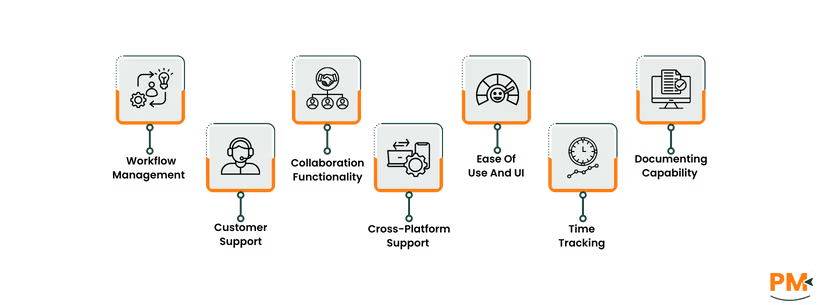
Tasks And Workflow Management
Mattermost
Mattermost includes built-in task management through its “Boards” feature, a Kanban-style project tracker designed to streamline workflows within secure environments. Boards allow teams to create tasks, assign owners, set due dates, and track progress—all within the Mattermost ecosystem. For more advanced needs, Mattermost supports workflow automation through plugins and webhooks, allowing integration with CI/CD pipelines, incident response tools, and ticketing systems.
Since it’s open-source and self-hosted, teams can build custom plugins tailored to specific internal workflows—ideal for DevOps and security-conscious teams. All task and project data remains behind your firewall, offering full data ownership and compliance alignment—a critical advantage for defense, healthcare, or finance sectors.
Slack
Slack doesn’t offer native Kanban-style task boards, but it integrates seamlessly with leading project management tools like Asana, Trello, ClickUp, and Jira. Teams can create tasks, get status updates, and trigger workflows directly from channels using slash commands or app integrations. Slack Canvas also allows lightweight task tracking and collaborative notes within conversations.
While not purpose-built for task management, Slack's flexible ecosystem and reminder system make it effective for coordinating day-to-day actions—especially for teams already using external project tools. The experience is less centralized but more plug-and-play, aligning well with fast-paced SaaS environments.
Customer Support
Mattermost
Mattermost offers a tiered support structure based on deployment type. Open-source users rely on community resources like forums, GitHub issues, and a detailed documentation portal. For enterprise customers, Mattermost provides commercial support plans, including SLAs, dedicated technical contacts, and priority bug fixes.
Support is especially tailored to self-managed and air-gapped deployments, ensuring guidance aligns with on-prem and secure infrastructure setups.
Slack
Slack provides comprehensive support across all plans, with priority support available on Business+ and Enterprise Grid tiers. Users have access to a rich knowledge base, in-app help, and a chatbot assistant for quick troubleshooting. Paid plans include 24/7 response and uptime SLAs. Slack also maintains a strong user community, with active forums and learning resources that make it easy to find peer support or best practices.
Overall, Slack offers faster, more accessible support for general users, while Mattermost’s support is more technical and tailored for complex, self-hosted environments.
Collaboration Functionality
Mattermost
Mattermost enables structured team collaboration through channel-based messaging, threads, file sharing, and role-based access control. While its integration catalog is smaller than Slack’s, it supports key DevOps tools like GitLab, Jenkins, and PagerDuty. Mattermost is built for teams that need tight operational coordination in high-security contexts—making it ideal for engineering teams managing incidents or running in regulated industries.
The threaded conversations and markdown support are useful for keeping discussions focused, and the ability to self-host collaboration data gives teams confidence in how internal communications are handled.
Slack
Slack shines in real-time team collaboration, offering channels, threads, direct messages, and features like emoji reactions, huddles for impromptu audio/video chats, and Slack Canvas for collaborative documentation. It’s designed for speed and simplicity, with low-friction communication suited for remote and hybrid teams.
Slack’s deep app ecosystem lets teams embed everything from calendars to dashboards directly into conversations, fostering a centralized communication hub. It's ideal for fast-moving organizations where transparency and quick context switching are key.
Slack favors ease-of-use and app extensibility, while Mattermost emphasizes control, security, and developer-focused collaboration.
Cross-Platform Support
Mattermost
Mattermost offers broad cross-platform accessibility with dedicated apps for web browsers, desktop (Windows, macOS, Linux), and mobile (iOS and Android). Its desktop app mirrors the browser experience and supports multiple workspaces and servers—a plus for enterprises managing segmented teams. Because it’s self-hosted, performance can vary based on how well the infrastructure is maintained, but it allows full control over where and how the platform runs, including air-gapped and offline setups.
Mobile access works well but may lack some real-time responsiveness found in cloud-first tools, depending on deployment configurations. For organizations prioritizing data locality and custom environments, Mattermost’s flexible deployment model is a strong advantage.
Slack
Slack provides fully native apps across all major platforms—web, Windows, macOS, Linux, iOS, and Android—with seamless syncing between devices. Users can start a conversation on desktop and pick it up instantly on mobile, with no lag or loss of context. The platform is designed for performance and accessibility, delivering consistent speed and responsiveness across devices, even on low-bandwidth connections.
Slack’s cloud-native foundation ensures real-time updates, push notifications, and reliable cross-device collaboration out of the box—ideal for remote and hybrid teams that need dependable connectivity on the go.
Ease Of Use And UI
Mattermost
Mattermost provides a more customizable and developer-oriented interface, but that flexibility comes with a steeper learning curve. The UI is clean but utilitarian, with fewer visual cues and polish compared to mainstream SaaS tools. Technical users—particularly DevOps teams—will appreciate the command-line style controls, markdown support, and plugin architecture.
However, non-technical users may find onboarding more difficult. Admin setup also requires knowledge of infrastructure, authentication, and configuration files, especially in self-hosted environments. It’s best suited for teams comfortable with manual customization and hands-on administration.
Slack
Slack’s UI is one of its strongest assets: it’s intuitive, modern, and designed for fast adoption. Channels, threads, and DMs are clearly organized, and helpful UX patterns like emoji reactions, channel previews, and quick-access shortcuts make everyday collaboration effortless. Most users require little to no training to get started.
The interface is also visually polished and responsive, with thoughtful features like collapsible sidebars, pinned messages, and customizable themes. For most teams—especially those without technical resources—Slack offers a smoother, frictionless experience right out of the box.
Time Tracking
Mattermost
Mattermost doesn’t offer native time tracking, but teams can enable it through plugins, integrations, or custom-built extensions. Since Mattermost is open-source, it can integrate with time tracking tools like Jira, Toggl, or open-source solutions like Kimai, assuming the server allows external connections. For advanced use cases, DevOps teams can also build time logging into automated workflows via webhooks or bot accounts.
However, setting up time tracking in Mattermost often requires technical expertise or additional configuration, making it less accessible for non-technical users or teams looking for out-of-the-box simplicity.
Slack
Slack doesn't have built-in time tracking either, but it supports plug-and-play integrations with popular tools like Harvest, Clockify, Everhour, and Timely. These apps can log time entries, remind users to track hours, and sync with project management tools—all from within Slack channels or DMs.
For time-sensitive teams that need quick setup and seamless time logging, Slack’s mature integration ecosystem gives it a clear edge in usability and speed.
Documenting Capability
Mattermost
Mattermost supports basic documentation workflows through wiki-style channels, persistent threaded discussions, and markdown formatting. Teams often create dedicated channels for knowledge-sharing or internal SOPs, using pinned posts and threads to maintain structure. While it lacks a dedicated document editor, its support for plaintext and markdown allows for clean, versionable internal docs—especially appealing to technical teams used to Git-style syntax.
Still, documentation in Mattermost can feel more fragmented without structured content management features.
Slack
Slack takes a step further with Slack Canvas, a native tool for creating and sharing collaborative documents within channels and threads. Combined with pinned messages, shared files, and rich search, Slack allows teams to centralize notes, plans, and updates in a structured yet accessible way. Canvas supports inline tasks, embeds, and more—making it ideal for maintaining living documents like project briefs or onboarding guides.
While not a full documentation suite, Slack offers more intuitive, organized knowledge sharing for most teams—especially those looking for real-time collaboration with light documentation needs.
Mattermost Vs Slack Pricing Comparison
Both Mattermost and Slack follow tiered pricing models, but their cost structures reflect their fundamentally different approaches.
Mattermost Pricing
The software offers following pricing plans for teams and enterprises
Free - $0/user/month (up to 50 users)
Professional - $10/user/month (up to 50 users)
Enterprise – Custom pricing (up to 500+ users)
Slack Pricing
Slack’s pricing options include:
Free - £0/user/month
Pro - £7/user/month
Business+ - £14.40/user/month
Enterprise Grid - Custom pricing
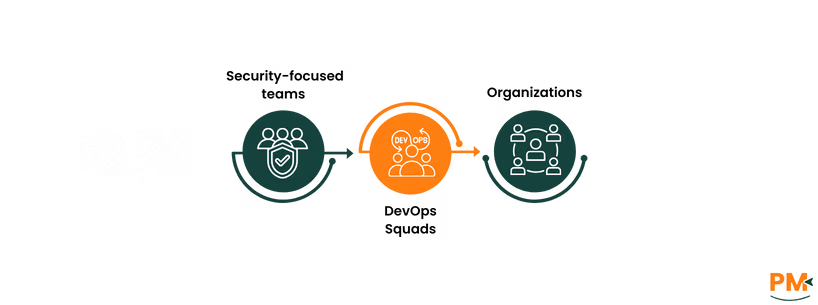
Who Is Mattermost Best For?
Ideal For:
Security-focused teams
DevOps squads
Organizations in regulated industries (e. g. , Finance, Healthcare, Government, Defense)
Why Choose Mattermost?
Self-hosted & open-source for complete control
Prioritizes data privacy and compliance
Perfect for air-gapped environments or restricted infrastructure
Built For Developers And Ops:
Strong CI/CD tool integrations
Customizable for incident response and system alerts
Great for teams needing tailored workflows and scripting flexibility
Who Is Slack Best For?
Ideal For:
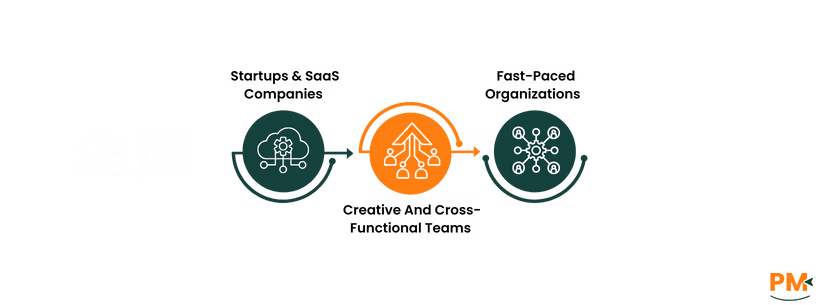
Startups & SaaS companies
Creative and cross-functional teams
Fast-paced orgs focused on rapid collaboration
Why Choose Slack?
Cloud-based convenience with minimal setup
Sleek, user-friendly design
Popular among:
Marketing teams
Designers
Product managers
Seamless Integrations:
Works effortlessly with:
Google Workspace
Figma
Notion
Asana, and more
Perfect For:
Teams that value speed, connectivity, and plug-and-play productivity
Which One May Suit Your Needs Better?
When it comes to Mattermost vs Slack, the better choice depends on your team’s infrastructure, compliance needs, and technical resources.
Choose Mattermost if you need a self-hosted, secure, and customizable collaboration platform—especially for environments where data control, privacy, and DevOps integration are critical.
Choose Slack if you want a cloud-based, plug-and-play communication hub that integrates effortlessly with the rest of your SaaS tools, supports real-time team engagement, and gets users up to speed with little training.
Both tools excel in their niches—but understanding your team’s priorities is key to making the right decision.
Usman Bashir is a Technical Content Writer specializing in the medical category at SF. With a degree in PharmD, Usman brings deep understanding and passion for medical content. His expertise and dedication to clarity and accuracy make his work stand out. Outside of work, Usman enjoys hiking and capturing the beauty of nature through photography, finding balance and inspiration in nature.
Share this Article
Sign Up
Sign up to stay updated with the new content and expand your HR expertise.
Usman Bashir is a Technical Content Writer specializing in the medical category at SF. With a degree in PharmD, Usman brings deep understanding and passion for medical content. His expertise and dedication to clarity and accuracy make his work stand out. Outside of work, Usman enjoys hiking and capturing the beauty of nature through photography, finding balance and inspiration in nature.