

When it comes to teamwork, every group has its own style. Some love tossing ideas onto a big whiteboard until the best ones stick, while others prefer neatly organizing thoughts, tasks, and notes in one place. That’s pretty much the difference between Miro and Notion.
Miro is all about free-flowing creativity, giving you a digital canvas where brainstorming feels just like scribbling on a wall full of sticky notes. Notion takes the opposite route; it’s structured, tidy, and turns messy information into clean, organized systems. Both tools are hugely popular, but they’re built for different kinds of work.
So, if you’re wondering which one really fits your team’s way of thinking and working, you are in the right place. In this face-off, we will dive into what each does best, where they fall short, and which one might be the better match for you.
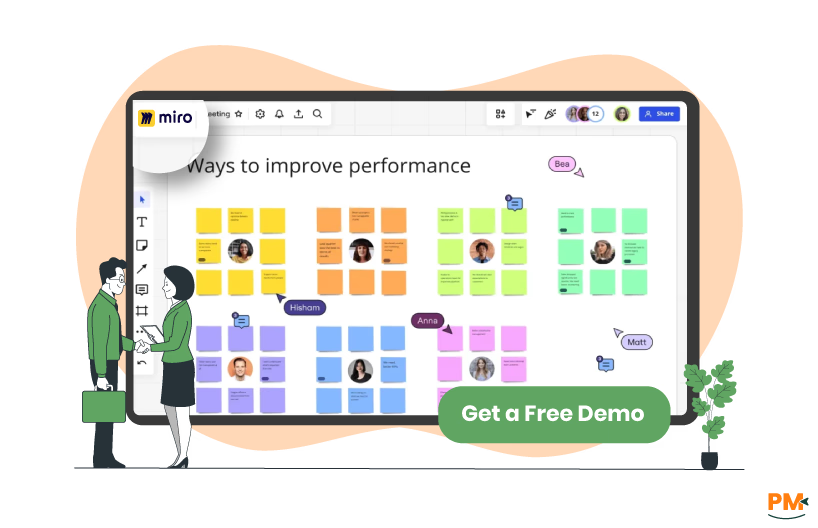
Miro is basically an online whiteboard that teams use to share ideas and work together. Instead of passing around messy notes or slides, you get one big space where everyone can add their thoughts, whether that’s sketches, flowcharts, or quick sticky notes.
It is especially handy for remote teams, since people can jump in at the same time and see updates instantly. Some use it for brainstorming, others for planning projects or mapping out processes. What makes Miro stand out is how flexible it is; you can keep things casual and creative, or structure it into something more polished.
Miro Pros And Cons
Pros
- Cloud-Based Platform: Miro runs entirely in the cloud, making it accessible from anywhere with no setup hassle
- Wide Range of Tools: It offers plenty of features to create visuals, from sticky notes to diagrams and templates
- Easy Remote Collaboration: Teams can work together smoothly across different locations and time zones
- Productive & Interactive Meetings: Miro helps make meetings more engaging and collaborative
- Unlimited Visual Workspaces: Users can brainstorm and plan without limits on space
Cons
- Unintuitive Search Function: The Ctrl + F search often modifies text instead of just finding it
- Unstable Video Calls: Built-in video calling can sometimes be unreliable and insecure
- Slow Rendering Times: Large boards can sometimes lag
- Tab Switching Issues: Even with the desktop app, moving between tabs can cause delays
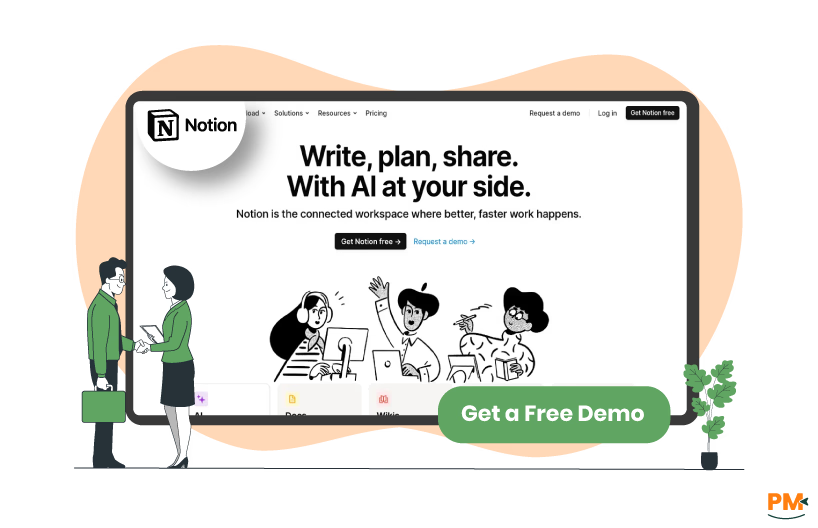
Notion is an all-in-one workspace where you can write, plan, and organize pretty much anything. Some people use it for simple things like notes or task lists, while others set up detailed project trackers, team wikis, or content calendars. Everything lives in one place, and you can link pages together to keep things connected.
It is flexible enough to work for individuals who just want a personal planner, but also powerful for teams that need to stay on the same page. The best part is that you can shape it to fit your own style instead of following a fixed format.
Notion Project Management Pros And Cons
Pros
- Embedded Media Support: Users can embed media files directly into notes, making content more interactive
- Real-Time Collaboration: Multiple users can edit, comment, and share feedback simultaneously
- All-in-One Workspace: Notion combines project management, team collaboration, and task management features in one platform
- Flexible Building Blocks: Pages, databases, lists, calendars, and boards can be arranged however you like, so workflows feel personalized
- Helpful Templates: Notion provides ready-made templates that make it easier to get started and adapt the tool to different needs
Cons
- Limited for Personal Use Cases: Notion isn’t always convenient for casual uses like planning trips or managing family content, requiring other apps
- Lack of Design Customization: Design options are limited, which can make the workspace feel more plain compared to other tools
- Struggles with Complex Projects: Handling large or complex projects can feel clunky, with occasional lags and slow loading times

Miro
Miro offers a visual approach to task and workflow management with features like Kanban boards, timelines, and Gantt charts. It supports real-time collaboration, task assignments, and deadline tracking. Its AI assistant helps summarize ideas and organize workflows. Integrations with tools like Jira and Asana streamline project tracking, making Miro ideal for teams valuing flexible, interactive visual project management.
Notion Project Management
Notion provides highly customizable task management using databases, Kanban boards, and calendars. It enables task assignments, tagging, and commenting, with rich documentation. Suitable for teams needing adaptable, detailed workflows, Notion consolidates notes, tasks, and project tracking in one workspace, enhancing collaboration with real-time updates and AI assistance.

Miro
Miro offers robust customer support including a comprehensive help center, community forums, and extensive documentation. For enterprise customers, Miro provides personalized customer success managers with tailored onboarding, training, and advanced admin support. They also offer standard and advanced support packages to meet different business needs. Regular updates keep users informed about new features and improvements. The platform actively integrates AI tools to assist users, making collaboration smoother and more efficient.
Notion Project Management
Notion provides customer support through detailed help guides, tutorials, and an active user community. Their support includes live chat and email assistance, available to all users with priority support for paid plans. Notion also offers webinars and onboarding resources to help teams get up to speed. The company continually updates its knowledge base and product features based on user feedback to improve the experience.

Miro
Miro excels in real-time collaboration, allowing multiple users to simultaneously work, brainstorm, and edit on an infinite digital whiteboard. Teams can leave comments, tag members, and conduct live workshops or presentations. Asynchronous collaboration is seamless, enabling communication across different time zones. Integration with tools like Slack, Jira, and Teams enhances teamwork by keeping everything connected. Its collaborative templates and AI-powered features boost engagement and help teams stay aligned, no matter where members are located.
Notion Project Management
Notion supports collaboration through shared workspaces where team members can co-author documents, manage tasks, and comment inline. It offers real-time updates and mentions to keep communication clear and actionable. Notion’s flexible structure lets users create linked databases, project timelines, and team wikis, facilitating transparency and knowledge sharing. Collaboration extends with integrations that sync workflows and automate notifications, making it easier to stay organized and aligned across projects.
Miro
Miro supports multiple platforms including web browsers, Windows, macOS, iOS, and Android apps, allowing seamless access across devices. It integrates well with popular tools like Jira, Asana, Slack, Microsoft Teams, and Google Workspace, ensuring smooth workflows regardless of the platform used. Miro’s cloud-based nature makes it accessible anywhere, enabling teams to collaborate whether on desktop or mobile. Its strong developer platform also supports custom API integrations for extended cross-platform functionality.
Notion Project Management
Notion works on web, Windows, macOS, iOS, and Android devices, offering a consistent experience across platforms. It syncs data seamlessly between devices, allowing users to switch between desktop and mobile without loss of work. Notion’s integrations with Slack, Google Drive, and other tools boost its crossplatform capabilities. Offline mode and cloud syncing provide flexibility for working on the go or in low-connectivity scenarios.

Miro
Miro has a clean, intuitive interface resembling a digital whiteboard with drag-and-drop ease. Its infinite canvas provides flexible space to organize tasks visually without clutter. Users appreciate the smooth onboarding with ready-made templates and minimal learning curve, enabling teams to start collaborating quickly. Navigation is straightforward, and real-time collaboration tools enhance the overall user experience. Miro balances powerful features with simplicity, ideal for visual thinkers and creative teams.
Notion Project Management
Notion offers a minimalist, customizable interface that combines notes, databases, and task management. Its modular design allows users to build personalized workspaces tailored to their needs. While powerful, it may involve a steeper learning curve for newcomers due to extensive customization options. However, users benefit from a consistent UI across devices and helpful onboarding resources that aid in mastering its versatile features.

Miro
Miro supports uploading and displaying various file types, such as images, videos, and documents, directly on boards. Sharing is done mainly through board links, invitations, or integrations with cloud storage like Google Drive and Dropbox. However, Miro lacks a built-in feature to compress or zip multiple files into one package for sharing, which can make handling multiple assets less streamlined. Despite this, it offers strong collaborative sharing options for real-time project work.
Notion Project Management
Notion allows users to attach or embed files in pages, supporting common formats like PDFs, images, and documents. It integrates with cloud storage services, enabling easy sharing within collaborative workspaces. Files are accessible to team members based on permission settings, and entire pages or databases can be shared with internal or external collaborators, promoting seamless file sharing alongside project management workflows.

Miro
Miro offers powerful scheduling features through its visual project management tools like interactive timelines, Gantt charts, and Kanban boards. Users can create multi-level planning schedules, map dependencies, and track milestones across teams and departments. Its real-time collaboration lets team members update schedules dynamically, while AI-powered widgets assist in managing timelines efficiently. Miro’s templates simplify roadmap creation, making scheduling transparent and aligned with overall project goals.
Notion Project Management
Notion includes flexible scheduling tools within its databases and calendar views. Teams can create task timelines, assign due dates, and manage schedules alongside project documentation. Notion’s customizable workflows and reminders help users keep track of deadlines and prioritize work, while shared calendars promote transparency. Though less visually dynamic than Miro, Notion excels at combining schedules with rich project data in a centralized workspace.
Miro Pricing
Miro offers the following plans:
- Free – $0/month, unlimited members; includes 3 editable boards, thousands of templates and integrations, 10 Miro AI credits/month (team), and 5 Talktracks
- Starter – $8/member/month; includes unlimited boards, high-resolution exports, version history, brand customization, embedded content, interactive meeting tools, and 25 AI credits/member
- Business – $16/member/month; adds private workspaces, guest editors, advanced shape libraries (AWS, UML, Azure), Jira/Azure live integrations, SSO, and 50 AI credits/member
- Enterprise – Custom pricing for 30+ members; includes centralized admin and security controls (SSO, data hosting region choice, Enterprise Guard), premium support/SLAs, and 100 AI credits/member
Disclaimer: The pricing is subject to change.
Notion Pricing
- Free – $0/month per member; basic sharing, limited team trial, web publishing, and a trial of Notion AI
- Plus – $12/month/member; unlimited blocks for teams, unlimited file uploads, custom forms and sites, and more guests
- Business – $24/month/member; advanced permissions, private teamspaces, SSO, premium integrations, domain verification, and conditional forms logic
- Enterprise – Custom pricing; enterprise-grade security, SCIM, SAML SSO, advanced admin controls, audit logs, unlimited page history, analytics, dedicated support, and workspace consolidation
Disclaimer: The pricing is subject to change.
Who Is Miro Best For?
Miro is best for teams that thrive on visual collaboration and creativity. It caters well to small to large teams, including startups, growing businesses, and large enterprises. The platform is widely used by industries such as creative agencies, marketing, design departments, product management, and remote teams.
The platform supports up to 10 members for small teams, with plans scaling up to support large-scale organizations with advanced team management and security needs. It also offers free and education plans specifically designed for students and educators.
Miro’s strength lies in facilitating brainstorming, mapping out projects visually, and enhancing team collaboration no matter the location. However, industries needing simple linear task management may find Miro's visual interface less suitable.
Who Is Notion Best For?
Notion Project Management is great for teams and individuals who want an all-in-one wrkspace that can be tailored to different workflows. It suits small teams, freelancers, startups, and enterprises looking for flexibility in notetaking, task management, and documentation.
Notion works well in creative industries, tech companies, marketing, design, education, and general business settings, where teams benefit from combining notes, databases, calendars, and collaboration tools in one place.
It's especially helpful for teams that value flexibility and customization without needing multiple disconnected tools. Notion adapts to user needs, whether for personal organization or managing company-wide projects, making it ideal for teams ranging from a couple of users to hundreds.
Which One May Suit Your Needs Better?
Choosing between Miro and Notion depends on how a team works and what matters most. Miro makes its mark as a visual collaboration tool, perfect for brainstorming, mapping ideas, and working creatively across distributed teams. Its infinite canvas and real-time features make it a top pick for design teams, product teams, and workshops.
Notion, on the other hand, excels in flexibility and organization. It is an all-in-one workspace for notes, tasks, databases, and wikis, ideal for teams needing structured workflows, documentation, and task tracking.
In short: for visual creativity, go with Miro; for structured project management and knowledge sharing, Notion takes the lead.
What Are The Alternatives?
Alternatives to Miro
- Lucidspark: A collaborative whiteboard with smart diagrams and extensive templates for brainstorming
- Microsoft Whiteboard: Integrated with Microsoft 365 for teams already using Microsoft tools
- Conceptboard: Visual collaboration tool focused on agile teams and remote workshops
- Jamboard: Google’s digital whiteboard with simple collaboration features
- Stormboard: Combines sticky notes and collaborative whiteboarding for brainstorming
Alternatives to Notion Project Management
- Coda : Combines documents and spreadsheets with powerful automation
- ClickUp : Offers comprehensive project management with task tracking and docs
- Airtable : A flexible database-driven platform great for project tracking
- Asana: Known for strong task and project management capabilities with integrated communication
- Evernote Teams: Great for note-taking combined with task management