


Choosing the right project management tool can make or break your team’s productivity. Motion is an AI-powered platform that streamlines scheduling, prioritization, and task management to simplify project planning. Trello, on the other hand, is a well-established Kanban-style platform known for its visual boards, user-friendly design, and extensive integration ecosystem.
In this detailed comparison, we’ll put Motion vs. Trello head-to-head across key dimensions—AI and automation, task and workflow management, collaboration, security, pricing, and more. Before diving in, here’s a quick overview of how the two tools stack up against each other.
Features | Motion | Trello |
AI and Automation Features | Deep built-in task scheduling, predictive analytics | Automation via Power-Ups / Butler |
Tasks And Workflow Management | Timeline + automatically assigned slots | Boards, lists, cards |
Customer Support | Chat, email, and help center | Atlassian Support portal and community channels |
Collaboration Functionality | Shared workspaces, comments, status updates | Comments, mentions, card assignments |
Crossplatform Support | Web, desktop, mobile | Web, desktop, mobile, browser extensions |
Ease Of Use And UI | More to learn (due to AI features) | Very beginner-friendly |
Customization Options | Moderate (focus on automation) | Highly customizable via power-ups |
Security | SOC 2 Type II certified, data encrypted in transit and at rest, supports SSO and 2FA | SOC 2, SOC 3, ISO 27001, and PCI-DSS compliant. Offers enterprise-grade security (SSO, admin controls) and GDPR/CCPA compliance |
Notifications | Smart alerts, changes with schedule | Card activity, due-date reminders |
Third-Party Integrations | Zapier, Google Calendar, Zoom, etc. | Extensive integrations (Slack, Google Drive, Jira, many more)
|
Reporting And Analytics Capabilities | Native dashboard, predictive alerts | Via power-ups, limited built-in |
AI and Automation Features
Motion
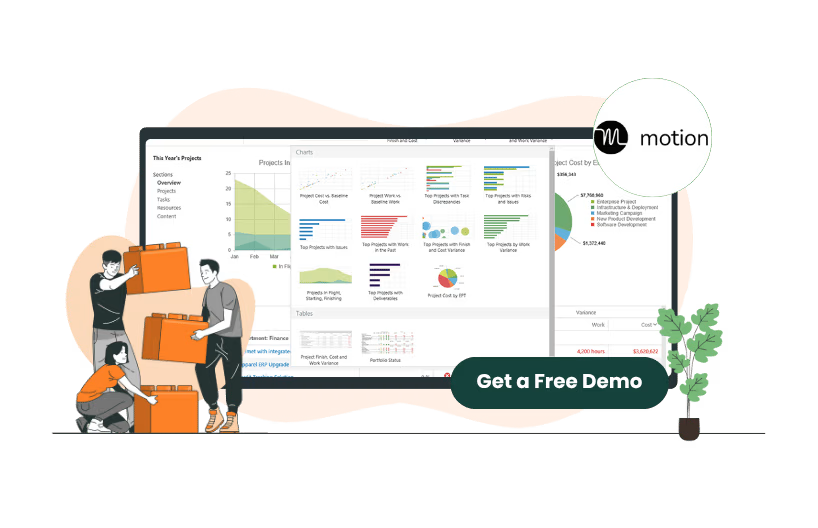
Motion’s core differentiator is its built-in AI Project Manager, which optimizes schedules and workloads automatically. It goes beyond basic automation by intelligently auto-scheduling tasks into optimal time slots, predicting project delays, and dynamically rebalancing workloads as priorities change. This feature essentially replaces manual weekly planning with continuous, real-time optimization. Its dashboards also highlight bottlenecks and identify opportunities to enhance efficiency.
Trello
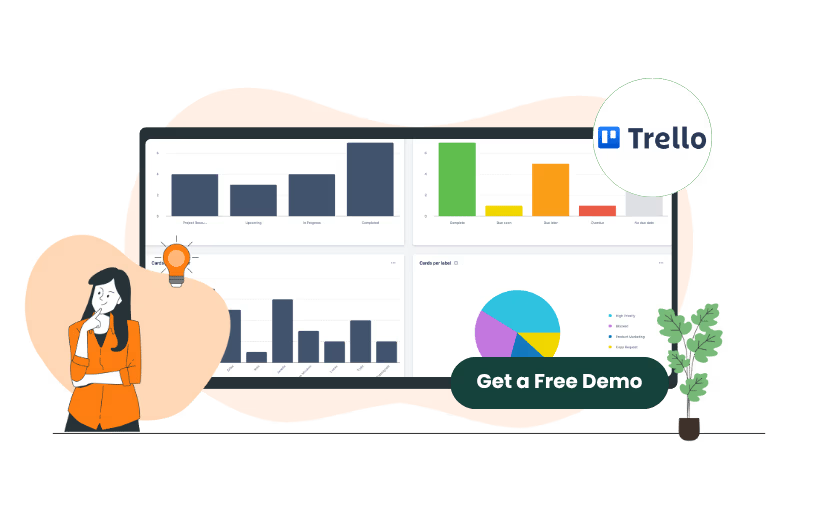
Trello uses its Butler automation engine, which allows users to set rules, scheduled commands, and triggers (e. g. , when a card is moved, perform a specific action). It supports additional automation and functionality through Power-Ups and third-party integrations such as time-tracking, Gantt charts, and reporting tools.
However, compared to Motion’s AI-driven optimization, Trello’s automation remains more manual and does not adapt or re-optimize in real time.
Tasks And Workflow Management
Motion
In Motion, tasks are not simply sticky items—you assign them durations and deadlines, and its AI will slot them in intelligently. Dependencies, priorities, and capacity constraints influence scheduling. As tasks are delayed or added, the system rebalances the schedule ‘trickle-down’ style.
Because of this, Motion careers toward a timeline-based, continuous planning model rather than static boards. Some users feel this approach is less intuitive for ‘quick capture’ of tasks—they must always think in terms of timing, durations, and context.
Trello
Trello’s model is board → lists → cards. You move cards across lists (e. g. To Do, In Progress, Done), add checklists, due dates, attachments, and custom fields. It’s highly visual and intuitive. For more sophisticated workflows (e. g. dependencies, Gantt, kanban + timeline), you rely on Power-Ups or third-party tools.
For simple to moderately complex projects, Trello is sufficient; for highly interdependent tasks, the reliance on add-ons may become limiting.
Customer Support
Motion
Motion offers customer support through multiple channels, including an in-app chat option, email, and a self-service Help Center. Users can access live chat directly from the Help Center or within their Motion account by clicking the Help icon. The support team encourages users to include detailed information about their issues—such as what they expected versus what occurred—to speed up troubleshooting. Response times typically range from 24 to 48 hours, depending on the volume of inquiries. Motion also recommends using the Help Center’s search function or selecting the correct issue category in chat to ensure faster assistance.
Trello
Trello primarily handles support through its Atlassian Support portal and community channels. Users can submit support requests via the Trello contact page (trello. com/contact) or through the Atlassian support site. Only users on paid plans are eligible to submit formal support tickets; free users are encouraged to rely on the Atlassian Community forums and the extensive knowledge base.
Collaboration Functionality
Motion
Motion supports collaboration by allowing teams to share a workspace, add team members, assign tasks, and work together within documents and meeting contexts. Its Docs feature supports @-mentions, linking to tasks/projects, inline task and project creation, and notifications to collaborators. In addition, Motion’s ‘team collaboration’ blog mentions shared chat channels, file sharing, and task assignment as features designed to streamline interactions, boost transparency, and improve coordination. The platform also logs a full Activity Feed for tasks and projects giving teams an audit trail of changes.
Motion’s integrations also help collaboration across tools: it connects with calendars, Zoom, Microsoft Teams, Gmail, and Zapier, letting teams sync meetings, tasks, and communications across platforms.
Trello
Teams use shared boards, lists, and cards to visualize workflows, assign tasks, and track progress together through Trello. Users can comment on cards, tag (mention) teammates, attach files, and maintain conversation threads directly on tasks. Because updates are real-time, all collaborators see changes immediately, minimizing confusion about who’s doing what. Trello also supports many Power-Ups / integrations in the communication & collaboration category (chat, screen previews, file sharing, etc.) to enrich team interaction.
Crossplatform Support
Motion
Motion supports web, desktop (Windows & macOS), iOS, and Android platforms. Its mobile apps include full calendar and task functionality. Because its scheduling AI continually rebalances tasks, having access from any device ensures that optimizations can run regardless of where you are.
Trello
Trello is built for broad crossplatform usage: web, desktop (macOS, Windows), and mobile (iOS, Android). The desktop apps offer a native experience, and all major browsers are supported for its web version.
Ease Of Use And UI
Motion
Motion's interface is designed to streamline complex workflows through its AI-powered scheduling and task management system. The platform employs a timeline-based layout, where tasks are automatically assigned durations and deadlines, and the AI continuously rebalances schedules to optimize team productivity. This approach allows users to focus on high-priority tasks while the system handles the intricacies of scheduling and resource allocation.
Trello
Trello, on the other hand, offers a more traditional Kanban-style interface with boards, lists, and cards. Users can create and move cards across lists to represent different stages of a project. This visual approach is intuitive and widely adopted, making it easy for teams to get started without a learning curve. Trello’s approach is a straightforward, visual interface that emphasizes manual control and simplicity.
Customization Options
Motion
Customization in Motion is more about shaping priorities, duration profiles, and constraints. You can’t arbitrarily build radically different workflows; you work with the AI engine. It is not (yet) a ‘build your own custom module’ platform, but it gives control in how scheduling logic behaves.
Trello
Trello offers extensive customization capabilities through boards, lists, cards, and numerous Power-Ups. Teams can create custom fields, card types, board templates, automation rules via Butler, and integrations with third-party tools to tailor the platform to their exact needs. The flexibility in designing workflows, coupled with the visual Kanban-style interface, makes it highly adaptable for a wide range of project types.
Security
Motion
Motion has established a robust security framework to safeguard user data. The platform has successfully completed the SOC 2 Type II audit, conducted by Prescient Assurance, a recognized leader in security and compliance certifications for B2B SaaS companies. This audit confirms that Motion's information security practices, policies, procedures, and operations meet the stringent SOC 2 standards for security. Additionally, Motion's services are hosted with Google Cloud Platform (GCP), which employs a comprehensive security program with multiple certifications, further enhancing the platform's security posture.
Trello
Trello, as part of Atlassian, offers a mature security framework. Data in transit is protected using TLS with 128-bit AES encryption, and data at rest is encrypted with AES-256. Enterprise-level features include Single Sign-On (SSO) via SAML 2.0, enforced two-step verification, and mobile device management (MDM) controls. Trello also complies with SOC 2 Type II, SOC 3, ISO 27001, and PCI-DSS standards, providing extensive administrative and user-level controls for sensitive data.
Notifications
Motion
Motion's notification system is centralized within its ‘Inbox’ feature, which consolidates updates across tasks, projects, documents, meetings, and AI outputs into a single feed. Users can manage these notifications by toggling email preferences, adjusting default settings, and setting up AI Employee channels for specific alerts. The system supports click-through behavior, allowing users to open related tasks, projects, documents, or meetings directly from the notification.
Trello
Trello offers a comprehensive notification system that includes in-app notifications, email alerts, and mobile push notifications. Users receive notifications for various actions, such as being mentioned in comments, added to cards or boards, assigned tasks, and due date changes. The platform allows users to ‘watch’ specific cards, lists, or boards to receive updates on changes made to them. Additionally, Trello provides granular control over notification settings, enabling users to customize which actions trigger notifications and how frequently they receive them.
Reporting and Analytics Capabilities
Motion
Motion provides built-in reporting and analytics through its dashboard. Users can view workload distribution, track project progress, identify bottlenecks, and receive predictive alerts when tasks are at risk of delay. The AI-driven system continuously updates analytics as schedules change, giving teams real-time insights into productivity and resource allocation. Motion also allows exporting task and project data to assist with further analysis.
Trello
Trello's native reporting capabilities are limited; however, the platform extends its analytics and reporting functionalities through Power-Ups. These integrations allow users to create custom reports, generate charts, and track performance across boards. Notable Power-Ups for reporting include ‘Reports by Blue Cat,’ which offers project summary reports, and ‘Analytics & Reports by Screenful,’ providing automated insights and visual analytics. These tools enable teams to monitor progress and make data-driven decisions.
Third-Party Integrations
Motion
Motion supports integrations with essential productivity tools to centralize task and project management. Users can connect Google Calendar to sync tasks and meetings, Zoom to schedule and join calls directly, and Gmail to convert emails into actionable tasks. For broader automation, Motion integrates with Zapier, enabling connections with thousands of other apps such as Slack and Microsoft To-Do. Additionally, Motion provides an API for creating custom integrations tailored to specific workflows, helping teams extend functionality as needed.
Trello
Trello offers a vast range of integrations through Power-Ups and native connections. Key integrations include Slack for team communication, Jira for issue tracking, Google Drive for file management, and Outlook/Gmail to turn emails into tasks. Trello also uses Butler Automation to automate workflows within boards, and developers can create custom Power-Ups via the API to extend functionality further. Trello’s extensive integration ecosystem allows teams to connect with virtually any productivity tool they use.

Motion Pricing
Plans | Pricing | What’s Included |
AI Employees Light | $148/month | Includes 3 seats 25,000 credits/month
|
AI Employees Standard | $446/month | Includes 10 seats 100,000 credits/month
|
AI Employees Plus | $894/month | Includes 25 seats 250,000 credits/month |
Enterprise | Custom pricing | AI Strategy Consulting & Implementation |
Trello Pricing
Plans | Pricing | What’s Included |
Free | $0 | Unlimited cards Up to 10 boards per Workspace
|
Standard | $6 /user/month | Unlimited boards Quickly capture to-dos from email, Slack, and Teams — powered by AI
|
Premium | $12.50 /user/month | Atlassian Intelligence (AI) Views: Calendar, Timeline, Table, Dashboard, and Map |
Enterprise | $17.50/user/month-billed annually | Unlimited Workspaces Organization-wide permissions |
Motion is ideally suited for teams or individuals who want the system to do much of the thinking, planning, and scheduling for them. If your team:
- Has a medium to high level of recurring or overlapping tasks
- Dislikes manual planning or weekly revisions
- Wants predictive analytics (i. e. catch slipping projects early)
- Can accept some 'loss of control' in favor of automation
- Has enough maturity to trust an AI engine (i. e. consistent input of durations, priorities, and context)
Motion is less ideal if your projects are highly ad hoc, require custom process modules, or your team wants granular manual control over every assignment.
Industries like marketing, agencies, consulting, product dev, or internal ops may benefit most from Motion’s scheduling intelligence. It works best with teams of, say, 3–50 users (though larger teams may use it too, depending on license).
Trello fits a very broad audience thanks to its simplicity and flexibility. It’s especially good for:
- Small to medium teams or startups
- Projects that rely on visual boards, task flows, or simple pipelines
- Teams that prefer manual control and explicit workflows
- Users who depend heavily on integrations with existing tools
- Environments where custom add-ons or power-ups can fill gaps
Trello scales to large enterprises, particularly via its Enterprise plan and administrative controls. But for very complex project management (multi-phase dependency-heavy projects), Trello may require many add-ons or external tools to fill gaps.
If I had to pick a winner, I’d lean Motion for teams that are willing to invest in adopting a new paradigm of ‘let the AI plan your day’ and that value reducing manual planning overhead. For teams with simpler workflows, limited budgets, or heavier reliance on integrations and modular customization, Trello is the safer, more flexible choice.
But that’s not the full story—it depends on your process maturity, team size, tolerance for automation vs. control, and how heavily your workflows rely on external integrations or specialized modules. In many cases, you might even use both (Trello for broad view, Motion for scheduling).
If neither Motion nor Trello feel like the perfect fit, here are some strong alternatives you might explore:
Alternatives to Motion
- ClickUp — Very full-featured task + automation platform with built-in AI features
- Asana — Strong for process-driven workflows and team collaboration
- Monday. com — Highly customizable, good automation, dashboards, and workflow flexibility
Alternatives to Trello
- Jira — Especially for software/dev teams needing rich issue tracking & workflows
- Notion (with project templates / plugin stacks) — Lightweight but flexible
- Airtable / Smartsheet — Spreadsheet-style platforms with flexibility and relational database power
- Wrike — Balanced for both small teams and enterprise-level management
