If you're comparing Notion Project Management vs Todoist, you're likely searching for the best way to keep your team organized, aligned, and productive. These two popular tools take very different approaches—Notion offers an all-in-one workspace with deep customization, while Todoist is a streamlined, task-focused app built for speed and simplicity.
This guide is designed to help teams, managers, and productivity enthusiasts choose the right solution based on real needs—not just hype. Whether you’re coordinating complex projects across departments or managing daily workflows, understanding how each platform handles collaboration, task tracking, integrations, and scalability is essential.
In this comparison, we’ll break down features, pricing, usability, and team fit—so you can confidently decide which tool supports your workflow best and beyond. Let’s dive in.
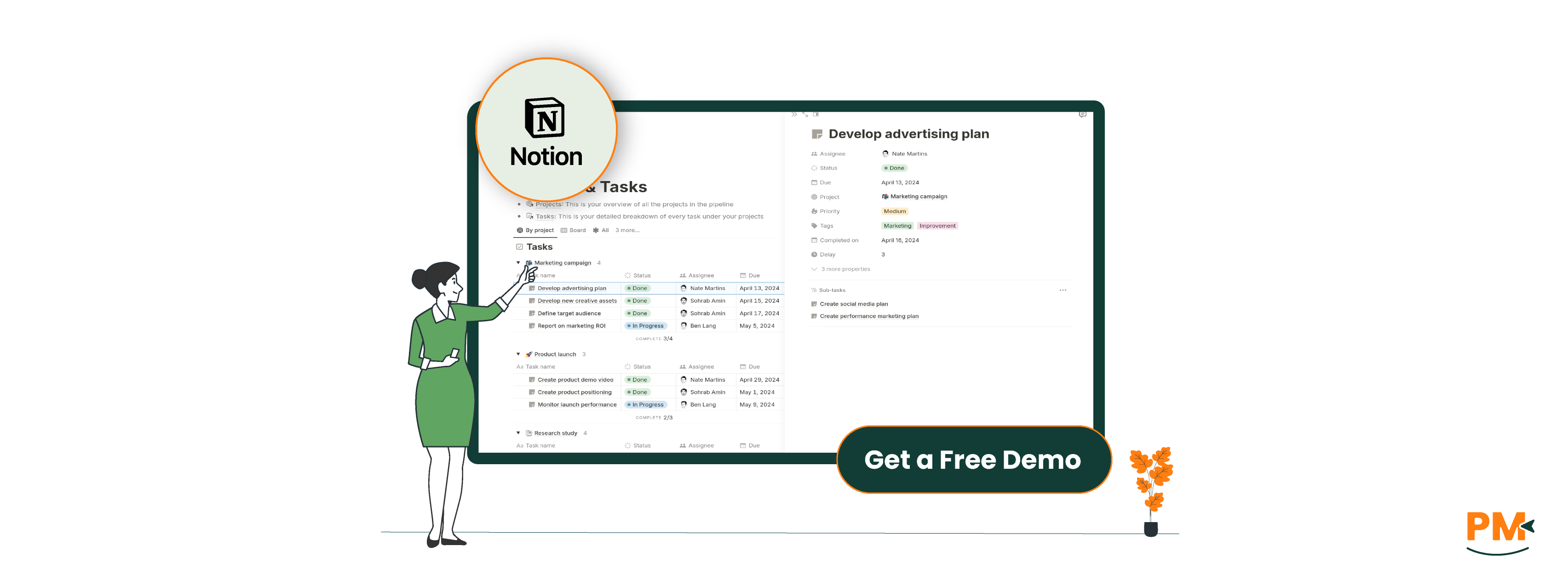
Notion is a modular productivity platform that offers a unique approach to project management by blending documents, databases, and collaborative tools in a single workspace. For teams and individuals alike, Notion provides an adaptable environment where you can build custom project workflows from the ground up.
At the core of Notion’s project management functionality are its databases, which can be configured as Kanban boards, tables, calendars, or lists—each view offering a different lens into your tasks and projects. Users can assign tasks, set due dates, add statuses, and link related content using relational databases, all within an interface that supports deep customization.
Pre-built and community-contributed templates make it easy to get started, whether you're managing a marketing campaign, sprint planning, or personal goals. Individuals often use Notion for life planning, side projects, or content calendars. For teams, it becomes a centralized hub for task tracking, documentation, meeting notes, and more—especially valuable in asynchronous work environments.
While Notion’s flexibility is a standout feature, it also requires thoughtful setup, especially when scaling across teams. Its value shines most when users take time to tailor it to their workflow.
Notion Project Management Pros And Cons
Pros | Cons |
|
|
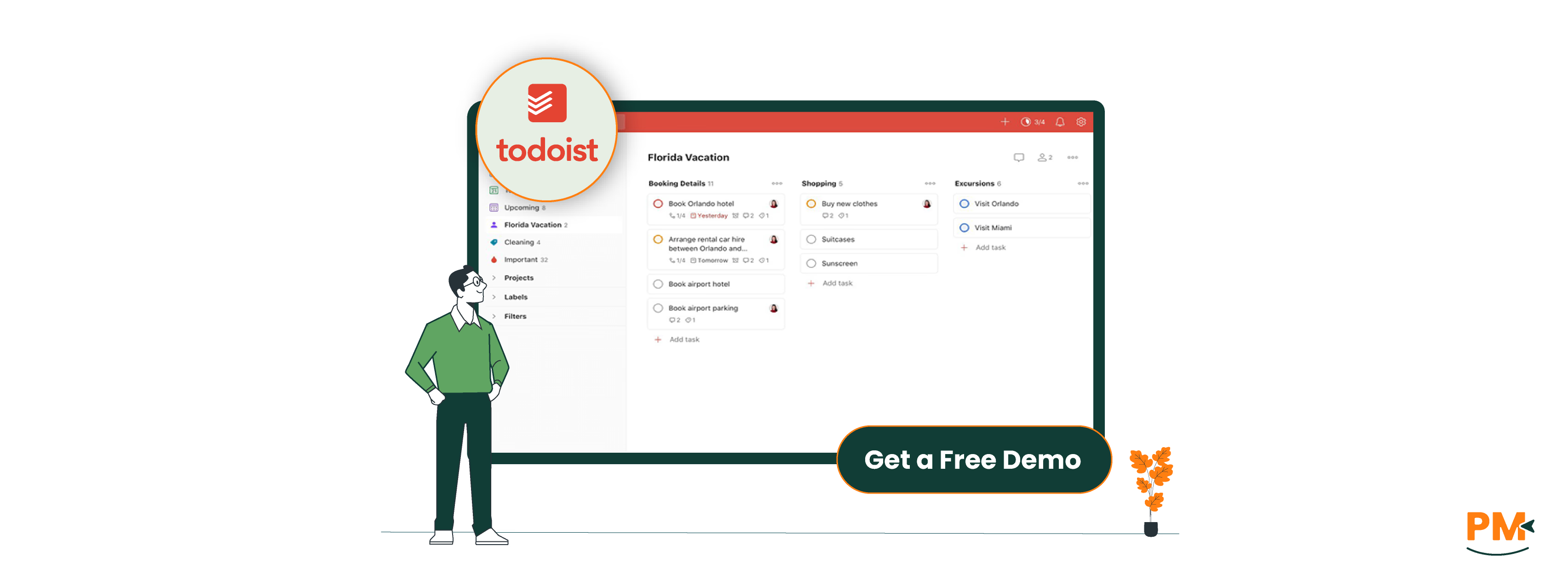
Todoist is a focused, minimalist task manager built for individuals and teams who prioritize speed, clarity, and simplicity. It centers around task-based workflows and is designed to help users quickly capture, organize, and prioritize their to-dos—without unnecessary complexity.
As a task management tool, Todoist excels with its task hierarchy system (projects, sections, tasks, and subtasks), along with labels, filters, and priorities to help users sort and find what matters most. Recurring tasks, natural language input, and quick-add shortcuts make it especially effective for fast-paced environments.
Todoist is well-suited for freelancers, busy professionals, and small teams looking for a no-frills solution to stay organized. It integrates with calendars, email clients, and productivity tools like Slack and Google Workspace, making it easy to fit into existing workflows.
Where Notion leans into structure and depth, Todoist shines in speed and simplicity, offering a straightforward way to manage daily tasks without getting bogged down in system setup.
Todoist Pros And Cons
Pros | Cons |
|
|
Notion Project Management
Notion offers a flexible, database-driven approach to task and workflow management. Users can build custom workflows using Kanban boards, calendar views, or list-based task trackers, all tied to relational databases. This modular structure allows for nuanced workflows—think tasks linked to meeting notes, milestones, or even entire knowledge bases.
Notion also supports custom templates, making it easier to scale repeatable processes such as sprint planning or content creation. Advanced users can create linked databases across pages to keep views and priorities aligned for different teams or departments.
While native automation is limited, integrations with tools like Zapier, Make, and Slack enable workflow automation, such as creating tasks from form submissions or sending alerts for due items. However, setup requires planning and often a designated workspace owner to maintain the system.
Todoist
Todoist focuses on simplicity and speed, with task and workflow management structured around a task hierarchy—projects, sections, tasks, and subtasks. Users can apply priorities, set recurring due dates, and add labels or filters to organize tasks by urgency, topic, or context.
Tasks can be quickly entered using natural language input ("Submit report every Monday at 9am"), making it ideal for day-to-day task capture. Calendar integrations with Google Calendar or Outlook help users manage their time and visualize upcoming work.
That said, Todoist isn’t built for multi-layered workflows or cross-project automation. There’s no native Kanban view or database logic, so teams needing complex dependencies or content linking may find it limiting.
Notion Project Management
Notion provides several support channels, including an extensive Help Center, in-app support access, and email support for all users. Paid plans may experience slightly faster response times, but Notion does not offer guaranteed SLAs or dedicated account managers by default.
The platform also boasts a large and active community of creators, with thousands of free templates, forums, and guides available via Reddit, Discord, and Notion’s own community hub. For organizations that need tailored help, Notion offers Notion Consultants and enterprise onboarding services through select partners.
Todoist
Todoist offers email-based support for all users, with faster responses prioritized for Pro and Business plan customers. The Help Center is well-organized and includes detailed how-to's, FAQ articles, and video tutorials.
While Todoist lacks live chat or phone support, its community forum and public roadmap offer a transparent look at feature development. For most users, the platform’s simplicity means fewer support touchpoints are needed, though advanced team setups may benefit from more hands-on assistance.
Notion Project Management
Notion excels in collaborative environments. Users can share entire pages or workspaces, assign tasks, comment inline, and track edits in real time. Access permissions can be customized at the page or database level—critical for managing team roles or client access.
It supports real-time collaboration, making it suitable for synchronous editing of docs, meeting notes, or project plans. Features like mentions, collaborative checklists, and embeddable content allow teams to centralize both planning and execution in one workspace.
Notion also integrates well with Slack and Teams, helping updates stay visible in the tools teams already use.
Todoist
Todoist supports basic team collaboration through project sharing and task assignments. Users can comment on tasks and upload attachments, but the collaboration is asynchronous and linear—more checklist-style than dynamic workspace.
There’s no real-time editing or shared document functionality within the app itself, and visibility into teammate activity is limited. This works well for lightweight delegation and solo work tracking, but teams requiring deep collaboration or documentation will find Todoist less comprehensive.
Where Todoist excels is in keeping things focused—ideal for teams that want task ownership without overhead.
Notion Project Management
Notion is available on web, Windows, macOS, iOS, and Android, with a consistent interface across platforms. All data syncs in real time across devices, allowing users to seamlessly switch between desktop and mobile environments.
While the mobile app supports core features like task updates, comments, and page creation, its performance and usability can be limiting for more complex workflows—especially when working with large databases or multiple views. Notion’s mobile-first capabilities have improved, but the platform still leans desktop-heavy for optimal productivity.
Notion’s offline support is limited. Users can view and edit recently accessed pages offline, but syncing updates reliably only happens when reconnected, which can be a drawback for users frequently working in low-connectivity environments.
Todoist
Todoist is built with cross-device consistency in mind and performs well across web, desktop apps, and especially mobile platforms. The iOS and Android apps are lightweight, responsive, and optimized for daily task management, making Todoist an excellent choice for mobile-first users.
One standout feature is Todoist’s robust offline support—tasks can be added, edited, and completed offline, with changes synced automatically once back online. This makes Todoist a dependable option for professionals on the go or in environments without constant internet access.
Additionally, Todoist integrates natively with OS features like widgets, Siri/Google Assistant, and calendar apps, offering a smoother experience across ecosystems.
Notion Project Management
Notion’s interface is elegant and highly customizable, but it comes with a steeper learning curve, especially for users unfamiliar with building their own workflows. The platform doesn't enforce structure, which gives power users freedom but can overwhelm beginners without clear guidance.
Navigation is sidebar-driven with nested pages, toggles, and databases that behave like spreadsheets or Kanban boards depending on the view. While the UI is clean, maximizing its capabilities often requires upfront effort in planning and design—particularly when setting up team workspaces.
Users who invest the time to learn Notion’s system can build highly tailored environments, but it’s not a plug-and-play tool for casual task management.
Todoist
Todoist emphasizes simplicity and speed, with a UI designed for minimal friction. The interface is clean, intuitive, and requires almost no learning curve—ideal for users who want to start managing tasks immediately.
Features like natural language input, priority flags, and drag-and-drop organization make the experience fluid, especially for beginners or users focused on personal task management. While Todoist lacks the deep customization of Notion, it delivers a fast, distraction-free workflow for those who value clarity over complexity.
For power users, advanced filters and labels offer some degree of personalization, but Todoist remains intentionally streamlined.
Notion Project Management
Notion does not offer native time tracking features. Users often employ manual methods, such as creating custom templates or using properties like date fields and checkboxes to log time spent on tasks.
For more robust tracking, Notion integrates with third-party tools like Toggl, Clockify, and Harvest via APIs or automation platforms like Zapier. These integrations allow users to start timers, log hours, and generate reports, but they require additional setup and may not offer seamless in-app experiences.
Todoist
Todoist also lacks built-in time tracking capabilities. However, it supports integrations with popular time tracking tools such as RescueTime, Clockify, and Toggl. These integrations enable users to track time spent on tasks directly from the Todoist interface or through connected apps.
While these solutions provide valuable insights, they necessitate external accounts and configurations, which might be a consideration for users seeking an all-in-one solution.
Notion Project Management
Notion excels in documentation, offering a versatile platform where users can create rich content using various block types, including text, images, code snippets, and embedded media. Its flexible content blocks and nested page structure make it ideal for building internal wikis, SOPs, meeting notes, and collaborative documents.
Teams can leverage Notion to centralize knowledge, ensuring that documentation is easily accessible and maintainable alongside project workflows.
Todoist
Todoist is primarily a task management tool and provides basic note fields within tasks for adding descriptions or comments. It does not support rich text formatting or complex document structures.
While sufficient for brief notes or task-related information, Todoist is not designed for comprehensive documentation needs. Users requiring detailed documentation capabilities may need to integrate Todoist with other tools or consider alternatives like Notion.

Notion Project Management
Notion offers the following pricing options for teams of various sizes:
- Free - $0/member/month
- Plus - $12/member/month
- Business - $24/member/month
- Enterprise – Custom pricing
Todoist
Todoist pricing plans include:
- Beginner - $0/user/month
- Pro - $5/user/month
- Business - $8/user/month
Ideal Users:
- Remote teams & startup founders
- Writers, marketers, and knowledge workers
- Teams needing customizable workflows beyond to-do lists
Why It Works:
- Combines meeting notes, wikis, content planning, and project tasks in one space
- Offers modular databases, linked views, templates, and rich text formatting
- Ideal for complex, cross-functional planning
Best For:
- Teams scaling systems over time
- Project managers needing structure + flexibility
- Organizations wanting a centralized hub for knowledge & execution
Keep in Mind:
- Requires initial setup and onboarding
- Best suited for those comfortable building or customizing digital tools
Ideal Users:
- Busy professionals, freelancers, students
- Individuals focused on daily productivity
- Light teams needing list-based collaboration
Why It Works:
- Clean, minimalist UI with natural language input
- Fast capture, drag-and-drop reordering, recurring tasks
- Excellent for mobile-first workflows
Best For:
- Personal task management
- Habit building and goal tracking
- On-the-go productivity with offline functionality
Extra Perks:
- Calendar integrations
- Simple priority system & collaboration tools
- Little-to-no onboarding required — plug and play
When it comes to Notion Project Management vs Todoist, the better tool depends on your team’s structure and goals.
Choose Notion if you need an all-in-one workspace that handles tasks, documentation, and collaboration in one place. It's ideal for teams managing complex projects, multiple content types, or internal knowledge. The customization is unmatched—but so is the setup time.
Opt for Todoist if your focus is on straightforward, efficient task tracking. It’s best for solo professionals or small teams that value speed, simplicity, and mobile accessibility over extensive customization.
Ultimately, the decision comes down to whether your team needs a centralized digital workspace or a lightweight task manager.