Office 365 and Slack are tools that support team communication and productivity but in different ways. Office 365, now Microsoft 365, offers a suite of applications like Word, Excel, Outlook, and Teams for managing documents, emails, and collaboration in one place. Slack focuses on real-time messaging through channels, direct chats, and file sharing, helping teams communicate quickly and stay organized.
This article compares how both platforms handle collaboration, integration, and workflow management to help you decide which one fits your team’s daily work needs.
Office 365 vs Slack: At A Glance
Feature
Office 365
Slack
Primary Use
Productivity suite for documents, email, and collaboration
Real-time team communication and messaging
Communication
Teams app for chat, meetings, and calls
Channels and direct messages for instant communication
Collaboration
Document creation, editing, and sharing across apps
File sharing, collaborative threads, and integrations
Integrations
Works with Microsoft apps and some third-party tools
Extensive integrations with multiple third-party apps
Ease of Use
Slight learning curve due to multiple apps
Simple and intuitive chat-based interface
Ideal For
Teams needing all-in-one productivity and document management
Teams focused on fast, flexible communication
Pricing
Subscription-based plans for Microsoft 365
Free tier available; paid plans for advanced features
TL;DR: Office 365 is best for teams that require a comprehensive productivity suite with strong document management and integrated tools. Slack excels for teams prioritizing fast, organized communication with flexible integrations.
Office 365 Overview
Office 365 is a suite of productivity tools designed to help individuals and teams manage work efficiently. It combines applications for creating documents, handling emails, and collaborating with colleagues in a unified environment. The platform is widely used across businesses, schools, and organizations to streamline tasks, communication, and workflow in a single, cloud-based workspace.
Pros And Cons
Pros
Cons
The entire package has everything you need to be successful in business
Ability to use the same programs on different devices in an efficient manner
Comprehensive suite and familiar, Word, Excel, Outlook, all working seamlessly
Frequent updates and changes to the interface can be disruptive
Some web and mobile versions don’t offer as much formatting as desktop versions
Slack Overview
Slack is a communication platform designed to help teams stay connected and work together efficiently. It organizes conversations into channels, allowing groups to discuss topics, projects, or departments in a single space. Users can also send direct messages for one-on-one communication. Slack is widely used by teams of all sizes to centralize communication, reduce reliance on email, and keep work organized in a digital workspace.
Pros And Cons
Pros
Cons
Team communication made incredibly easy and efficient
Channels keep conversations organized and easy to follow
Mobile and desktop apps work seamlessly across locations
It can get overwhelming with too many notifications
Older messages are hard to access without a paid plan
Office 365 Vs Slack - Functionality Comparison
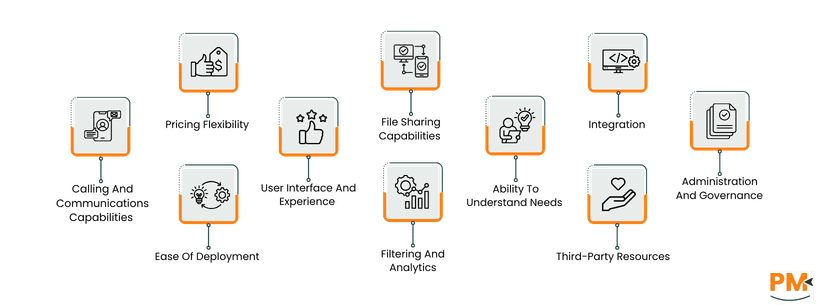
Calling And Communications Capabilities
Office 365, through Microsoft Teams, is valued for its reliable calling, video conferencing, and meeting scheduling. Users appreciate the ability to host large meetings and collaborate with both internal and external participants. Feedback is mostly positive, with minor complaints around complexity for new users or occasional connectivity issues. Overall, it is seen as a robust and dependable communication solution.
Slack is praised for its instant messaging and lightweight calling features. Users like its simplicity and quick setup for small team calls or video chats. However, some note that larger meetings can be challenging without integrating additional tools. Its strength lies in fast, informal communication rather than comprehensive conferencing.
Winner: Office 365 ; Its calling and conferencing capabilities provide a more complete and reliable communication experience.
Pricing Flexibility
Office 365 offers tiered subscription plans to suit different business sizes and needs. Users value the predictable pricing for access to a full suite of tools, though some feel smaller teams may find the cost high. Overall, the plans are flexible and scalable, allowing businesses to adjust as they grow.
Slack provides a free plan with basic messaging features and paid tiers for advanced collaboration and administration. Users appreciate starting without cost but often mention that essential features and message history require a paid plan, which can add up for larger teams.
Winner: Office 365 ; Its subscription model provides more predictable value across team sizes.
Ease Of Deployment
Deployment of Office 365 is straightforward for cloud subscriptions, with easy access across devices. Hybrid or on-premises setups are more complex, but most users report smooth onboarding for cloud use. Its flexibility suits different IT environments.
Slack is fully cloud-based and simple to deploy, requiring minimal setup. Teams can start immediately via browser or app, making adoption quick and hassle-free. Some larger organizations may require guidance for workspace management.
Winner: Slack ; Quick, simple deployment with minimal setup needed.
User Interface And Experience
Office 365 provides a consistent interface across apps, though new users may feel overwhelmed by the number of tools. Experienced users find it highly functional, offering a familiar environment for productivity and collaboration.
Slack’s interface is clean and intuitive, with channels and direct messages that are easy to navigate. Users enjoy simplicity and quick access to conversations, making it ideal for fast-paced communication.
Winner: Slack ; Simple and user-friendly interface that requires minimal learning.
File Sharing Capabilities
Office 365 allows seamless file sharing and collaborative editing via OneDrive and SharePoint. Users appreciate version control, access permissions, and smooth integration with Office apps. Feedback is largely positive, with few issues beyond the initial setup for permissions.
Slack enables easy file sharing within channels and messages. While convenient for small documents, users find it less suitable for heavy document management or collaborative editing compared to Office 365.
Winner: Office 365 ; Stronger file handling and collaborative capabilities.
Filtering And Analytics
Office 365 provides detailed analytics and reporting across its suite, especially within Teams and SharePoint. Users can track activity, engagement, and usage trends, which support informed decision-making. Some find the reports complex at first, but most value the depth of available insights.
Slack offers basic analytics on user activity, message volume, and engagement. While helpful for smaller teams, users note that deeper analytics often require external integrations or higher-tier plans. It’s functional but limited in scope compared to Office 365.
Winner: Office 365 ; Delivers richer insights and more comprehensive reporting options.
Integration
Office 365 integrates tightly with Microsoft’s ecosystem and selected third-party applications. Users trust its enterprise-grade security and compliance, with strong data protection for files and messages. Its built-in security measures make it dependable for sensitive business communication.
Slack supports a wide range of third-party integrations, allowing teams to connect various tools in one space. Security is strong, with encryption for data in transit and at rest. However, reliance on external apps may raise concerns for teams handling sensitive data.
Winner: Office 365 ; Offers stronger native security and data protection.
Ability To Understand Needs
Office 365 adapts to different business sizes and industries through customizable setups and tools. Users find it suitable for both simple and complex workflows. Some note that configuration may take time, but once set, it aligns well with organizational needs.
Slack excels in understanding communication needs. Users appreciate how it supports open collaboration and fast interactions. However, it focuses primarily on messaging and is less suited for document-centric or structured workflows.
Winner: Office 365 ; Better accommodates varied business and workflow needs.
Administration and Governance
Office 365 provides strong administrative controls with centralized management, user policies, and compliance tools. Businesses appreciate its robust governance, which supports large-scale deployments and regulated industries.
Slack includes role-based permissions and workspace management features. Admins find it easy to use, but governance tools are less advanced compared to Office 365, especially complex compliance requirements.
Winner: Office 365 ; More comprehensive administrative and compliance framework.
Third-Party Resources
Office 365 benefits from an extensive ecosystem of resources, including tutorials, certified training, support forums, and enterprise partners. Users find help easily accessible for both setup and ongoing optimization.
Slack offers solid community support, help centers, and active user forums. While resources are helpful, they’re primarily focused on communication use cases rather than full business operations.
Winner: Office 365
Office 365 vs Slack Pricing Comparison
Office 365 Pricing
Plan
Price*
What’s Included (high-level)
Microsoft 365 Personal
US $9. 99/month
Single user, up to 5 devices, cloud storage, full productivity apps
Microsoft 365 Family
US $12. 99/month
Up to 6 users, same apps and storage/person
Microsoft 365 Premium
US $19. 99/month
Highest usage limits for selecting copilot features, access to copilot features is currently exclusive to premium
Microsoft 365 Business Basic
US $7. 20/month/user
Web/mobile apps, business email, cloud storage
Microsoft 365 Business Standard
US $15. 00/month/user
Adds full desktop apps + business services
Microsoft 365 Business Premium
US $26. 40/month/user
All Standard plus advanced security & device management
Microsoft 365 E3 (with team)
US $36. 00/user/month
Powerful productivity apps with enhanced security and compliance capabilities
Microsoft 365 E5
(with team)
US $57. 00/user/month
Best-in-class AI-powered productivity apps with advanced security, compliance, analytics, and AI readiness capabilities
Slack Pricing
Plan
Price (/user/month)
Key Highlights
Free
$0 USD
90-day message history; up to 10 apps
Pro
$8.75 USD/month
Unlimited message history, unlimited integrations
Business+
$18 USD/month
Advanced features: AI tools, SSO, compliance
Enterprise+
Custom quote
Tailored for large enterprises, the highest tier
Disclaimer: The pricing is subject to change .
Who Is Office 365 Best For?
Office 365 is ideal for medium to large organizations that rely on document creation, communication, and collaboration across multiple teams. Its comprehensive suite of applications provides secure, structured workflows for organizations with complex operational needs.
Best suited for:
Education, finance, healthcare, and professional services that require secure data handling
Teams needing centralized control and robust administrative tools
Organizations scaling efficiently from tens to thousands of users
Departments heavily relying on document creation, collaboration, and communication
Key advantages:
Comprehensive suite of applications including Word, Excel, PowerPoint, Teams, and OneDrive
Secure and compliant for sensitive data across industries
Scalable management tools for IT admins to control users, permissions, and workflows
Optimized for medium to large organizations with complex operations and dedicated IT support
Who Is Slack Best For?
Slack is designed for small to mid-sized teams that prioritize fast, open communication and flexible collaboration. Its real-time messaging capabilities make it ideal for dynamic, collaborative environments.
Best suited for:
Tech startups, creative agencies, and remote teams that rely on quick communication
Teams focused on transparency and speed rather than formal workflows
Growing organizations that need scalable messaging without a full productivity suite
Collaborative environments where real-time discussion drives efficiency
Key advantages:
Real-time messaging and notifications for immediate collaboration
Flexible and easy to use across teams of up to a few hundred users
Supports remote and distributed teams with seamless communication
Integrates with a wide range of apps for workflow efficiency without adding complexity
Which One May Suit Your Needs Better?
Office 365 and Slack serve different purposes, though both aim to improve collaboration. Office 365 is the stronger choice for organizations that need a full productivity ecosystem, covering emails, documents, meetings, and enterprise-level management in one platform. Slack, meanwhile, is the better fit for teams focused on communication efficiency, informal collaboration, and quick decision-making.
What Are The Alternatives?
Office 365 Alternatives
Google Workspace – A cloud-based productivity suite offering email, document creation, and team collaboration tools
Zoho Workplace – An integrated platform combining communication, file management, and office apps for small to midsize teams
OnlyOffice – A self-hosted suite suitable for organizations that prefer full control over their data and infrastructure
LibreOffice – A free, open-source alternative providing basic document, spreadsheet, and presentation tools
WPS Office – A lightweight, budget-friendly option for users who need essential office applications without enterprise costs
Slack Alternatives
Microsoft Teams – Combines messaging, video calls, and document collaboration in one workspace
Discord – Popular among tech and creative teams for informal, real-time communication and voice channels
Mattermost – An open-source messaging platform with strong privacy and self-hosting options
Google Chat – Integrated with Google Workspace, offering straightforward messaging and team channels
Twist – Focuses on organized, asynchronous communication to reduce distractions and message overload
Ashar Ahmad is the Content Team Lead for the HR category at Software Finder. With over seven years of experience in content writing, he has gone through the paces to prove himself. As someone who understands the unique perspective the readers are looking for and the pain points of writers trying to craft that well-written piece, he now mentors others to enlighten the readers. Outside of work, you will probably find Ashar playing games, being tormented by his cat, tending to his fruit garden, or building keyboards just so he can write more.
Share this Article
Sign Up
Sign up to stay updated with the new content and expand your HR expertise.
Ashar Ahmad is the Content Team Lead for the HR category at Software Finder. With over seven years of experience in content writing, he has gone through the paces to prove himself. As someone who understands the unique perspective the readers are looking for and the pain points of writers trying to craft that well-written piece, he now mentors others to enlighten the readers. Outside of work, you will probably find Ashar playing games, being tormented by his cat, tending to his fruit garden, or building keyboards just so he can write more.