Drowning in scattered notes, half-finished study materials, or disorganized workspaces? You’re not alone. Whether you’re a student mastering new topics or a professional managing a complex project, keeping information structured can feel like a full-time job.
Enter RemNote and Notion—two powerful platforms that approach organizations from completely different angles. RemNote focuses on thinking and learning deeply, combining note-taking with spaced repetition and concept linking to strengthen memory. Notion, on the other hand, is an all-in-one productivity workspace, helping teams and individuals plan, document, and collaborate in one flexible environment.
TL;DR: Choose RemNote if your goal is long-term learning, knowledge retention, and connecting ideas intelligently. Go with Notion if you need a versatile, visual workspace to manage tasks, projects, and collaborative documentation seamlessly.
RemNote Overview
RemNote is a knowledge management and note-taking tool designed to boost learning and retention. It combines spaced repetition with a flexible note system. Users can create interconnected notes that facilitate deep understanding. The platform offers a structured approach to managing vast amounts of information efficiently. RemNote emphasizes building a personal knowledge base over time. Its interface supports both hierarchical and networked organizations of ideas. Furthermore, the tool is cloud-based, allowing access to multiple devices.
RemNote Pros And Cons
Pros:
Helps users retain large amounts of information effectively due to the exceptional flashcards
Provides flashcards with images, enhancing the learning and memorization process
Facilitates ideation, idea association, and brainstorming, making it valuable for work and study
Cons:
iPhone app can be sluggish, impacting the user experience on mobile devices
New feature developments are slower
Notion Overview
Notion is an all-in-one workspace designed for notetaking, project management, and collaboration. It allows users to create customizable pages with various content blocks. The platform is highly flexible, suitable for individuals and teams. Notion supports real-time collaboration, making teamwork seamless and efficient. It integrates documents, databases, and task boards in one place. Furthermore, Notion offers cloud storage, enabling access across different devices.
Notion Pros And Cons
Pros:
Transcribe and summarize notes, providing both full transcripts and concise summaries
Notion's calendar and mail features stand out in improving personal and team organization
Its sharing space enables seamless collaboration and easy information sharing among users
Cons:
Initial setup is quite challenging due to the overwhelming number of elements
Offers limited built-in reporting capabilities
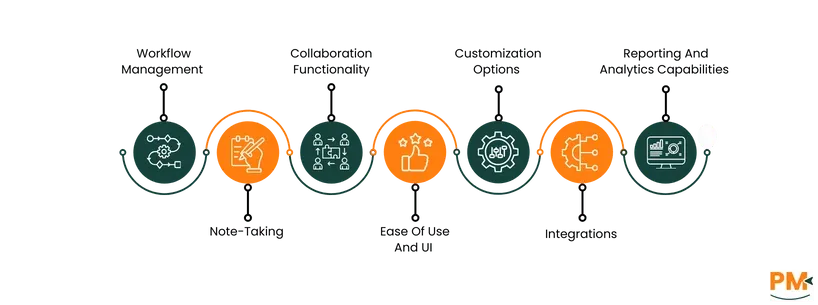
RemNote Vs Notion: At A Glance
Feature
RemNote
Notion
Workflow Management
Focuses on hierarchical note-taking, bi-directional linking, and spaced repetition; basic task management with checklists; ideal for deep learning workflows.
Offers flexible workflows using databases, calendars, kanban boards; supports due dates, priorities, progress tracking; designed for collaborative and diverse project needs.
Note-Taking
Creates flashcards from notes, PDFs, and YouTube videos; supports PDF annotation and AI tutoring; syncs flashcards with spaced repetition.
Uses AI to transcribe meetings, summarize notes; supports rich multimedia content integrated with task/project management.
Collaboration Functionality
Limited sharing and offline sync; minimal real-time collaboration; best suited for individuals or small groups.
Robust real-time collaboration with commenting, sharing, and granular permissions; ideal for teams and businesses.
Ease Of Use And UI
Minimalist but dense interface with a moderate learning curve, designed for students and knowledge workers.
Intuitive, visually rich drag-and-drop UI with multiple views; suited for beginners and advanced users.
Customization Options
Advanced customization via custom CSS for colors, fonts, and layouts; targeted at power users.
User-friendly drag-and-drop styling for fonts, colors, layouts without coding; accessible to all users.
Reporting And Analytics
Detailed flashcard statistics including mastery tracking, heatmaps, and study progress; focused on individual learning.
Workspace and page analytics tracking activity and engagement; focused on team productivity insights.
Extensive integrations including Slack, Google Drive, Trello, and a powerful API enabling wide adaptability.
Workflow Management
RemNote
RemNote focuses on helping users organize knowledge and manage learning workflows. Its workflow management revolves around hierarchical note-taking, bi-directional linking of concepts, and spaced repetition for memorization. Task management is basic, with to-dos and checklists integrated within notes, but lacks advanced features such as due dates or progress tracking.
Custom templates help automate repetitive processes, allowing users to tailor workflows to their study or research needs. This makes RemNote ideal for students, researchers, and knowledge workers focused on deep understanding and retention.
Notion
Notion provides a comprehensive and highly customizable workflow management system for both individual productivity and team collaboration. It enables users to create flexible workflows using databases, kanban boards, calendars, and task lists.
Tasks can include due dates, priorities, and relations to larger projects, with multiple views to track progress efficiently. Notion also supports real-time collaboration and extensive integrations, allowing teams to synchronize efforts smoothly.
Winner: RemNote excels in integrating task management within a knowledge-focused workflow, optimizing learning and retention. Notion, conversely, provides broader and more flexible workflow tools suitable for varied professional and personal projects.
Note-Taking
RemNote
RemNote revolutionizes note-taking by allowing users to create high-quality flashcards directly from notes, PDFs, and YouTube videos with one click. The "PDF to Cards" feature lets you upload documents and instantly generate flashcards tied to the original source material.
You can annotate PDFs right within your notes, making studying more interactive and efficient. Similarly, the ‘YouTube to Cards’ feature converts video content into flashcards, helping users retain information from lectures or tutorials effortlessly.
These flashcards sync across devices and utilize exam-based spaced repetition to optimize memory retention. RemNote also offers AI-powered tutoring that personalizes learning and provides explanations relevant to your notes.
Notion
Notion’s AI Meeting Notes feature enhances traditional note-taking by automatically transcribing conversations, organizing transcripts, and creating concise summaries. This allows users to focus on the discussion while Notion captures detailed notes.
The summaries help quickly recall meeting highlights, and action items can be tracked directly from the notes. Notion supports rich text and multimedia content within notes, enabling integration with its task and project management system for seamless workflows.
Winner: For dedicated study and knowledge reinforcement, RemNote holds an edge. For broader organizational needs, Notion is more versatile.
Collaboration Functionality
RemNote
RemNote offers limited collaboration features primarily focused on sharing notes and flashcards. Users can share knowledge bases and study materials, but real-time collaboration and advanced team management tools are currently minimal.
It supports offline use and syncing across devices for personal knowledge management but lacks strong multi-user editing capabilities or granular permission controls.
Notion
Notion excels in collaboration with robust real-time multi-user editing, commenting, and sharing options. It supports granular permissions, allowing users to control access at the page or database level.
Teams can collaborate on documents, project plans, and knowledge bases simultaneously with instant updates, making Notion highly suitable for businesses, remote teams, and any group needing centralized cooperation.
Winner: Notion is the clear winner in collaboration functionality due to its extensive real-time collaboration tools. RemNote focuses more on individual knowledge retention with basic sharing capabilities.
Ease Of Use And UI
RemNote
RemNote offers a compact, focused interface designed specifically for students and knowledge workers. Its UI is minimalistic but can feel dense due to its powerful features like hierarchical notes, flashcards, and spaced repetition.
The learning curve is moderate, especially for users unfamiliar with flashcards or knowledge management systems.
Notion
Notion features a highly flexible and visually appealing user interface with intuitive drag-and-drop functionality. It supports rich media embedding, customizable page layouts, and various view options for databases and projects.
The UI is user-friendly with a shallow learning curve for basic notes but also supports complexity for advanced users.
Winner: Notion wins on ease of use and UI due to its intuitive, customizable, and visually rich interface. RemNote excels in functional design for active learning but has a steeper learning curve.
Customization Options
RemNote
RemNote allows advanced interface customization through custom CSS (Cascading Style Sheets). Users can modify colors, fonts, layouts, and styles of notes, tags, links, and checkboxes via a built-in Custom CSS power-up.
Notion
Notion offers a user-friendly, drag-and-drop customization system with options such as fonts, colors, headings, backgrounds, columns, toggles, and embedded media—without requiring coding.
Winner: RemNote offers deeper technical customization via CSS, ideal for users who want full control over interface design and are comfortable with coding.
Reporting And Analytics Capabilities
RemNote
RemNote provides insightful reporting through its Flashcard Statistics feature, including heat maps, streak tracking, mastery levels, next repetition timing, and total study time.
These analytics help learners monitor progress, adjust study strategies, and maintain motivation.
Notion
Notion offers workspace and page analytics that track views, edits, and activity trends, focusing on content usage and team collaboration rather than individual learning metrics.
Winner: RemNote is the clear winner for individual learning analytics due to its comprehensive flashcard statistics and mastery tracking.
Integrations
RemNote
RemNote supports Markdown import/export, device syncing, and API access for custom integrations. However, its third-party integration ecosystem is limited compared to broader productivity platforms.
Notion
Notion offers an extensive integration ecosystem with tools like Slack, Google Drive, Trello, Zoom, and many others. Its powerful API enables automation and deep cross-tool workflows.
Winner: Notion is the clear winner in integrations due to its expansive ecosystem, extensive third-party support, and robust API capabilities.
RemNote vs Notion Pricing Comparison
RemNote Pricing
Plan
Cost
Key Features
Free
$0
Great for casual use and getting started with RemNote.
Unlimited Notes & Flashcards
Unlimited Synced Devices
Pro
$10/month
All the tools you need for effective learning.
PDF Annotation
Image Occlusion
Tables and Templates
Exam Scheduler
Lecture Recorder
1000 RemNote AI Credits
Pro with AI
$20/month
Full learning suite with 20,000 AI credits for advanced AI learning.
Create AI Cards from Text, PDF & PPT
Lecture Recorder
AI Tutor Chat
AI Grading
AI Cards & Quizzes
Image to Text Conversion
Advanced Image Occlusion
All Unlimited Pro Features
20000 RemNote AI Credits
Notion Pricing
Plan
Cost (per site/month, annual billing)
Key Features
Free
$0/member/month
Free for individual usage
Basic forms
Basic sites
Notion Calendar
Notion Mail (Syncs with Gmail)
Databases including subtasks, dependencies, custom properties and more
Plus
$12/member/month
Everything in Free, and
Unlimited collaborative blocks
Unlimited file uploads
Unlimited charts
Custom forms
Custom sites
Basic integrations
Business
$24/member/month
Everything in Plus, and
SAML SSO
Granular database permissions
Verify any page
Private teamspaces
Conditional forms logic
Domain verification
Integrate with GitHub, Asana & more
Premium integrations
Enterprise
Custom Pricing
Everything in Business, and
User provisioning (SCIM)
Advanced security & controls
Audit log
Customer success manager
Security & Compliance integrations (DLP, SIEM)
Domain management
Integrate with even more tools
Advanced integrations
Who Is RemNote Best For?
RemNote is best for students, academics, and professionals focused on optimizing learning and knowledge retention. It is particularly ideal for those who want to create interactive notes and flashcards integrated with spaced repetition to improve memory and exam preparation.
Medical students, researchers, and lifelong learners benefit greatly from RemNote’s ability to link ideas, build knowledge graphs, and manage complex information efficiently. It suits anyone seeking an advanced, structured learning tool that combines notetaking with active recall and personalized study workflows.
Who Is Notion Best For?
Notion is best for professionals, teams, and organizations that need a flexible all-in-one workspace for project management, collaboration, documentation, and knowledge sharing. It is ideal for those who want customizable databases, task management, timelines, and rich media support in a visually appealing and collaborative environment.
The platform also excels content creators, marketers, consultants, and project managers who benefit from structured frameworks, AI-assisted writing, brainstorming, meeting management, and workflow automation.
Which One Suits Your Needs Better?
Choosing between RemNote and Notion depends largely on your primary use case and workflow preferences. If your focus is on deep learning, knowledge retention, and exam preparation, RemNote is the better fit. Its integrated flashcard system, spaced repetition, and advanced note linking make it ideal for students, researchers, and anyone looking to master complex information actively.
On the other hand, if you need a versatile, visually rich, and collaborative workspace for project management, team collaboration, and flexible note-taking, Notion stands out. It excels at integrating diverse work elements like databases, calendars, and tasks with real-time collaboration and extensive third-party app integrations.
What Are The Alternatives?
RemNote Alternatives
RemNote Alternatives
Description
Obsidian
A Markdown-based knowledge management tool focused on linking notes and visualizing ideas with graph views. It enables flexible organization and extensive plugin support.
WorkFlowy
A simple yet powerful app organizing ideas in nested, expandable lists, ideal for outlining and task management. It enhances focus through structured note hierarchies.
Bear Notes
A clean, minimalist note-taking app that supports Markdown, tagging, and cross-note linking, designed for writers and students wanting distraction-free writing.
Supernotes
A card-based note system built for collaboration and easy retrieval, suitable for teams managing fragmented knowledge and information sharing.
UpNote
A simple, distraction-free note app with rich text support and quick search, focusing on smooth and clear user experience.
An all-in-one project management and productivity platform with customizable views, integrating tasks, documents, and goals for team collaboration.
Microsoft OneNote
A versatile note-taking app integrated with Microsoft 365, supporting multimedia notes, handwriting, and structured notebooks for comprehensive organization.
Evernote
A popular cross-platform app for capturing, organizing, and searching notes with powerful tagging, web clipping, and document scanning features.
Ashar Ahmad is the Content Team Lead for the HR category at Software Finder. With over seven years of experience in content writing, he has gone through the paces to prove himself. As someone who understands the unique perspective the readers are looking for and the pain points of writers trying to craft that well-written piece, he now mentors others to enlighten the readers. Outside of work, you will probably find Ashar playing games, being tormented by his cat, tending to his fruit garden, or building keyboards just so he can write more.
Share this Article
Sign Up
Sign up to stay updated with the new content and expand your HR expertise.
Ashar Ahmad is the Content Team Lead for the HR category at Software Finder. With over seven years of experience in content writing, he has gone through the paces to prove himself. As someone who understands the unique perspective the readers are looking for and the pain points of writers trying to craft that well-written piece, he now mentors others to enlighten the readers. Outside of work, you will probably find Ashar playing games, being tormented by his cat, tending to his fruit garden, or building keyboards just so he can write more.



 RemNote is a knowledge management and note-taking tool designed to boost learning and retention. It combines spaced repetition with a flexible note system. Users can create interconnected notes that facilitate deep understanding. The platform offers a structured approach to managing vast amounts of information efficiently. RemNote emphasizes building a personal knowledge base over time. Its interface supports both hierarchical and networked organizations of ideas. Furthermore, the tool is cloud-based, allowing access to multiple devices.