
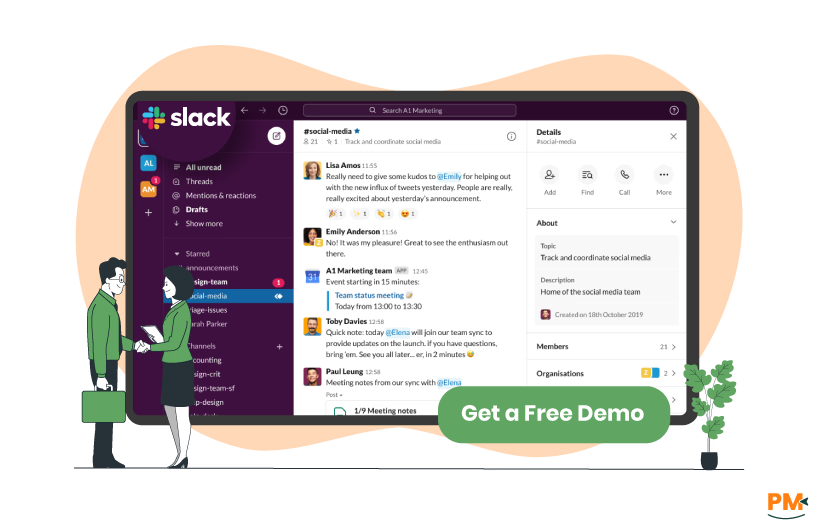
Slack is a leading communication platform designed to streamline team interactions. Launched in 2013, it supports real-time messaging, file sharing, and integrations with over 2,000 apps, making it a central hub for team communication. Trusted by millions of users worldwide, Slack is ideal for teams needing instant collaboration across channels, direct messages, and video/audio calls. Its flexibility and extensive app directory make it a go-to for businesses of all sizes, from startups to enterprises.
Slack Pros and Cons
Pros:
- Real-time Communication: Channels, direct messages, and threaded conversations enable quick and organized discussions
- Extensive Integrations: Connects with over 2,000 apps, including Google Drive, Zoom, and Monday
- User-Friendly Interface: Intuitive design with minimal learning curve for new users
- Robust Search Functionality: Easily find past messages, files, and discussions
Cons:
- Limited Project Management: Lacks robust task tracking and workflow management compared to dedicated PM tools
- Notification Overload: High message volume can disrupt focus without proper management
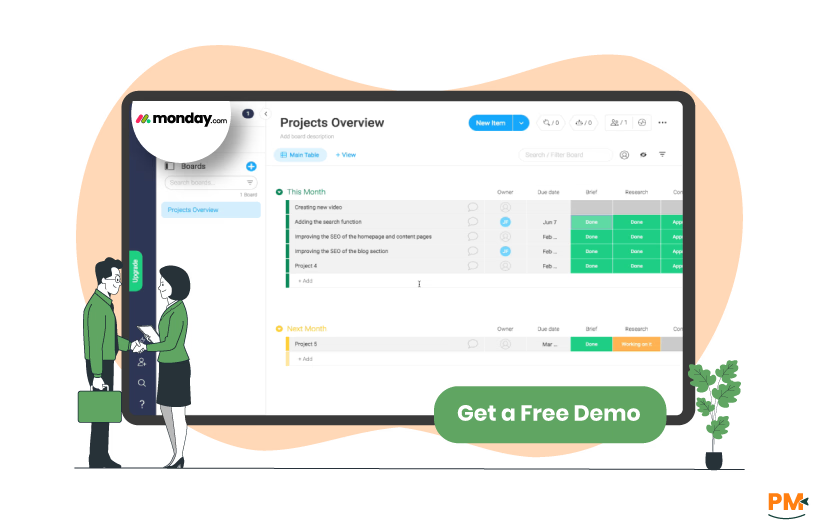
Monday, officially monday. com, is a cloud-based Work Operating System (Work OS) launched in 2014.It provides a flexible platform for project management, task tracking, and team collaboration, with customizable boards, dashboards, and automations. Used by over 225,000 teams globally, Monday caters to diverse industries, including marketing, software development, and HR. Its visual interface and extensive integrations make it a versatile choice for teams seeking to centralize workflows.
Monday Pros and Cons
Pros:
- Comprehensive Project Management: Offers customizable boards, Gantt charts, ancd Kanban views for robust task management
- Highly customizable: Tailor workflows, statuses, and dashboards to fit specific needs
- Automation Capabilities: Streamlines repetitive tasks with no-code automation templates
- Wide Integrations: Connects with over 200 apps, including Slack, Google Workspace, and Salesforce
- Built-In Collaboration Tools: Supports comments, file sharing, and real-time updates within tasks
Cons:
- Steeper Learning Curve: Customization options can overwhelm new users
- No Built-in Chat: Lacks real-time messaging, relying on integrations like Slack for communication
- Costly for large teams: Per-user pricing can add up for bigger organizations
Slack
Slack’s task management is lightweight, focusing on communication-driven workflows. Recent updates introduced Kanban boards and tables for basic project tracking, allowing users to assign tasks, set due dates, and add custom fields. However, these features are not as robust as dedicated project management tools. Slack excels in organizing discussions through channels and threads, but complex project tracking requires integration with tools like Monday or Trello.
Monday
Monday shines in task and workflow management with its customizable boards, which support list, Kanban, timeline, and Gantt views. Users can create tasks, set dependencies, and automate workflows using triggers, conditions, and actions (e. g. , notifying a team when a task is completed). Its hierarchy (Groups, Boards, Items) allows for scalable project organization, making it ideal for managing complex projects across departments.
Slack
Slack offers support through a help center with articles, tutorials, and a community forum. Free plan users rely on self-help resources, while paid plans (Pro, Business+, Enterprise) provide 24/7 support with response times as fast as four hours for Business+ and Enterprise users. Enterprise plans include dedicated account managers for personalized assistance.
Monday
Monday provides support via a help center, ClickUp University-style tutorials, and live chat for paid plan users. Community forums facilitate user discussions. Higher-tier plans (Standard, Pro, Enterprise) offer 24/7 priority support and dedicated success managers. Free plan users are limited to self-help resources, which some find restrictive.
Slack
Slack is a collaboration powerhouse, offering real-time messaging, private channels, and group video/audio calls. Threaded conversations keep discussions organized, and file sharing is seamless. Integrations with tools like Monday allow task updates to flow into Slack channels, enhancing cross-platform collaboration. Its strength lies in fostering instant communication across teams.
Monday
Monday supports collaboration through task comments, mentions, and file sharing within its platform. The “Updates” feature enables threaded discussions tied to specific tasks, and Workdocs allow real-time document editing. While it lacks built-in chat, integration with Slack bridges this gap. Monday’s collaboration tools are task-centric, making it ideal for teams focused on project execution.
Slack
Slack is accessible via web browsers, desktop apps (Windows, macOS, Linux), and mobile apps (iOS, Android). The mobile app supports messaging, notifications, and basic task management, with a clean interface for on-the-go use. Browser extensions enhance functionality, though some advanced features are best accessed via the web.
Monday
Monday offers web access, desktop apps (Windows, macOS), and mobile apps (iOS, Android). The mobile app supports task creation, updates, and notifications, with widgets for quick access. While functional, some users report occasional performance issues on mobile, particularly for complex dashboards. Browser extensions and email integrations improve accessibility.
Slack
Slack’s interface is sleek and intuitive, with a focus on simplicity. Channels and direct messages are easy to navigate, and built-in tutorials guide new users. Customizable notifications and search functionality enhance usability. However, its project management features are less intuitive, requiring integrations for advanced workflows.
Monday
Monday’s interface is visually appealing, with customizable dashboards and multiple views (Kanban, Gantt, calendar). While intuitive for project management, the abundance of features can overwhelm beginners. Interactive tutorials and templates ease the learning curve, but setup time is required for complex workflows.
Slack
Slack lacks native time tracking but supports integrations with tools like Toggl, Harvest, or Everhour for time logging. Users can set up automated workflows to track time via third-party apps, but this requires additional configuration.
Monday
Monday offers built-in time tracking on Pro and Enterprise plans, allowing users to log time on tasks with a timer or manual entry. Timesheets and dashboards provide detailed reports, and integrations with tools like Everhour enhance functionality. Free and Basic plans lack this feature, requiring third-party apps.
Documenting Capability
Slack
Slack supports file sharing and searchable message history for documentation. Canvas, a recent feature, allows teams to create collaborative notes and wikis. However, it lacks robust document creation tools, relying on integrations like Google Docs or Confluence for advanced documentation.
Monday
Monday includes Workdocs for real-time document creation, wikis, and knowledge bases with rich text formatting. Users can embed live project boards within documents, enhancing collaboration. Whiteboards support visual brainstorming, making Monday a more integrated solution for documentation.
Slack Vs Monday Pricing Comparison

Feature | Slack | Monday |
Free Plan | Unlimited users; 5GB storage; 90-day message history | Up to 2 users; 500MB storage; 3 boards |
Entry-Level Paid Plan | $8.75/user/month (Pro) | $9/user/month (Basic) |
Mid-Tier Plan | $8.5/user/month (Business+) | $13/user/month (Standard, billed annually) |
Enterprise Plan | Custom pricing | Custom pricing |
Disclaimer: The pricing is subject to change.
Slack offers a generous free plan with unlimited users, ideal for small teams focused on communication. Paid plans are cost-effective but focus on enhancing communication features. Monday’s free plan is limited, but its paid tiers provide comprehensive project management tools, though costs can scale quickly for large teams.
Who Is Slack Best For?
Slack is ideal for:
- Teams Prioritizing Communication: Perfect for real-time messaging and collaboration
- Organizations Using Multiple Tools: Extensive integrations streamline workflows
- Remote Or Distributed Teams: Channels and calls keep teams connected across time zone
Who Is Monday Best For?
Monday is best suited for:
- Teams Needing Robust Project Management: Ideal for tracking tasks, timelines, and dependencies
- Cross-Functional Teams: Flexible for marketing, HR, and software development workflows
- Organizations Seeking Customization: Custom boards and automations fit specific needs
Which One May Suit Your Needs Better?
The choice between Slack and Monday depends on your team’s priorities. If real-time communication and seamless integrations are critical, Slack’s intuitive messaging and extensive app directory make it the better choice. For teams requiring comprehensive project management with customizable workflows, Monday’s robust task tracking and visual tools are superior. Many teams use both, integrating Slack for communication and Monday for project management. Test their free plans to determine the best fit for your workflows.