


When comparing business intelligence (BI) tools, Tableau and Zoho Analytics often top the list. Both platforms help organizations visualize, analyse, and make sense of data, but they serve slightly different audiences and needs. Tableau is widely recognized for its advanced visualization capabilities, interactive dashboards, and scalability for large enterprises. It empowers data analysts and power users to dive deep into complex datasets with high customization. Zoho Analytics, on the other hand, positions itself as a more affordable, self-service BI solution. With built-in AI ‘Ask Zia’, extensive integrations, and ease of use, it caters to small and medium businesses as well as teams looking for quick, automated insights. This article compares their features, pricing, pros, and cons to help you decide which BI solution best aligns with your organization’s goals.
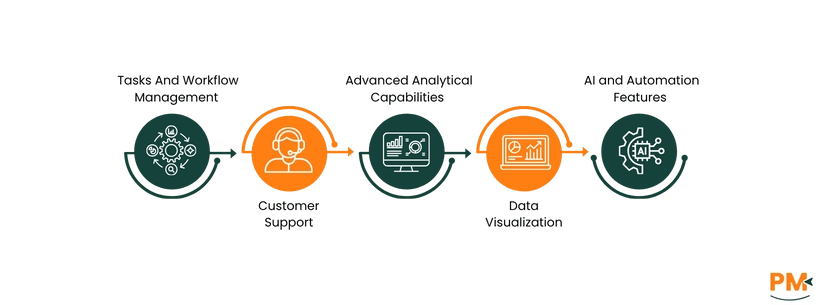
Feature | Tableau | Zoho Analytics |
Tasks And Workflow Management | Focused on dashboard creation and sharing; workflow handled via integrations with other apps (e. g. , Jira, Slack) | Offers built-in task assignment and collaboration tools within the platform, plus native integration with Zoho suite (CRM, Projects, etc.) . |
Advanced Analytical Capabilities | Rich statistical modeling, R/Python integration, predictive analysis, strong data prep (via Tableau Prep) | Includes advanced analytics, forecasting, anomaly detection, and SQL-based analysis; more guided, less customizable. |
Customer Support | Strong community, forums, and enterprise-level support; faster response with premium plans | Provides email, chat, and phone support with responsive service; deeply integrated into Zoho ecosystem. |
Data Visualization | Industry-leading visualization with high customization, interactivity, and design flexibility | Wide range of charts and dashboards, easier drag-and-drop setup, but fewer visualization types than Tableau. |
AI and Automation Features | Offers “Ask Data” and “Explain Data” for AI-driven insights, integrates with Salesforce Einstein for predictive modeling | Built-in AI assistant “Ask Zia” for natural language queries, automated insights, anomaly detection, and smart suggestions. |
TL;DR: What’s the better fit: Tableau or Zoho Analytics? Tableau is best for advanced visualization and enterprise scalability, while Zoho Analytics offers a cost-effective, user-friendly platform with strong AI and integrations.

Tableau is a leading visual analytics and business intelligence platform that helps users transform raw data into insights through intuitive drag-and-drop visualizations and interactive dashboards. It supports deployment in the cloud, on-premises, or hybrid environments, and offers extensive connectivity to databases, cloud services, and data sources. Tableau is designed to empower analysts and business users to explore data, detect patterns, and share insights across teams with strong governance and scalability features.
Tableau Pros and Cons
Pros | Cons |
|
|
|
|
|
|

Zoho Analytics is a self-service business intelligence and data analytics platform that empowers users to analyse data, build visualizations, and glean insights with minimal technical effort. It supports live connections, data blending across sources, and embedded analytics for apps or portals. Its built-in AI (Ask Zia) helps non-technical users ask questions in natural language and automatically discover trends or anomalies.
Zoho Analytics Pros and Cons
Pros | Cons |
|
|
|
|
|
|
Tasks And Workflow Management
Tableau
Tableau supports flow management and scheduling via Tableau Prep Conductor. You can publish, edit, and schedule data prep flows to run automatically. Moreover, its Modern Analytics Workflow outlines stages from data access to governance to help standardize analytics processes.
Zoho Analytics
Zoho Analytics provides built-in collaboration tools such as commenting threads, sharing, and role-based access to support workflow. It also supports scheduled imports/data syncs and automated alerts to trigger workflows based on data changes
Customer Support
Tableau
Tableau offers multiple levels of technical support, including online resources, phone and email channels, and a tiered support plan structure. Users can log support cases, access a knowledge base, and use their customer portal to manage product keys, licensing, and incident tracking.
Zoho Analytics
Zoho Analytics provides 24×5 technical support (Monday–Friday) via email, with paid tiers offering more responsive support options. Support is also available through forums, help documentation, and regional phone lines. Additionally, for on-premises installs, Zoho offers a dedicated support email.
Advanced Analytical Capabilities
Tableau
Tableau supports sophisticated analytics like level of detail (LOD) expressions, table calculations, what-if scenario modeling, clustering, forecasting, and integration with R/Python/Matlab. It enables both analysts and business users to build predictive models and perform segmentation or statistical analysis within dashboards.
Zoho Analytics
Zoho Analytics offers built-in predictive analytics, autonomous machine learning, and auto-analysis via Ask Zia for forecasting, anomaly detection, and diagnostic insights. Users can build models via no-code or code (Python) modes, and use clustering, multivariate forecasting, and smart recommendations.
Data Visualization
Tableau
Tableau delivers rich, interactive visualizations — charts, maps, dashboards — powered by its VizQL engine, offering deep customization and responsive interactivity. You can embed dashboards, apply filters, set actions, and format individual controls for clean designs.
Zoho Analytics
Zoho Analytics supports 50+ visualization types via drag-and-drop, blending data sources and embedding dashboards. It also auto-generates slideshows, suggests charts via AI, and enables interactive filtering and dashboard layouts.
AI and Automation Features
Tableau
Tableau’s AI features (called AI in Tableau) include generative-AI capabilities that assist with insight generation, natural language queries, automatic visualization recommendations, and data prep suggestions. It also introduces Tableau Agent, which helps build visualizations, explain fields, and uncover hidden insights.
Zoho Analytics
Zoho’s AI engine, Ask Zia, lets users ask questions in natural language to create reports, dashboards, forecasts, and detect anomalies. It also supports formula suggestions, pipeline building, and narrative insights (descriptive, predictive, diagnostic)
Tableau Pricing
Plan | Cost | Key Features Included |
Tableau Viewer | $15 | Access and interact with dashboards, shared reports, limited editing |
Tableau Explorer | $42 | Create and edit dashboards, moderate collaboration, governed data access |
Tableau Creator | $75 | Full data prep, authoring, publishing, and server/cloud deployment control |
Enterprise Viewer | $35 | Viewer plus enterprise-level management, performance optimization, Data Management & governance features |
Enterprise Creator | $70 | Creator plus enterprise administrative controls, advanced governance, Data & Advanced Management, Pulse, etc. |
Enterprise Explorer | $115 | Explorer plus enterprise capabilities: Pulse, advanced management, data management, performance scaling |
Tableau+ | Custom pricing | Advanced governance, scalability, enterprise security, bulk licensing |
Disclaimer: The pricing is subject to change
Zoho Analytics Pricing
Cloud Module | ||
Cloud Basic | $30/month | 0.5M rows, unlimited reports/dashboards, 100+ connectors, daily sync |
Cloud Standard | $60/month | 1M rows, more users, more frequent data sync (8/day)
|
Cloud Premium | $145/month | 5M rows, more users, live connect, advanced features |
Cloud Enterprise | $575/month | 50M rows, full features, governance, unlimited reporting |
On-Premise Module | ||
On-Premise Personal (Included in each server plan) | Free | Limited to 1 user, 10,000 rows, 5 workspaces, no scheduled import/email |
On-Premise (Local server) | $30 /user/month billed annually Min. of 5 users | Installed locally, full data control, role-based access, automated backups, and admin management |
On-Premise (AWS) | $0.25/hr + AWS usage fee Min. of 5 users
| Hosted on AWS, elastic scaling, high availability, includes same analytics features as local setup |
On-Premise (Azure) | $0.40 /hr + Azure infrastructure fee Min. of 5 users | Hosted on Azure, integrates with Microsoft ecosystem, real-time sync, and advanced security options |
On-Premise (Docker) | $30 /user/month billed annually Min. of 5 users | Containerized deployment, easy setup, supports multiple environments, full feature set identical to other editions |
Disclaimer: The pricing is subject to change
Tableau is ideal for mid-sized to large organizations needing customizable, scalable analytics. It suits industries like finance, healthcare, and retail that rely on complex data visualization and governance. Its enterprise features support large teams with secure, centralized analytics. Though smaller teams can use it, Tableau’s pricing and complexity make it best for organizations with multiple data users.
Zoho Analytics is especially suitable for small to medium teams that need powerful BI without heavy overhead. It fits industries like marketing, retail, SaaS, and finance by integrating with tools like Zoho , Xero, and QuickBooks for analytics. According to Zoho, it supports both data analysts and business users with 500+ connectors and a scalable environment. Its pricing and features scale so you can start small and grow without switching platforms.
If your top priorities are visual sophistication, handling very large datasets, and enterprise-grade governance, Tableau is the better performer. Its strength is in its highly polished dashboards, advanced customization, clustering/forecasting at scale, and strong community + integration infrastructure.
On the other hand, if you need something quicker to deploy, more cost-effective, with strong AI-assisted insights, flexible integrations, and lower learning curve, Zoho Analytics likely fits better. It offers 500+ data-source connectors, trend forecasting, anomaly detection, and is praised for ease of use and affordability in reviews.
If Tableau or Zoho Analytics don’t fit your needs, several capable BI alternatives exist. Power BI offers strong integrations and affordability, while Dart Project Management enables flexible data exploration. Nifty Project Management and Domo suit enterprises needing scalable, cloud-based analytics, and Metabase appeals to smaller teams seeking simplicity. For Zoho users, Mode Analytics and GoodData provide great customization and embedded analytics options.
