In the increasingly complex world of project delivery, teams often struggle with fragmented communication, scattered tasks, and tools that don’t talk to each other. These challenges create friction, reduce visibility, and slow progress — especially in larger organizations managing multiple projects at once.
To address these pain points, many companies turn to digital platforms designed for coordination and collaboration. Two popular software in this space are Trello and Microsoft Teams.
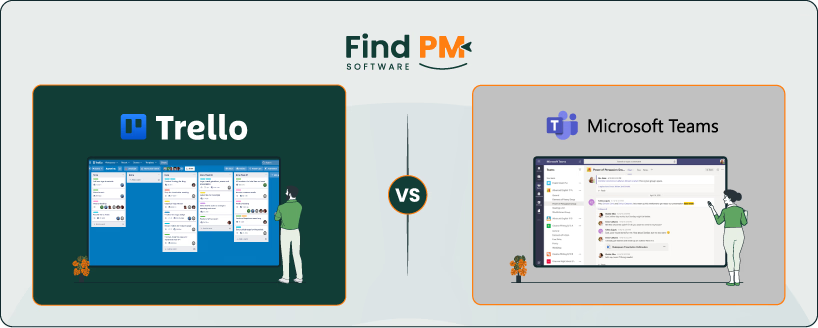
Trello offers a visual, card-and-board approach to task management, making workflows transparent and intuitive. Meanwhile, Microsoft Teams centralizes communication in one hub — integrating chat, meetings, file sharing, and app integrations.
In this blog, we will compare both software solutions side by side: their core features, benefits, limitations, and suitability — so you can decide which fits best for your project management needs.
Features
Trello
Teams
Calling Capabilities
No native calling; relies on Power-Ups and integrations with other tools
Full voice and telephone support with Teams Phone, PSTN integration, voicemail, call queues
Task And Workflow Management
Utilizes visual boards, lists, and cards
Provides Planner integration for structured task tracking, buckets and labels
Customer Support
Self-help resources, community forums, and tickets
Multi-tiered support via Microsoft 365 admin center, live chats, online forums and global phones
Collaboration
Provides real-time updates on boards/cards and shares files via Power-Ups
Centralizes chat, channels, meetings, and file sharing in one place
Desktop apps (Windows/Mac), iOS, Android, browser access, and a PWA for Linux users
Ease of Use and UI
Simple, intuitive drag-and-drop UI with multiple board views
Core apps such as activity feed, chat, files are all pinned for ease of use
Security
Provides TLS & AES encryption and holds certifications for SOC 2 and ISO/IEC 27001
Offers enterprise-grade security with TLS/SRTP encryption and Microsoft Entra ID
Notifications
Email, browser, and mobile push notifications
Banners, feeds and status change alerts
Reporting And Analytics
Relies on Power-Ups like Screenful
Built-in analytics and reports for usage, meetings, PSTN, external collaboration
AI And Automation
Uses Butler and Atlassian Intelligence
Uses Copilot and Workflow Builder
TL;DR: Trello is great for small teams looking for a lean software, whereas Microsoft Teams is much more suited towards mid-sized to larger enterprises.
Trello Overview
Trello is a visual work-management tool built around the Kanban methodology. It enables teams to organize projects into boards, lists, and cards.
Each board represents a project or major initiative. Within a board, lists define the stages or workflow steps (e. g. , To Do, In Progress, Done), and cards act as individual tasks or work items. Cards can contain checklists, attachments, due dates, labels, comments to capture context and status.
The software stands out for its intuitive, drag-and-drop interface and flexibility as it adapts to many workflows and team types. Its power lies in simplicity—users see at a glance what’s being worked on, who’s responsible, and where each task is in the process.
In short, Trello is a flexible, visually driven platform suited for managing tasks, workflows, and collaborative projects across teams of varying sizes.
Trello Pros and Cons
Pros
Cons
Easy for new hires to understand within minutes
Visual layout helps identify bottlenecks quickly
Provides clear project overviews and task tracking
Reporting is limited without adding Power-Ups
Switching between projects can be difficult
Teams Overview
Microsoft Teams is a unified collaboration and communication platform. It serves as a digital hub for teams, integrating chat, meetings, calling, file sharing, and application connectivity.
At its core, Teams enables instant messaging, audio and video calling, and rich online meetings with features like screen sharing and live captions. It also supports persistent chat history, meaning conversations are saved and accessible across devices.
The software is structured around teams and channels. A “team” groups individuals working toward common goals. Within each team, channels are topic-based workspaces where conversations, file collaboration, and integrated apps live. Channels may be Standard (visible to everyone in a team) or private (restricted to selected members).
To put it simply, Microsoft Teams is an extensive collaboration platform designed for organizations seeking to consolidate communication, meetings, and document workflows.
Teams Pros and Cons
Pros
Cons
Easy to set up for meetings, communication, and file sharing in one place
Supports remote teams with secure meetings and document sharing
Enables quick communication and collaboration on projects and tasks
Limited integration with Apple product
Can feel heavy on system resources, especially with multiple tabs open
Calling Capabilities
Trello does not natively include call features. Instead, Trello users rely on communication and collaboration Power-Ups to extend functionality. In the Trello Power-Ups directory under “Communication & Collaboration,” one can find tools that integrate chat, messaging, and alerting systems, or allow linking Trello cards to communication platforms (for example, Email for Trello). In practice, Trello’s calling is limited to integrations (e. g. , linking to Slack, email, or notifications) rather than built-in voice calls.
Conversely, Microsoft Teams offers robust built-in calling capabilities via Teams Phone, which aims to replace legacy PBX systems with a cloud-based call control system. With Teams Phone, users can make, receive, and transfer calls, use voicemail, or configure auto attendants and call queues. Teams also supports dialing via an integrated dial pad (by number or name), and group calling within or outside the organization. When connected to Public Switched Telephone Network (PSTN) through Calling Plans or Direct Routing, Teams enables external phone number calling.
Winner: Microsoft Teams wins this category in a landslide since it provides calling capabilities whereas Trello relies on third-party integrations.
Tasks And Workflow Management
Trello provides a lightweight, flexible system for managing tasks and workflows using boards, lists, and cards. Teams can visually break down work and track progress in a shared space. They can also make use of advanced checklists, labels and various calendar views. In addition to all this, Trello also provides various customizable templates for different scenarios. It also integrates with software such as Slack, Jira and Google Drive, meaning that teams can adapt it in different workflows, from simple to more complex process flows.
Within Microsoft Teams, task and workflow management is enabled primarily via Microsoft Planner. Teams users can add Planner as a tab inside channels so tasks live in the same context as team conversations. In addition, tasks can also be created from Teams messages, saving users a lot of hassle in the long run. Planner also supports visual boards divided into buckets, assigning tasks, color coded labels, etc. It also unifies task management in one place, allowing users to see their current tasks, to-do lists and loop plans.
Winner: Trello wins this round as Microsoft Teams has to rely on Microsoft Planner for managing tasks.
Customer Support
Trello’s support is centered around self-help resources and community assistance. Its Atlassian Support portal offers documentation, FAQs, and guides for usage and administration. Meanwhile, users on paid plans (Standard, Premium, Enterprise) are allowed to submit support tickets, whereas free users are usually directed to community forums and knowledge base articles. For enterprise customers, Trello offers 24/7 Enterprise-level admin support as part of its enterprise plan. However, if the online portal is down, Atlassian sometimes provides temporary email contact channels.
Microsoft provides layered support for Teams through its Microsoft Support Help & Learning portal, which includes articles, tutorials, troubleshooting guides, and community forums. For more direct assistance, organizations can access business support via Microsoft 365 admin center. This enables ticket creation, chat with support agents, or call-backs depending on subscription level. In addition, Microsoft has published global phone numbers for business support, though availability and routes vary by country.
Winner: Microsoft Teams wins this category owing to its extensive support options.
Collaboration Functionality
Trello emphasizes visual collaboration across teams through its boards, lists, and cards. Multiple users can edit the same boards and cards simultaneously—adding comments, attachments, labels, and due dates—to stay aligned on work progress. Updates are also in real time, enabling team members see changes instantly, helping avoid duplicate work or confusion
In addition, Trello workspaces group boards under a shared umbrella, allowing members to access and collaborate across boards in a unified environment. It also integrates with third-party tools and communication services (via Power-Ups) so teams can embed chat, notifications, or linking to external collaboration platforms within Trello.
Microsoft Teams is designed to be a central collaboration hub, integrating chat, meetings, file sharing, and editing in a unified interface. It supports real-time coauthoring of documents directly inside channels, so multiple users can work together in Word, Excel, or PowerPoint files without leaving the app. In addition, Teams also allows collaboration beyond organizational boundaries. Through guest access and external access, users can invite people outside the company to join teams or chat, share files, and coauthor content. Finally, Teams is tightly integrated with SharePoint and Microsoft 365, so files shared in channels live on SharePoint sites automatically, enabling version control, permissions, and seamless sync.
Winner: Both software are tied here.
Cross-platform Support
Trello is designed for use across multiple platforms. It runs through a web browser, and also offers native desktop apps for macOS (11.0 or later) and Windows 10+ so users can open Trello in its own window rather than a browser tab. On mobile, Trello provides apps on iOS (via the App Store) and Android (via Google Play) so teams can interact with boards and tasks on the go. For desktop use, Trello also supports modern browsers—Chrome, Safari, Firefox, and Edge—to guarantee compatibility across operating systems.
Similarly, Microsoft Teams also offers cross-platform flexibility. Users can install Teams on Windows, macOS, iOS, and Android, covering desktop and mobile devices. For Linux users or in constrained environments, Teams provides a progressive web app (PWA) version, allowing browser-based access without a full native install. Additionally, the web version of Teams also supports core features—chat, meetings, file collaboration—which ensures users can continue working even when they can’t use the app.
Winner: Both software are once again tied since both of them offer similar modes for compatibility.
Ease Of Use And UI
Trello’s user interface is known for its clarity and simplicity: new users can begin by creating a board, adding lists, and populating cards within minutes. Its layout is intuitive — the drag-and-drop metaphor is central to task movement, and card details are revealed via clean overlays rather than cluttering the workspace. Furthermore, Trello also offers multiple “views” (Board, Timeline, Table, Calendar, Dashboard, Map, Workspace) to suit different user preferences, though some of these views require paid plans. Recently, the platform has also rolled out a refreshed UI with features like a navigation bar, unified inbox, and streamlined card backs to reduce visual complexity and improve flow.
Meanwhile, Microsoft Teams aims to present multiple tools—such as the chat, meetings, files, apps—within a unified interface that’s accessible from a sidebar. Its UI benefits from Microsoft’s broader design language, which strives for consistency across Office and 365 apps, helping reduce friction for users already familiar with Outlook, Word, and SharePoint.
Winner: Trello wins this round as it’s Kanban methodology and UI give it an edge over Microsoft.
Security
Trello employs industry-standard security measures to protect user data. All data in transit is encrypted via TLS using 128-bit AES, and server-side data (including attachments post-June 2015) is stored with AES encryption. Trello also encrypts data at rest (full disk encryption) and maintains unique keys for each server.
On the compliance side, Trello holds certifications and attestations such as SOC 2, SOC 3, ISO/IEC 27001, and ISO/IEC 27018.However, it’s important to note that some user data may be shared by Trello with third-party service providers, (for instance, a user’s email with an email delivery provider).
Microsoft Teams is built within the larger Microsoft 365 security and compliance framework and offers sophisticated, multi-layered protections. All data in transit and at rest is encrypted using TLS and SRTP (for media such as audio, video, and screen sharing). In addition, Teams uses modern authentication via Microsoft Entra ID, enabling features such as multifactor authentication (MFA), conditional access, and single sign-on (SSO). It also makes use of Microsoft Defender to safeguard against malicious software hidden in certain files. Finally, all Microsoft 365 products hold international security certifications such as ISO-27001.
Winner: Both software offer rigorous security measures. Thus, they are tied once again.
Notifications
Trello offers a flexible notification system built around “Watching” boards, lists, and cards. When you watch an item, you receive alerts for changes like card moves, due date updates, comments, or new cards created. For real-time visibility, Trello supports desktop/browser push notifications (if allowed by your browser/OS). On mobile, Trello’s iOS and Android apps give you granular control over which actions trigger push notifications.
In a similar fashion, Microsoft Teams provides a comprehensive and highly configurable notification system. Users can adjust notification behavior via settings, customizing how and when alerts appear (sound, preview, banner vs feed) across general, chat, channel, meeting, presence, and app categories. Channel-level notifications are also tunable; you can set whether to receive alerts for new posts, replies, or mentions in a specific channel. Additionally, Teams lets you be notified when a person’s status changes (e. g. , when someone becomes available) by adding them to your status notification list.
Winner: Both Trello and Microsoft Teams offer functional notification capabilities that can also be customized to the user’s workflows. Hence, they’re tied here.
Reporting and Analytics Capabilities
Trello does not offer built-in, deep analytics by default; instead, it relies on a variety of Analytics & Reporting Power-Ups (integrations) to surface metrics and visualization. For example, Screenful (a popular Power-Up) enables users to track lead time, cycle time, work-in-progress, backlog size, and generate charts and dashboards directly from board data.
Microsoft Teams includes more native analytics and reporting capabilities, especially for administrators. Through the Microsoft Teams admin center, organizations can run reports to monitor user engagement, chat and channel activity, device usage, meetings, and more. End users or team owners can also view analytics scoped to individual teams or channels (e. g. , number of active users, posts, replies, or guest usage) via the Teams app itself.
Winner: Since Microsoft Teams offers a built-in analytics feature, it wins this round.
AI and Automation Features
Trello builds powerful automations via its Butler feature, allowing teams to create rules, buttons, scheduled commands, and due-date triggers without coding. With Butler, repetitive tasks (e. g. , moving cards, assigning members, setting due dates) can be automated to reduce manual overhead. Recently, Atlassian introduced Atlassian Intelligence in Trello, bringing generative AI features—like extracting action items from notes, drafting or summarizing card content, improving grammar, and suggesting edits. The AI features are available on Premium and Enterprise plans, and admins can enable or disable Atlassian Intelligence for their workspace.
Microsoft Teams integrates AI and automation deeply through its Workflow Builder and Workflows app. This allows users to describe desired automations in natural language, and have Teams suggest flows (triggers and steps) based on that description. The Workflows app (formerly Power Automate in Teams) also connects Teams to other applications and automates processes across systems. On the AI front, Teams includes Copilot in Teams and other agent-based tools that assist with scheduling, task prioritization, meeting summarization, and real-time insights. In short, Microsoft’s ethos blends conversational AI, workflow automation, and cross-apps. This approach is ideal when your automations span communication, tasks, and external systems.
Winner: Microsoft Teams wins this round since it offers a much more comprehensive solution towards AI and automation.
Trello vs Teams Pricing Comparison
Trello offers the following pricing plans:
Plan
Price
Key Features/Limits
Free
$0
Up to 10 open boards/Workspace
Up to 10 collaborators
Unlimited cards
Unlimited Power-Ups/board
10 MB/file attachment
250 automation (“command”) runs/month
Custom backgrounds & stickers
Unlimited activity log
Standard
$5/user/month (billed annually)
Everything in Free, plus unlimited boards
Unlimited collaborators
250 MB attachment size
1,000 automation runs/month
Advanced checklists and custom fields
Premium
$10/user/month (billed annually)
Everything in Standard, plus unlimited automation runs
Meeting recordings with transcripts & live captions (English)
10 GB cloud storage/user; data encryption for meetings, chats, files
Phone & web support
Microsoft 365 Business Basic
$6.00/user/month (paid yearly)
Everything in Essentials + web & mobile versions of Office apps
1 TB storage/user
Email & calendaring via Exchange
More collaboration tools (Planner, Forms, etc.)
Microsoft 365 Business Standard
$12.50/user/month (paid yearly)
Everything in Business Basic+full desktop versions of Office apps (Word, Excel, PowerPoint, Outlook)
Additional tools like webinars
Attendee reporting
Video editing (Clipchamp)
Loop/collaborative spaces
Disclaimer: The pricing is subject to change.
Who Is Trello Best For?
Trello is best suited for small to mid-sized teams that value a simple, visual approach to project and task management. Its board-and-card interface makes it accessible for teams that do not require complex project planning tools but want transparency and collaboration in day-to-day workflows.
Due to this, the platform works well for groups ranging from individuals and freelancers to teams of a few dozen members. That being said, larger organizations can also use it at the department or project level rather than company-wide one.
For enterprises, Trello can scale when paired with Premium or Enterprise plans, offering unlimited boards, advanced admin controls, and integrations that align with organizational standards. However, Trello’s greatest strength remains in smaller teams or those needing lightweight structure, making it a go-to solution for creative, agile, and cross-functional groups seeking clarity without complexity.
Who Is Teams Best For?
Microsoft Teams is designed for organizations of all sizes, but its greatest value is realized in mid-sized to large enterprises that require centralized communication, meetings, and collaboration across dispersed teams. With its deep integration into Microsoft 365, Teams becomes a natural fit for companies already using Outlook, SharePoint, or OneDrive, making it particularly effective for organizations managing large user bases and multiple departments.
Industries that rely on regulated collaboration and structured workflows—such as healthcare, finance, education, government, and professional services—benefit most from Teams’ security framework, compliance features, and enterprise-level scalability. Small teams and startups can also use Teams, especially with affordable entry-level plans, but the platform’s full potential shines when deployed at scale.
Which One May Suit Your Needs Better?
Based on our evaluation above, it seems that Microsoft Teams is much better suited at being a collaborative tool since it offers built in call capabilities, more extensive automation functions, etc. It also goes beyond a simple collaboration tool and offers file sharing, workflows, and enterprise-grade security. As a result of this, it caters to organizations that need to manage large user bases, maintain compliance, and unify multiple productivity tools in one ecosystem.
However, this doesn’t mean that Trello should be discarded. Far from it—Trello, despite not having the full might of Microsoft behind them—still has a few tricks up their sleeve. For instance, they offer a Kanban based approach, making it ideal for small to mid-sized teams, creative projects, and workflows where clarity and flexibility matter more than formal structure. Its ease of use and customizable boards allow teams to stay organized without the complexity of enterprise systems.
Ultimately, if your team values simplicity and visual organization, Trello may be the better fit. But for businesses requiring enterprise-wide collaboration, robust communication features, and integration with Microsoft 365, Teams emerges as the stronger choice.
What Are The Alternatives?
Tool
Alternative For
What It Offers/Strengths
Asana
Trello
Advanced project & task management, timeline views, dependencies, team collaboration.
Ashar Ahmad is the Content Team Lead for the HR category at Software Finder. With over seven years of experience in content writing, he has gone through the paces to prove himself. As someone who understands the unique perspective the readers are looking for and the pain points of writers trying to craft that well-written piece, he now mentors others to enlighten the readers. Outside of work, you will probably find Ashar playing games, being tormented by his cat, tending to his fruit garden, or building keyboards just so he can write more.
Share this Article
Sign Up
Sign up to stay updated with the new content and expand your HR expertise.
Ashar Ahmad is the Content Team Lead for the HR category at Software Finder. With over seven years of experience in content writing, he has gone through the paces to prove himself. As someone who understands the unique perspective the readers are looking for and the pain points of writers trying to craft that well-written piece, he now mentors others to enlighten the readers. Outside of work, you will probably find Ashar playing games, being tormented by his cat, tending to his fruit garden, or building keyboards just so he can write more.