


Choosing the right Customer Relationship Management (CRM) solution can dramatically affect how you acquire, nurture, and retain customers. Zoho CRM and HubSpot CRM are two of the most prominent solutions, each with distinct strengths and trade-offs. Zoho CRM is a cloud-based platform that combines sales, marketing, and support tools in a unified system, offering deep customization, workflow automation, and artificial intelligence (AI) capabilities via its Zia assistant.
HubSpot CRM (now branded under ‘Smart CRM’) emphasizes ease of use, unified data, and embedded AI to enrich records, power automation, and surface insights across customer touchpoints.
In this article, I compare their feature sets, pros and cons, pricing, and ideal use cases — to help you decide which CRM better suits your business.
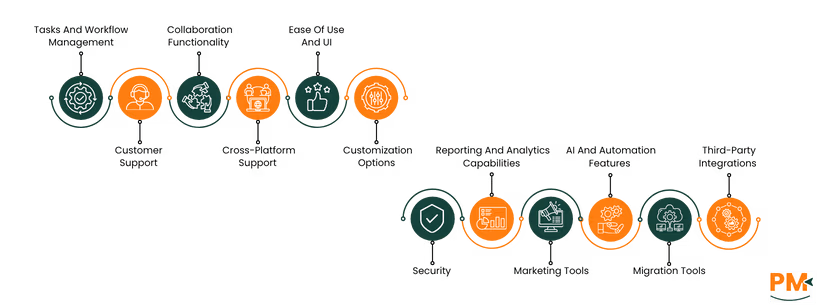
Feature | Zoho CRM | HubSpot CRM |
Migration Tools | Built-in migration wizard and templates for easy data import from other CRMs | Smooth import with guided setup, supports automatic sync through Operations Hub |
Tasks And Workflow Management | Highly customizable workflows with automation and rule-based task assignment | Streamlined automation for repetitive tasks and smart workflows integrated with marketing |
Customer Support | 24/5 support, email, chat, and extensive help documentation | 24/7 customer support for paid users, large knowledge base, and community access |
Collaboration Functionality | Centralized feed, tagging, and shared dashboards enhance teamwork | Shared inboxes, document sharing, and live chat improve team communication |
Cross-Platform Support | Web, iOS, and Android access with consistent interface and performance | Seamless web and mobile experience integrated with other HubSpot Hubs |
Ease of Use And UI | Clean, customizable interface designed for flexibility | Intuitive design with minimal learning curve for all team sizes |
Security | GDPR-compliant, encryption, and role-based data access | SOC 2 and GDPR-compliant, with strong encryption and advanced permissions |
Customization Options | Deep customization with low-code tools and tailored modules | Limited customization but smooth setup and predefined templates |
Marketing Tools | Offers email campaigns, lead scoring, and analytics via Zoho Marketing Hub | Robust marketing automation and lead nurturing built into the CRM |
Reporting And Analytics | Detailed reports with visual dashboards and predictive insights | Smart reporting, customizable dashboards, and cross-team analytics |
AI And Automation | Zia AI assists with predictions, workflows, and insights | HubSpot AI supports lead scoring, content recommendations, and forecasting |
Third-Party Integration | 800+ integrations through Zoho Marketplace | 1,800+ integrations available via HubSpot App Marketplace |

Zoho is a cloud-based CRM platform designed to unify sales, marketing, and support operations. It offers tools such as lead capture, deal pipelines, workflow automation, AI-assisted insights through Zia, journey orchestration, and strong customization of layouts, modules, and fields.
Zoho emphasizes scale and flexibility; teams can create custom modules and portals, leverage AI agents (pre-built or user-defined) to automate routine tasks, forecast outcomes, and build dashboards and reports for actionable business intelligence.
Zoho Pros And Cons
Pros | Cons |
|
|
|
|
|
|

HubSpot CRM is a cloud-based platform designed to unify sales, marketing, and service functionalities into a single system. It provides a central database for contacts, companies, deals, and activity history, enhanced with tools like workflows, reporting, and automation. Importantly, data enrichment and AI-powered insights help surface trends, clean up data, and suggest actions.
Smart CRM also offers flexible configuration: custom data models, score-based prioritization, multiple views (kanban, calendar, table, etc.) , team governance (permissions, audit logs), and integrations with a wide ecosystem of apps. Many core features are available in the free tier, making it accessible for small teams, while more advanced tools scale in paid versions.
HubSpot CRM Pros And Cons
Pros | Cons |
|
|
|
|
|
|
Migration Tools
Zoho
Zoho CRM provides several tools and options to facilitate data migration from spreadsheets, other CRMs, or Zoho accounts. The core tool is the ‘Data Migration Wizard’, which automates the mapping of import files (CSV or ZIP) to Zoho’s modules and fields. If a module in your data does not already exist, Zoho can create it automatically and assign the right fields.
You can migrate data from services like Salesforce, Pipedrive, Insightly, Highrise, MS Dynamics, Capsule, Bitrix, or other custom/specialized CRMs. Zoho supports both manual uploads of formatted CSVs (or ZIPs containing CSVs) and API-driven transfers using instance URLs and tokens. During import, it shows you which fields/modules are mapped, unmapped, or unsupported. There are limits (e. g. , file size, number of files, total size) and permissions required.
HubSpot CRM
HubSpot provides multiple migration options; the guided Import tool lets you upload existing data like contacts, companies, deals, or activities via CSVs and map fields manually or use API endpoints for more complex imports.
For moving from other CRM systems, you can request a migration through HubSpot’s Replatforming Team. They support transfers from platforms including Salesforce, Zoho, Pipedrive, ActiveCampaign, Keap, and more, migrating records, deals, activities, notes, and attachments.
Tasks And Workflow Management
Zoho
Zoho CRM allows teams to automate task and workflow processes using ‘Workflow Rules’, when certain conditions (e. g. , lead enters CRM, deal amount exceeds threshold) are met, Zoho can auto-assign tasks, issue email alerts, update fields, or trigger webhooks.
Users can create ‘Workflow Tasks’ which include subject, due date, priority, status, assignee, reminders (via email or pop-up), and optional notifications. Those tasks can be tied directly to workflow rules to ensure actions happen automatically without manual intervention.
HubSpot CRM
HubSpot allows users to create tasks from contacts, deals, tickets, or custom objects, assign due dates, set priorities, and send reminders.
Tasks can also be generated automatically via workflows — for example, when a deal reaches a certain stage or based on a task’s status.
Workflow automation supports triggers like form submissions, property changes, or record associations; users can then use actions such as sending email, assigning tasks, updating field values, or creating follow-up tasks.
Customer Support
Zoho
Zoho CRM offers tiered support depending on your subscription level. Free-plan users have access to email support, forums, and a knowledge base. Paid plans include additional channels: live chat, phone, remote assistance, and, for Enterprise, a dedicated Technical Account Manager and priority response times (as low as one hour) plus 24/7 multichannel support.
All users can access Zoho’s Help Center, community forums, and submit support tickets through the customer portal.
HubSpot CRM
HubSpot offers support options that vary by plan. All users—including free-tool users—have access to the HubSpot Knowledge Base, Community forums, and developer community for self-help.
Users on Starter or higher plans get live chat and email support in addition. For Professional and Enterprise customers, phone and callback support is available.
HubSpot defines a ‘scope of support’ document; core software issues are supported; custom coding, third-party integrations, or template design are only covered in limited ways, often via partners or guided resources.
Collaboration Functionality
Zoho
Zoho CRM includes internal ‘Feeds’, ‘Chat’, ‘Notes’, ‘Tags’, and ‘Groups’ so teams can exchange updates, share context, and stay aligned on deals and contacts. Feeds work like social streams where users can post announcements or deal progress.
Users can attach audio/text notes and files to any record; tag colleagues to pull them into conversations; set up specialized Groups to share records among defined teams; and integrate project management features so projects link to deals and tasks.
HubSpot CRM
HubSpot CRM supports collaboration through deal collaborators, letting multiple users work together on the same deal; collaborators gain view/edit access and a dedicated view for all deals they’re part of.
The collaboration sidebar allows team members to comment on assets, review assigned tasks, manage marketing calendars, and handle approvals across various hubs and assets.
Crossplatform Support
Zoho
Zoho CRM is accessible via web browsers (desktop), iOS, and Android native apps. Users can work offline on mobile—create, edit, and delete records, which then sync when online.
Mobile apps include major modules such as Leads, Contacts, Accounts, Deals, Tasks, Events, etc. , plus custom modules depending on edition.
HubSpot CRM
HubSpot CRM is browser-based for desktop use, fully supported on Windows, macOS, and Linux via browsers like Chrome, Firefox, Safari, and Edge. It also offers mobile apps for iOS and Android, letting users manage contacts, deals, tasks, and get real-time notifications on the go.
The mobile app supports features such as business-card scanning (on supported devices) and caller-ID overlays during incoming calls linked to contact records.
Ease Of Use And UI
Zoho
Zoho markets its CRM as ‘refreshingly simple’ — the interface uses no-code customization, logical navigation flows, and contextual wizards to reduce friction in routine tasks.
With the new UI redesign, Zoho shifted the navigation bar from top to left, introduced sidebar configuration shortcuts, and enabled inline chart views within lists to surface insights directly in module views.
HubSpot CRM
HubSpot describes its platform as intuitive, with a single login, unified user interface, and consistent experience across modules—designed for people without technical training.
The UI emphasizes ‘easy to adopt’ and ‘value fast,’ aiming to reduce friction by combining tools under one interface and minimizing the need to switch between disconnected applications.
Security
Zoho
Zoho CRM uses strong encryption to protect your data both in transit and at rest. All communications with servers (API, web, mobile) use TLS 1.2/1.3, while stored data and attachments are encrypted using AES-256.
Access controls include two-factor authentication (2FA), single-sign-on (SSO), IP restrictions, and audit logs to track changes and deletions of records.
Moreover, Zoho also supports data residency choices, physical security across data centers, regular backups, and compliance with GDPR, HIPAA (as a processor), ISO, and SOC-2 standards.
HubSpot CRM
HubSpot applies a defense-in-depth security model, enforcing multiple layers of protection across the system. Data is encrypted in transit (TLS) and at rest (AES-256).
HubSpot offers ‘Sensitive Data’ settings, such as marking a property as ‘sensitive’ adds an extra encryption layer and restricts access to authorized users.
Access control is enforced via roles, permissions, and audit logging. HubSpot’s infrastructure is hosted on audited providers, and customers get SOC 2 Type II / SOC 3 reports via the Trust Center.
Customization Options
Zoho
Zoho CRM offers deep customization to adapt to varied business workflows. You can create or edit custom modules, add custom fields (including picklists, lookup, auto-number, and multi-select) to fit your data needs.
Page layouts are configurable; you can hide/show fields or sections, change layout rules so relevant fields appear based on other values, and reorder related lists or sections in record detail pages.
You can also build custom buttons to trigger unique actions, use Canvas design studio to redesign the interface look, and test changes first in a sandbox before pushing live.
HubSpot CRM
HubSpot’s Smart CRM supports deep customization via custom objects, properties, and associations to shape your data model precisely for your business. Enterprise-level accounts can create new custom objects or use the API to define properties and link them with standard objects like contacts, deals, or tickets.
You can also customize record layouts, sidebars, and board/index views, choosing which fields (properties) show for different users or objects. Default objects have many built-in properties, but you may still add custom ones and control where they appear—for example, in forms, workflows, or reports.
Marketing Tools
Zoho
Zoho CRM includes built-in email campaign tools with drag-and-drop templates, A/B testing, personalization, and dynamic content. You can segment audiences using behavior, demographics, purchase history, or the RFM (Recency, Frequency, Monetary) model.
Social media posting, listening, and scheduling across platforms like Facebook, LinkedIn, Instagram, and tracking engagement in Zoho is part of its marketing suite. Paid ad campaigns (Google, social) can be managed and tied back to CRM, so marketing ROI is visible.
Surveys, webinars, and feedback tools are integrated so marketers can gather insights and act on them through the same platform. Forms capture leads and sync into CRM.
HubSpot CRM
HubSpot CRM ties directly into Marketing Hub, which offers tools for email campaigns, marketing automation, landing pages, forms, and lead nurturing. Its system lets you track content interactions and campaign performance in real time using built-in dashboards and analytics.
HubSpot also supports social media scheduling/posting, A/B testing of send-times and email content, and allows segmentation of contacts based on behavior, form submissions, and properties. Integration with CRM means every marketing interaction becomes data for workflows, follow-ups, or scoring.
Reporting And Analytics Capabilities
Zoho
Zoho CRM offers built-in reporting in all modules with standard reports (40+), dashboards, real-time sales funnel views, and pipeline tracking.
Advanced CRM Analytics powered by Zoho Analytics adds over 75 prebuilt dashboards & reports, cross-module blending, custom formulas, drill-downs, and alerts.
Dashboards are customizable with charts, pivot tables, and KPI widgets, and can be shared with teams; synchronization can be scheduled, and reports exported or emailed.
HubSpot CRM
HubSpot CRM provides customizable dashboards where users can combine reports across marketing, sales, and service data to track performance.
Reports are built visually using a drag-and-drop editor; users can share dashboards, restrict or grant permissions, and schedule reports via email.
It supports multi-touch revenue attribution, letting businesses see how various marketing interactions lead to closed deals.
AI And Automation Features
Zoho
Zoho CRM uses Zia, its built-in AI assistant, to automate tasks and surface insights across sales and customer data. It generates predictive scores (lead, deal, churn), recommends next-best actions, and suggests workflows or macros to handle repetitive work.
Other automation includes condition-based workflow rules, triggers, and blueprint stages; generative-AI assists with module/report/workflow creation via natural language; also, data enrichment (email signature extraction, field prediction) and anomaly detection for spotting outliers in performance metrics.
HubSpot CRM
HubSpot’s Smart CRM embeds AI and automation across its platform. It includes Data Enrichment, which pulls in missing contact, company, or deal info from emails, calls, and external sources to maintain up-to-date records.
Workflows in HubSpot enable automated actions based on triggers (like form submissions, property changes, or events). Users can send emails, assign leads, update fields, or create follow-up tasks automatically. Its Programmable Automation (in Operations Hub) lets you write custom code actions within workflows, enabling flexible, business-specific automation.
Third-Party Integrations
Zoho
Zoho CRM supports a wide array of third-party integrations via its Developer Console, letting you use connectors (OAuth2 or token-based) or build remote extensions. Apps like Google Contacts, Google Calendar, Microsoft Outlook/Office, QuickBooks, Slack, Dropbox, and Zendesk are among the common integrations.
In addition, Zoho provides pre-built add-ons and plug-ins for email tracking via Zoho Mail, marketing via Zoho Campaigns, project collaboration via Zoho Projects, or social integrations (Facebook, LinkedIn, etc.) . Users can also use API or custom functions to pull data in from external tools or push data out or create related lists using third-party APIs.
HubSpot CRM
HubSpot CRM supports over 1,800 integrations through its App Marketplace, including popular tools like Jira, Shopify, and Slack.
It offers Data Sync via Operations Hub, which enables two-way syncing with other apps, keeping records up-to-date in near real time.
Additionally, developers can use HubSpot’s set of public APIs (CRM, Marketing, Conversations, Analytics, Webhooks) to build custom integrations or UI extensions when native integrations don’t meet specific business needs.
Zoho
Zoho CRM has the following paid plans, all per user per month, when billed monthly:
- Standard - $20/user/month
- Professional - $35/user/month
- Enterprise - $50/user/month
- Ultimate - $65/user/month
It also offers a 15-day free trial.
Disclaimer: The pricing is subject to change.
HubSpot
HubSpot’s Sales Hub (which is part of the CRM offerings) has the following monthly per-user pricing when billed monthly (or values available from official monthly-plan info):
- Free Tools - $0/month
- Starter - $15/user/month
- Professional - $100/user/month
- Enterprise - $150/user/month
It also offers a 14-day free trial.
Disclaimer: The pricing is subject to change.
Zoho CRM scales to serve businesses from solo entrepreneurs and small teams up to large enterprises. It works well for companies with modest headcounts (5-50 users) that want strong out-of-the-box functionality, and also for organizations with hundreds or thousands of users that need deep customization and broad integrations. Evidence shows Zoho supports over 150,000 businesses across industries like financial services, real estate, pharmaceutical sales, insurance, manufacturing, and IT services.
Industries with complex or multi-team workflows (real estate firms, professional services, manufacturing companies) benefit from Zoho’s modular features and custom modules. Smaller startups or mid-market companies wanting to streamline sales, marketing, or support in one system also find it effective due to its flexibility. Enterprises needing data residency, compliance, and advanced reporting tools will also gain value.
HubSpot CRM fits teams of all sizes—from solo founders and small businesses to large enterprises—especially those emphasizing marketing, sales, and service alignment. Its free tier and scalable premium plans make it appealing for small businesses needing core CRM features without heavy investment.
It is well-suited for B2B and B2C companies across industries such as SaaS, ecommerce, education, and professional services, where tracking customer relationships, automating follow-ups, and extracting marketing/sales insights are important. Larger enterprises benefit when they need cross-team visibility, advanced reporting, automation, and governance features.
Both Zoho and HubSpot CRM deliver powerful capabilities, but the right choice depends on your business priorities. Zoho CRM excels in affordability, customization, and scalability—making it ideal for small to mid-sized businesses that want control over workflows, data models, and reporting without overspending. Its flexibility benefits companies that prefer tailored solutions and operate across diverse industries.
HubSpot CRM, on the other hand, shines with its user-friendly interface, superior marketing automation, and deep integration ecosystem. It’s better suited for growing teams and enterprises seeking a unified sales and marketing platform with minimal setup effort.
In short, Zoho favors customization-driven teams, while HubSpot dominates in ease, automation, and growth alignment.
If Zoho or HubSpot CRM don’t match your needs, here are other options you might consider:
Alternatives To Zoho CRM:
- Freshsales (Freshworks CRM): Simpler UI, strong lead-qualification, and automation
- Bitrix24 : Combines CRM, collaboration, and project tools
- Insightly: Good mix of CRM, project management and integrations
- Copper CRM: Ideal if your workflows are tightly linked to Google Workspace
Alternatives To HubSpot CRM:
- EngageBay: More affordable all-in-one sales/marketing/support platform
- ActiveCampaign: Strong automation and email-focused features
- Pipedrive: Visual pipelines, simple, effective for sales teams
- Nutshell: Clean UI, good core CRM features without overcomplicating
