
When evaluating top-tier CRM and productivity platforms, Zoho vs Pipedrive is a comparison that often surfaces among teams seeking streamlined project management and sales workflows. Both platforms have earned reputations for helping businesses improve customer engagement, optimize operations, and boost team productivity—but they take very different approaches.
Zoho offers a broad ecosystem of apps designed for end-to-end business management, from CRM to finance and HR tools. Pipedrive, on the other hand, is laser-focused on sales pipeline visibility and ease-of-use, making it a favorite among small to mid-sized sales teams.
If you're trying to decide which platform is right for your team’s productivity, this side-by-side guide will help. We’ll walk you through how Zoho and Pipedrive compare on core features, pricing, usability, integrations, and overall value—so you can make a confident, informed choice.
Zoho CRM is part of the expansive Zoho ecosystem—a unified suite of 50+ business applications spanning sales, marketing, finance, HR, and IT. Positioned as a scalable, all-in-one CRM solution, Zoho CRM stands out for its flexibility, deep customization, and native integration with other Zoho tools like Zoho Projects, Zoho Books, and Zoho Campaigns.
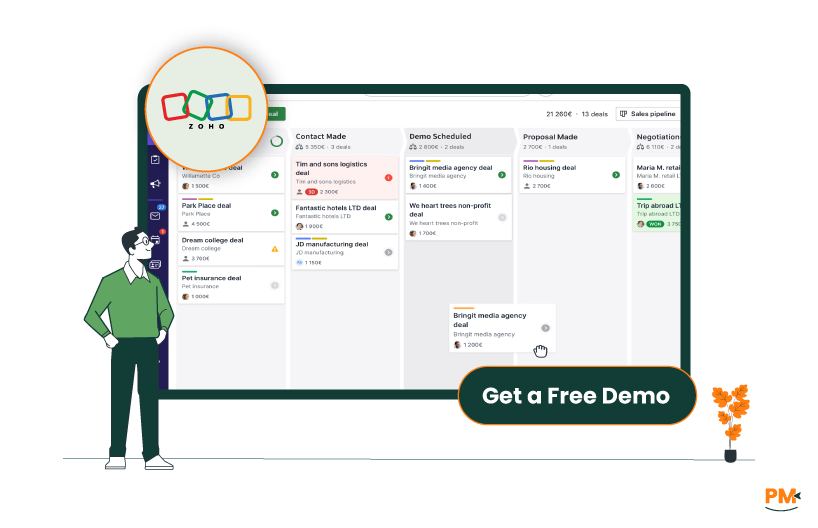
At its core, Zoho CRM offers multichannel lead management, sales automation, advanced analytics, and AI-powered insights via its conversational assistant, Zia. These features are designed to help businesses of all sizes manage their customer lifecycle, from lead capture to post-sale support, without needing to rely on third-party tools.
Commonly used by SMBs, startups, and mid-market enterprises across industries like real estate, education, healthcare, and SaaS, Zoho CRM is especially appealing to teams seeking tight integration between sales, marketing, and operations—all under one roof.
Zoho Pros And Cons
Pros | Cons |
|
|
Pipedrive is a sales-first CRM platform built specifically to help teams visualize, manage, and optimize their pipelines with minimal friction. Known for its clean UI and drag-and-drop deal management, Pipedrive is a favorite among small businesses, solo entrepreneurs, and fast-moving sales teams looking for simplicity and focus.
The platform’s core strength lies in pipeline visibility. Sales reps can easily track deals across customizable stages, set automated reminders, and get real-time insights into progress. Recent updates have enhanced its automation workflows, introduced AI sales assistants, and improved email and call tracking features—making it even more effective for lead nurturing and closing.
Pipedrive is particularly well-suited for service-based industries, consultancies, and SaaS startups with shorter sales cycles. It emphasizes ease of use and fast time-to-value, making it ideal for teams that don’t need the full breadth of enterprise features but want a tool that works out of the box.
Pipedrive Pros And Cons
Pros | Cons |
|
|

Zoho
Zoho CRM excels in workflow automation and task orchestration, especially for teams operating across departments. Its Blueprint module enables users to build structured workflows that mirror real-world business processes—defining conditions, transitions, and approval paths. This is particularly valuable for industries with complex sales cycles or compliance-heavy procedures.
Tasks in Zoho can be linked directly to deals, contacts, or custom modules, and support dependencies, priority levels, and time tracking when integrated with Zoho Projects. Automation rules allow users to trigger actions (like task creation, alerts, or field updates) based on set conditions, reducing manual effort. Users can also assign tasks by role, territory, or pipeline stage, adding another layer of granularity.
For teams managing long customer journeys or interlinked tasks, Zoho offers flexibility without losing visibility—especially when using the wider Zoho One suite.
Pipedrive
Pipedrive approaches task and workflow management with simplicity and sales velocity in mind. The platform centers around deal-centric workflows, with tasks (called “activities”) tied directly to pipeline stages. Users can schedule calls, meetings, and follow-ups and track them easily from the deal view.
The automation builder enables reps to automate routine steps—such as sending emails, creating tasks, or moving deals—based on triggers like status changes or activity completion. While it doesn’t offer advanced task dependencies or cross-department project management features, it’s more than sufficient for most sales use cases.
Pipedrive’s intuitive layout and clean task interface make it ideal for fast-paced sales environments, though less suited for teams needing extensive operational workflows.

Zoho
Zoho offers a tiered support structure, with different response times depending on your plan. Standard users have access to email support, live chat, and community forums, while enterprise and ultimate plans include 24/5 or 24/7 support, dedicated account managers, and faster SLAs.
Zoho also maintains a large self-service knowledge base and active user community, where documentation, how-tos, and peer answers are readily available. That said, support quality can be inconsistent, particularly in lower-tier plans or outside major markets.
For large teams or those using multiple Zoho apps, premium support is often necessary to ensure timely resolution and guided onboarding.
Pipedrive
Pipedrive is known for its efficient, responsive support. All plans include 24/7 live chat and email support, with additional priority support for advanced tiers. The platform’s knowledge base is well-structured and frequently updated, covering everything from setup to automation building.
Many users appreciate the fast response time and practical guidance offered by support reps. Additionally, in-app tooltips, guided walkthroughs, and webinars make onboarding relatively smooth—even for non-technical users.
While Pipedrive doesn’t offer as many layered support options as Zoho’s enterprise plans, its consistency and speed are often highlighted positively in user reviews.

Zoho
Zoho CRM supports a wide range of internal collaboration tools. Teams can use @mentions in comment threads, assign tasks across departments, and access a team inbox for shared customer interactions. The platform also supports shared dashboards and role-based visibility, which help keep conversations and data aligned across sales, marketing, and service functions.
For companies using Zoho Projects or Zoho Desk alongside the CRM, collaboration extends into project timelines, ticketing, and operational workflows—making it a holistic communication hub for larger teams.
Pipedrive
Pipedrive simplifies collaboration through shared visibility of deals, activities, and notes. Each team member can view pipelines, track shared activities, and leave comments on deals to improve task handoffs. User permissions can be customized to restrict or grant access to certain pipelines or data, ensuring clean segmentation.
While it doesn’t include team inboxes or full cross-department collaboration, its straightforward sharing tools are more than enough for most small-to-mid sales teams that need quick alignment without added complexity.

Zoho
Zoho CRM offers strong cross-platform functionality, accessible via web, iOS, and Android apps. Its mobile experience is robust—users can manage leads, schedule tasks, and view reports on the go. The mobile apps also support offline access, allowing field agents or remote workers to update records and sync changes once reconnected.
One of Zoho’s biggest strengths is the seamless syncing across the broader Zoho ecosystem. Whether you're using Zoho Books for invoicing or Zoho Projects for task management, updates are reflected in real-time across apps, provided you’re within the Zoho One or integrated setup. This makes Zoho particularly suitable for teams who need full access to customer and project data regardless of device.
Pipedrive
Pipedrive also delivers a consistent cross-device experience, with a fully functional web app and highly-rated mobile apps for iOS and Android. The mobile interface mirrors the visual clarity of the desktop version, especially when managing pipelines or logging calls on the fly.
While Pipedrive doesn’t offer full offline mode, users can still view previously synced data and queue updates that push once connected. Syncing between desktop and mobile is reliable, making it easy for sales reps to transition between office and field environments. The mobile-friendly design ensures that essential features—like deal updates, activity reminders, and notes—are never more than a tap away.

Zoho
Zoho CRM is feature-rich and highly customizable, which is both a strength and a challenge. While power users appreciate the ability to tailor layouts, modules, and workflows to specific business needs, new users may find the interface overwhelming at first—especially if they’re not familiar with CRMs or the broader Zoho suite.
However, once configured, Zoho offers a clean UI with drag-and-drop tools, visual dashboards, and adaptable navigation. The platform also provides guided setup wizards and in-app tutorials, though onboarding often benefits from admin-level training or partner support—particularly for larger teams with complex needs.
Pipedrive
Pipedrive is widely regarded as one of the most intuitive CRMs on the market. Its interface is clean, visual, and centered around pipelines, making it especially easy for sales teams to understand where deals stand at a glance. The drag-and-drop interface for managing deals and the minimal setup required for basic functionality means teams can onboard quickly with little to no technical training.
Pipedrive also avoids overwhelming users with features they don’t need. The focus on core sales tasks—combined with contextual tips and a simple settings menu—results in a short learning curve and faster time to productivity, even for non-technical users.

Zoho
Zoho CRM itself doesn’t offer detailed time tracking, but Zoho Projects, part of the larger Zoho ecosystem, includes built-in time logs, timesheets, and billing trackers. These can be linked back to CRM contacts or deals when integrated, allowing sales or service teams to log hours spent per client or activity. This makes Zoho particularly useful for agencies, consultants, or support teams where time tracking is directly tied to invoicing or project delivery.
For CRM-specific time tracking, users can configure custom modules or integrate with third-party tools, but the best experience comes when using Zoho CRM alongside Zoho Projects.
Pipedrive
Pipedrive does not include native time tracking, as it’s primarily focused on sales pipeline management. However, users who need this functionality can connect external tools such as TimeCamp, Clockify, or Toggl via integrations or Zapier. These allow sales managers or account execs to track time spent on client calls, meetings, or follow-ups manually.
For most sales teams, time tracking is not critical—but for teams offering billable services or managing longer client engagements, the reliance on external tools may be a limitation in Pipedrive.

Zoho
Zoho offers a rich set of documentation and file handling features, especially when integrated with Zoho Docs or WorkDrive. Users can store files directly in CRM records, maintain version history, and leave contextual notes on deals, contacts, or activities. The Notes module supports tagging, formatting, and internal comments, making it suitable for teams that need robust documentation of sales interactions.
In industries where call summaries, contract revisions, or client histories are important, Zoho’s centralized document repository and strong linking between records improve traceability and compliance.
Pipedrive
Pipedrive keeps documentation simple and focused on sales context. Users can upload files to deals, attach email correspondence, and write quick notes or call summaries. While there’s no built-in version control or knowledge management module, the system is streamlined for keeping track of deal-specific documents like proposals, contracts, and call notes.
This lightweight approach works well for fast-paced sales teams but may fall short for organizations that require structured documentation or centralized file governance across departments.

Zoho Pricing
Zoho CRM offers the following pricing plans for its users:
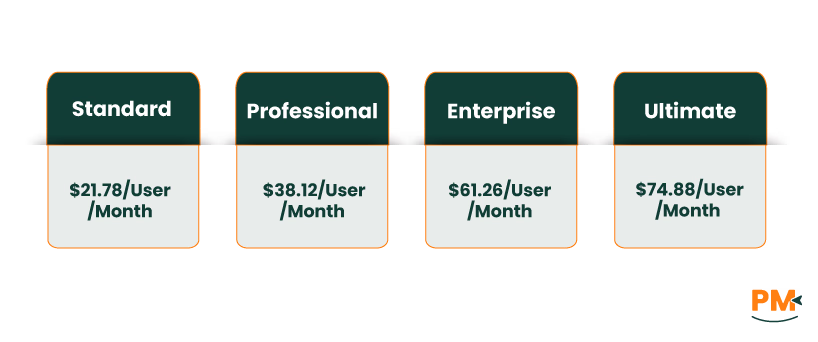
- Standard - $21.78/user/month
- Professional - $38.12/user/month
- Enterprise - $61.26/user/month
- Ultimate - $74.88/user/month
Pipedrive Pricing
The software includes flexible pricing options:
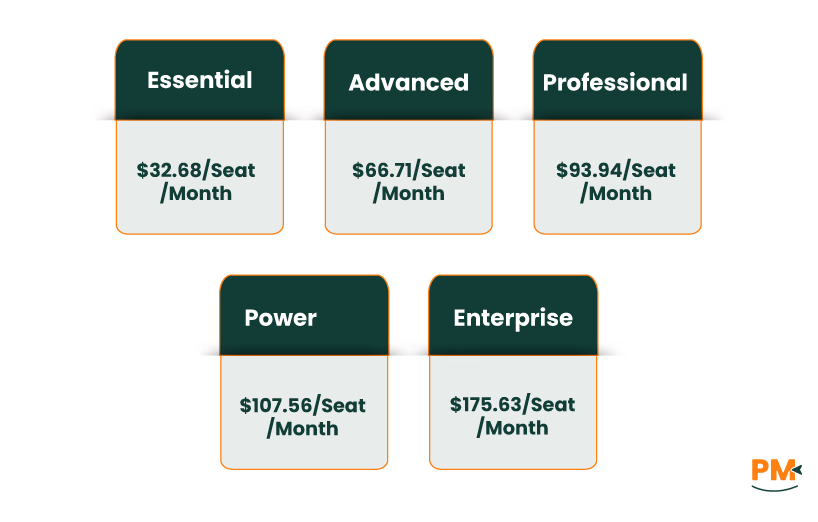
- Essential - $32.68/seat/month
- Advanced - $66.71/seat/month
- Professional - $93.94/seat/month
- Power - $107.56/seat/month
- Enterprise - $175.63/seat/month
Zoho CRM is perfect for:
- Growing businesses and mid-sized teams
- Companies wanting an all-in-one business platform
- Teams needing deep customization without heavy dev support
- Industries with complex customer lifecycles (e. g. , real estate, consulting, tech)
Why Choose Zoho CRM?
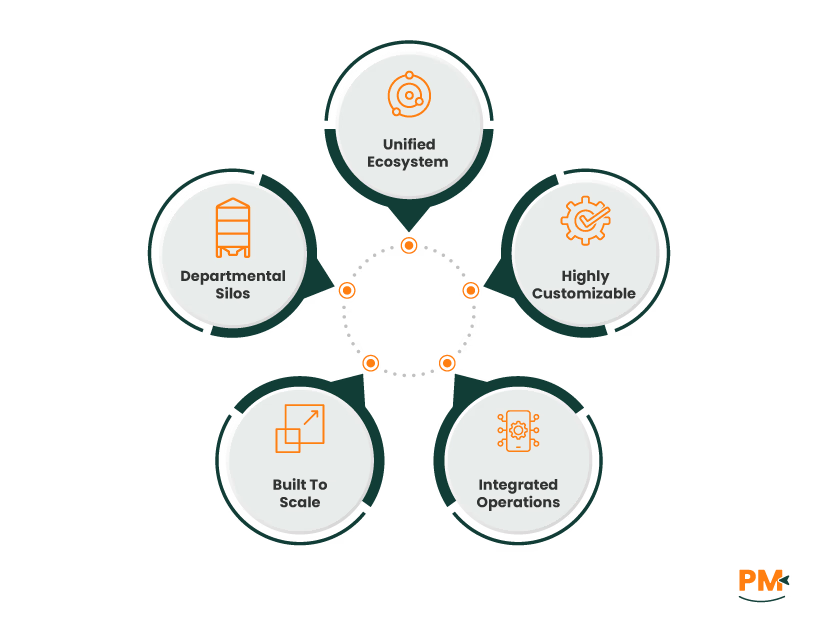
- Unified ecosystem: CRM + marketing + finance + helpdesk + project tools
- Highly customizable: Custom fields, modules, roles, and workflows
- Integrated operations: Manage email, support tickets, docs, and customer data in one place
- Built to scale: Adapts as your business grows
Great for breaking down departmental silos and aligning teams
Pipedrive is ideal for:
- Sales-driven teams and SaaS startups
- Real estate agents, consultants, and service providers
- Teams that prioritize mobile access and fast onboarding
- Businesses that need speed, simplicity, and visibility
Why Choose Pipedrive?
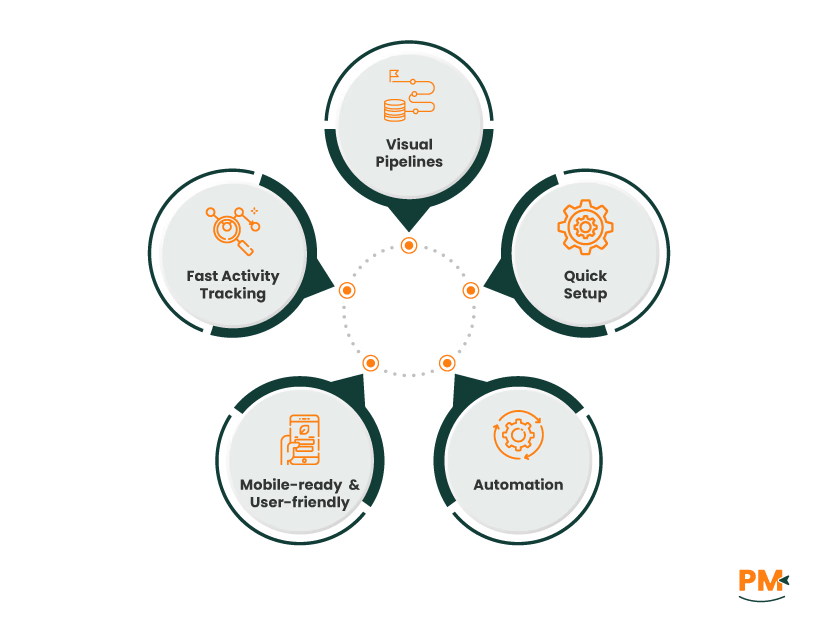
- Visual pipelines: Track deals and leads at a glance
- Quick setup: No bloated features or complex configurations
- Automation: Save time on repetitive sales tasks
- Mobile-ready & user-friendly: Stay productive on the go
- Fast activity tracking: Know what’s next, always
Which One May Suit Your Needs Better?
When deciding between Zoho vs Pipedrive, the right choice depends on your business’s structure and priorities.
- Zoho is the better fit if you're looking for a versatile, scalable CRM that ties into your broader business operations. Its deep customization, multi-app integration, and all-in-one nature make it a strong choice for teams managing sales, support, and marketing under one platform.
- Pipedrive, on the other hand, is purpose-built for teams who want a simple, effective way to manage sales pipelines. It’s intuitive, quick to implement, and ideal for companies focused solely on improving sales performance and pipeline visibility.
Choose Zoho if you want flexibility, ecosystem-wide integration, and a solution that evolves as your business grows.
Choose Pipedrive if you want to empower your sales team with a clean, powerful, and easy-to-use CRM built for closing deals faster.