
Team communication is the backbone of modern project management. Status, handoffs, blockers, and decisions all move faster when the team’s communication layer and task flow are in sync. In this comparison, we look at Zulip and Slack strictly as work hubs for project teams. We’ll cover messaging, task flow, support, collaboration, platforms, UI, security, notifications, and pricing. Zulip uses topic-based threads that suit asynchronous projects. Slack focuses on real-time collaboration with Lists, Huddles, and Canvas to manage project work where conversations happen. By the end, you’ll know which tool fits your project style and control needs.
Feature | Zulip | Slack |
Messaging structure | Streams with required topics. Every message sits in a topic | Channels with optional threads. Fast back and forth |
Retention (free) | Search last 10,000 messages. Older remain stored for upgrade access | View last 90 days. Data older than one year deleted |
Retention (paid) | Unlimited search history. Admin policies available | Unlimited by default on paid plans. Custom policies |
File upload limit | Free: up to 10 MB/file. Paid: up to 1 GB/file | Up to 1 GB/file |
Built-in calling | Starts Zoom or Jitsi from chat. No native calling | Huddles for instant audio/video with multi screen share |
Tasks & workflow | Inline checklists, polls, topic resolve, reminders | Lists for native tasks, Workflow Builder for automation |
Customer support | Docs, community, priority support on paid cloud. Self-host tiers | Help Center, 24/7 support on paid, faster SLAs at scale |
Collaboration extras | Topic following, muting, email-in capture | Canvas for briefs, Slack Connect for shared channels |
Cross platform | Web, Windows, macOS, Linux, iOS, Android. Self-host option | Web, Windows, macOS, Linux, iOS, Android. Cloud only |
Ease of use & UI | Utilitarian, tidy at scale | Polished, quick to adopt |
Security & compliance | Open source, self host, SSO on Plus. Fine-grained admin rules | Enterprise-grade controls: SOC 2, ISO, EKM, legal holds |
Notifications | Follow/mute topics. Email digests when away | Per-channel settings, keywords, DND, unified alerts |
Choose Zulip if your projects are long-running, async, and sensitive to context drift. Choose Slack if your teams need real-time collaboration with native task lists and rich meeting features.
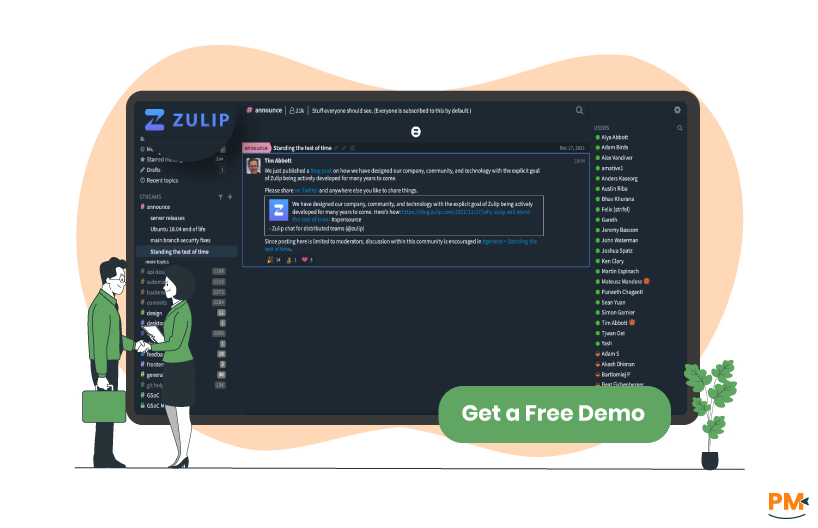
Zulip is an open-source team chat built around topic-based threads. The model suits teams that work across time zones or track many parallel workstreams. Conversation stays organized by topic, so decisions and context survive handoffs. You can use Zulip Cloud or self-host the exact same feature set.
Zulip Pros and Cons
Pros | Cons |
|
|
|
|
|
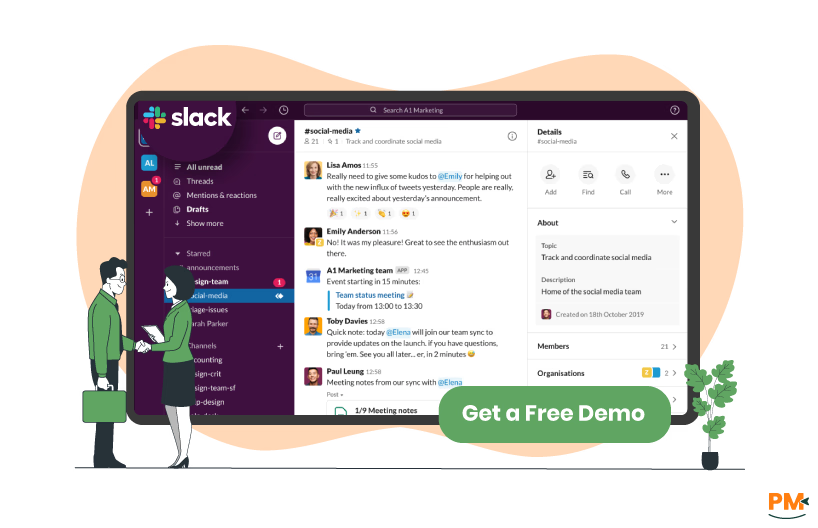
Slack is a cloud collaboration platform centered on channels and quick responses. It now includes project-friendly surfaces like Lists for task tracking, Huddles for instant meetings, and Canvas for structured notes. That makes it attractive if your project tempo is fast and decisions happen live.
Slack Pros and Cons
Pros | Cons |
|
|
|
|
|

Zulip
Zulip organizes every channel into topic threads. That keeps long conversations coherent and easy to skim. Search is powerful, with rich filters; by default it’s English-based, with options to enable broader language support. Retention is configurable, and by default message history is unlimited. On the free cloud plan you can search the most recent 10,000 messages; older content remains stored and available after upgrade. File uploads on free cloud and paid cloud allow up to 5 GB total or /user depending on the plan. Calls happen via your chosen provider, like Zoom or Jitsi.
Slack
Slack uses channels plus threads for replies. Search is fast and familiar. On the Free plan, message and file history is stored for one year; paid plans keep everything by default unless your admins set custom retention. Huddles provide instant audio/video and multi-person screenshare inside channels and direct messages (DMs). Slack supports a wide range of file types; common guidance places single uploads at up to 1 GB/file.

Zulip
Zulip offers lightweight project management (PM) tools inside chat. You can create to-do lists and polls inline, mark topics as resolved, schedule reminders, and move messages between topics to shape a clean project timeline. For heavier workflows, teams pair Zulip with external trackers, but the built-ins cover day-to-day tasking well.
Slack
Slack brings project tracking into the app with Lists. You can create lists from templates, assign tasks, discuss items, and keep status near the conversation. Slack’s own guidance says Lists save time but large programs may still need dedicated PM platforms for reporting and analytics. Workflow Builder adds no-code automation for intake, standups, approvals, and reminders.

Zulip
Zulip offers help center docs, a friendly community, and commercial support for paid tiers. Self-host customers can purchase support, while cloud plans include priority support at Standard and Plus. This suits project teams that need reliable admin help without vendor lock-in.
Slack
Slack provides 24/7 support for paid plans. Business+ advertises a four-hour first response, with priority handling at Enterprise. This is helpful for project leaders who need quick help during critical releases.

Zulip
Projects benefit from topic-level controls. You can follow topics you care about and mute ones you don’t. Email-in keeps vendor and ticket systems in the same record of work. Quote-and-link preserves traceability to original messages and decisions.
Slack
Slack favors live collaboration. Huddles unblock issues fast. Canvas holds project briefs, runbooks, and decision logs in a structured page inside channels and DMs. These surfaces reduce context switching during sprints.
Zulip
Zulip provides web, desktop apps for Windows, macOS, and Linux, plus iOS, Android, and even a terminal client. The broad footprint works well for mixed dev and business teams.
Slack
Slack offers web and native apps for Windows, macOS, Linux, iOS, and Android. System requirements and download options are well documented.

Zulip
The user interface (UI) centers on channels and their topic lists. That structure helps new joiners catch up quickly on a project area. Power users benefit from extensive shortcuts, scheduled send, and send-later for async work. Once your team adopts topic habits, the UI stays calm even as message volume grows.
Slack
Slack’s UI is familiar and fast. Lists, Canvas, and Huddles are close to the message composer, so it feels natural to turn chat into work. The trade-off is thread sprawl in very active channels. Teams should adopt conventions for naming and pinning to keep decisions visible.

Zulip
Zulip is open-source with an auditable codebase. You get TLS encryption, granular permissions, compliance exports, and “no-content” push notifications. Self-hosting lets you place chat behind your firewall and control data retention precisely.
Slack
Slack provides encryption at rest and in transit, single sign-on (SSO), data residency, admin audit logs, DLP, legal holds, and optional enterprise key management (EKM) for key management. Enterprise controls fit regulated programs and tight retention policies.

Zulip
You can follow topics, mute noisy ones, and get email for mentions, DMs, and chosen topics when away. This keeps PMs focused on relevant workstreams and reduces alert fatigue.
Slack
Slack supports custom keywords, per-device settings, and do-not-disturb schedules. It’s flexible for on-call schedules and after-hours rules. Teams can tune alert style by channel to protect focus time.
Zulip vs Slack Pricing Comparison
Zulip Pricing
Plan | Price | History | Storage | Highlights |
Zulip Cloud Free | $0 | Search last 10,000 msgs | 5 GB total | Core chat features |
Zulip Cloud Standard | $8/user/month | Unlimited | 5 GB/user | Policies, branding, support |
Zulip Cloud Plus | $12/user/month | Unlimited | 5 GB/user | SSO, SCIM, custom domain |
Self-host Free | $0 | Unlimited | Server managed | All features |
Self-host Basic | $3.50/user/month | Unlimited | Server managed | Unlimited push notifications |
Self-host Business | $8/user/month | Unlimited | Server managed | SSO/LDAP, exports, data policies |
Disclaimer: The pricing is subject to change.
Slack Pricing
Plan | Price | History | Storage | Highlights |
Free | $0 | 90 days, 1 yr deleted | 5 GB total | 1:1 huddles, 10 apps, 1:1 external DMs |
Pro | $8.75/month | Unlimited | 10 GB/user | Lists, workflows, group huddles |
Business+ | $18/month | Unlimited | 20 GB/user | SSO, SLA, advanced exports |
Enterprise | Custom Pricing | Unlimited | Up to 1 TB/user | Org-wide, EKM, compliance |
Disclaimer: The pricing is subject to change.
Who Is Zulip Best For?
Zulip is a strong fit for teams spread across time zones who want calm, organized chat. Each channel is split into topics, so every message has a clear place and long projects stay readable.
Engineering, research, and open-source groups benefit from this structure because people can scan topics and catch up fast. Organizations with compliance or hosting needs also fit well. You can self-host the same open-source product on your own infrastructure with documented install paths.
Message retention is configurable. The default stores messages forever, which protects context over months. Zulip Cloud Free lets you search the most recent 10,000 messages, while older messages remain stored and become searchable after upgrade. File sharing covers spec reviews and attachments. Free allows 10 MB/file and 5 GB total. Paid plans allow 1 GB/file and 5 GB/user.
Teams can drop in Zoom or Jitsi links from chat for quick calls. Email notifications cover DMs, mentions, and followed topics when you are away, and you can reply by email to keep the record intact.
Who Is Slack Best For?
Slack suits teams that collaborate in real time and move work forward in chat. Huddles start from any channel or DM and support audio, video, and two people sharing screens at once. That unblocks reviews and triage fast. Product and business squads benefit from Lists. Capture tasks from conversations, assign owners, and track progress with templates.
If you work with clients or vendors, Slack Connect lets you share channels with external organizations so decisions and files live in one place. Governance needs are covered. Paid plans keep history by default and allow custom retention. The free plan surfaces 90 days, and data older than one year is deleted on a rolling basis.
Enterprises can add EKM, use Audit Logs, and choose data residency regions. Support scales with you. Business+ advertises 24/7 support with a four-hour first response.
Which One May Suit Your Needs Better?
Choose Zulip if your main risks are context loss and handoff churn. Topics keep work streams coherent, and you can host it yourself for full control. Choose Slack if speed and live collaboration win the day. Lists and Huddles reduce friction from chat to action. Many orgs blend both styles; if your projects are long but still need quick huddles, map that needs to be your must-have list and test with a pilot.
What Are The Alternatives?
If you’re not convinced by Zulip or Slack, here are PM-centric alternatives:

Zulip Alternatives
- Asana — Strong workflows and timelines
- Wrike — Robust controls and automation
Slack Alternatives
- Trello — Visual boards that pair well with async chat
- Microsoft Teams — Enterprise chat with Office integration