When it comes to team collaboration and task management, Karbon and Asana are both strong contenders—but they serve slightly different needs. Karbon is purpose-built for accounting and professional services firms, offering structured workflows, email integration, and client collaboration tools to support complex, recurring work. Asana, on the other hand, is a general-purpose project management platform known for its intuitive interface, flexible task views, and wide appeal across industries.
In this detailed comparison, we’ll explore Karbon vs. Asana across key areas including features, usability, pricing, collaboration, security, and ideal use cases. We’ll also highlight the pros and cons of each, share pricing breakdowns, and help you determine which platform fits your organization best.
Features
Karbon
Asana
Tasks And Workflow Management
Customizable workflows with statuses, templates, Kanban and list views, automated reminders, and conditional steps
Tasks with owners, dependencies, multiple views (list, board, timeline), rules, templates, and forms for workflows
Customer Support
Knowledge base, email support, help guides, and onboarding resources tailored for accounting teams
Extensive help center, community forum, email support, and priority support for higher tiers
Collaboration Functionality
Centralized communication with comments, mentions, email integration, and shared timelines for better team coordination
Real-time collaboration with comments, mentions, task following, and integrations with Slack and other tools
Crossplatform Support
Available via web and mobile apps (iOS, Android) with synced notifications and task updates
Fully accessible on web, desktop (Mac/Windows), and mobile apps with real-time sync
Ease Of Use And UI
Designed for structured workflows; powerful but requires some onboarding for new users
Intuitive, modern interface with quick onboarding and flexible navigation options
Security
Offers secure access controls and permission settings, suitable for regulated industries
Enterprise-grade security with SAML SSO, data encryption, and compliance with SOC 2 and ISO standards
Notifications
Configurable in-app and email notifications tied to workflows, helping reduce clutter
In-app, email, push, and browser alerts with daily/weekly digests and follow/unfollow options
Reporting And Analytics Capabilities
Built-in reporting dashboards for work tracking and visibility, focused on client work
Advanced reporting with dashboards, charts, and workload visualization tools
AI And Automation Features
Automations for recurring workflows, reminders, and conditional steps
Rule-based automations, forms, templates, and AI-driven task suggestions
Pricing
No free plan; paid plan starts $79/user/month
Includes free plan; paid plan starts from $13.49/month
Karbon Overview
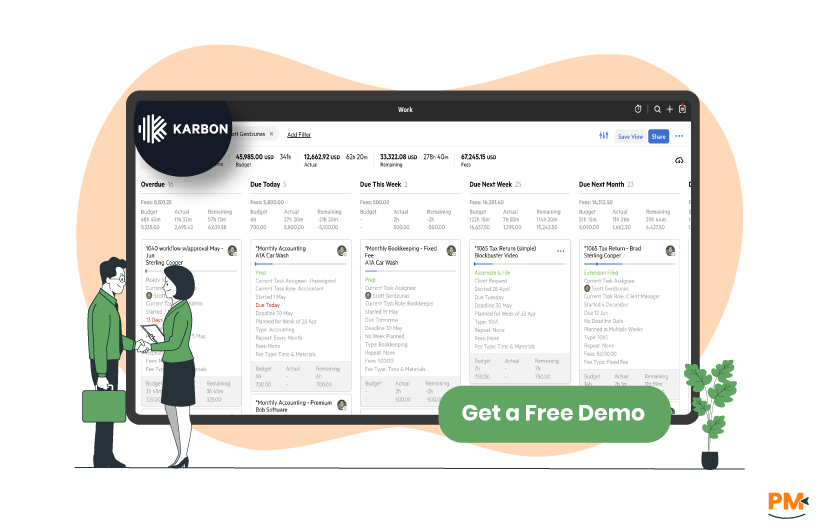
Karbon is a collaborative practice management platform designed specifically for accounting and professional services firms. It brings together email, tasks, workflows, and client communication in one place to help teams work more efficiently. Unlike general project management tools, Karbon focuses on structured processes, recurring work, and visibility across client engagements. Its centralized email integration turns messages into actionable tasks, while its workflow templates and automation features streamline complex accounting cycles. This makes it particularly valuable for mid-sized to large firms that handle high volumes of client work and need standardized processes.
Karbon Pros and Cons
Pros
Cons
Purpose-built for accounting and professional services firms, offering workflows tailored to industry needs
Centralized email and task management improves team coordination and client communication
Prebuilt templates speed up accounting processes and standardize delivery
Lacks strong reporting features compared to broader project management tools
Limited appeal outside accounting and related industries due to a niche focus
Asana Overview
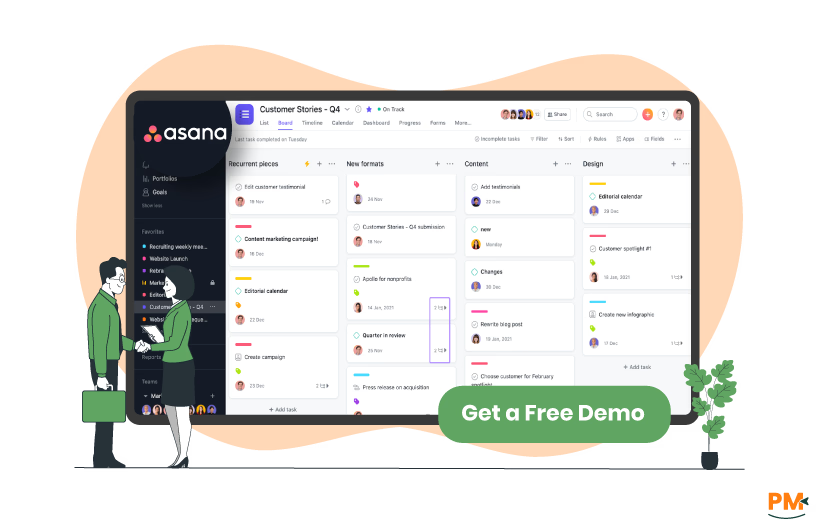
Asana is a widely used project and work management platform built to help teams plan, organize, and track work from start to finish. It supports multiple views (list, board, calendar, timeline) and offers strong collaboration features such as comments, file attachments, and integrations with many third-party tools. Asana offers a free plan for small teams, and paid tiers add more advanced functionality, administrative controls, automation, portfolio & goal tracking, enhanced reporting, and security features. It’s used across industries, be it tech, marketing or operations - by both small teams and large enterprises.
Asana Pros and Cons
Pros
Cons
Intuitive interface with easy onboarding for new users
Multiple project views (board, list, timeline, calendar) suit different work styles
Strong collaboration features, such as comments and mentions, keep things aligned
Reporting can feel complicated and is not very user-friendly
Offline functionality is limited, making it difficult to work without a stable internet connection
Tasks And Workflow Management
Karbon
Karbon is designed for accounting and professional services teams, offering structured workflows with customizable statuses, work types, and templates. Tasks can be organized into repeatable processes, making it easier to manage recurring client work. Teams can view and manage tasks using list or Kanban-style boards, while automated reminders and conditional workflows help ensure nothing slips through the cracks. These tools bring visibility and consistency to every stage of work.
Asana
Asana organizes work through tasks and projects, each with clear owners, deadlines, and dependencies to keep teams accountable. Users can switch between list, board, calendar, or timeline views depending on their preferred way of working. Automation through rules, templates, and forms helps standardize workflows and reduce manual updates. This flexibility makes it easy to structure, track, and adapt workflows for different teams and projects.
Winner: Asana wins due to its flexible views, strong automation options, and adaptability for different teams and projects, offering more versatility than Karbon.
Customer Support
Karbon
Karbon offers customer support through multiple channels, including email, a dedicated help center, and live chat during business hours. Users also get access to webinars, training programs, and a comprehensive knowledge base to onboard teams and resolve issues quickly. Premium support options and dedicated account managers are available on higher tiers, making it well-suited for professional service teams that need guided assistance.
Asana
Asana provides customer support through a self-service help center, email, and community forums. Users on Business and Enterprise plans get access to priority support and onboarding programs. The platform also offers extensive tutorials, webinars, and step-by-step guides to help teams get started. Asana’s documentation is detailed, making it easy for users to troubleshoot or learn independently.
Winner:Karbon wins because of its dedicated account managers, premium support options, and training programs tailored for professional service teams, providing more guided assistance than Asana.
Collaboration Functionality
Karbon
Karbon focuses on internal and client collaboration with features like shared email, comment threads, and task discussions. Teams can mention colleagues to loop them into conversations directly on tasks, ensuring communication stays tied to the work itself. Client communication can also be automated or centralized through shared timelines, making collaboration more transparent and organized.
Asana
Asana enhances collaboration through real-time commenting, mentions, file attachments, and shared project spaces. Teams can communicate directly on tasks, reducing email clutter and keeping updates visible to all stakeholders. Features like project conversations, team pages, and integrations with Slack or Microsoft Teams further improve alignment across teams and departments.
Winner: Asana wins thanks to real-time commenting, project conversations, and integrations with Slack and Teams, delivering broader collaboration capabilities compared to Karbon.
Cross Platform Support
Karbon
Karbon is available as a web-based platform, with mobile apps for iOS and Android to help teams stay connected on the go. The mobile experience focuses on core task management and communication features, allowing users to review timelines, respond to comments, and keep work moving outside the office.
Asana
Asana offers strong cross-platform support, with web, desktop (Mac and Windows), and fully featured mobile apps for iOS and Android. The mobile apps allow users to create tasks, view projects, and receive real-time notifications. Cross-device syncing ensures work stays consistent whether accessed from a browser, desktop, or phone.
Winner: Asana wins due to fully featured desktop and mobile apps, cross-device syncing, and real-time notifications, offering a more seamless multi-platform experience than Karbon.
Ease Of Use And UI
Karbon
Karbon’s interface is designed with accounting workflows in mind, offering a structured and professional layout that prioritizes timelines and client visibility. While the UI is clean and functional, some users report a moderate learning curve, especially when setting up workflows for the first time. Once configured, the system provides a clear overview of tasks and responsibilities.
Asana
Asana is known for its intuitive interface, making it easy for new users to get started. Its clean layout, drag-and-drop functionality, and customizable views support different working styles. While advanced features can feel complex initially, the platform’s guided tips and help resources make navigation straightforward for most teams.
Winner: Asana wins as its intuitive interface, drag-and-drop functionality, and guided help make it easier for new users to get started, compared to Karbon’s more structured, accounting-focused layout.
Security
Karbon
Karbon prioritizes security with SOC 2 Type II compliance, data encryption in transit and at rest, and secure data hosting in top-tier data centers. It offers features like role-based permissions and secure client collaboration tools to keep sensitive information protected. Regular audits and compliance certifications underline its focus on safeguarding client data.
Asana
Asana offers enterprise-grade security with SOC 2 Type II and ISO/IEC 27001 certifications. All data is encrypted at rest and in transit, and admins can configure permissions, SSO, and domain control features. Enterprise plans include advanced security controls such as SCIM provisioning, audit logs, and custom data retention settings.
Winner: Asana wins due to its additional certifications (ISO/IEC 27001), advanced admin controls, SSO, and enterprise security features, providing a more comprehensive security setup than Karbon.
Notifications
Karbon
Karbon provides configurable and intelligent notifications through email and in-app alerts, keeping users updated on task changes, mentions, and upcoming deadlines. Notifications are tied closely to workflow timelines, helping teams act on relevant updates without clutter. Users can customize how and when they receive alerts to maintain focus.
Asana
Asana’s notification system is highly configurable, offering in-app, email, mobile push, and browser alerts. Users can follow or unfollow tasks to manage the updates they receive, helping reduce noise. Daily and weekly digests provide summaries of project activity, ensuring teams stay informed without constant interruptions.
Winner: Asana wins for its multi-channel, highly configurable notifications and digest options, giving users more flexibility in staying informed than Karbon.
Reporting and Analytics Capabilities
Karbon
Karbon provides reporting tools focused on accounting workflows, including work status, capacity, and client timelines. Teams can monitor progress through work dashboards and timelines, but customization options are somewhat limited compared to general project management tools. Reports are designed to give managers visibility into workloads and deadlines across multiple engagements.
Asana
Asana offers a broad range of reporting and analytics features, including dashboards, charts, workload reports, and goal tracking. Teams can build custom dashboards to monitor KPIs in real time or use pre-built templates to track project progress. Advanced reporting is available in higher-tier plans, supporting deeper analysis across multiple projects.
Winner: Asana wins because of its customizable dashboards, advanced workload and KPI tracking, and broader analytics tools, offering deeper reporting capabilities than Karbon.
AI and Automation Features
Karbon
Karbon incorporates workflow automation tools such as scheduled reminders, recurring work templates, and conditional sections that adjust based on client needs. These features reduce manual administration and ensure work follows predefined steps. While AI features are not as extensive as some competitors, Karbon’s automation is deeply aligned with accounting use cases.
Asana
Asana has expanded its automation capabilities with rules, triggers, and form-based workflows, allowing teams to automate repetitive tasks like assigning work, updating fields, or moving tasks between stages. Its AI tools provide smart suggestions for task creation, workflow optimization, and predictive due dates, making it easier to streamline complex projects.
Winner: Asana wins due to AI-powered task suggestions, predictive due dates, and extensive automation rules, providing a more advanced and versatile automation suite than Karbon.
Karbon Vs Asana Pricing Comparison
Karbon and Asana both provide tiered pricing options, including free and paid plans, with costs structured on a per-user, monthly basis. The tables below outline each plan’s pricing and key features, based on the official pricing pages of both platforms.
Enterprise security (SAML, SCIM, data export), advanced admin controls, dedicated support
Who Is Karbon Best For?
Karbon is best suited for mid-sized to large professional services firms, particularly those in accounting, consulting, and financial services. It’s designed to support collaborative workflows for teams managing a high volume of client work, making it ideal for firms with 10–500+ users. The platform is well-aligned with industries that require structured task management, compliance tracking, and clear visibility into team workloads. Larger organizations benefit from its process automation and advanced reporting, while smaller teams with standardized workflows can leverage its collaboration features to scale efficiently.
Who Is Asana Best For?
Asana caters to a broad range of teams, from startups and small businesses to large enterprises across industries like marketing, product development, IT, operations, and non-profits. It’s well-suited for teams of any size — from just a few users to thousands — thanks to its flexible structure and multiple pricing tiers. Smaller teams benefit from its easy setup and intuitive task views, while larger organizations use Asana to coordinate complex cross-functional projects through features like Portfolios, advanced reporting, and integrations. Its versatility makes it a popular choice for companies seeking a scalable project management solution.
Which One May Suit Your Needs Better?
The better choice between Karbon and Asana depends on your team’s structure, industry focus, and collaboration needs. If you manage client-heavy workflows in professional services—particularly in accounting or consulting—and require structured task management with strong communication and compliance features, Karbon may be the more fitting option.
Conversely, if your priorities center on flexible task organization, cross-functional collaboration, and scalability across various departments, Asana stands out. It’s well-suited for teams of all sizes that value customizable views, extensive integrations, and automation to manage diverse projects.
In short, firms handling complex client work and standardized processes may benefit more from Karbon, while organizations seeking versatile, team-oriented project management may prefer Asana.
What Are The Alternatives?
Not every team will find Karbon or Asana the perfect fit. If you’re still evaluating your options, here are some alternative project management platforms to consider. Each brings distinct strengths depending on your team’s size, industry, and workflow priorities.
Alternatives to Karbon
Wrike – Ideal for larger organizations needing customizable workflows, advanced reporting, and real-time collaboration
ClickUp – A highly versatile platform that combines tasks, docs, goals, and whiteboards in one place, suitable for growing teams
Monday CRM – Known for its visual dashboards and flexible workflow templates, making it great for teams that value ease of setup and scalability
Alternatives to Asana
Trello – A simple, Kanban-based system best for small teams and straightforward task tracking
Smartsheet – A spreadsheet-style platform ideal for teams comfortable with Excel-like project planning and reporting
Jira – Tailored for software development and agile teams that need sprint planning, backlog management, and robust issue tracking
Ashar Ahmad is the Content Team Lead for the HR category at Software Finder. With over seven years of experience in content writing, he has gone through the paces to prove himself. As someone who understands the unique perspective the readers are looking for and the pain points of writers trying to craft that well-written piece, he now mentors others to enlighten the readers. Outside of work, you will probably find Ashar playing games, being tormented by his cat, tending to his fruit garden, or building keyboards just so he can write more.
Share this Article
Sign Up
Sign up to stay updated with the new content and expand your HR expertise.
Ashar Ahmad is the Content Team Lead for the HR category at Software Finder. With over seven years of experience in content writing, he has gone through the paces to prove himself. As someone who understands the unique perspective the readers are looking for and the pain points of writers trying to craft that well-written piece, he now mentors others to enlighten the readers. Outside of work, you will probably find Ashar playing games, being tormented by his cat, tending to his fruit garden, or building keyboards just so he can write more.