
Choosing the right project tool can feel overwhelming, especially when two of the most popular platforms, Notion and Slack, approach collaboration from very different angles. Notion is designed as a flexible workspace that combines notes, tasks, wikis, and project databases, giving teams a single place to organize and build their knowledge systems. Slack, by contrast, is focused on real-time communication, offering channels, threads, and instant messaging that help teams stay aligned and reduce email dependency.
In this article, we’ll compare Notion and Slack across key areas such as messaging, task and workflow management, ease of use, security, pricing, and best-fit users. The goal is to provide a clear picture of what each tool does best, so you can decide which one fits your team’s priorities, whether that’s managing information or staying in constant communication.
Feature | Notion | Slack |
Core Purpose | Knowledge management, docs, tasks, and wikis | Real-time communication and team messaging |
Messaging | Inline comments, mentions, contextual collaboration | Channels, threads, DMs, huddles, and searchable history |
Task Management | Customizable databases, kanban, timelines, AI support | Reminders, Workflow Builder, light task coordination |
Ease of Use & UI | Minimalist, block-based editing | Dynamic, channel-based, optimized for chat |
Security | Encryption at rest & in transit, SSO, compliance | Encryption, 2FA, retention policies, Enterprise Key Management |
Best For | Teams needing documentation and project organization | Teams needing real-time collaboration and quick updates |
Pricing | Free ($0/member/month), Plus ($12/member/month), Business ($12/member/month), Enterprise | Free ($0), Pro ($8.75/user/month), Business+ ($18/user/month), Enterprise+ |
Both tools serve different needs, but Slack comes ahead as the stronger overall performer, offering robust communication features that scale across teams and industries. Notion is still the better option for teams that prioritize documentation and structured project organization.
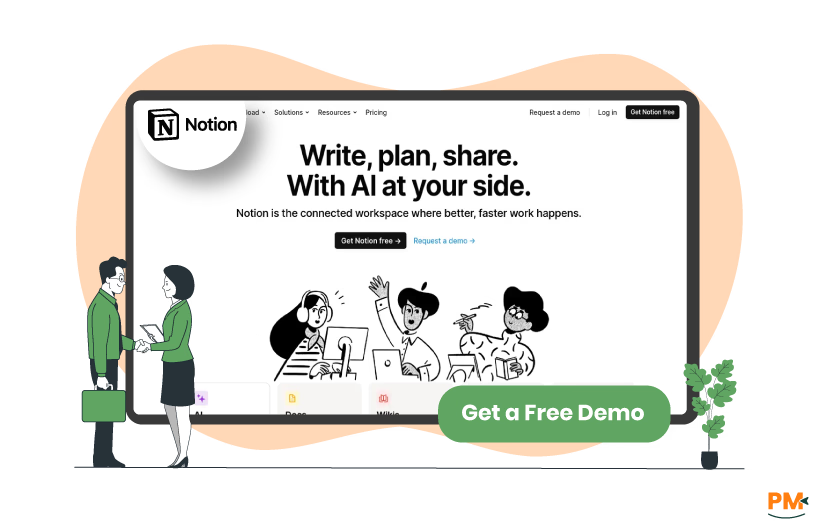
Notion is an AI-powered workspace that unifies documents, wikis, tasks, and collaboration in one platform, reducing the need for multiple tools. Built on a block-based system, it lets users arrange text, media, and databases into customizable workflows, with pages such as canvases and databases offering views like tables, boards, calendars, and timelines.
Notion AI adds advanced support by generating content, summarizing notes, extracting tasks, and searching across tools like Slack and Google Drive. The platform is popular among product, design, and marketing teams, as well as knowledge-driven organizations and individual professionals for planning and creative projects. Its biggest strength is flexibility, allowing users to design systems that fit their needs, from personal setups to enterprise-level documentation.
Notion Pros And Cons
Pros | Cons |
|
|
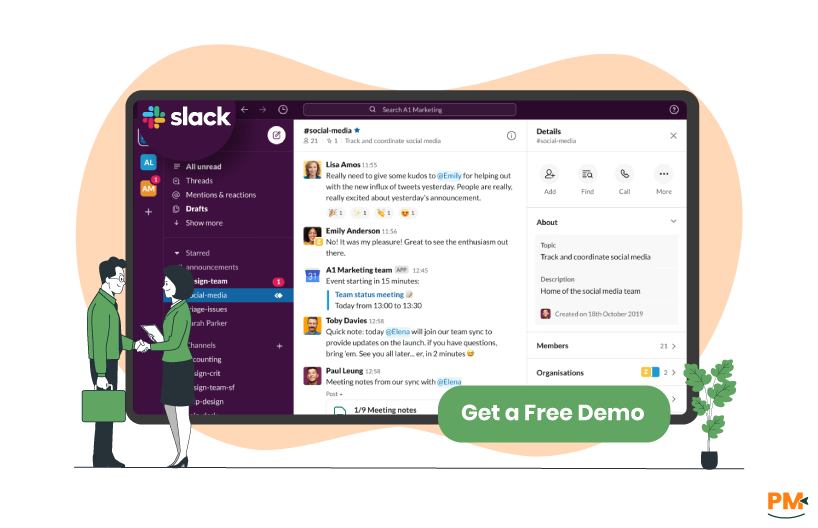
Slack simplifies communication by organizing conversations into channels where messages, files, and decisions stay accessible to all members. Direct messages, huddles, and calls provide quick ways to connect, while searchable history makes past discussions and shared documents easy to retrieve.
It is especially effective for fast-moving teams in technology, creative, and customer-facing roles. Conversations remain in context, whether in a project channel, department hub, or cross-team chat, helping organizations stay aligned. However, Slack lacks advanced project tracking or workflow automation, making it more suitable for communication and coordination than complete project management.
Slack Pros And Cons
Pros | Cons |
|
|

Notion
In Notion, communication is built into collaboration rather than handled through a separate chat system. Teams interact through inline comments, mentions, and real-time edits on pages, with all activity stored as part of the page history. There is no limit on the number of comments or mentions, and they remain accessible as long as the page is retained. Enterprise administrators can configure retention policies, allowing Trash to keep content anywhere from one day to ten years before permanent deletion. File sharing works by embedding uploads as page blocks, with limits of 5 GB/file on paid plans and 5 MB on the free plan; larger uploads are supported through API multipart requests.
Slack
Slack, by contrast, operates as a full-featured messaging platform. It supports sending unlimited text messages, threads, and formatted posts. Retention depends on the subscription: on the free tier, message and file history is retained for 90 days (or up to one year, depending on settings); paid plans offer indefinite history and allow administrators to set custom retention rules per workspace, channel, or DM. Slack also enables rich attachments: you can upload files up to 1 GB each, and the free plan retains files for the same limited period, while paid plans allow unlimited file storage.

Notion
Notion integrates tasks directly into its flexible content structure using databases. You can organize tasks via views like tables, kanban boards, timelines, and calendars, each customized with properties such as assignees, due dates, and status filters. The projects and tasks templates combine project and task databases, allowing tasks to relate to specific projects and display progress metrics like completion percentages. Notion also supports automations and integrations, such as synced databases and workflows, to reduce manual updates and enrich task tracking within a unified workspace.
Slack
Slack offers light workflow and task tools centered around Workflow Builder and reminders. Using reminders, you can set personal or channel-wide reminders tied to dates or messages. Workflow Builder allows you to automate daily processes, like routing requests or sending notifications, with visual logic and support for conditional steps and app connectors, all without coding. This setup enables you to embed simple task workflows directly within Slack’s chat environment.

Notion
Notion provides customer support through its ‘Help and Support Center’, which includes guides, frequently asked questions (FAQs), and troubleshooting articles. Users on all plans can access email support, while Enterprise customers receive priority support and a dedicated customer success manager. The help center also includes community forums and webinars to assist with adoption.
Slack
Slack offers support through its ‘Help Center’, which features articles, how-to guides, and troubleshooting resources. Standard support is available to all users, while Business+ and Enterprise Grid plans include 24/7 support with faster response times. Enterprise customers also gain access to a designated account team for tailored assistance.

Notion
Notion enables collaboration by allowing teams to co-edit pages in real time, leave inline comments and mentions, and manage content through shared workspaces. Permissions can be customized at the page or database level, so users control who can view, comment, or edit content. Guests can also be invited, making external collaborations possible. Enterprise plans add advanced controls such as private team spaces, audit logs, and domain management to support large organizations.
Slack
Slack focuses on real-time team collaboration with channels, direct messages, threads, huddles, and file sharing. Teams can organize discussions by project, department, or topic, while threaded replies keep conversations in context. Slack also enables collaboration with external partners through Slack Connect, which links organizations in shared channels. Enterprise users gain advanced features like centralized administration, compliance tools, and Enterprise Grid for large-scale, cross-team collaboration.
Notion
Slack is primarily a communication tool, but it offers lightweight task management features through messages, reminders, and workflow automation. Users can create reminders for themselves or teammates directly in chat by typing or reminding, which integrates task follow-ups into the flow of conversation. In addition, channels can be used to coordinate project updates, assign responsibilities, and share progress in real time.
Slack
Slack also includes a built-in Workflow Builder, which allows teams to automate routine processes such as collecting requests, routing approvals, or sending task notifications. Workflows can trigger actions inside Slack or connect to external tools through integrations, making task coordination smoother without leaving the app. While Slack is not designed to replace full project management platforms, its workflows and reminders make it well suited for lightweight task coordination alongside day-to-day communication.

Notion
Notion features a minimalist, block-based interface where every element—text, images, tables, or embeds, functions as a movable block. The sidebar provides quick access to workspaces, pages, and favorites, while drag-and-drop editing makes organizing content straightforward. Its design focuses on flexibility and clarity, allowing both individuals and teams to adapt the interface to their workflows.
Slack
Slack uses a chat-first interface built around channels, threads, and direct messages. The sidebar organizes conversations by team, topic, or project, while quick navigation tools make switching between channels easy. Notifications, message highlights, and integrations are surfaced within the UI to keep users focused. On mobile, the app offers a simplified layout for faster access to conversations and workflows.

Notion
Notion protects data with encryption in transit (TLS 1.2+) and at rest (AES-256). Enterprise administrators can enforce SSO with SAML 2.0, use SCIM provisioning, manage permissions, and monitor activity with audit logs. Notion is certified for SOC 2 Type II, ISO 27001, ISO 27017, ISO 27018, and ISO 27701, ensuring compliance with recognized international standards. Messages in Notion exist as inline comments or mentions and are tied to pages, while files are uploaded as blocks. These are subject to the same encryption and retention policies, meaning both your communication and your files remain protected under the same security framework.
Slack
Slack secures information with encryption at rest and in transit (TLS 1.2, AES-256), along with options for two-factor authentication, session management, and custom data retention policies. Enterprise customers can enable Enterprise Key Management (EKM) for additional control over encryption keys. Slack also holds certifications such as SOC 2, SOC 3, ISO 27001, and ISO 27018, and complies with GDPR and other frameworks. This means that whether you’re sharing text messages, attachments, or files, Slack’s security practices are designed to keep your information safe and accessible only to authorized users.
Note-Taking Capability

Notion
Notion is designed as a note-taking workspace where content is created in pages made up of movable blocks. Notes can include text, images, tables, media, and embeds, and can be linked or nested to build structured knowledge bases. Real-time collaboration allows teammates to co-edit notes, leave inline comments, and mention users directly in content. Advanced features like Notion AI support note summarization, task extraction, and reformatting, making it suitable for personal notes, meeting documentation, and project knowledge hubs.
Slack
Slack does not provide a dedicated note-taking editor, but it allows users to save and pin important messages, share documents, and bookmark items for later reference. Notes can be captured through messages in dedicated channels or threads, keeping them tied to team discussions. For structured notes, Slack integrates with tools like Notion, Google Docs, and OneNote, while its searchable history ensures that shared notes and documents remain accessible.
Notifications

Notion
Notion sends notifications for mentions, comments, replies, reminders, and page shares. Alerts appear in the desktop and mobile apps and can also be delivered via email. Users can adjust preferences to receive push notifications, set quiet hours, or rely on daily email digests, ensuring updates are seen without becoming overwhelming.
Slack
Slack provides granular notification controls. Users can choose to be alerted for all messages, direct mentions, or custom keywords, and can mute channels or schedule Do Not Disturb hours. Notifications are available on desktop, mobile, and email, with visual cues like badges and highlights to surface important updates. These settings allow teams to stay responsive while reducing unnecessary noise.
Notion Vs Slack Pricing Comparison
Notion Pricing
Free | Plus | Business | Enterprise |
$0/member/month
| $12/member/month
| $24/member/month
| Custom pricing
|
|
|
|
|
Slack Pricing
Free | Pro | Business+ | Enterprise+ |
| $0 | $8.75/user/month | $18/user/month
| Custom pricing |
|
|
|
|
Disclaimer: The pricing is subject to change.
Who Is Notion Best For?
Notion fits best where documentation and structured knowledge are central to daily work. It appeals to users who want to organize information in flexible ways rather than sticking to fixed templates. It’s a strong choice for:
- Solo professionals and students managing notes, research, or personal projects
- Small creative or technical teams building shared dashboards and project spaces
- Larger organizations that need compliance, granular permissions, and scalable collaboration tools
- Sectors such as technology, design, education, and consulting, where written knowledge forms the backbone of operations
Its strength lies in transforming scattered notes into living systems, everything from wikis to project trackers. However, for teams whose primary need is instant back-and-forth messaging, Notion may not be the most natural fit.
Who Is Slack Best For?
Slack shines in workplaces where speed of communication is critical. It reduces email overload and keeps conversations moving, making it especially valuable for dynamic teams. It works particularly well for:
- Startups that need fast, lightweight communication without overhead
- Mid-sized companies balancing team coordination with administrative oversight
- Large enterprises that depend on Enterprise Grid for secure, multi-team collaboration
- Industries like customer support, technology, and creative agencies, where real-time problem solving is a daily requirement
Its core advantage is keeping teams connected through channels, huddles, and searchable history. But for organizations that require deep project planning or detailed documentation, Slack alone is not enough.
Which One May Suit Your Needs Better?
Considering all factors which we have discussed above, Slack emerges as the better performer overall. Its strength in real-time communication, scalability across organizations of any size, and proven adoption in fast-paced industries make it the more reliable collaboration tool.
While Notion excels in documentation and structured knowledge management, Slack provides the broader set of capabilities that most teams depend on daily.
In short, choose Notion if your workflow centers on managing content and knowledge, and choose Slack if instant communication and team alignment are more critical to your success.
What Are The Alternatives To Notion And Slack?
Notion and Slack are leading choices in their categories, but they aren’t the only options available. Depending on your team’s size, workflow style, or industry needs, other tools may be a better fit. Below, we highlight popular alternatives to both platforms so you can explore solutions that align more closely with your requirements.
Alternatives To Notion
If Notion feels too open-ended or doesn’t quite match your workflow, here are a few platforms that could take its place:
- Coda – best for teams who want docs that act like apps, blending spreadsheets, automation, and collaboration
- Confluence Software – ideal for companies that need structured documentation and centralized knowledge bases
- ClickUp – a strong option if you want tasks, docs, and project management tightly integrated
- Evernote Teams – simple and reliable for personal note-taking and information capture
- Airtable – perfect for database-driven teams that think in spreadsheets but need more flexibility
Alternatives To Slack
If Slack’s real-time style doesn’t fit your team, or you want different pricing and integration models, these options may work better:
- Trello — Ideal for visual task tracking with card-based boards that simplify project overviews
- Asana — Great for managing cross-functional teams through defined tasks, timelines, and automation
- Jira — Tailored for software teams needing deep issue tracking, agile workflows, and sprint planning
- monday. com — Stands out with customizable dashboards, automated workflows, and performance tracking
- Miro Software — Perfect for teams that thrive on collaborative whiteboards, visual brainstorming, and real-time design sessions