


Choosing the right collaboration and knowledge management tool can impact team productivity. Quip, developed by Salesforce, combines documents, spreadsheets, and chats in one workspace. It integrates with Salesforce data and Live Apps for task tracking, calendars, and Kanban boards. Notion provides a flexible workspace with block-based pages, databases, and templates to build custom workflows, wikis, and project boards.
Both tools aim to streamline collaboration, but they take different approaches: Quip emphasizes structured, document-centered collaboration integrated with Salesforce, while Notion focuses on flexibility and customization for varied team workflows.
This article breaks down the key features, pros, cons, and use cases to help teams determine which platform fits their needs best.
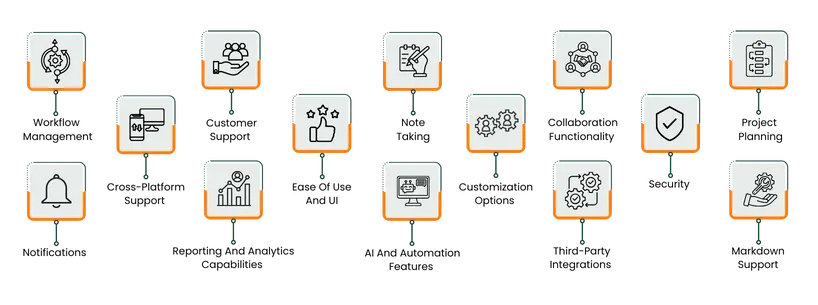
Feature | Quip | Notion |
Workflow Management | Embedded checklists, reminders, @-mentions | Database-driven workflows with multiple views |
Project Planning | Project Tracker Live Apps, Salesforce integration | Custom databases, table/board/timeline views |
Collaboration | Real-time editing, comments, chat threads | Block-based real-time collaboration, inline comments |
Cross-Platform Support | Web, desktop, mobile, Salesforce Lightning | Web, desktop, mobile with cloud sync |
Customization | Live Apps, templates, Salesforce-specific views | Page styles, databases, colors, layouts |
Security | TLS and AES encryption, SSO, Quip Shield | SOC2, ISO certifications, SSO, audit logs |
Reporting And Analytics | Live charts in docs, real-time Salesforce data | Enterprise analytics: members, content, search |
AI And Automation | REST API, embedded Live Apps, limited automation | Database triggers, AI-powered content generation |
Third-party Integrations | Dropbox, Zendesk, JIRA, Slack (limited) | Jira, GitHub, Synced Databases, public API |
Note-taking And Markdown | Rich docs, checklists, Markdown support | Pages as notes, database linking, Markdown support |
TL;DR Verdict: Quip is best for teams focused on Salesforce-aligned, structured collaboration, while Notion suits teams seeking flexibility, custom workflows, and centralized knowledge management.

Quip is Salesforce’s collaboration tool that combines documents, spreadsheets, and chats into a single workspace designed for teams working with Salesforce data. It supports real-time co-editing, embedded live Salesforce reports, and templates for sales and project workflows.
Quip documents host checklists, spreadsheets, and live apps such as calendars or Kanban boards, enabling teams to capture notes, assign tasks, and view CRM data without switching tools across desktop and mobile clients.
Quip Pros And Cons
Pros | Cons |
|
|

Notion provides a workspace where teams can write, plan, and organize information in one place. It offers block‑based pages and database structures that let businesses build custom workflows, from wikis and task boards to public websites. Its approach gives teams a 'blank canvas' to adapt to how they work, rather than forcing a predefined structure.
Notion Pros And Cons
Pros | Cons |
|
|
Quip
For workflow management, Quip supports checklists, reminders, and embedded chats inside documents, so teams stay aligned. For example, a sales team can embed a spreadsheet inside a document, add checkboxes for each stage of the deal, then use @‑mentions and due dates to notify owners. Teams can also link documents to Salesforce records, ensuring workflow visibility across CRM pipelines without leaving Quip.
Notion
With Notion, you can build workflows using databases, templates, and views (tables, boards, timelines). A project team might use a database to track tasks, trigger an automation when status changes, and view a timeline of deliverables. Additionally, Notion allows setting reminders and assigning tasks directly within database entries to keep workflows organized.
Project Planning
Quip
With Quip, project planning centers on documents embedded with interactive tracking tools. For example, teams can add a ‘Project Tracker' Live App inside a Quip document to assign owners, set deadlines, and link related spreadsheets or tasks. Quip Teams access roadmap, status updates and commentary all in one place rather than splitting planning across separate apps. Quip also enables real-time updates on task progress, so project managers can monitor deadlines and milestones directly within the document.
Notion
Notion is an all-in-one project management tool that allows teams to build a tailored project‑planning structure using databases with views such as table, board, timeline, and chart. For instance, a project manager can create a ‘Projects & Tasks' database, assign tasks to projects, view dependencies, and display timeline views for multi‑month work. Teams can also embed templates, checklists, and linked databases to ensure all project elements are visible in one centralized workspace.
Quip
Quip’s customer support operates through the Salesforce Help and Training Portal. Users can submit support cases, access technical documentation, and explore step‑by‑step guides for troubleshooting.
The Quip Implementation Hub provides dedicated training resources, deployment guidance, and best practices for teams integrating Quip with Salesforce workflows. It also includes community forums where users can ask questions, share tips, and learn from real-world use cases.
Notion
Notion provides support through its comprehensive Help Center, including knowledge‑base articles, FAQs, and step‑by‑step guides to help teams navigate the platform. Users can submit requests directly through the in‑app support form. While phone support is not provided, Notion also offers community forums and webinars where teams can learn best practices, troubleshoot common issues, and access real-world workflow examples to enhance adoption and productivity.
Quip
Quip allows teams to collaborate in real time on documents, spreadsheets, and presentations, with chat and comment threads embedded directly within each file. Live Apps, such as task trackers or calendars, can be added to documents, keeping workflows and discussions in one place. Granular permissions control who can view, comment, edit, or share content, allowing external contractors, stakeholders, or internal teams to collaborate safely without access conflicts.
Notion
On the other hand, Notion supports block-based collaboration where multiple users can edit simultaneously, with visible cursors, mentions, and inline comments. Teams can lock pages or databases, assign permissions, and control access at page or workspace level. This structure allows large teams to work together efficiently across devices while maintaining document integrity, ensuring updates and discussions remain organized within the workspace.
Quip
Quip supports use across web browsers, desktop (Windows and macOS) and mobile (iOS, Android) clients, with native ‘offline' editing capabilities mentioned for Live Apps embedded in documents. Because it’s built within the Salesforce ecosystem, Quip also supports use from within Salesforce Lightning, enabling teams to access documents and spreadsheets alongside CRM data on any device.
Notion
Similarly, Notion supports desktop (Windows 10+, macOS 11+), web browsers (Chrome, Firefox, Safari, Edge) and mobile devices (iOS 17+, Android 8+). Its cloud‑first architecture ensures that content synced across devices, and a team can switch from laptop to smartphone with minimal friction. For teams using mixed‑OS environments, the platform provides one consistent interface across device types.
Quip
Quip’s interface emphasizes simplicity: the document and chat merge into a single thread, making feedback and edits visible together. The mobile‑first design adapts automatically to screen size and supports offline editing. Accessibility features include keyboard navigation and high‑contrast views to support diverse user needs. These design decisions mean teams can adopt Quip quickly without heavy training, especially when working on shared documents or spreadsheets.
Notion
Notion uses a block‑based system where every content type — text, image, table, database — is a ‘block’. Users type “/” to insert a new block and then drag‑and‑drop to rearrange layout and structure. The UI offers great flexibility, though it requires a learning curve for teams unfamiliar with modular layouts. Over time, users can build pages and workflows tailored to their work‑style, making the UI powerful but initially challenging.
Quip
Quip supports customization via its Live Apps platform and pre‑built workflow templates. Teams can embed Kanban boards, calendars or Salesforce record views directly into documents for tailored workflows.
Developers can build custom Live Apps using the Quip API to fit specific business models and add custom UI elements inside a document canvas. Although building new Live Apps now requires legacy support, the existing framework still offers flexibility to adapt Quip to defined enterprise processes.
Notion
Notion offers extensive page and style customization. Users can choose font styles (Default, Serif, Mono), control block‐layout width, apply colors and toggle page icons or cover art. On published Sites, teams can set custom favicons, themes (Light / Dark), navigation headers and Google Analytics tracking.
In total, Notion lets organizations build dashboards, wikis and workflow pages adapted to their brand and structure, though this flexibility also places more design responsibility on teams.
Quip
Quip emphasizes enterprise‑grade security with encryption of data both in transit and at rest (TLS 1.2+ and AES‑256). It supports features such as single sign‑on (SSO) and SCIM provisioning for identity management. For regulated industries, Quip offers the ‘Quip Shield’ option which includes enterprise key management, event monitoring and antivirus scanning.
Notion
Notion maintains a multi‑layer security infrastructure: the platform is audited for compliance including SOC 2 Type 2, ISO 27001/27701/27017/27018 certifications, and supports encryption of data in transit and at rest. Enterprise features include SSO via SAML 2.0, SCIM provisioning, audit logs, and integrations with SIEM/DLP partners for regulated workflows. These controls provide a strong foundation for data protection, though implementation for strict regulatory environments may need additional configuration.
Quip
Quip offers a refined notifications system designed to highlight what matters. Users receive push alerts when they’re @‑mentioned, when someone responds to their comments, likes a contribution, or opens a shared document. The 'Inbox' section acts as an activity feed, letting teams review updates at their own pace. Moreover, administrators can adjust defaults and override settings at the document level (e. g. , mute a specific thread).
Notion
Notion centralizes notifications through the Inbox pane where edits, mentions, and reminders are aggregated. When someone @‑mentions a user, or a person's property is updated in a database, a notification appears; push alerts via mobile or desktop apply if the app is inactive. Users can also fine‑tune notification settings at the page or database level (e. g. , ‘All updates’, ‘Replies and @mentions’).
Reporting And Analytics Capabilities
Quip
Quip allows teams to embed live charts directly into spreadsheets and documents. These charts update instantly as underlying data changes, even when data originates from live Salesforce reports, allowing users to keep discussions and decision‑making in one document. This means teams can create a document with a table, insert a bar or pie chart, and have it reflect real‑time data, all without exporting into a separate BI tool.
Notion
Notion’s Enterprise plan’s workspace analytics provides three core data views: Members, Content and Search. Teams can track metrics like page views, edits, search terms and user activity over a 365‑day window. These insights aim to surface how well content is being adopted and used, though they stop short of full BI dashboard or predictive analytics capabilities.
AI And Automation Features
Quip
With Quip, automation and integration are managed via a comprehensive REST API that allows for document creation, editing, folder management and user provisioning. The platform supports embedding Live Apps such as calendars, Kanban boards, and spreadsheets inside documents for workflow automation. While some integrations have been retired, the core Automation API still enables enterprise teams to script and automate document‑related operations at scale.
Notion
Notion offers native automation via databases: users can define triggers and consequent actions (e. g. , when a new page is added, update properties or send notifications). Recently, Notion has introduced formal automation features that allow email notifications, form responses mapped to databases, and formula‑based automation actions.
Moreover, Notion supports AI‑driven workflows: the 'Build with AI' feature lets users generate databases from prompts, while the Notion AI interface can analyze files, images and connected apps for insights.
Third-Party Integrations
Quip
The platform supports integrations with tools such as Dropbox, Zendesk, JIRA, and Slack. Developers can also use the Quip API to build custom integrations, but organizations evaluating Quip should confirm which connectors are actively maintained and supported for their workflow.
Notion
Notion lists integrations with tools like Jira, GitHub and describes 'Synced Databases' for live data flows from external tools. The API is publicly available and can be used to build custom integrations, with workspace owners managing connection permissions. This flexibility suits teams needing broad tool‑chain connectivity.
Note-Taking
Quip
In Quip, a team can create rich, shared documents that double as note spaces. Users type headings, lists or free text and can insert checklists or spreadsheets, all inside one document. Quip supports Markdown syntax to simplify note creation and export. Teams that already work in the document‑chat format will find Quip allows them to build structured notes while staying within their collaboration platform.
Notion
Notion offers a workspace where every page becomes a note, document, or part of a larger system. You type ‘/meet’ for instant meeting notes, embedded images, media or tasks, and link your note to a database for future tracking. Because notes live alongside tasks and documents, teams can capture ideas, meeting outcomes and decisions in one place — and then connect them directly to project systems.
Markdown Support
Quip
Quip lets teams use Markdown shortcuts directly within documents: typing #, ##, or ### at the start of a line yields headings, [] + space creates checklists, and blank‐lines or special keystrokes build code blocks. The platform also supports exporting documents as Markdown for use in other systems. This feature enables users comfortable with keyboard‑first workflows to stay in flow without switching to menus.
Notion
Notion supports Markdown syntax across devices: typing **bold**, *italic*, # Heading1, ## Heading2, [] (to‑do) or */- then space (bullet list) converts into formatted blocks. While simple to use, administrators should ensure teams are aware of how Markdown maps blocks and how to maintain consistency when pages evolve.
Quip Vs Notion Pricing Comparison
Quip: Pricing Plans
Plan | Price | Key Features |
Quip Starter | $10/user/month | Unlimited documents and spreadsheets, chat (group and 1‑to‑1), desktop/tablet/mobile access |
Quip Plus | $25/user/month | All Starter features plus, single sign‑on, enterprise API/customization |
Quip Advanced | $100/user/month | All Plus features plus, live documents in Salesforce, 2‑way Salesforce data sync |
Notion: Pricing Plan
Plan | Price | Key Features |
Free | $0 | Unlimited blocks (individual use), basic collaboration |
Plus | $12/member/month | All Free features plus, unlimited blocks for teams, unlimited file uploads, unlimited charts |
Business | $24/member/month | All Plus features plus, AI meeting notes, research mode, SAML SSO |
Enterprise | Custom pricing | All Business features plus, advanced security and controls, audit log, customer success manager |
Disclaimer: The pricing is subject to change.
Who Is Quip Best For?
Quip is suited for teams that rely heavily on collaborative documents, spreadsheets, and real-time discussion. It works well for small to mid-sized teams that need a central workspace to manage projects, share updates, and coordinate tasks without constantly switching between apps. Teams in sales, operations, and professional services often benefit from their integration with Salesforce, enabling seamless document‑based workflows alongside CRM data.
For larger enterprises, Quip’s advanced plans offer single sign-on, API access, and live Salesforce document features, supporting hundreds of users across departments. Organizations with structured reporting needs and real-time collaboration requirements will find Quip a practical option.
Who Is Notion Best For?
Notion is ideal for teams that need a flexible workspace to manage projects, documentation, and databases in one place. It suits small to mid-sized teams that value centralized knowledge management, task tracking, and note-taking. Creative teams, startups, and product development groups often benefit from Notion’s customizable pages, templates, and relational databases, which help organize complex workflows without rigid structures.
For larger organizations, Notion’s advanced plans support extended permissions, audit logs, and analytics, making it suitable for hundreds of users across departments. Teams seeking structured collaboration alongside customizable documentation and project tracking will find Notion effective.
Which One May Suit Your Needs Better?
Choosing the right project management software depends on your team’s workflow priorities. Quip excels for teams that need real-time collaboration on documents and spreadsheets, especially when integrated with Salesforce. Its structured approach works well for sales, operations, and enterprise reporting.
Notion offers greater flexibility for teams that require customizable workspaces, databases, and project tracking. It is ideal for knowledge management and cross-functional collaboration. Small to mid-sized teams or those managing diverse content types may find Notion more versatile, while Quip suits organizations focused on structured, document-centered collaboration.
What Are The Alternatives?
Quip Alternatives
If Quip feels too structured or tied to Salesforce, these alternatives provide flexible document collaboration and workflow management:
- Zoho Docs – A document‑and‑collaboration platform made by the Zoho suite of business apps
- Dropbox Paper – Focuses on real‑time document sharing, task lists and embedded media
- Tettra – A knowledge‑base tool cited as a simpler alternative to Quip for process and documentation workflows
Notion Alternatives
If Notion feels too open-ended or complex, these alternatives offer customizable workspaces and organized project tracking:
- Coda – Offers document‑database combos with heavy automation and flexible views
- Airtable – Spreadsheet‑meets‑database tool with visual views (Grid, Kanban, Calendar) and strong project/data features
- Taskade – Simpler tool for real‑time collaboration, tasks, notes. Good for teams finding Notion too heavy
