


Keeping team knowledge organized can be challenging. Documents, project notes, and updates often live in different places, making it hard to access the right information at the right time. As teams grow, this problem only becomes bigger, affecting productivity and collaboration. Many organizations look for solutions that bring all this information together in one place, so everyone can stay aligned and work efficiently.
That’s where tools like Slab and Notion come in. They aim to centralize knowledge, streamline workflows, and help teams work together without losing track of important information. This article looks at Slab and Notion side by side, exploring their features, advantages, and drawbacks, so teams can decide which platform fits their way of working best.
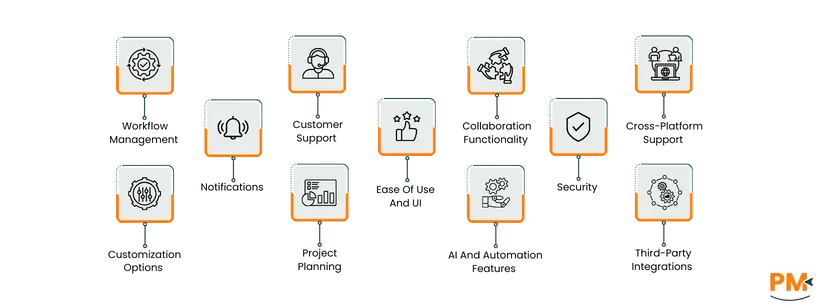
Feature / Aspect | Slab | Notion |
Primary Focus | Knowledge management and documentation | All-in-one workspace (docs, project management, databases) |
Project Planning | Documentation-based, no task boards or Gantt charts | Robust project planning with boards, tables, timelines |
Workflow Management | Structured documentation, integrations for automation | End-to-end workflow with databases, automation, Notion AI |
Collaboration | Real-time co-editing, comments, mentions, Slack integration | Real-time collaboration, granular permissions, Slack/MS Teams integration |
Ease of Use & UI | Minimalist, clean, intuitive interface | Flexible, drag-and-drop UI, highly customizable |
Customization | Limited layout and branding options | Extensive customization with templates, blocks, visuals |
Security | AES-256 encryption, SSO, AWS hosting | AES-256 encryption, SSO/SCIM, SOC 2 Type II, AWS hosting |
Notifications | Real-time, email, Slack, customizable preferences | In-app, email, mobile, Slack integration, customizable |
AI And Automation | Limited, via Zapier integrations | Built-in Notion AI, database automation, Zapier/Slack |
Integrations | Slack, Google Drive, Dropbox, GitHub, Zapier | Slack, Google Workspace, Jira, Figma, Zapier, embeds |
Templates | Focused on docs, SOPs, project onboarding | Wide variety: Kanban, CRM, calendars, wikis, project templates |
Pricing (starting) | Free; Paid plans $6.67–$12.50/month/user, Enterprise custom | Free; Paid plans $10–$20/month/member, Enterprise custom |
Best For | Teams needing centralized documentation | Teams needing all-in-one workspace for docs and tasks |
TL;DR: Slab is ideal for teams focused on documentation and knowledge centralization, offering simplicity and clarity. Notion is better for teams seeking an all-in-one, customizable workspace with project management, automation, and relational databases.
 Slab is a knowledge management platform designed to help teams create, organize, and share internal documentation efficiently. It provides a clean and intuitive interface, making it easy for users to build a centralized knowledge hub.
The platform's hierarchical topic structure allows for clear categorization of content, and its robust search functionality ensures that information is easily accessible. Additionally, it integrates with various tools like Slack , Google Drive, and Dropbox, enabling teams to centralize their knowledge and minimize time spent searching for content.
Slab Pros and Cons
Pros | Cons |
The platform offers a solid search functionality that quickly returns relevant results It facilitates real-time collaboration, allowing team members to create, edit, and update content The software’s integrations with various popular tools help enhance workflow efficiency | The platform lacks certain advanced features found in competitor platforms, such as embedding a wider variety of file types Users face difficulty in visually navigating between different topics within the platform |
 Notion is a versatile all-in-one workspace designed to help individuals and teams organize, plan, and collaborate efficiently. It combines note-taking, project management, task tracking, and knowledge management into a single customizable platform.
The platform has a flexible interface that allows for the creation of structured databases, wikis, and documentation hubs, while offering multiple views such as tables, boards, calendars, and timelines to organize and filter information effectively.
On top of that, teams can collaborate in real-time, share pages, manage permissions, and streamline workflows, making it suitable for both personal productivity and large-scale enterprise operations.
Notion Pros and Cons
Pros | Cons |
Intuitive interface for organizing notes and manage tasks Notion's API allows for seamless integration with other tools The platform offers a high degree of customization, so users can tailor their workspace | Limited offline functionality hinders work when working without internet access The mobile app has fewer formatting options |
Slab Pricing
Free | Startup | Business | Enterprise |
$0/user/month Includes up to 10 users 10MB Attachments 90 days version history Unlimited posts and topics Real-time collaboration Templates Verification, unified search, and basic support | $8/user/month Includes all Free plan features 25MB attachments 365 days version history Private topics 90 days usage analytics AI Autofix Standard support | $15/user/month Includes all Startup plan features 100MB attachments Unlimited version history Private topics Custom domains 365 days usage analytics AI Autofix AI Predict AI Ask SAML-based SSO SCIM provisioning Unlimited standard integrations 3 premium integrations GraphQL API, webhooks, Priority support Uptime SLA | Custom pricing Includes all Business plan features Unlimited guests Custom attachments Unlimited version history Unlimited usage analytics AI Autofix AI Predict Advanced AI Ask SAML-based SSO SCIM provisioning Audit logs Unlimited standard integrations Unlimited premium integrations GraphQL API Webhooks Dedicated support Uptime SLA |
Disclaimer: Pricing is subject to change.
Notion Pricing
Free | Plus | Business | Enterprise |
$0/month/member Basic sharing Limited team trial Web publishing A trial of Notion AI | $12/member/month Unlimited blocks for teams Unlimited file uploads Custom forms and sites, and more guests | $24/month/member Advanced permissions Private teamspaces SSO Premium integrations Domain verification Conditional forms logic | Custom pricing Enterprise-grade security SCIM SAML SSO Advanced admin controls Audit logs Unlimited page history Analytics Dedicated support Workspace consolidation
|
Disclaimer: The pricing is subject to change.
Slab is ideal for teams focused on knowledge management, documentation, and internal collaboration. It suits both small teams and large enterprises, with features scaling from intuitive templates for beginners to enterprise-grade security and integrations for large organizations.
Slab works best in industries where consistent workflows and centralized knowledge are critical, including:
- Tech startups
- Software development
- Consulting
- Remote/hybrid teams
- Educational institutions
Teams of 10 to several thousand users can benefit from streamlined onboarding, improved team alignment, and reduced knowledge silos through Slab’s real-time collaboration and integration capabilities.
Notion is best suited for teams and organizations that need a flexible all-in-one workspace for documentation, project management, and collaboration. It caters to small teams, startups, and large enterprises, scaling easily from a few users to hundreds or thousands.
Notion is particularly effective in industries where task tracking, relational databases, and knowledge sharing are essential. It works best in:
- Tech
- Marketing
- Design
- Consulting
- Education
- Remote/hybrid teams
Its customizable templates, real-time collaboration, and database linking make it ideal for teams that want to consolidate multiple tools into a single, organized workspace while maintaining flexibility for complex workflows.
Slab is best for teams focused on knowledge management and centralized documentation, offering a clean interface, real-time collaboration, and integrations with tools like Slack and Google Drive. Notion is better for teams that need an all-in-one workspace, combining project management, task tracking, relational databases, and customizable templates.
While Slab excels in clarity and standardization, Notion outperforms in flexibility, workflow automation, and handling complex, multi-layered projects. Ultimately, it's recommended to choose Slab for streamlined documentation and Notion for versatile project and knowledge management.
If Slab or Notion doesn’t fully meet your team’s needs, there are several other tools that can serve as effective alternatives.
Slab Alternatives
- Confluence software – A robust knowledge management platform for team documentation and collaboration
- Guru – Focused on internal knowledge sharing and verification across teams.
- Tettra – Simplified internal wiki for managing company knowledge.
- Document360 – Knowledge base software with versioning, roles, and advanced search
Notion Alternatives
- Coda software – Combines documents, spreadsheets, and workflow automation in one platform
- ClickUp software – All-in-one project management and collaboration tool with docs and tasks
- Airtable software – Flexible database platform that supports relational linking and workflow management
- Monday. com software – Work operating system for project tracking and task automation
