
Finding the right project management tool requires careful consideration of features, pricing, and workflows. Two platforms that take different approaches to team collaboration are Trello and Taskworld. Trello, developed by Atlassian, focuses on visual board-based task management, while Taskworld combines project management with integrated communication features.
Trello uses a card-based system inspired by Kanban methodology, making it accessible for teams of all sizes and industries. Its strength lies in simplicity, flexibility, and a wide library of integrations through Atlassian’s ecosystem.
Taskworld , in contrast, offers a comprehensive workspace that brings together task tracking, built-in team chat, file sharing, and performance analytics. This all-in-one approach reduces reliance on third-party apps but comes with a steeper learning curve and higher pricing tiers.
This comparison examines both tools across usability, collaboration, scalability, and value to help teams determine which platform aligns best with their project needs.
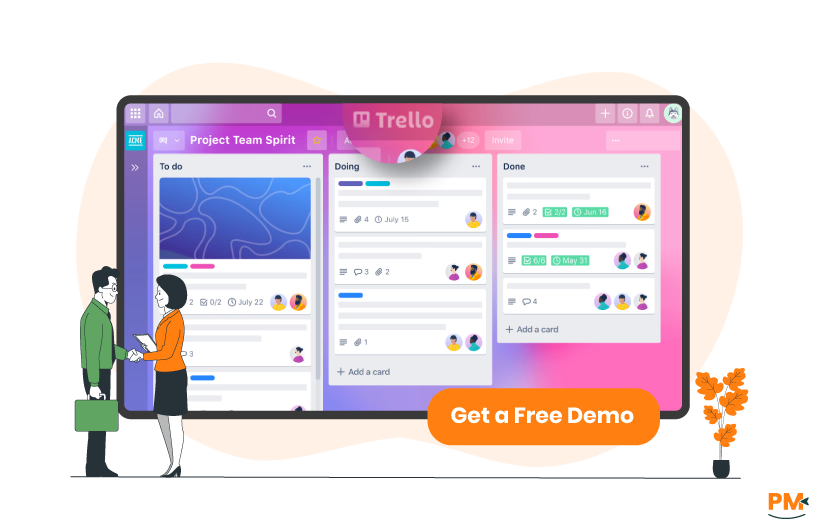
Trello is a visual collaboration tool that organizes projects into boards, lists, and cards. Each board represents a project, lists track workflow stages, and cards contain tasks with details, attachments, and conversations. The platform emphasizes simplicity and flexibility, allowing teams to customize their workflows without complex setup requirements.
The tool includes features like Inbox for capturing to-dos, planner for calendar views, and card mirroring to sync tasks across multiple boards. Atlassian Intelligence (AI) enhances Premium and Enterprise plans with content generation and task automation capabilities. Trello integrates with over 200 applications through Power-Ups, extending functionality based on team needs.
Trello Pros And Cons
Pros | Cons |
|
|
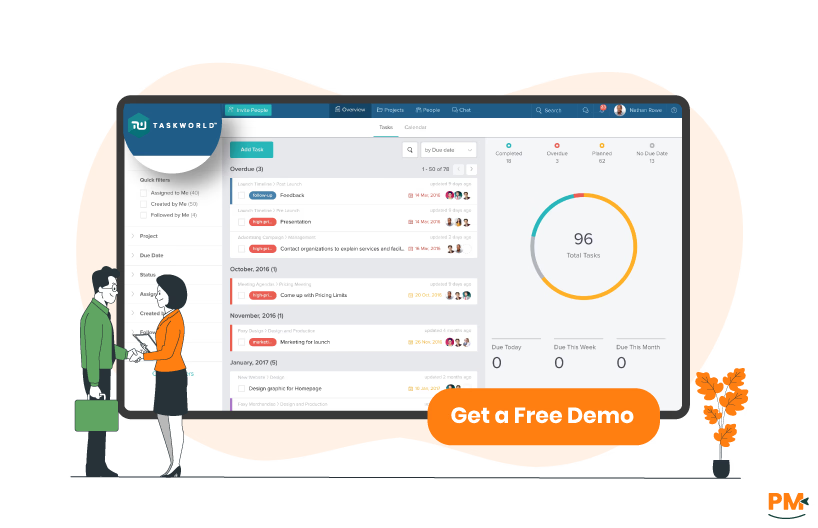
Taskworld combines project management with team communication in an integrated platform. The system organizes work through projects that include tasks, chats, and files in unified workspaces. Teams can switch between multiple project views while maintaining real-time communication through built-in messaging.
The platform includes task dependencies, time tracking on Business plans, and performance analytics for project insights. Taskworld emphasizes security with GDPR and SOC II compliance and offers unlimited storage on Enterprise plans. The tool provides project templates and automation features to standardize workflows across teams.
Taskworld Pros And Cons
Pros | Cons |
|
|

Trello
Trello provides card comments and @mentions that notify members and appear in a card’s activity feed; comments support attachments. Notifications and “watch” functionality let users follow cards, lists or boards. Trello does not include a built-in persistent team chat — teams typically add Slack, Microsoft Teams, or other messaging via Trello’s ppower-uups andand iintegrations. See Trello’s comment docs and integrations pages.
Taskworld
Taskworld provides native integrated chat (individual, team, group, global) alongside task comments so conversations can stay contextual to work. Chat supports message search, file exchange and starting video meetings via integrations. Task comments live on each task and support @mentions and attachments. See Taskworld’s integrated chat and taskcard pages.

Trello
Trello uses a Kanban metaphor: projects are boards, work stages are lists, and work items are cards. Cards support descriptions, checklists, labels, assignees and due dates; attachments may be added to cards and the activity feed. Advanced card behaviours (custom fields, advanced checklists, card mirroring) and multi-board views are available as features or via Power-Ups on paid plans. Trello emphasizes simplicity and discoverable upgrades (Power-Ups or paid Views) for teams that need more than basic boards.
Taskworld
Taskworld organizes work around task cards and customizable boards while also offering timeline (Gantt-style), table and dashboard views so tasks can be visualized multiple ways. Tasks support priorities, subtasks (task lists), task points and recurring tasks; dependencies and timeline reporting appear in higher plan features. Taskworld’s product messaging focuses on combining task management with native time tracking and analytics so teams get workflow and reporting in one product.

Trello
Trello provides extensive self-service documentation via Atlassian Support and community resources. Support levels and response options depend on plan (Enterprise customers receive elevated admin support and SLAs). For account, billing and admin issues, Trello’s help pages and pricing docs explain plan-dependent support.
Taskworld
Taskworld’s site and Help Center list plan-based support options including email/chat support and onboarding for paid/Enterprise customers; Enterprise customers are offered dedicated onboarding and success management. The public pricing/help pages reference plan features and direct teams to sales for Enterprise details.

Trello
Trello centralizes work through card activity, comments, watchers and mentions and provides multi-user boards within Workspaces. Real-time updates and activity feeds keep collaborators aware; richer collaboration (persistent chat, threaded team conversations) is available via integrations. Workspace and board permissions scale with paid tiers and Enterprise controls.
Taskworld
Taskworld combines native chat, task comments and shared dashboards so conversations and work live together. Files, tasks and messages are accessible inside workspaces; built-in dashboards and analytics are designed for team visibility and cross-project coordination.
Trello
Trello offers a web app plus native desktop apps for macOS and Windows and mobile apps for iOS and Android; the product page and help center confirm platform availability and guidance for desktop installs and notifications.
Taskworld
Taskworld is available via web (browser) and mobile apps; the Help Center documents mobile workflows (creating workspaces, tasklists, recording time, and notifications), and Taskworld notes that the product syncs across devices.

Trello
Trello is designed for fast adoption with a minimal, card-first UI. Creating boards and cards is intentionally simple; more advanced functionality is introduced through visible options, Power-Ups or paid Views. This makes Trello easy for teams that want a low learning curve, while power users extend capabilities with integrations.
Taskworld
Taskworld provides a structured interface that combines multiple tools in one workspace. The platform offers Kanban view as the default with additional views available on higher tiers. Navigation between projects, tasks, and chat requires learning the platform's organization system. The interface prioritizes functionality with clearly labeled sections for different features.
Trello
Trello provides built-in no-code automation (Automation; formerly Butler) with rules, board/card buttons, scheduled commands and due-date triggers. Automation quotas/limits depend on plan level and can be reviewed in Trello’s automation docs and quota pages.
Taskworld
Taskworld includes automation features on Premium and Business plans. The platform automates recurring tasks, notifications, and workflow transitions. Templates on Premium plans standardize project setup with predefined automation rules. Integration with external tools enables extended automation capabilities.

Trello
Trello adds multi-board Views (Dashboard, Table, Timeline, Calendar, Map) and export/reporting features on Premium/Enterprise plans; Workspace dashboards show aggregated card counts, due-date insights and activity. See Trello pricing and Views documentation for exact plan availability.
Taskworld
Taskworld provides built-in dashboards, progress charts, workload reports and project analytics as core product features — views and analytics are emphasized throughout the product pages and Help Center. These reports tie into time tracking and task status to produce team performance metrics.

Trello
Trello does not include native time tracking but supports integration through Power-Ups. Third-party time tracking tools like Toggl and Clockify integrate directly with Trello boards. Time entries link to specific cards for project-based tracking. Reports aggregate time data across boards and team members.
Taskworld
Time tracking is built into Business and Enterprise plans. Users log time directly on tasks without external tools. The system generates time reports for projects and team members. Time data integrates with performance analytics for comprehensive project insights.

Trello
Trello stores documentation at the card level (card descriptions, comments, attachments) and extends document workflows via integrations (Google Drive, Dropbox, Confluence, etc.) . For teams that need rich docs, integrations or attached documents inside cards are the recommended approach.
Taskworld
Taskworld stores files and project notes inside tasks and projects; task comments, attachments and the Overview dashboard act as the central place to document project status and decisions. Help Center articles show file handling and mobile file access.
Trello Vs Taskworld Pricing Comparison
Trello Pricing
Trello offers the following pricing plans:
- Free: $0 - Up to 10 collaborators per Workspace
- Standard: $6/user/month
- Premium: $12.50/user/month
- Enterprise: $17.50/user/month (billed annually, for up to 50 users)
Disclaimer: Pricing is subject to change.
Taskworld Pricing
Taskworld offers three pricing plans:
- Free Trial: $0
- Business: $19/user/month
- Enterprise: Custom pricing
Disclaimer: Pricing is subject to change.
Who Is Trello Best For?
Trello suits teams prioritizing visual task management and flexibility. Small to medium businesses benefit from the generous Free tier supporting up to 10 users. Marketing teams, creative agencies, and software development teams leverage the board structure for sprint planning and campaign management. Organizations already using Atlassian products gain additional value through ecosystem integration.
Teams requiring simple project tracking without extensive customization find Trello's approach effective. The platform scales from personal productivity to enterprise deployment with appropriate feature tiers.
Who Is Taskworld Best For?
Taskworld fits organizations needing integrated project management and communication. Companies wanting to consolidate tools benefit from built-in chat and task management combination. Professional services firms utilize time tracking and performance analytics for client project management.
Teams with complex workflows requiring multiple project views and detailed permissions choose Taskworld for its comprehensive feature set. Organizations prioritizing data security appreciate GDPR and SOC II compliance certifications.
Which One May Suit Your Needs Better?
Choose Trello when visual simplicity and ease of adoption are priorities. The platform excels for teams wanting quick setup without extensive training. Organizations using other Atlassian tools benefit from seamless integration. Budget-conscious small teams can utilize the generous Free tier effectively.
Select Taskworld where integrated communication and advanced project features are requirements. Teams needing built-in time tracking, performance analytics, and project chat find value in the consolidated platform. Organizations with compliance requirements benefit from enhanced security features.
Consider team size, budget constraints, and feature requirements when evaluating both platforms. Trello provides stronger third-party integration options while Taskworld offers more built-in functionality. Trial periods for both platforms enable hands-on evaluation before commitment.
What Are The Alternatives?

While Trello and Taskworld are excellent choices for project management, they may not be the right fit for every team. Depending on your needs—whether that’s advanced automation, simple task tracking, or robust collaboration features—other platforms might be worth exploring. Here are some popular alternatives:
Trello Alternatives
- Asana – Strong in task dependencies, timelines, and team collaboration
- Monday. com software – Highly flexible with customizable workflows and integrations
- ClickUp – An all-in-one solution combining project management, docs, and goals
- Wrike – Best for larger teams needing advanced reporting and workload management
Taskworld Alternatives
- Basecamp – Simple, team-focused project and communication platform
- Notion – Combines notetaking, wikis, and project management in one workspace
- Smartsheet – Spreadsheet-style project management with strong automation
- Teamwork – Designed for client services and agency project management