
Finding the right project management tool is essential for software teams seeking efficiency, visibility, and seamless workflows. Zenhub and Jira each offer powerful but distinct approaches.
Zenhub extends GitHub with deeply integrated agile tools, hierarchical issue structures, real-time reporting, and AI-driven automation—all managed directly inside developers' coding environments. Jira, developed by Atlassian since 2002, is a full-featured issue-tracking and agile project management platform used across industries and project types, offering flexible workflows and a vast ecosystem of apps and integrations.
This comparison will highlight each tool's strengths, workflows, and ideal use cases to help teams decide which aligns best with their needs.
Features | Zenhub | Jira |
Tasks And Workflow Management | GitHub integration, sprint planning, automated workflows | Scrum & Kanban boards, backlog, workflow customization |
Communication And Messaging | GitHub comments, chat tool integrations | In-app comments, mentions, Slack & Teams integrations |
Customer Support | Email support, knowledge base, resources | 24/7 support (Premium/Enterprise), docs, community |
Collaboration Functionality | Shared boards, roadmaps, and real-time GitHub updates | Boards, dashboards, comments, team integrations |
Cross-Platform Support | Web and browser extensions | Desktop, mobile, web apps, seamless sync |
Ease Of Use And UI | Simple UI inside GitHub | Complex but highly customizable interface |
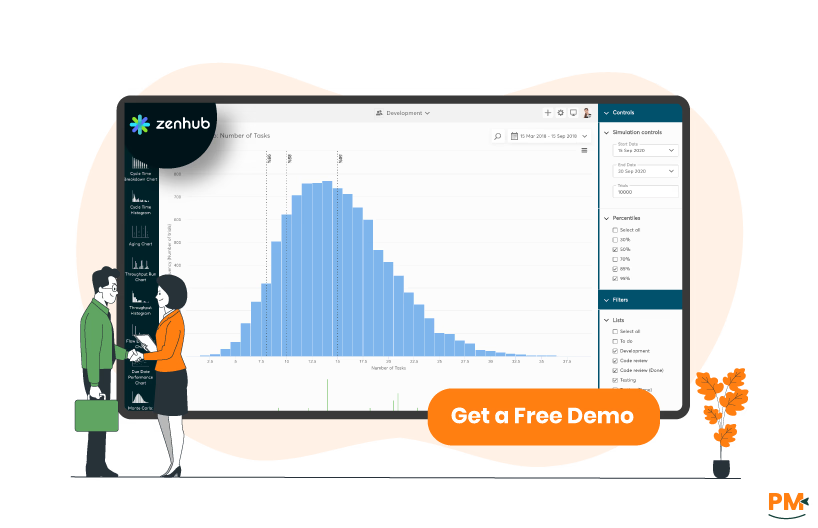
Zenhub transforms GitHub into a full-featured project management platform by embedding advanced PM tools directly into the GitHub interface. Without leaving their development environment, teams gain access to issue boards, sprints, epics, AI-enhanced issue creation, workflow automation, and real-time agile reporting—eliminating context switching and manual updates.
Built for engineering teams since 2014, Zenhub powers both cloud and enterprise workflows. It supports nested task hierarchies (epics → issues → sub-issues), dynamic roadmaps, velocity tracking, cycle-time metrics, and AI-driven insights—all integrated into GitHub. It also offers robust API support and workspaces that unite multiple repositories under shared project views.
Zenhub Pros And Cons
Pros | Cons |
|
|

Jira, developed by Atlassian, is a versatile work and issue-tracking platform built for teams across software development, marketing, operations, and more. It enables planning, issue assignment, progress tracking, and reporting via boards, timelines, and AI-powered automation—all centralized in one platform. Custom workflows, goal alignment, and real-time visibility help teams stay focused and efficient.
Highly customizable, Jira supports Scrum and Kanban boards, backlogs, roadmaps, dashboards, advanced automation, and over 3,000 integrations via the Atlassian Marketplace. It's available in cloud and self-managed (Data Center) options, scaling from single teams to enterprise-wide implementations.
Jira Pros And Cons
Pros | Cons |
|
|

Zenhub
Zenhub integrates task and workflow management directly into GitHub, allowing teams to organize work using epics, issues, and sub-tasks across multiple repositories. Workspaces and boards provide a centralized view, while workflow automation and Smart Pipelines reduce manual updates by moving tasks and applying rules automatically. Goals and planning tools further help track progress across projects with clear visibility.
Jira
Jira manages tasks through issues, customizable workflows, and agile boards. Teams can organize backlogs, plan sprints, and track work using Kanban or Scrum views, supported by automation and reporting features. Workflows define task states and transitions, ensuring accountability and transparency, while dashboards and timelines provide real-time progress tracking.

Zenhub
Zenhub enables streamlined communication by integrating with Slack: team members can create issues and comment directly from Slack, and those updates automatically sync with Zenhub. This two-way sync keeps issue discussions centralized and accessible, reducing tool switching and ensuring all conversations remain tied to the right tasks.
Jira
Jira delivers robust communication through embedded comments for internal or external visibility and multi-channel support. In Jira Service Management, teams can chat via Slack or Microsoft Teams using Atlassian Assist, turning messages into tickets and syncing comments in real time. Agents can reply to customers or leave internal notes directly within issues, preserving context and clarity.

Zenhub
Zenhub offers email-based technical support and a public support portal with documentation and troubleshooting guides. Users can schedule onboarding sessions via the "Get help from an Expert" feature or contact a dedicated support manager—especially for enterprise plans—which includes a private Slack channel and priority assistance. A status page provides real-time updates on system health and outages.
Jira
Jira support varies by plan. Free users rely on the Atlassian Community. Standard plans offer regionally available support Monday to Friday with response SLAs (e. g. , 2 business hours for critical issues). Premium plans include 24/7 support for high-impact incidents with faster response times. Enterprise customers benefit from dedicated phone support, named contacts, and access to senior support engineers. Additionally, users can access documentation, help centers, and the Atlassian Community for self-service.

Zenhub
Zenhub bridges developer and non-technical communication by enabling shared roadmaps, Kanban boards, and workspaces that span multiple GitHub repositories. It includes real-time workflow automation to hand off tasks between teams, customizable workspace permissions for visibility control, invite links for easy team onboarding, and Slack integration—letting collaborators create and comment on issues directly in Slack, even if they don't have Zenhub or GitHub access. This keeps all work and communication contexts unified and accessible.
Jira
Jira supports real-time, multi-user collaboration within its boards, lists, and timelines—showing who's editing what and where, helping reduce editing collisions. It integrates seamlessly with Confluence to allow teams to co-author and comment on documentation, share Jira issues within collaborative Confluence pages, and embed project roadmaps, requirements, and decisions—all while maintaining rich contextual linkage between work items and documentation.
Zenhub
Zenhub is primarily designed for teams working within GitHub, making it accessible as a browser extension, web app, and GitHub-integrated workspace. It also offers a Slack integration for real-time updates and collaboration, but its usability is limited outside the GitHub ecosystem. This focus makes it ideal for development teams but less versatile for broader, non-technical users.
Jira
Jira offers wider cross-platform support with availability as a web app, desktop client, and mobile apps for iOS and Android. It integrates with thousands of third-party apps through the Atlassian Marketplace, making it suitable for diverse teams beyond software development. Its compatibility with tools like Slack, Microsoft Teams, and Confluence enhances accessibility across platforms.

Zenhub
Zenhub offers a clean, GitHub-embedded interface that requires no extra training—users quickly understand board-based workflows with epics, issues, and sprints. Its intuitive UI glues Agile practices to developers' existing environment, making onboarding almost frictionless, 'There's nothing we really need to teach,' says a case study participant.
Jira
Jira recently rolled out redesigned navigation focused on clarity and customization: a collapsible sidebar, a simplified top bar, a personalizable layout, and navigation that feels familiar across modern software—all aimed at enhancing speed and ease of use.
Zenhub Pricing
Zenhub provides flexible options for teams of different sizes:
- Free - $0/user/month
- Teams - $12.50/user/month
- Enterprise - Custom pricing
It also offers a 14-day free trial for Teams and Enterprise plans.
Disclaimer: Pricing is subject to change.
Jira Pricing
Jira's pricing tiers scale from small teams to enterprises:
- Free - $0
- Standard - $7.53/user/month
- Premium – $13.53/user/month
- Enterprise - Custom pricing
The vendor also offers a 14-day free trial for the Standard plan and a 30-day free trial for the Premium plan.
Disclaimer: Pricing is subject to change.
Who Is Zenhub Best For?
Zenhub is best suited to software engineering teams that use GitHub as their primary development platform, especially those needing deeper integration without switching tools. It works well for distributed or contractor-augmented teams: they can use customized Workspaces and label/pipeline filtering to coordinate work without disrupting others. Cases include engineering organizations operating at enterprise scale, where visibility into multiple repositories, epics, dependencies, and automated workflows matters.
Teams in regulated industries also benefit from Zenhub's support for role-based permissions that mirror GitHub controls and its security/compliance posture.
Who Is Jira Best For?
Jira suits teams of all sizes—from solo developers to organizations with thousands of users. It supports Agile, Scrum, and Kanban workflows, making it ideal for software, product, operations, and technology teams seeking transparency and structured processes.
Organizations in regulated industries, global enterprises, and institutions needing governance and security controls benefit from Jira's Premium and Enterprise plans, which offer scalable permissions, audit logs, and governance features. It also works for non-tech sectors like financial services, retail, healthcare, and education that require complex project tracking and customization.
Verdict: Which Project Management Software Is better?
Every team has unique needs, and no single project management tool fits everyone. Zenhub is a strong choice for developer-centric teams that work primarily in GitHub and want project management embedded directly into their coding environment. Its simplicity and automation features help reduce context switching and make it easier for engineers to stay focused on delivery.
Jira, on the other hand, is better suited for organizations that require scalability, advanced customization, and cross-department collaboration. Its wide range of features, from agile boards to enterprise-level governance, makes it the more versatile option for large or regulated businesses.
What Are The Alternatives?

Even though Zenhub and Jira are leading project management solutions, some teams may prefer other tools depending on their workflows, budgets, or required features. Below are recommended alternatives for each:
Zenhub Alternatives
- Trello – Visual Kanban-based tool ideal for simple task tracking and smaller teams
- Asana – Flexible project management software with robust task dependencies and workflow automation
- ClickUp – All-in-one project management platform offering docs, tasks, and goal tracking in one place
Jira Alternatives
- Monday CRM – Highly visual project and work management tool with customizable workflows
- Wrike – Enterprise-focused software offering workload management and advanced reporting
- Smartsheet – Spreadsheet-style project management platform with automation and integrations
- Basecamp – Simplified team collaboration and project management with a focus on communication
Both Zenhub and Jira excel in different contexts, but alternatives like Trello, Asana, or Monday. com may better suit teams that prioritize simplicity, while Wrike or Azure DevOps cater to enterprises with complex workflows. The best choice ultimately depends on your team size, industry, and long-term project management goals.