

When it comes to project management tools, Trello and Mavenlink (now part of Kantata ) serve very different types of teams. Trello is a lightweight, visual collaboration platform built around boards, lists, and cards, making it popular with startups, creative teams, and smaller organizations that want an easy-to-use system for organizing tasks.
In contrast, Mavenlink is an enterprise-grade professional services automation (PSA) solution designed for larger organizations. It combines project management with resource planning, time tracking, and financial management, making it a go-to option for consulting firms, agencies, and service providers that manage complex, client-driven projects.
This comparison will break down both tools feature by feature, from task management and collaboration to reporting, time tracking, and automation, so you can decide which fits your team best. We’ll also highlight who each tool is best for, explore alternatives, and share a final verdict to help you make a confident choice.
Feature | Trello | Mavenlink |
Messaging Capabilities | Card comments, mentions, notifications; enhanced with Power-Ups | Project activity feeds, notes, and client communication in project workspaces |
Tasks & Workflow Management | Boards, lists, and cards with flexible views | Task tracker, templates, and structured project workflows |
Customer Support | Help Center, Atlassian support, community resources | Knowledge base, onboarding, customer success services |
Collaboration Functionality | Shared boards, comments, attachments, integrations | Centralized project spaces, client collaboration, enterprise integrations |
Cross-Platform Support | Web, desktop apps, iOS, Android | Cloud-based platform, primarily web access |
Ease of Use & UI | Intuitive, quick setup, beginner-friendly | Configurable, feature-rich, more structured |
Automation Capabilities | Butler automation for no-code rules and triggers | Workflow orchestration and integrations, not a no-code builder |
Reporting & Analytics | Dashboard view, reporting Power-Ups | Advanced BI dashboards, predictive insights |
Time Tracking | Available via Power-Ups/integrations | Native time & expense tracking with approvals |
Documenting Capability | Attachments, links, Drive/Dropbox/Box integrations | Notes, meeting minutes, attachments, API-based document handling |
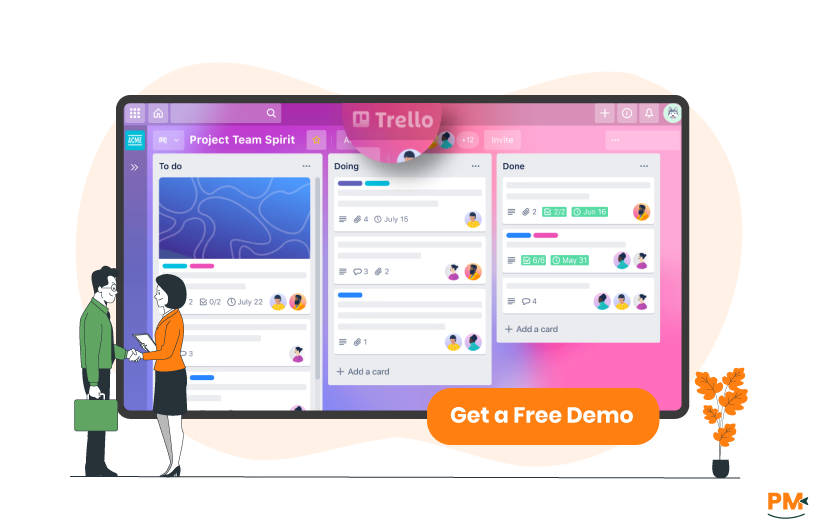
Trello is a visual project management tool built around boards, lists, and cards, making it simple for teams and individuals to organize tasks, track progress, and collaborate. It supports features such as templates, Power-Ups for integrations, Butler automation, and calendar syncing, offering flexibility for teams across industries including marketing, engineering, design, and startups.
The platform offers Free, Standard, Premium, and Enterprise plans to scale with different team sizes and needs. Trello emphasizes ease of use and fast adoption, helping teams stay organized without complex workflows, which makes it particularly appealing for smaller teams or those new to structured project management.
Trello Pros And Cons
Pros | Cons |
|
|
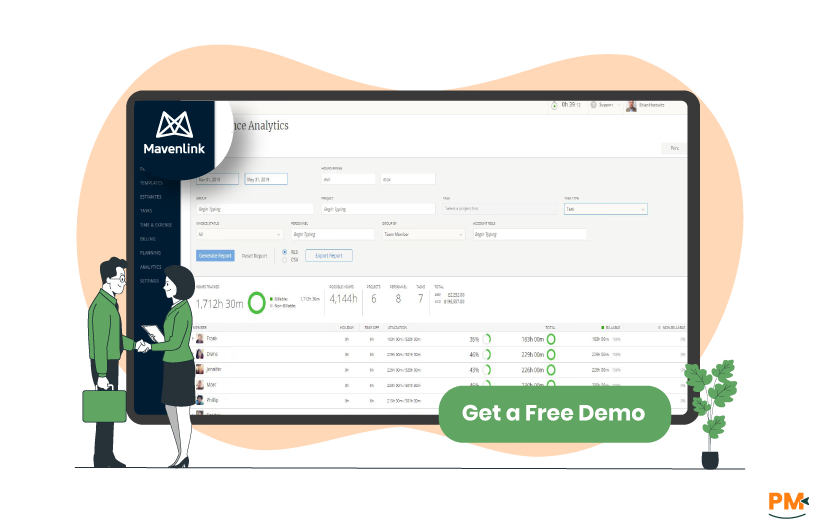
Mavenlink, now part of Kantata, is a Professional Services Automation (PSA) platform designed for service-oriented organizations that need project, resource, and financial management in one solution. It combines project planning with time tracking, reporting, and business intelligence to help firms improve visibility into utilization, margins, and forecasts.
Focused on professional services such as consulting, IT, and agencies, Kantata supports client collaboration and integrates with enterprise systems to streamline delivery. While more complex than lightweight tools, its depth makes it valuable for medium to large teams that manage client projects at scale.
Mavenlink Pros And Cons
Pros | Cons |
|
|

Trello
Trello’s primary in-app messaging is card comments — users can leave comments on cards, mention teammates with “@” to trigger notifications, and keep conversation context directly with the task. For broader or real-time chat needs, Trello documents that teams commonly add Power-Ups (third-party chat integrations) to provide board-level or persistent chat. This makes Trello messaging lightweight and task-focused: conversations follow the card and are easy to find when looking at a specific task.
Mavenlink
Mavenlink describes project-scoped activity feeds and project workspaces as the place for team communication — posts, meeting minutes, and notes live inside the project so team members and clients can follow discussions in context. The activity feed is presented as a searchable, centralized history of project communication (rather than card-level comments), which suits multi-discipline projects and client-facing conversations.

Trello
Trello’s task model is boards → lists → cards, where lists typically represent workflow stages and cards represent individual tasks that are moved as work progresses. Trello emphasizes flexible templates and multiple board views so teams can adapt the same model to simple to complex workflows; it’s a visual, Kanban-style approach suited to teams that want quick setup and flexible processes.
Mavenlink
Mavenlink frames task and workflow management inside project workspaces with a task tracker, project templates, scheduling, assignments and budget-aware controls — features expected from a PSA (professional services automation) tool. Tasks are managed as part of a structured project plan (with templates and scheduling), making Mavenlink better suited to projects that require integrated resource, time and budget controls.
Trello
Trello routes support through the Trello Help Center and Atlassian Support — a public knowledge base, FAQs, guides and community resources for self-service, plus tiered support for paid and enterprise customers via Atlassian (including priority enterprise channels). The official pages emphasize documentation and community-first help, with enterprise customers able to access higher-touch support.
Mavenlink
Mavenlink’s official site highlights Support & Services that include onboarding, customer success, training, and professional services alongside a knowledge base and contact channels. The messaging positions support a mix of self-serve resources and hands-on services (onboarding and training) aimed at helping organizations configure and adopt the PSA platform.

Trello
Trello emphasizes shared boards, card comments/mentions, attachments, and an ecosystem of integrations (Power-Ups) so conversations, files and tasks remain linked to the visual board. This approach keeps collaboration lightweight and task-centric — easy to use for cross-functional teams that rely on visual task boards and third-party integrations (Slack, Drive, etc.) .
Mavenlink
Mavenlink promotes team collaboration within project workspaces, connecting internal teams and clients around project plans, updates and documents. The platform is presented as enabling tighter collaboration for service delivery — combining communications with resource, financial and client-facing workflows, plus integrations with enterprise systems (e. g. , Salesforce, Slack).
Trello
Trello officially documents availability on web, native mobile apps (iOS & Android) and desktop apps (Mac/Windows) with store and download links — making it broadly accessible across devices and convenient for mobile or desktop usage.
Mavenlink
Mavenlink’s public product pages present the solution as a cloud / SaaS PSA platform with web access and integrations. The public-facing product pages emphasize web-based access and enterprise integrations; a prominent, dedicated native mobile app page was not obvious on the product pages reviewed (so mobile availability should be confirmed via Kantata support/docs if required).

This will be discussed in detail with each Project Management Software being discussed separately in its respective sub-heading.
Trello
Trello’s official tour and guides promote visual simplicity and fast onboarding — create a board, add lists and cards, and start collaborating. The vendor positions Trello as low-friction and intuitive, ideal for teams that want a simple visual task tool with a shallow learning curve.
Mavenlink
Mavenlink’s official copy frames the UI as dashboard and configurable, with structured project/portfolio views, templates, and support from professional services for setup. The emphasis is on providing visibility and configurability for PSA workflows — more depth and configuration than a simple Kanban board, and often paired with onboarding to help teams adapt the interface.

Trello
Trello documents Butler, a built-in no-code automation engine that lets users create rules, board buttons, scheduled commands and more to automate card and board actions (move cards, set due dates, trigger notifications). Butler is a first-class feature for automating routine board behaviors without external tools.
Mavenlink
Mavenlink’s official product messaging highlights integrations, workflow orchestration and Business Intelligence to automate cross-system flows and orchestrate resource/financial processes. The public pages focus on system-level orchestration and BI-driven workflows rather than advertising a named, built-in no-code rule editor like Trello’s Butler — automation typically appears as integrations and configured orchestration within the PSA context.

Trello
Trello offers basic built-in views and paid “Dashboard” views and points to analytics/reporting Power-Ups for charts, burn-ups, and scheduled reports; deeper analytics are commonly delivered via Power-Ups or third-party integrations. This makes Trello extensible for reporting but reliant on add-ons for more advanced BI.
Mavenlink
Mavenlink emphasizes a native Business Intelligence / Insights layer with real-time dashboards, a large set of services-centric reports, customizable dashboards and predictive insights tailored to portfolio and project reporting — positioned as built-in PSA reporting rather than an add-on.
Time Tracking

Trello
Trello’s official documentation shows time tracking is typically added via Power-Ups / third-party integrations (there are several time-tracking Power-Ups available). The core Trello product pages do not present a built-in timesheet system, so teams needing native timesheets generally use integrations.
Mavenlink
Mavenlink documents time & expense (timesheets) as native functionality in its PSA offering — including timesheet submission, approvals and time/expense reporting — and surfaces timesheet fields in developer/docs as part of its core platform capabilities. This makes Mavenlink appropriate for organizations needing integrated timesheet and billing workflows.
Documenting Capability

Trello
Trello supports attachments on cards (file uploads or links) with previews and integrations to cloud storage providers (Google Drive, Dropbox, Box). Documents and links live on cards so files are associated with the relevant task; for more advanced document workflows teams often add Power-Ups.
Mavenlink
Mavenlink provides project-level document and notes capture inside workspaces and activity feeds (meeting minutes, notes), plus template-able project tabs/forms and attachment support via the UI and API so files can be associated with projects and archived in context. The platform treats documents as part of the structured project record.
Trello Vs Mavenlink Pricing Comparison
Trello Pricing
Trello offers the following pricing plans:
- Free: $0 - Up to 10 collaborators per Workspace
- Standard: $6/user/month
- Premium: $12.50/user/month
- Enterprise: $17.50/user/month (billed annually, for up to 50 users)
Disclaimer: Pricing is subject to change.
Mavenlink Pricing
The vendor offers custom pricing plans tailored to your specific business needs.
Who Is Trello Best For?
Trello is ideal for small to medium-sized teams that need a simple and visual way to manage projects. Its Kanban-style boards, lists, and cards make it well-suited for industries like marketing, product development, design, and startups, where teams benefit from quick setup and easy adoption.
While Trello can scale with its Enterprise plan, it performs best for groups ranging from individuals and freelancers to departments with a few hundred users. Organizations seeking a user-friendly tool with customizable workflows and light onboarding will find Trello particularly effective.
Who Is Mavenlink Best For?
Mavenlink (now part of Kantata) is best suited for medium to large teams, especially in professional services, consulting, IT, and agencies where client projects, resources, and financials need close alignment. Its built-in time tracking, resource planning, and reporting make it ideal for organizations that manage multiple client-facing projects.
The platform performs best for firms with dozens to thousands of users, where billable hours and resource utilization are as important as task tracking. Teams needing an enterprise-ready system that blends project management with financial oversight will find Mavenlink particularly effective.
Which One May Suit Your Needs Better?
The choice between Trello and Mavenlink depends on team size and complexity. Trello excels for smaller teams that want flexibility, ease of use, and quick collaboration without heavy process management.
Mavenlink, by contrast, is stronger for larger organizations that require comprehensive project delivery, resource allocation, and financial tracking. In short, if you need a lightweight and adaptable task manager, Trello is the better fit. If you need enterprise-grade project and resource management, Mavenlink is the stronger option.
What Are The Alternatives?

Even though Trello and Mavenlink are strong project management solutions, some teams may prefer other tools depending on their specific needs, industry, or budget. Below are recommended alternatives for each.
Trello Alternatives
- Asana – Provides advanced task management with timelines, dependencies, and reporting features
- Monday. com – Offers customizable workflows and automations for teams of all sizes
- ClickUp – Combines tasks, docs, goals, and dashboards in one flexible platform
- Notion – Blends task tracking with collaborative documentation and knowledge management
Mavenlink Alternatives
- Wrike – Project management and collaboration with strong enterprise reporting features
- Smartsheet – Spreadsheet-style project tracking with resource and budget management
- Workday Professional Services Automation – Enterprise PSA platform focused on resource planning and financials
- Accelo – Service operations software that integrates project management with billing and client management